
Win11 Docker Desktop 迁移虚拟硬盘文件存储位置
一、wsl虚拟硬盘文件路径
C:\Users\admin\AppData\Local\Docker\wsl
C:\Users\admin\AppData\Local\Docker\wsl\disk\docker_data.vhdx
C:\Users\admin\AppData\Local\Docker\wsl\main\ext4.vhdx
二、新建新的磁盘映像位置
E:\wsl2(选择这个)
E:\wsl2\DockerDesktopWSL (DockerDesktopWSL他会自己补充)
三、停止运行中的容器
docker desktop界面操作
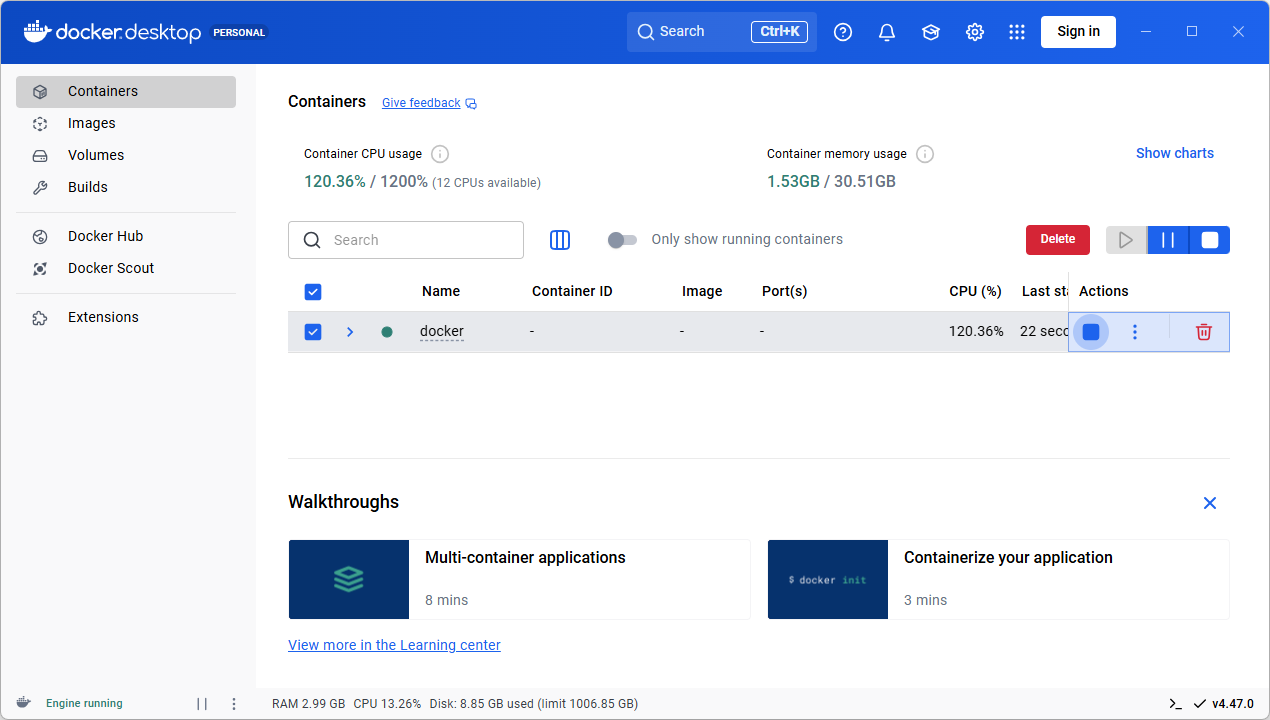
或者使用命令操作
docker-compose stop
列出正在运行的容器
E:\>docker ps
CONTAINER ID IMAGE COMMAND CREATED STATUS PORTS NAMES
列出已安装的 Linux 分发版
C:\Users\admin> wsl -l -v
NAME STATE VERSION
* Ubuntu-24.04 Running 2
docker-desktop Running 2
四、迁移磁盘映像位置
1 Settings--Resources
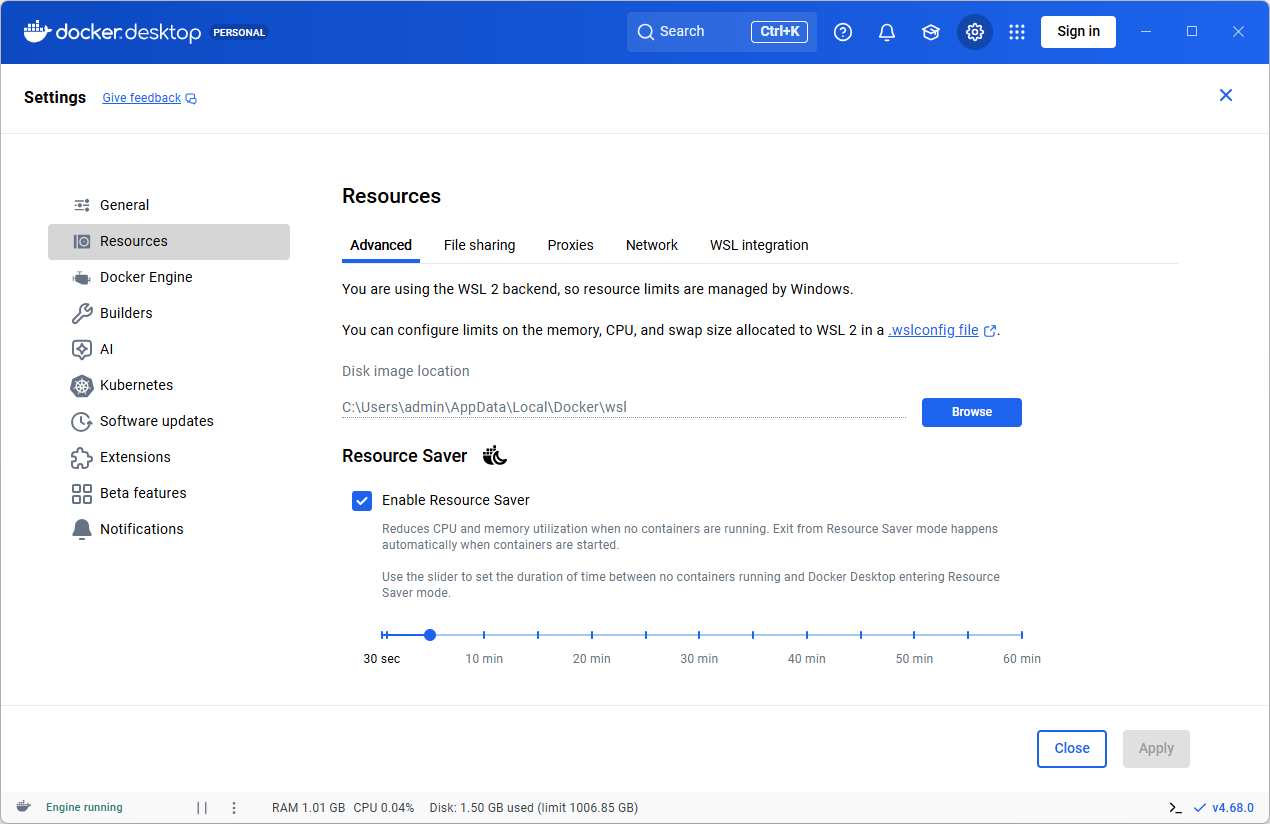
You are using the WSL 2 backend, so resource limits are managed by Windows.
You can configure limits on the memory, CPU, and swap size allocated to WSL 2 in a .wslconfig file.
WSL 中的高级设置配置
https://learn.microsoft.com/zh-cn/windows/wsl/wsl-config#configure-global-options-with-wslconfig
2 选择新位置E:\wsl2
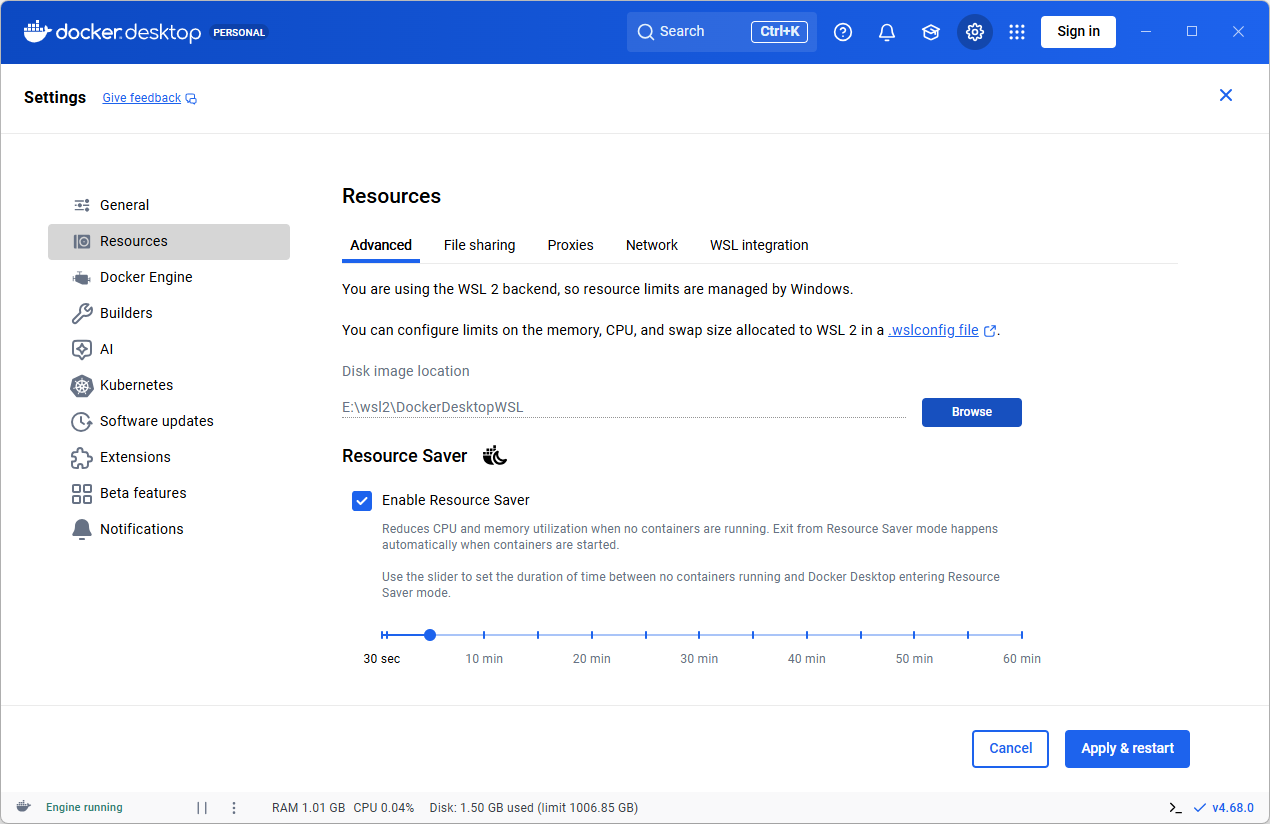
3 Apply & restart
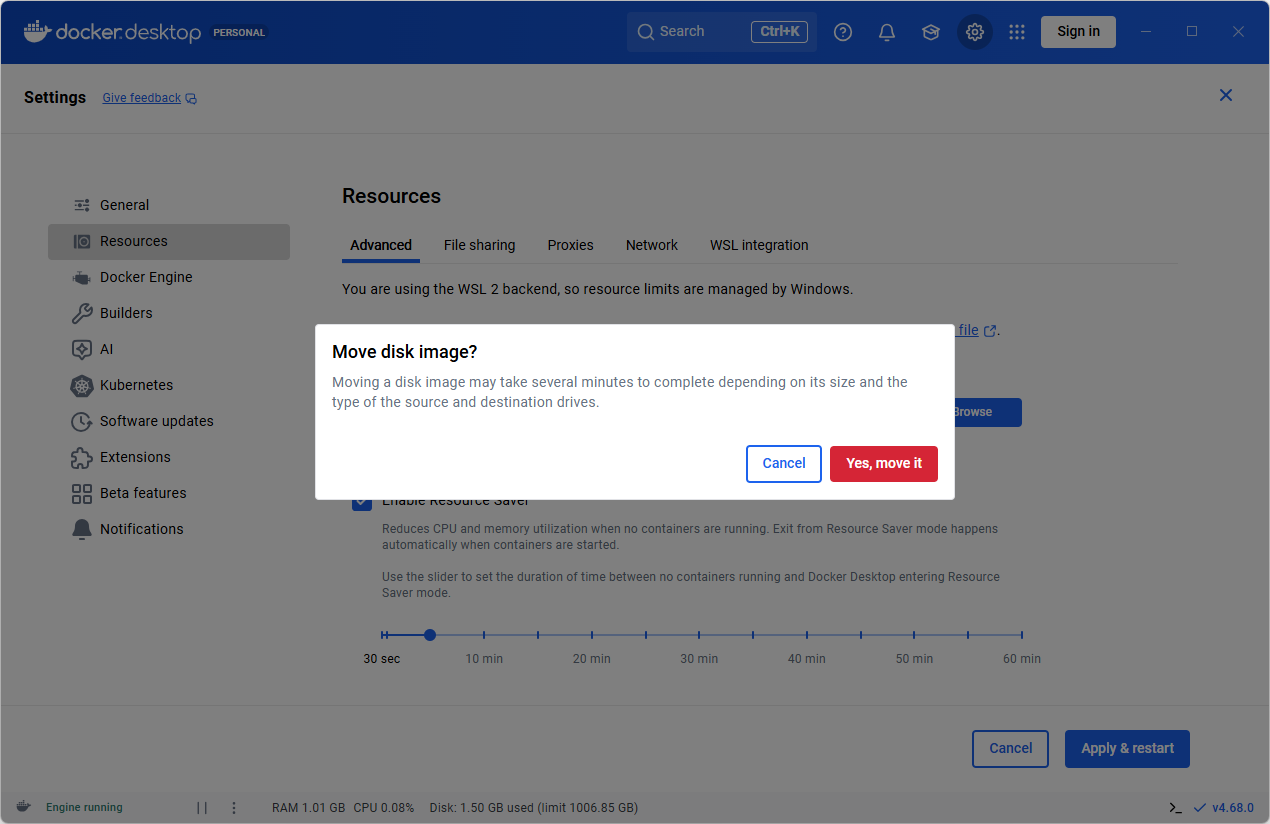
Yes,move it
五、迁移Ubuntu
另一种迁移方式,感觉没必要
WSL2 Ubuntu迁移,导出Ubuntu,导入Ubuntu(存储位置)
https://blog.csdn.net/haveqing/article/details/160031888
六、参考
在windows系统下安装Docker Desktop后迁移镜像位置
https://blog.csdn.net/c1h2cy/article/details/151047567
【填坑】在windows系统下安装Docker Desktop后迁移镜像位置
https://cloud.tencent.com/developer/article/2194390
更多推荐

 10
10 0
0- 0


 已为社区贡献9条内容

所有评论(0)