
Claude Code 101 - Hooks
·
更像是构建某个工作流
hooks are deterministic — they always run.
Why Use Hooks
- CLAUDE.md
- Most of the time it will. But sometimes it won't.
- A hook makes it happen every single time, no exceptions.
Common use cases include:
- Auto-formatting after file edits
- Logging all executed commands for compliance
- Blocking dangerous operations like modifying production files
- Sending yourself notifications when Claude finishes a task
How They Work
Configured in your settings.json.
You pick an event, optionally set a matcher for which tools it applies to, and provide a command to run.
- PreToolUse — runs before a tool call
- PostToolUse — runs after a tool call completes
- UserPromptSubmit — runs when you submit a prompt, before Claude processes it
- Stop — runs when Claude finishes responding
- Notification — runs when Claude sends a notification
/hooks command or editing settings.json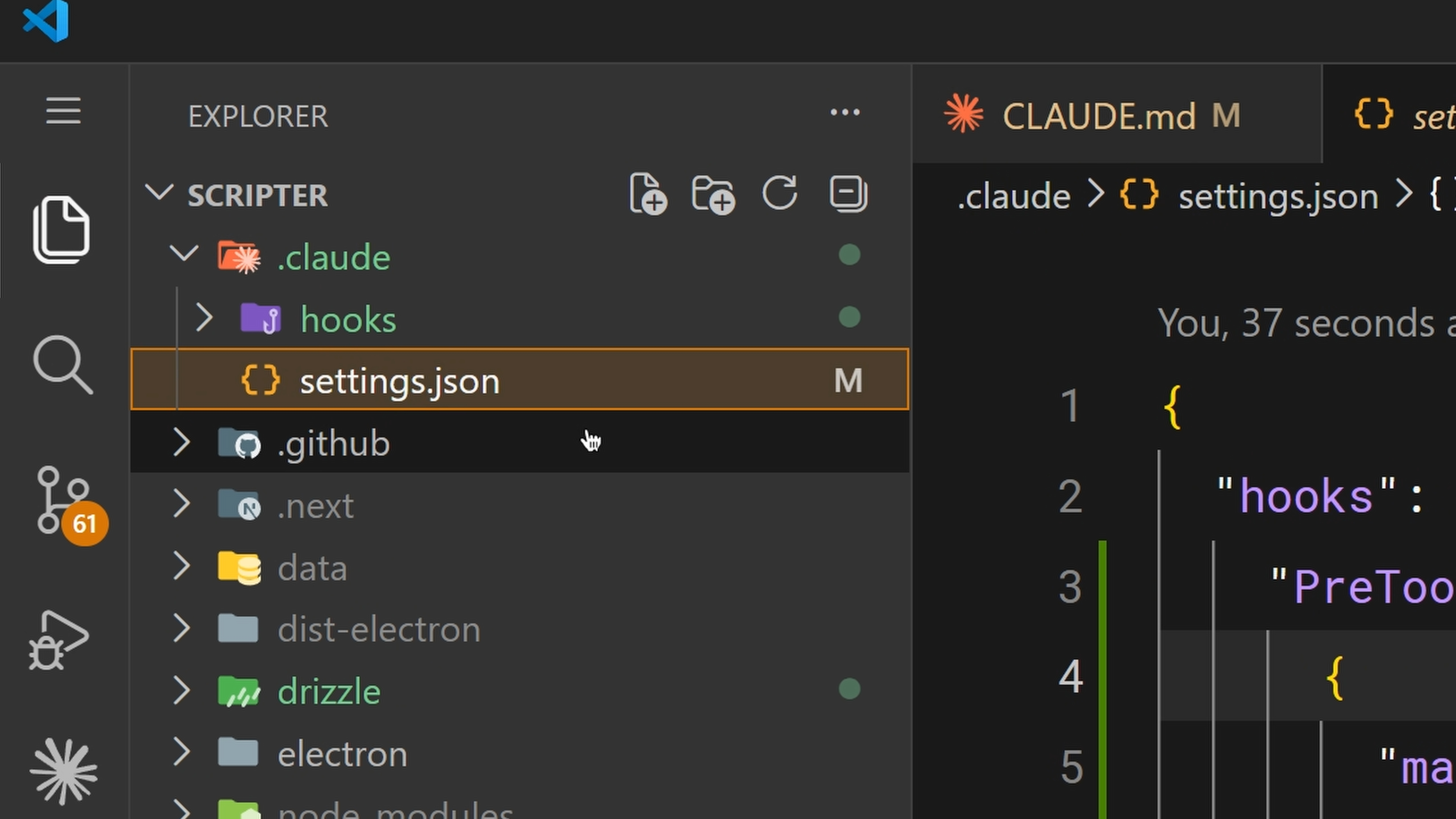
A Practical Example
Set a PostToolUse hook with a matcher of "Edit|MultiEdit|Write"
Blocking with PreToolUse
- Exit code 0 — proceed normally.
- Exit code 2 — block the action. The stderr message gets fed back to Claude as feedback so it knows why it was blocked and can adjust.
- Any other exit code — a non-blocking error that gets shown to you but doesn't stop anything.
This is how you enforce hard rules. Block writes to a production config directory. Block bash commands that contain rm -rf. Block commits to main. Whatever your team needs to be guaranteed, not suggested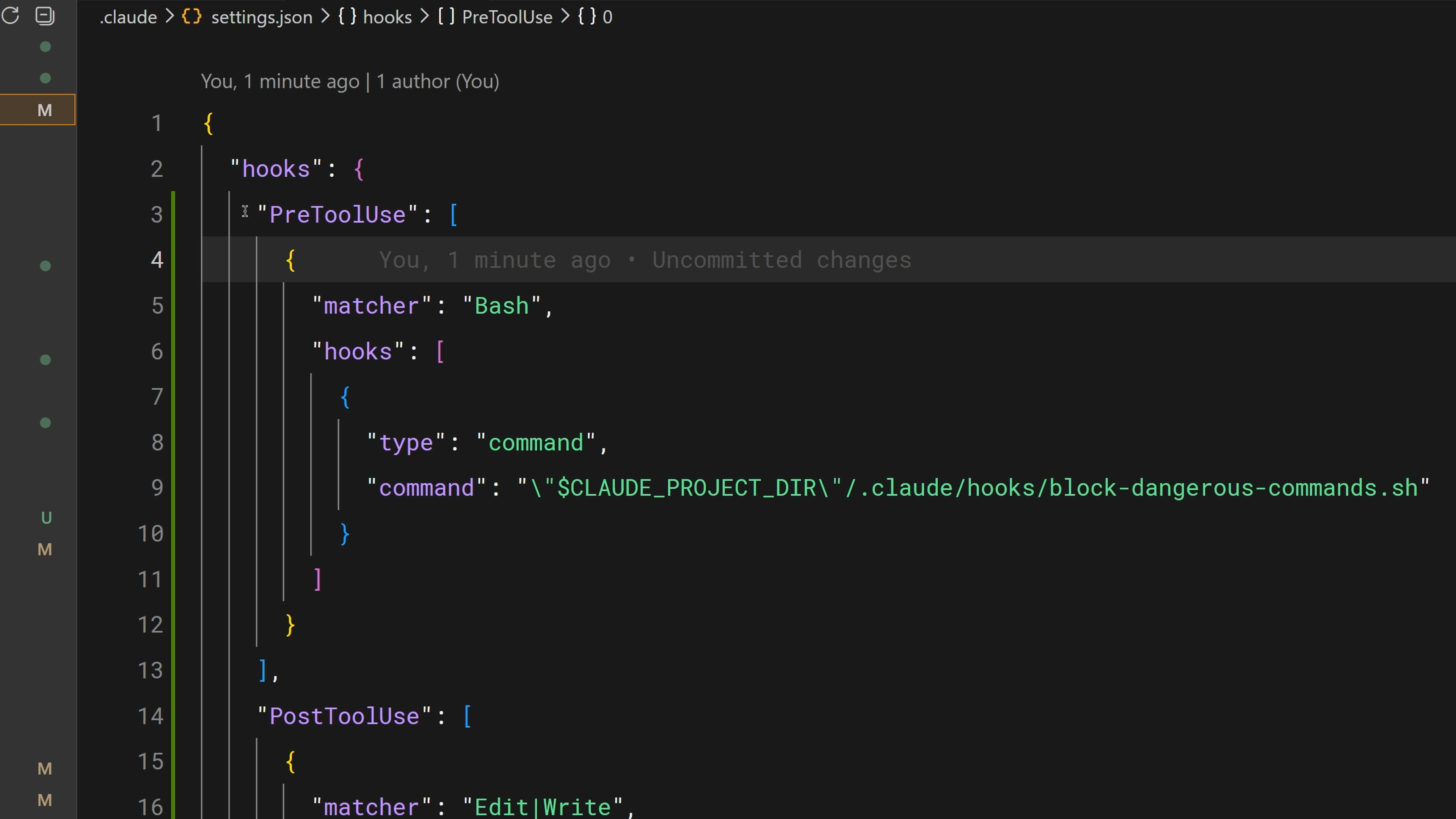
Sharing Hooks with Your Team
Hooks configured in .claude/settings.json
team gets the same hooks automatically.
CLAUDE_PROJECT_DIR environment variable
更多推荐


 5
5 0
0- 0


 已为社区贡献12条内容

所有评论(0)