
SpringBoot Oracle ElasticSearch
·
SpringBoot Oracle ElasticSearch
1 Spring依赖
<?xml version="1.0" encoding="UTF-8"?>
<project xmlns="http://maven.apache.org/POM/4.0.0" xmlns:xsi="http://www.w3.org/2001/XMLSchema-instance"
	xsi:schemaLocation="http://maven.apache.org/POM/4.0.0 https://maven.apache.org/xsd/maven-4.0.0.xsd">

	<modelVersion>4.0.0</modelVersion>

	<parent>
		<groupId>org.springframework.boot</groupId>
		<artifactId>spring-boot-starter-parent</artifactId>
		<version>3.4.9</version>
		<relativePath/> <!-- lookup parent from repository -->
	</parent>

	<groupId>com.xu</groupId>
	<artifactId>spring-oracle</artifactId>
	<version>0.0.1-SNAPSHOT</version>

	<name>spring-oracle</name>

	<description>Demo project for Spring Boot</description>

	<properties>
		<java.version>24</java.version>
	</properties>

	<dependencies>

		<dependency>
			<groupId>org.springframework.boot</groupId>
			<artifactId>spring-boot-starter-web</artifactId>
		</dependency>

        <dependency>
            <groupId>org.mybatis.spring.boot</groupId>
            <artifactId>mybatis-spring-boot-starter</artifactId>
            <version>3.0.5</version>
        </dependency>

        <dependency>
            <groupId>org.springframework.boot</groupId>
            <artifactId>spring-boot-starter-data-redis</artifactId>
        </dependency>

        <dependency>
            <groupId>org.springframework.boot</groupId>
            <artifactId>spring-boot-starter-data-elasticsearch</artifactId>
        </dependency>

		<dependency>
			<groupId>org.springframework.boot</groupId>
			<artifactId>spring-boot-devtools</artifactId>
			<scope>runtime</scope>
			<optional>true</optional>
		</dependency>

        <dependency>
            <groupId>com.oracle.database.jdbc</groupId>
            <artifactId>ojdbc8</artifactId>
            <version>12.2.0.1</version>
        </dependency>

		<dependency>
			<groupId>org.projectlombok</groupId>
			<artifactId>lombok</artifactId>
			<optional>true</optional>
		</dependency>

        <dependency>
            <groupId>cn.hutool</groupId>
            <artifactId>hutool-all</artifactId>
            <version>5.8.40</version>
        </dependency>

		<dependency>
			<groupId>org.springframework.boot</groupId>
			<artifactId>spring-boot-starter-test</artifactId>
			<scope>test</scope>
		</dependency>

        <dependency>
            <groupId>org.mybatis.spring.boot</groupId>
            <artifactId>mybatis-spring-boot-starter-test</artifactId>
            <version>3.0.5</version>
            <scope>test</scope>
        </dependency>

	</dependencies>

	<build>
		<plugins>
			<plugin>
				<groupId>org.apache.maven.plugins</groupId>
				<artifactId>maven-compiler-plugin</artifactId>
				<configuration>
					<annotationProcessorPaths>
						<path>
							<groupId>org.projectlombok</groupId>
							<artifactId>lombok</artifactId>
						</path>
					</annotationProcessorPaths>
				</configuration>
			</plugin>
			<plugin>
				<groupId>org.springframework.boot</groupId>
				<artifactId>spring-boot-maven-plugin</artifactId>
				<configuration>
					<excludes>
						<exclude>
							<groupId>org.projectlombok</groupId>
							<artifactId>lombok</artifactId>
						</exclude>
					</excludes>
				</configuration>
			</plugin>
		</plugins>
	</build>

</project>
2 Spring配置
server:
  port: 7070
  servlet:
    context-path: /spring


spring:
  application:
    name: java-spring
  # MySQL配置
  datasource:
    url: jdbc:oracle:thin:@127.0.0.1:1521/test
    username: tom
    password: 123456
  # Elasticsearch配置
  elasticsearch:
    uris: http://localhost:9200
    password: elastic
    username: elastic
  # Redis配置
  data:
    redis:
      # 地址
      host: localhost
      # 端口,默认为6379
      port: 6379
      # 数据库索引
      database: 0
      # 密码
      password:
      # 连接超时时间
      timeout: 10s
      lettuce:
        pool:
          # 连接池中的最小空闲连接
          min-idle: 0
          # 连接池中的最大空闲连接
          max-idle: 8
          # 连接池的最大数据库连接数
          max-active: 8
          # #连接池最大阻塞等待时间(使用负值表示没有限制)
          max-wait: -1ms

mybatis:
  configuration:
    log-impl: org.apache.ibatis.logging.stdout.StdOutImpl
  mapper-locations: classpath:mapper/*.xml

logging:
  file:
    name: logs/spring-oracle.log
  level:
    root: INFO
    com.xu: INFO
3 Redis配置
package com.xu.conf;

import org.springframework.context.annotation.Bean;
import org.springframework.context.annotation.Configuration;
import org.springframework.data.redis.connection.RedisConnectionFactory;
import org.springframework.data.redis.core.RedisTemplate;
import org.springframework.data.redis.serializer.GenericJackson2JsonRedisSerializer;
import org.springframework.data.redis.serializer.StringRedisSerializer;

@Configuration
public class RedisConfig {

    @Bean
    public RedisTemplate<String, Object> redisTemplate(RedisConnectionFactory connectionFactory) {
        // 创建RedisTemplate实例
        RedisTemplate<String, Object> template = new RedisTemplate<>();
        // 设置连接工厂
        template.setConnectionFactory(connectionFactory);
        // 配置Key的序列化器(String类型)
        StringRedisSerializer stringSerializer = new StringRedisSerializer();
        template.setKeySerializer(stringSerializer);
        template.setHashKeySerializer(stringSerializer);
        // 配置Value的序列化器(JSON类型,支持对象序列化)
        GenericJackson2JsonRedisSerializer jsonSerializer = new GenericJackson2JsonRedisSerializer();
        template.setValueSerializer(jsonSerializer);
        template.setHashValueSerializer(jsonSerializer);
        // 初始化模板
        template.afterPropertiesSet();
        return template;
    }

}
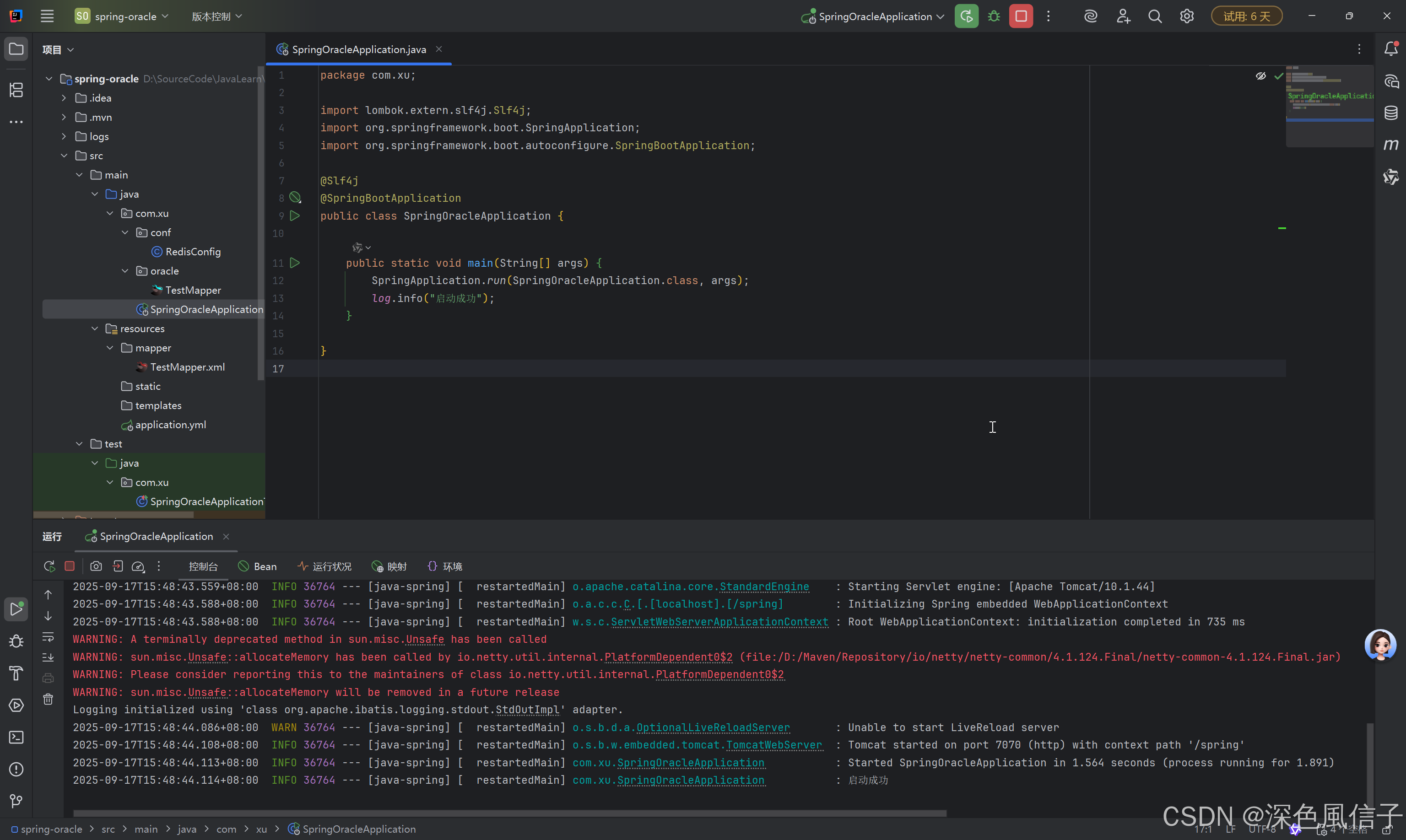
4 Spring启动
package com.xu;

import lombok.extern.slf4j.Slf4j;
import org.springframework.boot.SpringApplication;
import org.springframework.boot.autoconfigure.SpringBootApplication;

@Slf4j
@SpringBootApplication
public class SpringOracleApplication {

	public static void main(String[] args) {
		SpringApplication.run(SpringOracleApplication.class, args);
        log.info("启动成功");
	}

}
4 Dockerfile
# 基础镜像
FROM eclipse-temurin:25-jre-alpine

# 设置工作目录
WORKDIR /app

# 创建用户、组及日志目录(合并命令)
RUN addgroup -S appgroup -g 1001 && \
    adduser -S tom -u 1001 -G appgroup && \
    mkdir -p /app/logs && \
    chown -R tom:appgroup /app/logs /app

# 切换用户
USER tom

# 复制应用(已包含权限设置)
COPY --chown=tom:appgroup ./target/*.jar app.jar

# 暴露端口
EXPOSE 8080

# 启动命令
ENTRYPOINT ["java", "-XX:+UseContainerSupport", "-jar", "app.jar"]
更多推荐

 4
4 0
0- 0


 已为社区贡献6条内容

所有评论(0)