
java 上传文件和下载/预览文件 包括音频调进度条
·
话不多说,直上代码
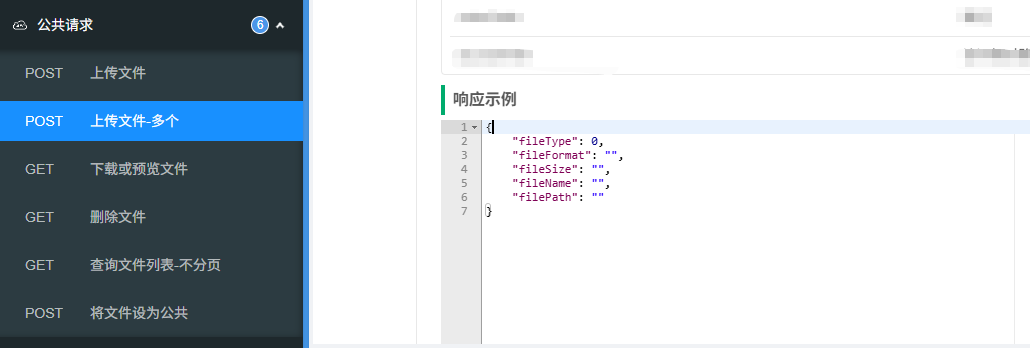
包括knife4j 3.0文档展示使用
一:Controller
   // 接口排序
   @ApiOperationSupport(order = 1)
   // 接口名称
    @Operation(summary = "上传文件")
    // 接口返回示例
    @ApiResponses({
            @ApiResponse(
                    responseCode = "200",
                    description = "成功",
                    content = @Content(
                            mediaType = "application/json",
                            schema = @Schema(implementation = TempFile .class)
                    )
            )
    })
    @PostMapping("/upload")
    public AjaxResult upload(@Parameter(name = "files", description = "文件s", required = true, schema = @Schema(type = "array", implementation = MultipartFile.class))
            @RequestPart("files") MultipartFile[] files,
                  @Parameter(name = "meetingId", description = "会议ID")
            @RequestParam("meetingId") Long meetingId, {
List<TempFile> list = new ArrayList<>();
   for (MultipartFile file : files) {
		try {
		 // 防止文件名中文乱码
            String dbName = URLDecoder.decode(file.getOriginalFilename(), "UTF-8");
            // 文件名前面加了时间戳,防止重复上传替换了
            String name = DateUtils.getTimeNew() + "_" + dbName;
            // 保存路径 global是yml拿的;
            String path = global.getFilePath()  + "/" + meetingId;
            // 进行上传
            FileUtils.upload(path, name, file);
            // 获取文件后缀名(格式)
           String fileFormat = "";
            if (dbName != null && dbName.contains(".")) {
                fileFormat = dbName.substring(dbName.lastIndexOf(".") + 1).toLowerCase();
            }
            // 获取文件大小(转换为MB,保留两位小数)
            String fileSize = FileUtils.formatFileSize(file.getSize());
            // 根据文件后缀判断文件类型
            String fileType = FileUtils.getFileType(fileFormat);
            // 保存数据库
            TempFile tempFile = TempFile.builder()
            .fileName(dbName)
            .fileFormat(fileFormat)
            .fileType(fileType)
            .fileSize(fileSize)
            .filePath(path + "/" + name)
            .build();
            mapper.addTempFile(tempFile);

        } catch (Exception e) {
            e.printStackTrace();
       } finally {
                list.add(tempFile);
            }
      return AjaxResult.success(list);
	}

	}


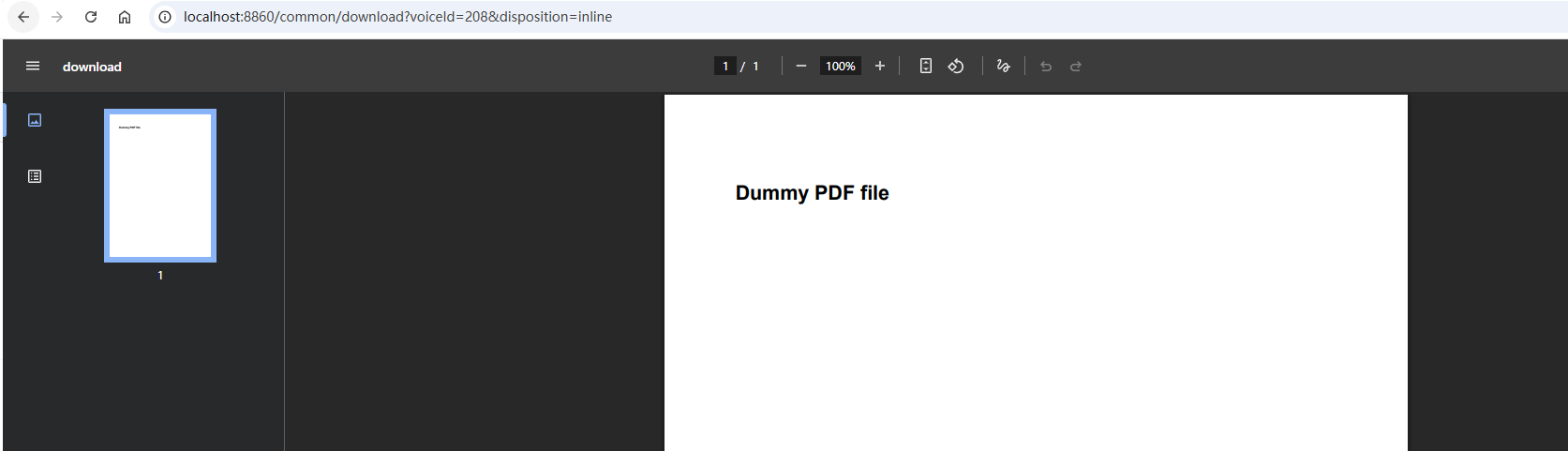
// 默认是下载,inline是在线预览,支持音频调整进度条
    @ApiOperationSupport(order = 2)
    @Operation(summary = "下载或预览文件")
    @GetMapping("/download")
    public void download(@RequestParam(name = "fileId") Long fileId,
                         @Parameter(name = "disposition", description = "attachment(默认下载)、inline(在线预览)")
                         @RequestParam(name = "disposition", required = false, defaultValue = "attachment") String disposition,
                         HttpServletRequest request,
                         HttpServletResponse response) throws IOException {
        TempFile tempFile= meetingFileService.selectTempFile (fileId);
        if (null == tempFile) {
            throw new RuntimeException("资源不存在!");
        }
        FileUtils.download(request, response, tempFile.getVoiceName(), tempFile.getVoicePath(), disposition);
    }
二:FileUtils
package org.example.common.utils;

import jakarta.servlet.http.HttpServletRequest;
import jakarta.servlet.http.HttpServletResponse;
import lombok.extern.slf4j.Slf4j;
import org.springframework.web.multipart.MultipartFile;

import java.io.*;
import java.net.URLEncoder;
import java.nio.file.Files;
import java.nio.file.Path;
import java.nio.file.Paths;
import java.util.*;

/**
 * 文件上传工具类
 *
 * @author lt
 */
@Slf4j
public class FileUtils {
    public static String FILENAME_PATTERN = "[a-zA-Z0-9_\\-\\|\\.]+";

    // 文档类型
    public static String[] documentFormats = {"doc", "docx", "pdf", "txt", "xls", "xlsx", "ppt", "pptx", "rtf", "odt"};
    // 图片类型
    public static String[] imageFormats = {"jpg", "jpeg", "png", "gif", "bmp", "webp", "tiff", "svg"};
    // 视频类型
    public static String[] videoFormats = {"mp4", "avi", "mov", "wmv", "flv", "mkv", "webm", "mpeg", "3gp"};

    /**
     * 文件名称验证
     *
     * @param filename 文件名称
     * @return true 正常 false 非法
     */
    public static boolean isValidFilename(String filename) {
        return filename.matches(FILENAME_PATTERN);
    }


    /**
     * 根据文件路径上传
     *
     * @param baseDir 相对应用的基目录
     * @param file    上传的文件
     * @return 文件名称
     * @throws IOException
     */
    public static void upload(String baseDir, MultipartFile file) throws IOException {
        try {
            // 获取后缀名称
            String fileName = file.getOriginalFilename();
            String absPath = getAbsoluteFile(baseDir, fileName).getAbsolutePath();
            file.transferTo(Paths.get(absPath));
        } catch (Exception e) {
            throw new IOException(e.getMessage(), e);
        }
    }

    public static void upload(String baseDir, String fileName, MultipartFile file) throws IOException {
        try {
            // 获取后缀名称
            String absPath = getAbsoluteFile(baseDir, fileName).getAbsolutePath();
            file.transferTo(Paths.get(absPath));
        } catch (Exception e) {
            throw new IOException(e.getMessage(), e);
        }
    }


    public static File getAbsoluteFile(String uploadDir, String fileName) throws IOException {
        File desc = new File(uploadDir + File.separator + fileName);
        if (!desc.exists()) {
            if (!desc.getParentFile().exists()) {
                desc.getParentFile().mkdirs();
            }
        }
        return desc;
    }


    // 动态检测内容类型
    public static String detectContentType(String fileName) {
        String ext = fileName.substring(fileName.lastIndexOf('.') + 1).toLowerCase();
        switch (ext) {
            case "mp3":
                return "audio/mpeg";
            case "wav":
                return "audio/wav";
            case "flac":
                return "audio/flac";
            case "mp4":
                return "video/mp4";
            case "pdf":
                return "application/pdf";
            case "jpg":
            case "jpeg":
                return "image/jpeg";
            case "png":
                return "image/png";
            case "gif":
                return "image/gif";
            case "txt":
                return "text/plain";
            case "css":
                return "text/css";
            case "js":
                return "application/javascript";
            case "json":
                return "application/json";
            case "xml":
                return "application/xml";
            default:
                return "application/octet-stream";
        }
    }

    /**
     * 类型(默认0其他 1文档 2图片 3视频)
     *
     * @param fileFormat 后缀格式
     * @return 类型
     */
    public static String getFileType(String fileFormat) {
        String fileType = "0"; // 默认其他类型
        // 检查文件类型
        for (String format : documentFormats) {
            if (format.equals(fileFormat)) {
                fileType = "1";
                break;
            }
        }

        for (String format : imageFormats) {
            if (format.equals(fileFormat)) {
                fileType = "2";
                break;
            }
        }
        for (String format : videoFormats) {
            if (format.equals(fileFormat)) {
                fileType = "3";
                break;
            }
        }
        return fileType;
    }

    /**
     * 更准确的文件大小格式化方法
     */
    public static String formatFileSize(long size) {
        try {
            if (size <= 0) return "0 B";
            final String[] units = new String[]{"B", "KB", "MB", "GB", "TB"};
            int digitGroups = (int) (Math.log10(size) / Math.log10(1024));
            // 确保不会超出数组范围
            digitGroups = Math.min(digitGroups, units.length - 1);
            return String.format("%.2f%s", size / Math.pow(1024, digitGroups), units[digitGroups]);
        }catch (Exception e){
            return "";
        }

    }

    /**
     * 下载或预览文件
     *  支持音频调进度条
     * @param response 响应对象
     * @param fileName 文件名
     * @param filePath  文件路径
     * @param disposition attachment(默认下载)、inline(在线预览)
     */
    public static void download(HttpServletRequest request,HttpServletResponse response, String fileName, String filePath, String disposition) {
        Path basePath = Paths.get(filePath).toAbsolutePath().normalize();
        if (!Files.exists(basePath)) {
            throw new RuntimeException("文件不存在");
        }
        try {
            response.setCharacterEncoding("utf-8");
            response.setContentType(detectContentType(fileName));
            String safeFilename = URLEncoder.encode(fileName, "UTF-8")
                    .replace("+", "%20");
            String contentDispositionValue = disposition + "; filename=\"" + safeFilename + "\"";
            response.setHeader("Content-Disposition", contentDispositionValue);
            response.setHeader("Accept-Ranges", "bytes");
            response.setHeader("Cache-Control", "no-cache");

            long fileSize = Files.size(basePath);
            String rangeHeader = request.getHeader("Range");
            // 如果没有Range头,发送整个文件
            if (rangeHeader == null) {
                response.setHeader("Content-Length", String.valueOf(fileSize));
                response.setStatus(HttpServletResponse.SC_OK);
                Files.copy(basePath, response.getOutputStream());
                //FileUtils.writeBytes(voice.getVoicePath(), response.getOutputStream());
                return;
            }
            // 解析Range头
            String[] ranges = rangeHeader.substring(6).split("-");
            long start = Long.parseLong(ranges[0]);
            long end = ranges.length > 1 ? Long.parseLong(ranges[1]) : fileSize - 1;
            // 验证范围有效性
            if (start < 0 || end >= fileSize || start > end) {
                response.setStatus(HttpServletResponse.SC_REQUESTED_RANGE_NOT_SATISFIABLE);
                response.setHeader("Content-Range", "bytes */" + fileSize);
                return;
            }
            long contentLength = end - start + 1;
            response.setStatus(HttpServletResponse.SC_PARTIAL_CONTENT);
            response.setHeader("Content-Range", "bytes " + start + "-" + end + "/" + fileSize);
            response.setHeader("Content-Length", String.valueOf(contentLength));
            // 使用RandomAccessFile读取文件的指定部分
            try (RandomAccessFile randomAccessFile = new RandomAccessFile(basePath.toFile(), "r")) {
                randomAccessFile.seek(start);
                byte[] buffer = new byte[4096];
                long remaining = contentLength;

                while (remaining > 0) {
                    int read = randomAccessFile.read(buffer, 0, (int) Math.min(buffer.length, remaining));
                    if (read == -1) {
                        break;
                    }
                    response.getOutputStream().write(buffer, 0, read);
                    remaining -= read;
                }
            }
        } catch (Exception e) {
            log.error("下载或预览文件" + e.getMessage());
            if (!response.isCommitted()) {
                response.setStatus(HttpServletResponse.SC_INTERNAL_SERVER_ERROR);
            }
        }

    }
}
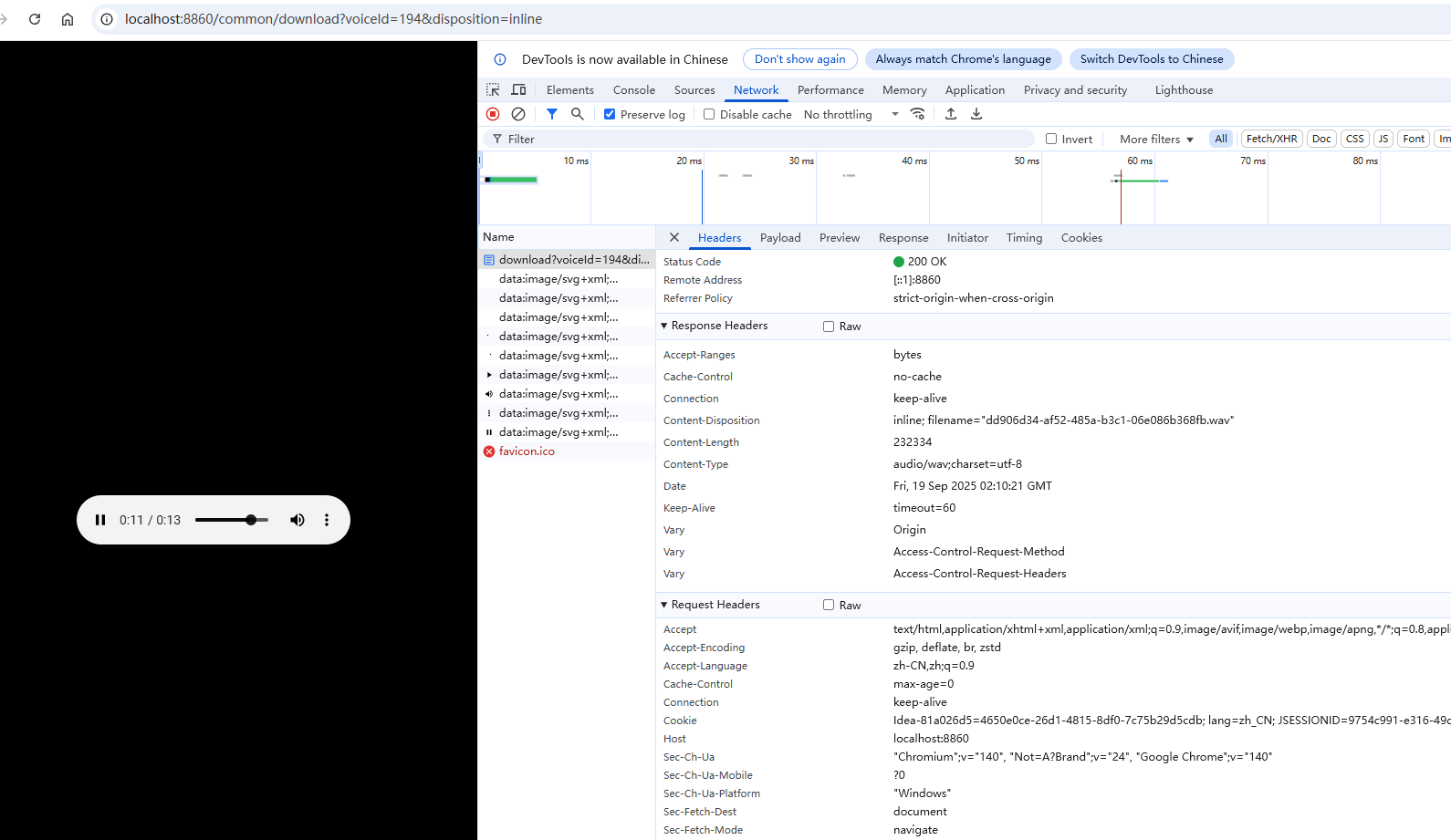
—音频选择进度条是重新发送 request的Range字段,FileUtils.download方法已经处理了。
更多推荐

 4
4 0
0- 0


 已为社区贡献1条内容

所有评论(0)