
OpenClaw 安装教程
·
OpenClaw 安装教程
macOS / LinuxWindows
系统要求
macOS 10.15+ 或主流 Linux 发行版(Ubuntu 18.04+、Debian 10+、CentOS 7+ 等)
1、安装
curl -fsSL https://openclaw.ai/install.sh | bash2、快捷配置
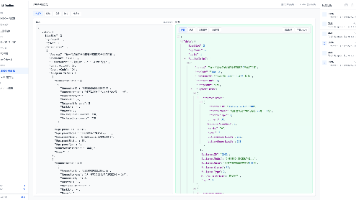
若您已经自行安装了 OpenClaw,仅想将本站的 API 接入,请打开 ~/.openclaw/openclaw.json 文件,将其中的 models 部分替换成下面的内容,请一定注意将 apiKey 更换为您自己的:
{
  "models": {
    "providers": {
      "aikopen-claude": {
        "baseUrl": "https://aikopen.com/api/claudecode/v1",
        "apiKey": "换成你的key",
        "api": "anthropic-messages",
        "models": [
          {
            "id": "claude-sonnet-4-5-20250929",
            "name": "Claude Sonnet 4.5",
            "reasoning": true,
            "input": ["text","image"]
          },
          {
            "id": "claude-opus-4-5-20251101",
            "name": "Claude Opus 4.5",
            "reasoning": true,
            "input": ["text","image"]
          }
        ]
      },
      "aikopen-gpt": {
        "baseUrl": "https://aikopen.com/api/codex/v1",
        "apiKey": "换成你的key",
        "api": "openai-responses",
        "models": [
          {
            "id": "gpt-5.2",
            "name": "GPT-5.2",
            "reasoning": true,
            "input": ["text","image"]
          },
          {
            "id": "gpt-5.4",
            "name": "GPT-5.4",
            "reasoning": true,
            "input": ["text","image"]
          }
        ]
      },
      "aikopen-gemini": {
        "baseUrl": "https://aikopen.com/api/gemini/v1",
        "apiKey": "换成你的key",
        "api": "openai-completions",
        "models": [
          {
            "id": "gemini-3-pro-preview",
            "name": "Gemini 3 Pro Preview",
            "reasoning": true,
            "input": ["text","image"]
          },
          {
            "id": "gemini-3-flash-preview",
            "name": "Gemini 3 Flash Preview",
            "reasoning": true,
            "input": ["text","image"]
          }
        ]
      }
    }
  }
}免费key申请:https://aikopen.com
更多推荐

 0
0 0
0- 0


 已为社区贡献2条内容

所有评论(0)