
在Vue3+Typescript项目中如何使用高德地图API(基础1)
·
本项目使用的是SoybeanAdmin(https://docs.soybeanjs.cn/zh/)的框架,结合typescript实现的基础高德地图API的文件使用(不会使用SoybeanAdmin框架模版丝毫不影响)。现文章关于高德地图API的调用分为两种:
一.Web 服务 API:批量地理编码、路线计算、权限校验、数据缓存(http://lbs.amap.com/api/webservice/summary)
二.地图 JS API 2.0:展示地图、用户选点、定位(https://lbs.amap.com/api/javascript-api-v2/summary)
1.使用前准备,引入地图
①注册并登录高德开放平台并登录
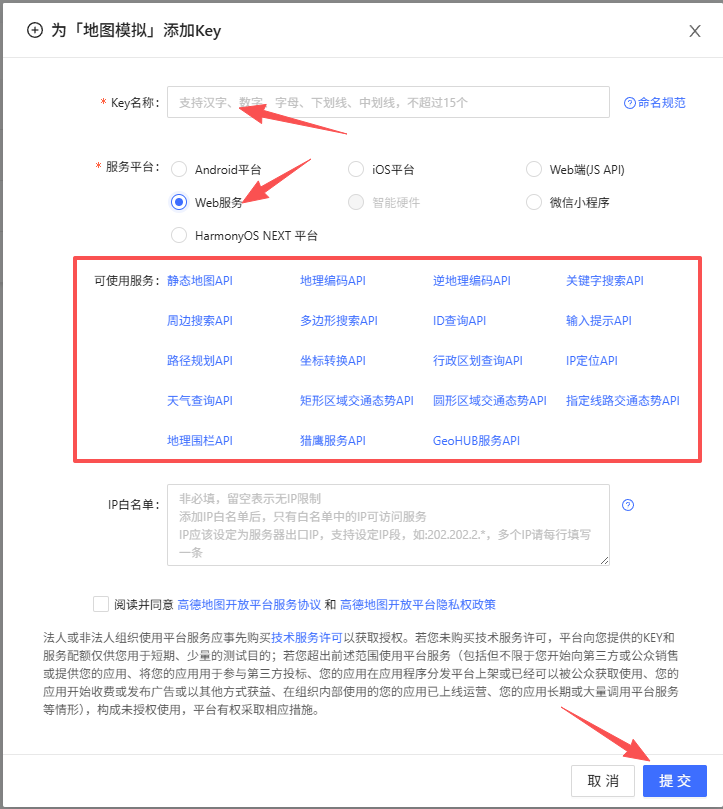
②创建key,地图 JS API 2.0选择Web端(JS API),Web 服务 API选择Web服务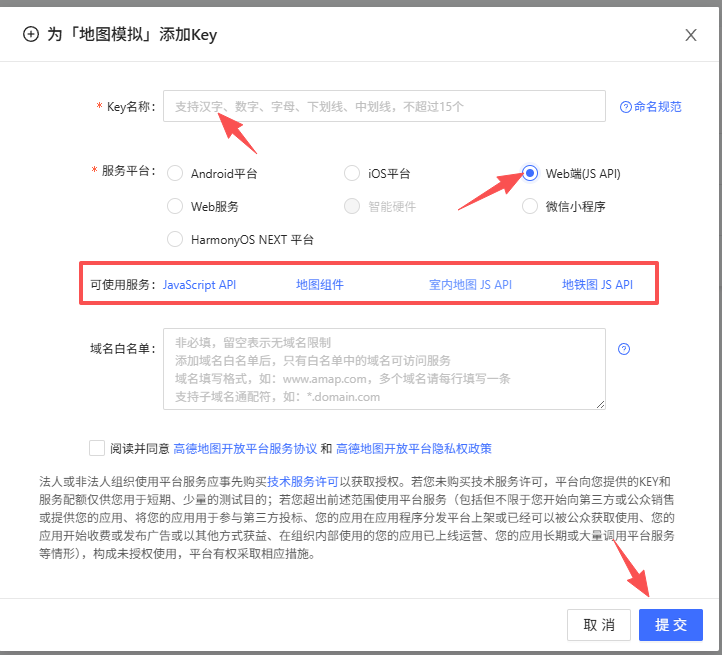
③创建一个vue项目并安装好依赖创建两个文件夹,一个作为主文件,一个作为地图组件文件
主文件代码:
<template>
  <div class="map-page">
    <!-- 地图容器 -->
    <div class="map-container">
      <AMapOne ref="mapRef" />
    </div>
  </div>
</template>

<script setup lang="ts">
import { ref, onUnmounted } from 'vue'
import AMapOne from '../../components/Amapone/index.vue';

const mapRef = ref<InstanceType<typeof AMapOne> | null>(null);

onUnmounted(() => {
  if (mapRef.value) {
    const mapInstance = (mapRef.value as any).getMap();
    if (mapInstance) {
      mapInstance.destroy();
    }
  }
});
</script>

<style scoped>
.map-page {
  width: 100%;
  height: 100vh;
  position: relative;
}

.map-container {
  width: 100%;
  height: 100%;
}
</style>
组件文件:npm安装loader(npm i @amap/amap-jsapi-loader --save)
<template>
    <div id="container"></div>
</template>
<script setup lang="ts">
import { ref, onMounted, onUnmounted } from "vue";
import AMapLoader from "@amap/amap-jsapi-loader";

let map: any = null;

onMounted(() => {
  window._AMapSecurityConfig = {
    securityJsCode: "「你申请的安全密钥」",
  };
  AMapLoader.load({
    key: "",                 // 申请好的Web端开发者Key,首次调用 load 时必填
    version: "2.0",          // 指定要加载的 JSAPI 的版本,缺省时默认为 1.4.15
    plugins: ["AMap.Scale"], //需要使用的的插件列表,如比例尺'AMap.Scale',支持添加多个
  })
    .then((AMap) => {
      map = new AMap.Map("container", {
        viewMode: "3D",                 // 是否为3D地图模式
        zoom: 11,                       // 初始化地图级别
        center: [116.397428, 39.90923], // 初始化地图中心点位置
      });
    })
    .catch((e) => {
      console.log(e);
    });
});

onUnmounted(() => {
  map?.destroy();
});
</script>
<style  scoped>
    #container{
        padding:0px;
        margin: 0px;
        width: 100%;
        height: 800px;
    }
</style>
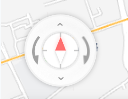
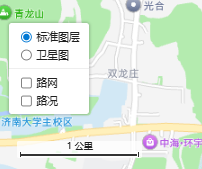
2.添加地图控件(缩放、定位、比例尺、控制罗盘、鹰眼、图层切换)
AMapLoader.load({
    key: "你的key",
    version: "2.0",
    plugins: ["AMap.Scale", "AMap.Marker", "AMap.ToolBar", "AMap.Geolocation", "AMap.HawkEye", "AMap.MapType"],
  })
// 控制罗盘
AMap.plugin("AMap.ControlBar", () => {
var controlBar = new AMap.ControlBar();
map.addControl(controlBar);
});
// 缩放工具条
AMap.plugin("AMap.ToolBar", () => {
var toolBar = new AMap.ToolBar({
position: {
bottom: '240px',
right: '20px'
}
});
map.addControl(toolBar);
});
//比例尺控件
AMap.plugin("AMap.Scale", () => {
var scale = new AMap.Scale({
position: {
bottom: '50px',
left: '20px'
}
});
map.addControl(scale);
});
map.addControl(new AMap.Scale());
// 定位控件
AMap.plugin("AMap.Geolocation", () => {
var geolocation = new AMap.Geolocation({
position: {
bottom: '330px',
right: '20px'
}
});
map.addControl(geolocation);
});
// 鹰眼控件
AMap.plugin("AMap.HawkEye", () => {
var eye = new AMap.HawkEye({
position: {
bottom: '30px',
right: '20px'
}
});
map.addControl(eye);
});
// 图层切换控件
AMap.plugin("AMap.MapType", () => {
var mapType = new AMap.MapType({
position: {
bottom: '200px',
left: '100px'
}
});
map.addControl(mapType);
});效果图:(以济南市为例)
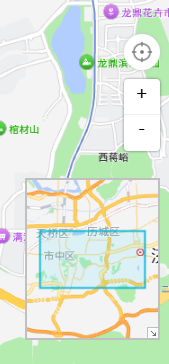
样式大小和位置可自行修改,例如:
:deep(.amap-toolbar span) {
  width: 40px;
  height: 40px;
}
3.添加点标记
      // 添加标记点
      const marker = new AMap.Marker({
        position: [117.069292, 36.637604]
      });
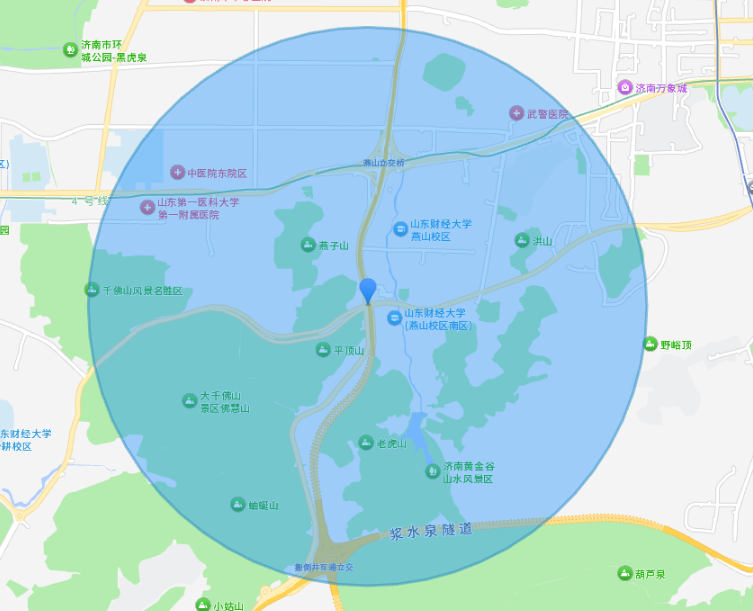
给点标记添加点击事件,点击后显示圆形范围
      // 添加标记点
      const marker = new AMap.Marker({
        position: [117.069292, 36.637604]
      });
      // marker点击事件:切换圆形显示/隐藏
      marker.on('click', function () {
        if (circleVisible) {
          map.remove(circle);
        } else {
          map.add(circle);
        }
        circleVisible = !circleVisible;
      });
      map.add(marker);

      //设置圆形位置
      var center = new AMap.LngLat(117.069292, 36.637604);
      //设置圆的半径大小
      var radius = 3000;
      //创建圆形Circle实例(初始不添加到地图)
      circle = new AMap.Circle({
        center: center,          //圆心
        radius: radius,          //半径
        borderWeight: 3,         //描边的宽度
        strokeColor: "#2b8cbe",  //轮廓线颜色
        strokeOpacity: 0.5,      //轮廓线透明度
        strokeWeight: 3,         //轮廓线宽度
        fillOpacity: 0.4,        //圆形填充透明度
        strokeStyle: "solid",    //轮廓线样式
        strokeDasharray: [10, 10],
        fillColor: "#1791fc",    //圆形填充颜色
        zIndex: 50,              //圆形的叠加顺序
      });
效果图:
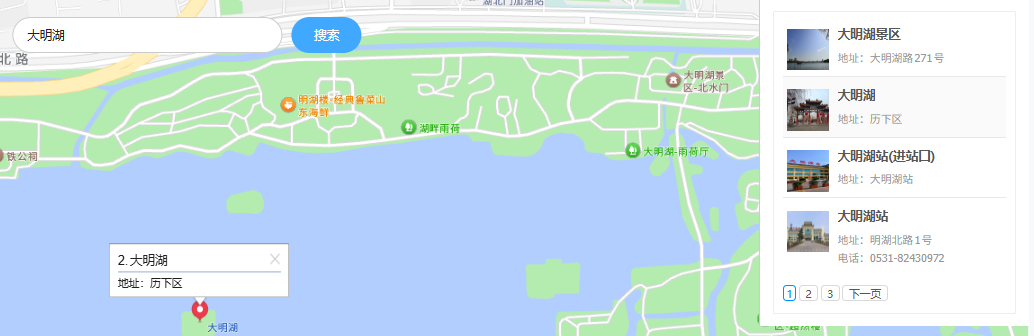
4.搜索地点(具体实现输入框输入点击搜索省略)
      // 搜索插件
      AMap.plugin(["AMap.PlaceSearch"], function () {
        placeSearch = new AMap.PlaceSearch({
          pageSize: 4,     //单页显示结果条数
          pageIndex: 1,    //页码
          city: "济南市",  //兴趣点城市
          citylimit: true, //是否强制限制在设置的城市内搜索
          map: map,        //展现结果的地图实例
          panel: "my-panel", //参数值为你页面定义容器的 id 值<div id="my-panel"></div>,结果列表将在此容器中进行展示。
          autoFitView: true, //是否自动调整地图视野使绘制的 Marker 点都处于视口的可见范围
        });
      });
效果图:
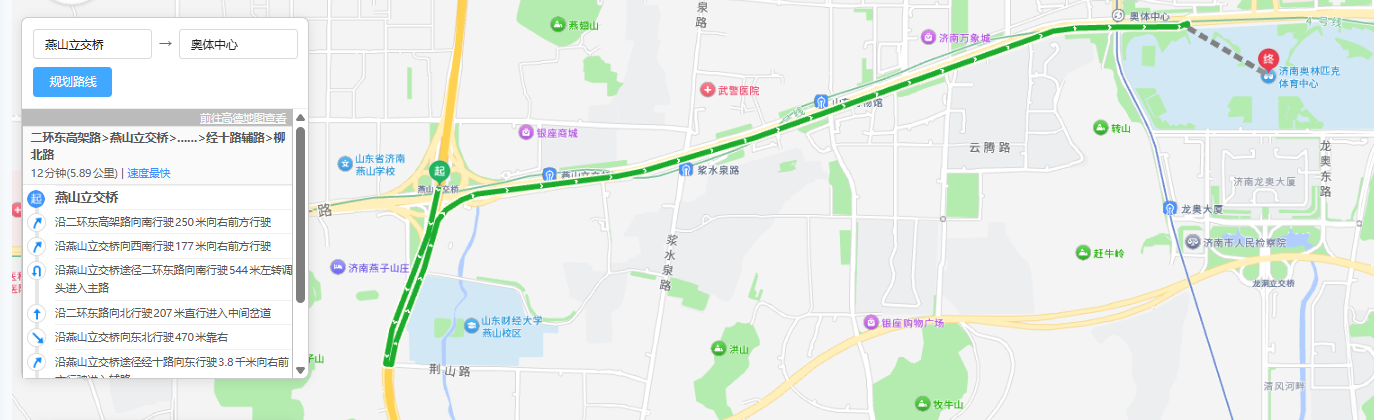
5.规划路线
      //引入和创建驾车规划插件
      AMap.plugin(["AMap.Driving"], function () {
        driving = new AMap.Driving({
          map: map,
          panel: "my-panel2",
        });
      });
效果图:
更多推荐
 6
6 0
0- 0


 已为社区贡献1条内容

所有评论(0)