
JavaScript核心基础知识点汇总
·
一、变量
变量是存储数据的容器。JavaScript有三种声明变量的关键字:var、let 和 const。
1.声明方式对比
| 特性 | var | let | const |
|---|---|---|---|
| 作用域 | 函数作用域或全局作用域 | 块级作用域 | 块级作用域 |
| 变量提升 | 声明提升,初始化为 undefined | 存在暂时性死区,声明前访问报错 | 存在暂时性死区,声明前访问报错 |
| 重复声明 | 允许 | 不允许 | 不允许 |
| 重新赋值 | 允许 | 允许 | 不允许(对象/数组内容可修改) |
| 必须初始化 | 否 | 否 | 是 |
2.最佳实践
- 默认使用
const:对于不需要重新赋值的变量。 - 需要重新赋值时使用
let:如循环计数器。 - 避免使用
var:因其作用域和提升特性易导致问题
3.代码演示
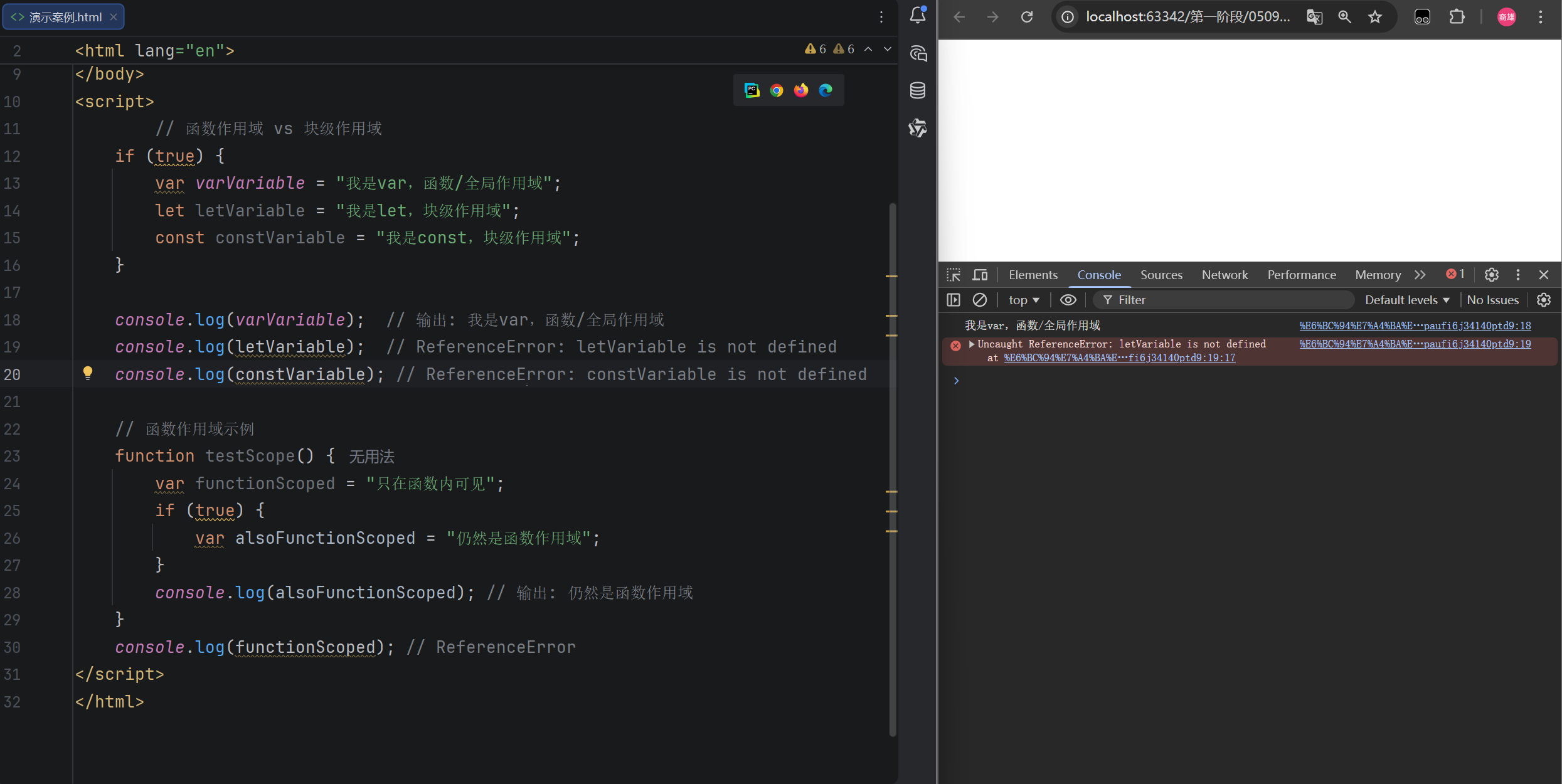
// 函数作用域 vs 块级作用域
if (true) {
    var varVariable = "我是var,函数/全局作用域";
    let letVariable = "我是let,块级作用域";
    const constVariable = "我是const,块级作用域";
}

console.log(varVariable);  // 输出: 我是var,函数/全局作用域
console.log(letVariable);  // ReferenceError: letVariable is not defined
console.log(constVariable); // ReferenceError: constVariable is not defined

// 函数作用域示例
function testScope() {
    var functionScoped = "只在函数内可见";
    if (true) {
        var alsoFunctionScoped = "仍然是函数作用域";
    }
    console.log(alsoFunctionScoped); //输出: 仍然是函数作用域
}
console.log(functionScoped); //ReferenceError
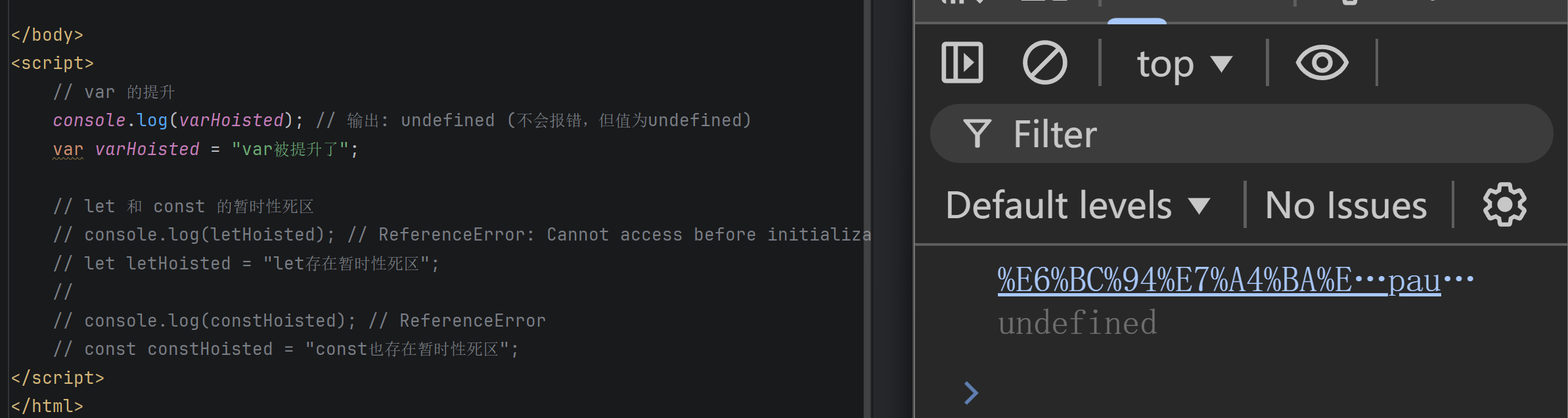
// var 的提升
console.log(varHoisted); // ✅ 输出: undefined (不会报错,但值为undefined)
var varHoisted = "var被提升了";

// let 和 const 的暂时性死区
console.log(letHoisted); // ❌ ReferenceError: Cannot access before initialization
let letHoisted = "let存在暂时性死区";

console.log(constHoisted); // ❌ ReferenceError
const constHoisted = "const也存在暂时性死区";
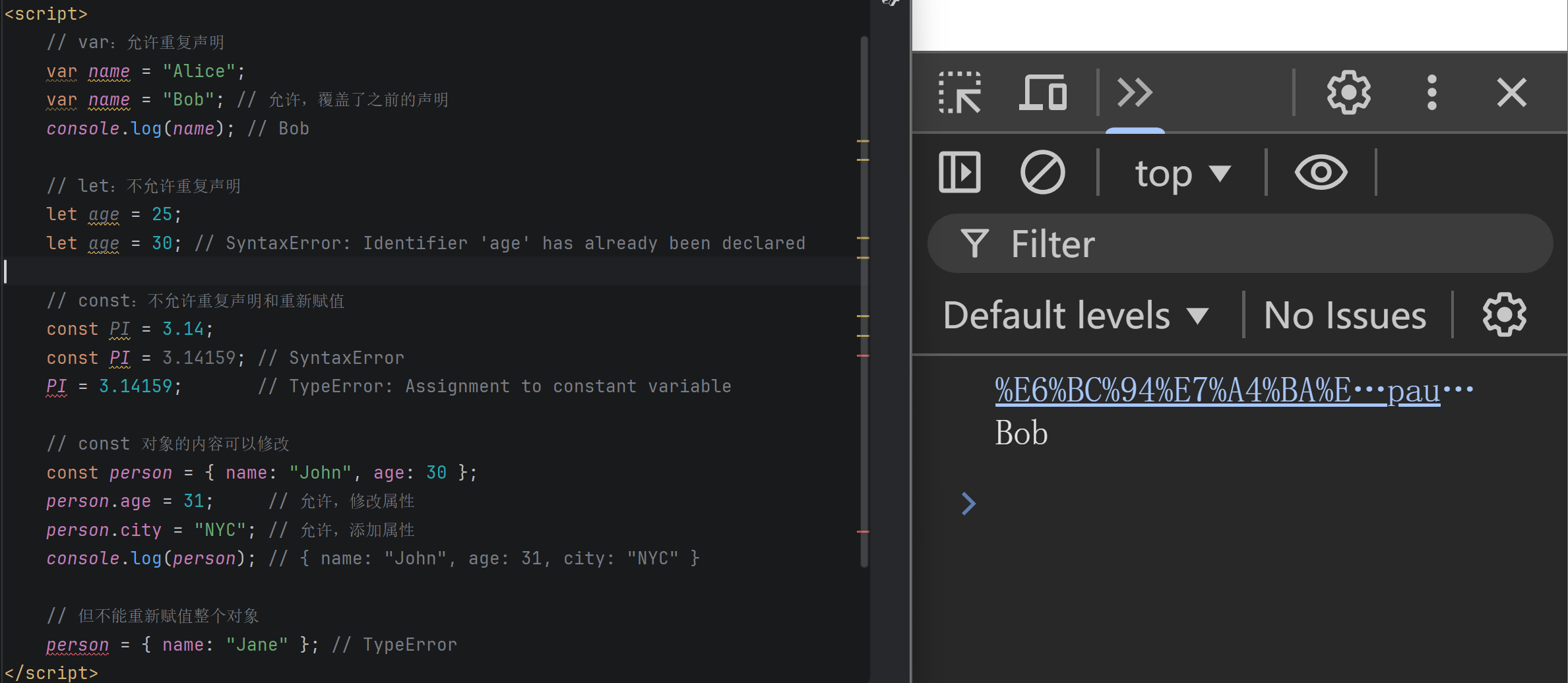
// var:允许重复声明
var name = "Alice";
var name = "Bob"; // 允许,覆盖了之前的声明
console.log(name); // Bob

// let:不允许重复声明
let age = 25;
let age = 30; // SyntaxError: Identifier 'age' has already been declared

// const:不允许重复声明和重新赋值
const PI = 3.14;
const PI = 3.14159; // SyntaxError
PI = 3.14159;       // TypeError: Assignment to constant variable

// const 对象的内容可以修改
const person = { name: "John", age: 30 };
person.age = 31;     // 允许,修改属性
person.city = "NYC"; // 允许,添加属性
console.log(person); // { name: "John", age: 31, city: "NYC" }

// 但不能重新赋值整个对象
person = { name: "Jane" }; // TypeError
二、数据类型
JavaScript数据类型分为基本数据类型和引用数据类型。
1.基本数据类型
按值访问,存储在栈内存中。共7种:
- Number:数字(整数和浮点数),包含
NaN、Infinity。 - String:字符串,不可变。
- Boolean:布尔值,
true或false。 - Undefined:未定义,变量声明但未赋值。
- Null:空值,表示“无”对象。
- Symbol:符号,表示唯一且不可变的值。
- BigInt:大整数,以
n结尾。
2.引用数据类型
按引用访问,存储在堆内存中。包括:
- Object:对象,键值对集合。
- Array:数组,有序数据集合。
- Function:函数,可调用的对象。
3.核心区别
| 特性 | 基本数据类型 | 引用数据类型 |
|---|---|---|
| 存储位置 | 栈内存 | 堆内存(栈存引用地址) |
| 访问方式 | 按值访问 | 按引用访问 |
| 复制行为 | 复制值的副本,独立 | 复制引用地址,共享对象 |
| 值可变性 | 值不可变 | 内容可变 |
4.数据类型检测
typeof:适合基本类型(typeof null返回"object")。instanceof:检测具体引用类型。Object.prototype.toString.call():最准确的方法。
5.代码演示
// Number
let age = 25;
let price = 99.99;
let infinity = 1 / 0;  // Infinity
let notANumber = "abc" * 2;  // NaN

// String
let name = "小明";
let greeting = 'Hello';
let message = `你好, ${name}`;  // 模板字符串

// Boolean
let isLogged = true;
let isAdult = age >= 18;  // true

// Undefined
let x;
console.log(x);  // undefined

// Null
let empty = null;

// Symbol
let id1 = Symbol("id");
let id2 = Symbol("id");
console.log(id1 === id2);  // false (唯一性)

// BigInt
let bigNumber = 9007199254740991n;
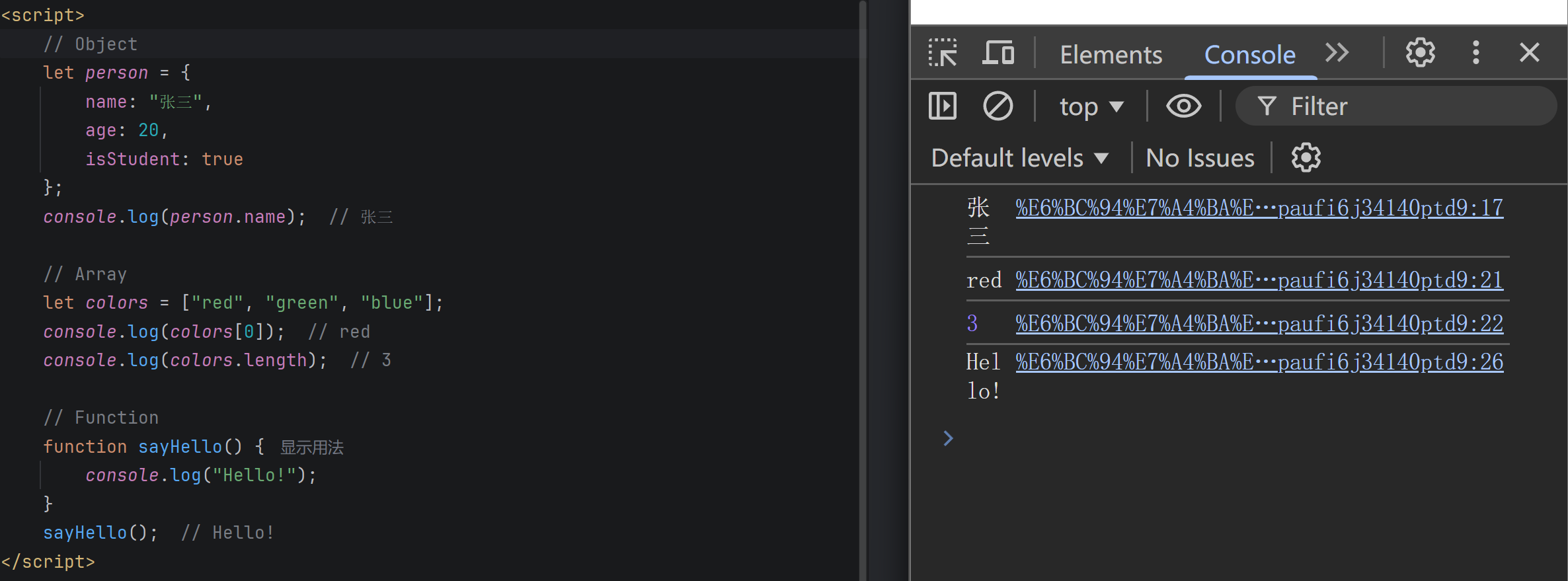
// Object
let person = {
    name: "张三",
    age: 20,
    isStudent: true
};
console.log(person.name);  // 张三

// Array
let colors = ["red", "green", "blue"];
console.log(colors[0]);  // red
console.log(colors.length);  // 3

// Function
function sayHello() {
    console.log("Hello!");
}
sayHello();  // Hello!
三、函数
函数是“一等公民”,可赋值、传参、作为返回值。
1.定义方式
| 特性 | 函数声明 | 函数表达式 |
|---|---|---|
| 语法 | function name() {} | const name = function() {}; |
| 提升 | 整体提升,可在定义前调用 | 仅变量声明提升,不可提前调用 |
| 命名 | 必须有函数名 | 可匿名或具名 |
2.箭头函数
- 语法简洁:
(参数) => { 函数体 }。 - 没有自己的
this,继承外层作用域的this。 - 不能作为构造函数。
3.关键概念
- 闭包:函数与其周围状态的捆绑组合,可实现数据私有化。
this指向:在函数调用时动态确定,取决于调用方式。
4.代码演示
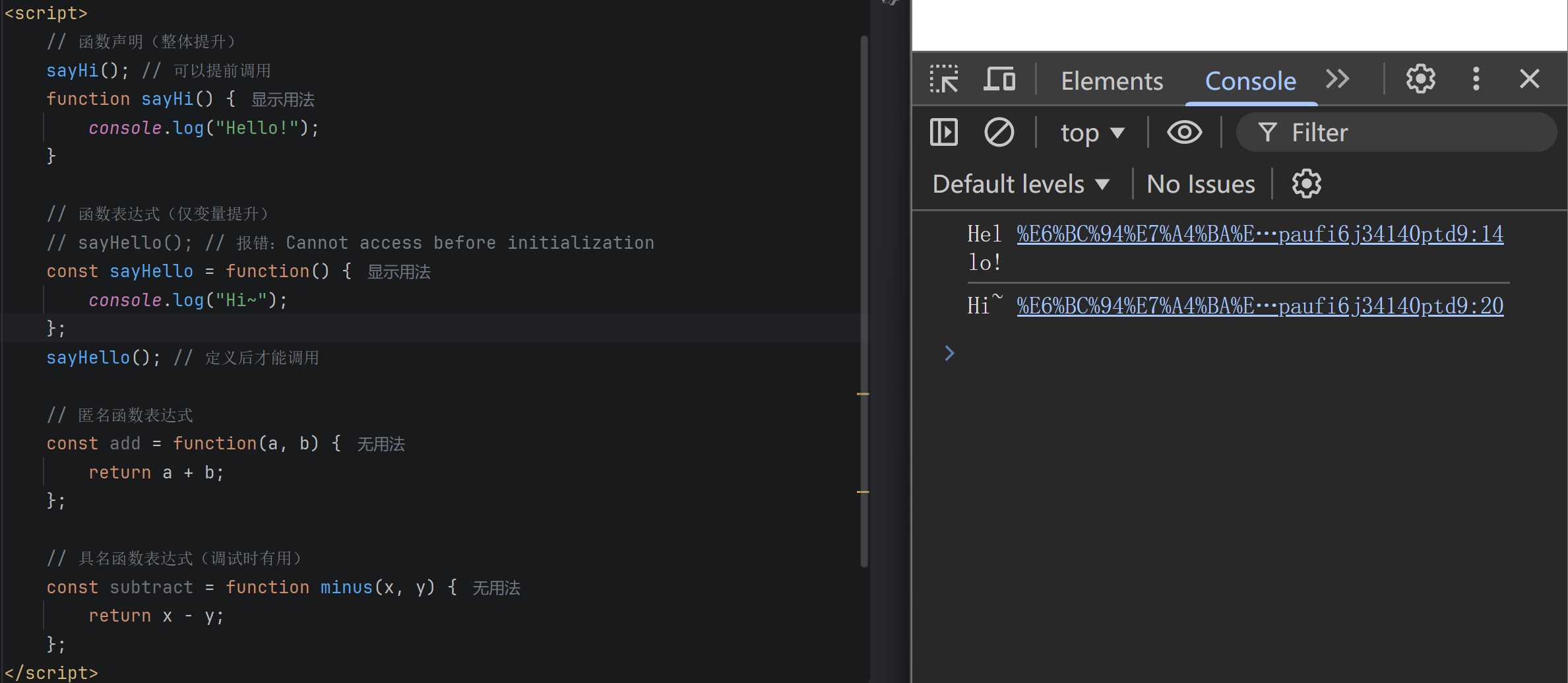
// 函数声明(整体提升)
sayHi(); // 可以提前调用
function sayHi() {
    console.log("Hello!");
}

// 函数表达式(仅变量提升)
// sayHello(); // 报错:Cannot access before initialization
const sayHello = function() {
    console.log("Hi~");
};
sayHello(); // 定义后才能调用

// 匿名函数表达式
const add = function(a, b) {
    return a + b;
};

// 具名函数表达式(调试时有用)
const subtract = function minus(x, y) {
    return x - y;
};
// 传统函数
const traditional = function(a, b) {
    return a + b;
};

// 箭头函数简写
const arrow1 = (a, b) => a + b;  // 单行可省略return和{}
const arrow2 = a => a * 2;        // 单参数可省略括号
const arrow3 = () => "Hello";     // 无参数必须有括号
const arrow4 = (x, y) => {        // 多行代码需要{}和return
    let result = x + y;
    return result * 2;
};

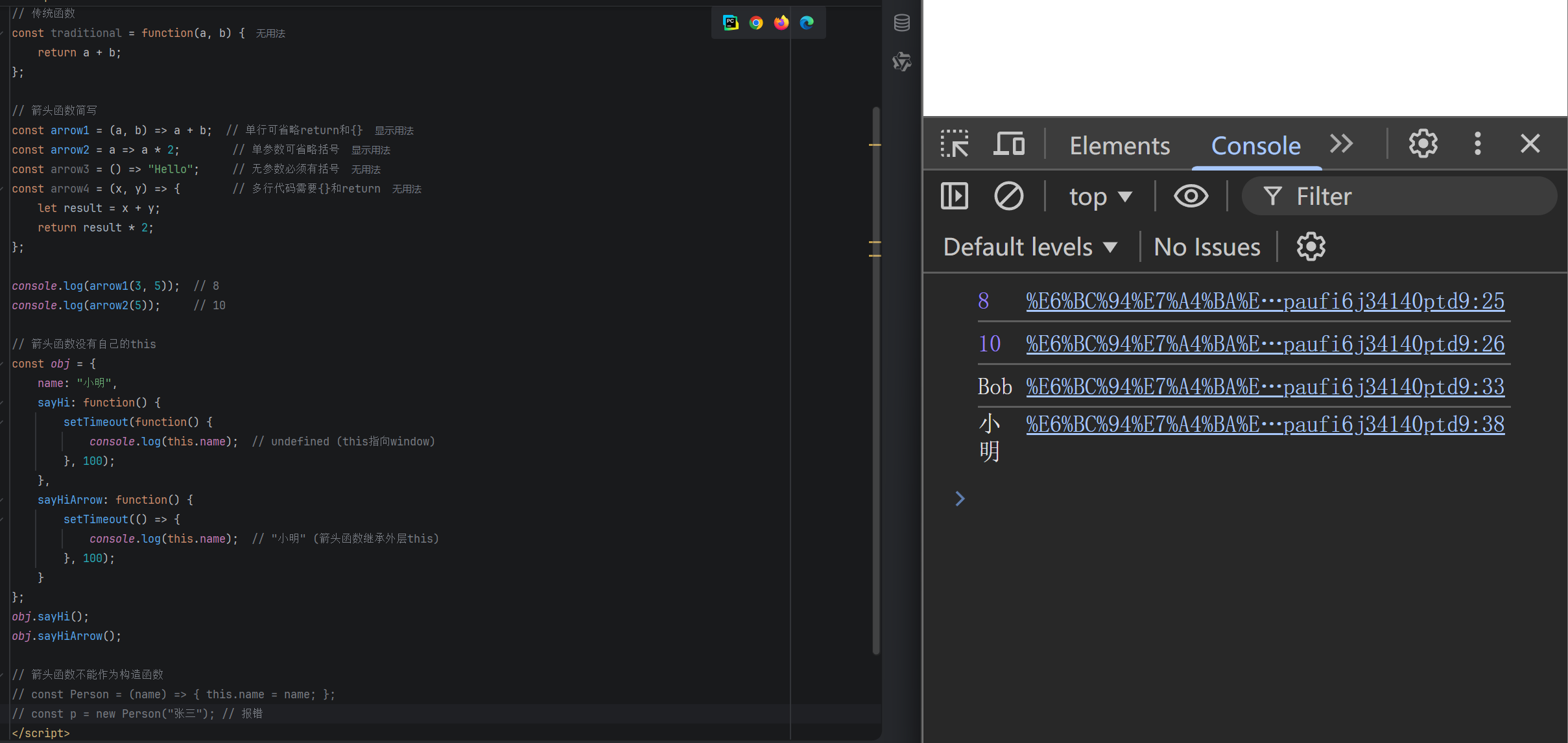
console.log(arrow1(3, 5));  // 8
console.log(arrow2(5));     // 10

// 箭头函数没有自己的this
const obj = {
    name: "小明",
    sayHi: function() {
        setTimeout(function() {
            console.log(this.name);  // undefined (this指向window)
        }, 100);
    },
    sayHiArrow: function() {
        setTimeout(() => {
            console.log(this.name);  // "小明" (箭头函数继承外层this)
        }, 100);
    }
};
obj.sayHi();
obj.sayHiArrow();

// 箭头函数不能作为构造函数
// const Person = (name) => { this.name = name; };
// const p = new Person("张三"); // 报错
四、条件语句
用于根据条件执行不同的代码路径。
1.if...else 语句
if:条件为真时执行。if...else:条件为真或假时分别执行。if...else if...else:多条件判断。
2.switch 语句
- 用于对同一变量进行多个离散值的精确匹配。
- 使用
break防止“穿透”。 default子句处理无匹配情况。
3.选择建议
| 场景 | 推荐 |
|---|---|
| 范围判断、复杂逻辑 | if...else |
| 大量离散值的等值比较 | switch |
4.代码演示
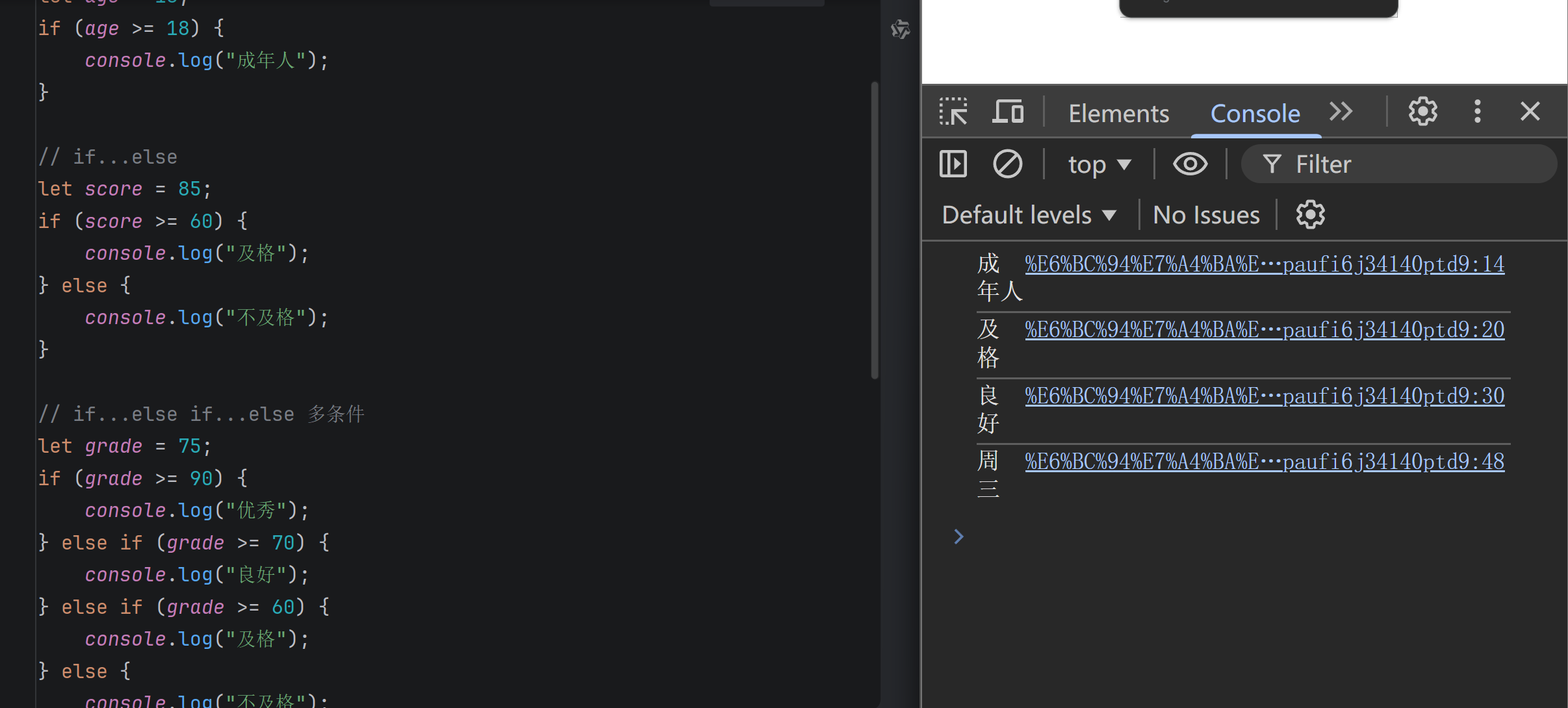
// if
let age = 18;
if (age >= 18) {
    console.log("成年人");
}

// if...else
let score = 85;
if (score >= 60) {
    console.log("及格");
} else {
    console.log("不及格");
}

// if...else if...else 多条件
let grade = 75;
if (grade >= 90) {
    console.log("优秀");
} else if (grade >= 70) {
    console.log("良好");
} else if (grade >= 60) {
    console.log("及格");
} else {
    console.log("不及格");
}
// 输出: 良好

// switch基础用法
let day = 3;
switch(day) {
    case 1:
        console.log("周一");
        break;
    case 2:
        console.log("周二");
        break;
    case 3:
        console.log("周三");
        break;
    default:
        console.log("其他");
}
// 输出: 周三
五、循环
用于重复执行代码块。
1.循环类型
| 类型 | 特点 | 适用场景 |
|---|---|---|
for | 结构清晰,集初始化、条件、更新于一体 | 循环次数已知 |
while | 仅依赖条件,灵活性高 | 循环次数未知,取决于动态条件 |
do...while | 循环体至少执行一次 | 需要先执行一次再判断条件 |
2.循环控制
break:立即终止整个循环。continue:跳过本次循环剩余代码,进入下一次迭代。
3.代码演示
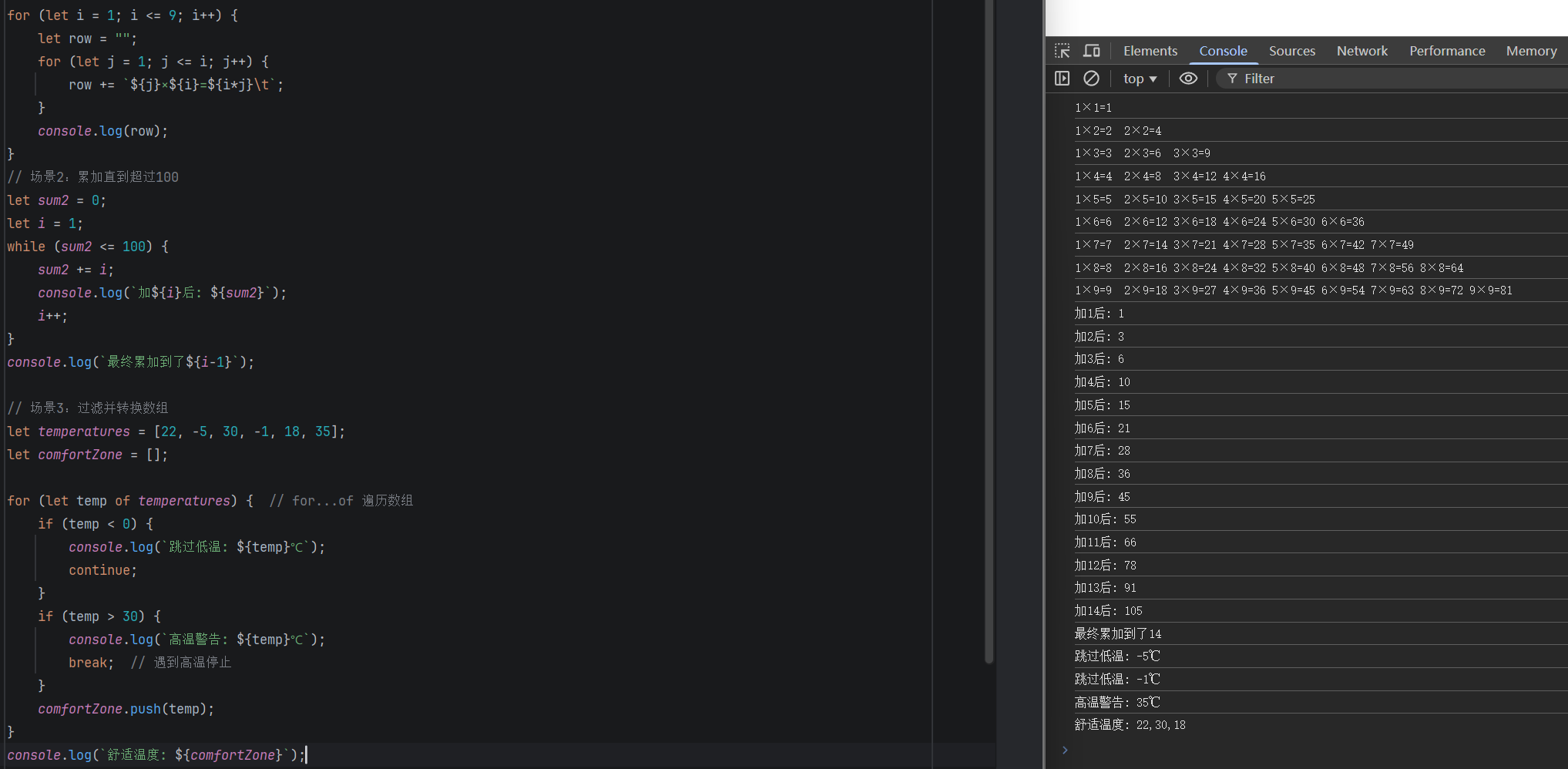
// 场景1:打印乘法表
for (let i = 1; i <= 9; i++) {
    let row = "";
    for (let j = 1; j <= i; j++) {
        row += `${j}×${i}=${i*j}\t`;
    }
    console.log(row);
}
/* 输出:
1×1=1
1×2=2	2×2=4
1×3=3	2×3=6	3×3=9
...
*/

// 场景2:累加直到超过100
let sum2 = 0;
let i = 1;
while (sum2 <= 100) {
    sum2 += i;
    console.log(`加${i}后: ${sum2}`);
    i++;
}
console.log(`最终累加到了${i-1}`);

// 场景3:过滤并转换数组
let temperatures = [22, -5, 30, -1, 18, 35];
let comfortZone = [];

for (let temp of temperatures) {  // for...of 遍历数组
    if (temp < 0) {
        console.log(`跳过低温: ${temp}℃`);
        continue;
    }
    if (temp > 30) {
        console.log(`高温警告: ${temp}℃`);
        break;  // 遇到高温停止
    }
    comfortZone.push(temp);
}
console.log(`舒适温度: ${comfortZone}`);
// 输出: 跳过低温: -5℃ 跳过低温: -1℃ 高温警告: 30℃
六、数组
有序数据集合,是特殊的对象。
1.创建方式
- 数组字面量:
let arr = []; Array.of():Array.of(7); // [7]Array.from():将类数组对象转换为数组。
2.核心操作
| 操作 | 方法(示例) |
|---|---|
| 添加 | push()(末尾)、unshift()(开头)、splice()(任意位置) |
| 删除 | pop()(末尾)、shift()(开头)、splice()(任意位置)、filter()(条件筛选) |
| 查找 | indexOf()、includes()、find()、findIndex() |
| 遍历与转换 | forEach()、map()、filter()、reduce() |
3.实用方法
slice():返回数组片段。join():连接成字符串。sort():排序(需传入比较函数)。reverse():反转。
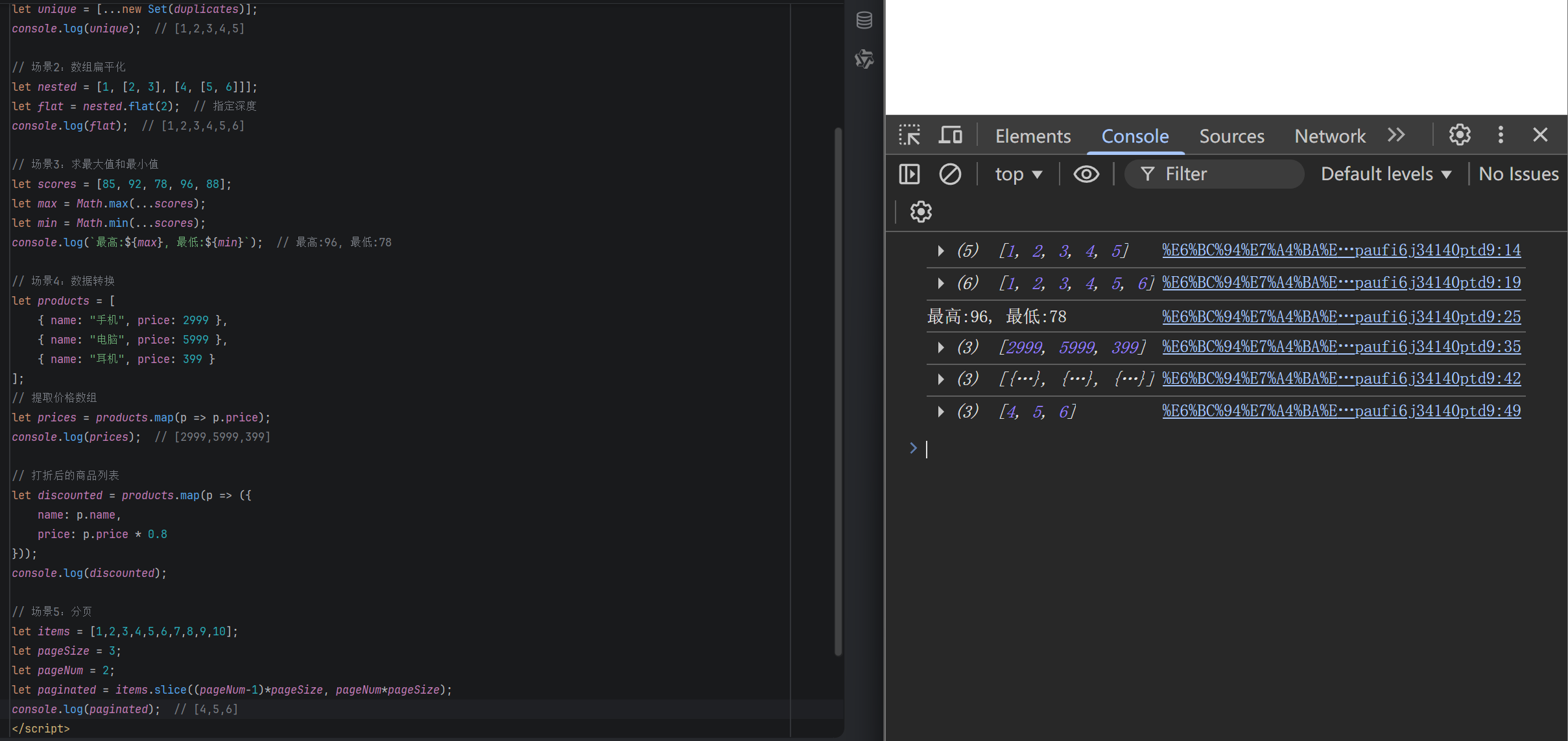
// 场景1:去重
let duplicates = [1, 2, 2, 3, 3, 4, 5, 5];
let unique = [...new Set(duplicates)];
console.log(unique);  // [1,2,3,4,5]

// 场景2:数组扁平化
let nested = [1, [2, 3], [4, [5, 6]]];
let flat = nested.flat(2);  // 指定深度
console.log(flat);  // [1,2,3,4,5,6]

// 场景3:求最大值和最小值
let scores = [85, 92, 78, 96, 88];
let max = Math.max(...scores);
let min = Math.min(...scores);
console.log(`最高:${max}, 最低:${min}`);  // 最高:96, 最低:78

// 场景4:数据转换
let products = [
    { name: "手机", price: 2999 },
    { name: "电脑", price: 5999 },
    { name: "耳机", price: 399 }
];
// 提取价格数组
let prices = products.map(p => p.price);
console.log(prices);  // [2999,5999,399]

// 打折后的商品列表
let discounted = products.map(p => ({
    name: p.name,
    price: p.price * 0.8
}));
console.log(discounted);

// 场景5:分页
let items = [1,2,3,4,5,6,7,8,9,10];
let pageSize = 3;
let pageNum = 2;
let paginated = items.slice((pageNum-1)*pageSize, pageNum*pageSize);
console.log(paginated);  // [4,5,6]
更多推荐

 8
8 0
0- 0


 已为社区贡献2条内容

所有评论(0)