
黑马JavaWeb总结(更新中)
·
一,容器化管理IOC,注入DI
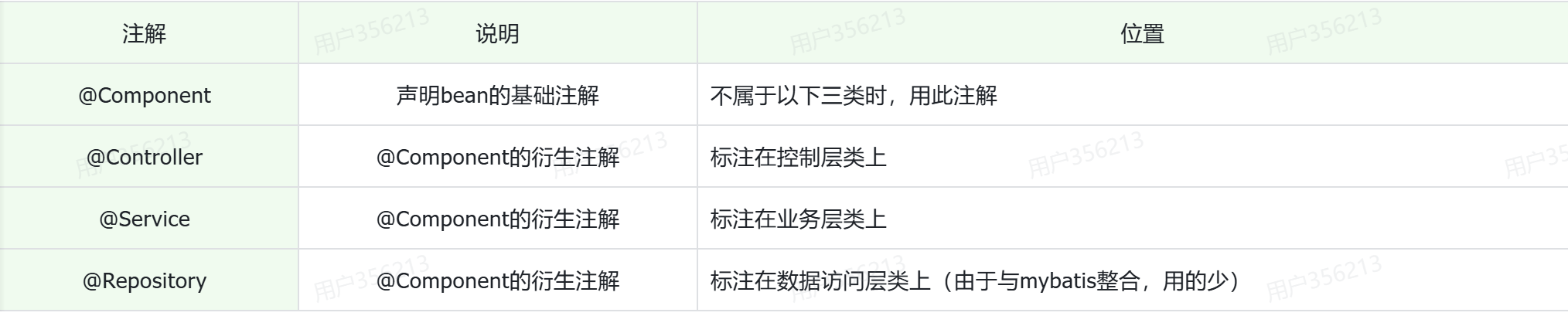
以下红色框出来的就是容器化管理,以及DI注入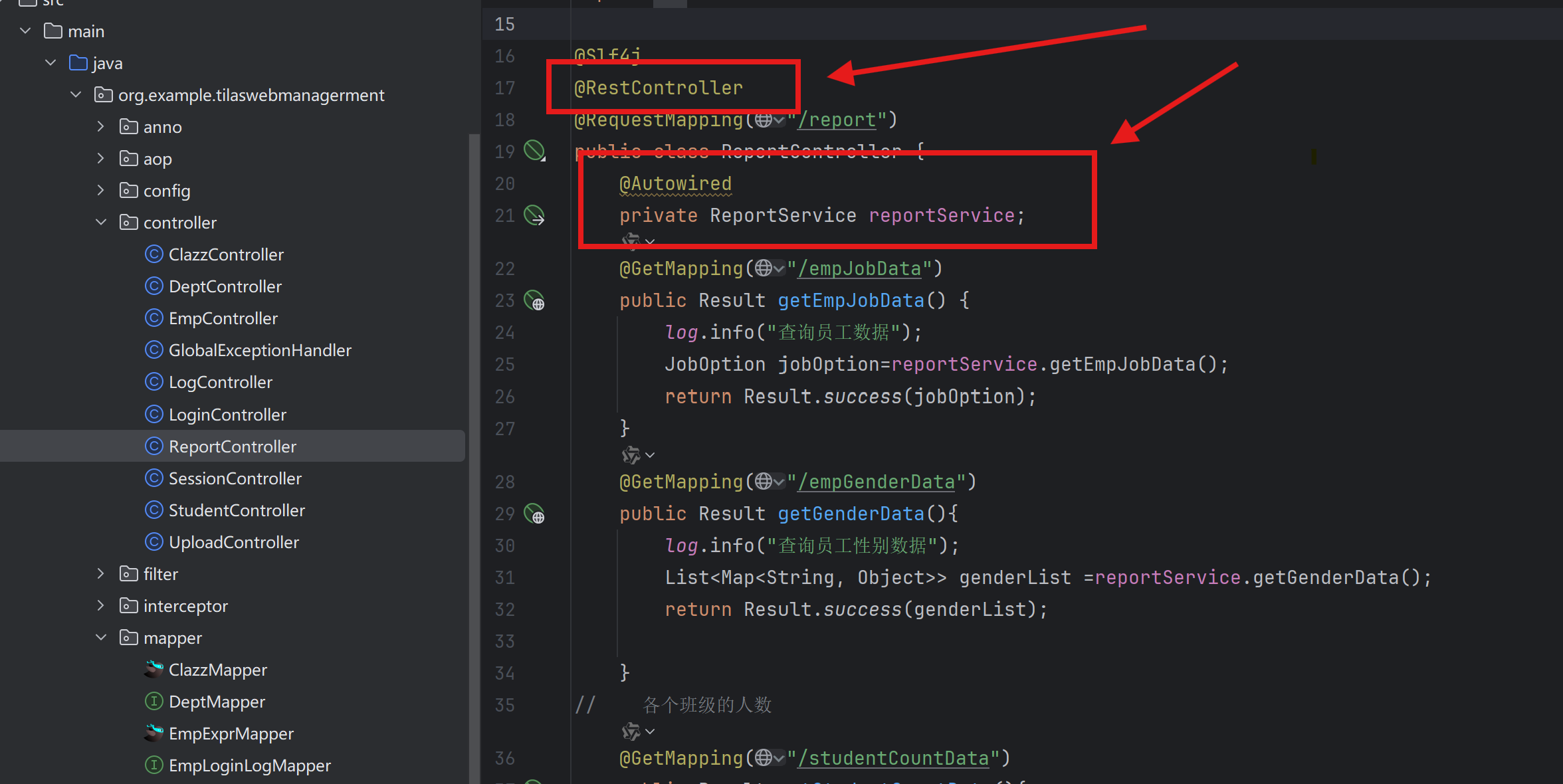
二,数据库
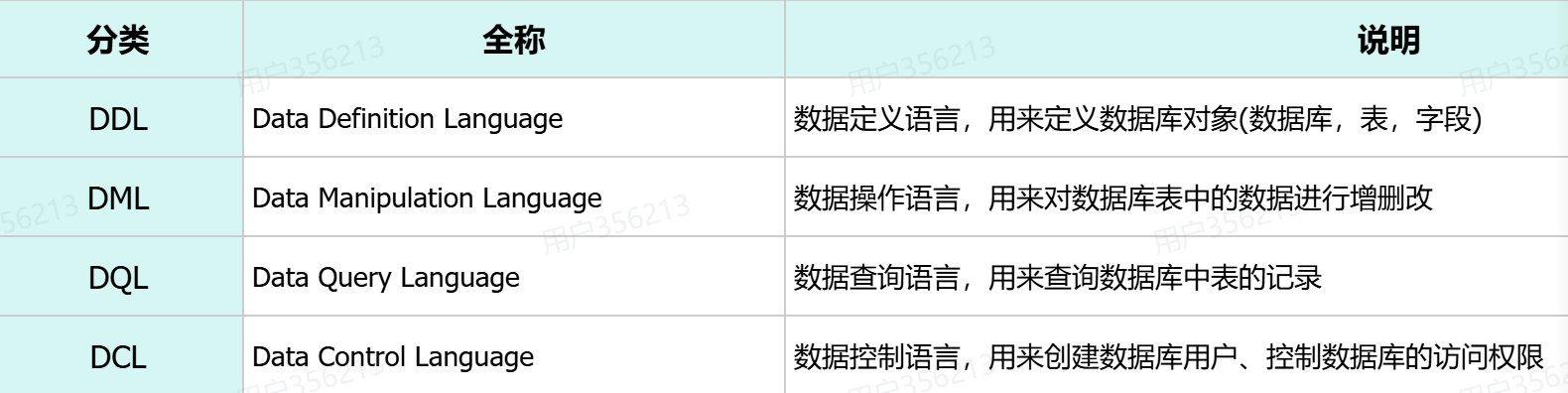
数据库常用语句
create database [ if not exists ] 数据库名  [default charset utf8mb4];
-- 数据库不存在,则创建该数据库;如果存在则不创建
create database if not exists itcast;
use 数据库名 ;
drop database [ if exists ] 数据库名 ;
建表
建表
create table tb_user (
    id int comment 'ID,唯一标识',   # id是一行数据的唯一标识(不能重复)
    username varchar(20) comment '用户名',
    name varchar(10) comment '姓名',
    age int comment '年龄',
    gender char(1) comment '性别'
) comment '用户表';
create table tb_user (
    id int primary key auto_increment comment 'ID,唯一标识', #主键自动增长
    username varchar(20) not null unique comment '用户名',
    name varchar(10) not null comment '姓名',
    age int comment '年龄',
    gender char(1) default '男' comment '性别'
) comment '用户表';
约束
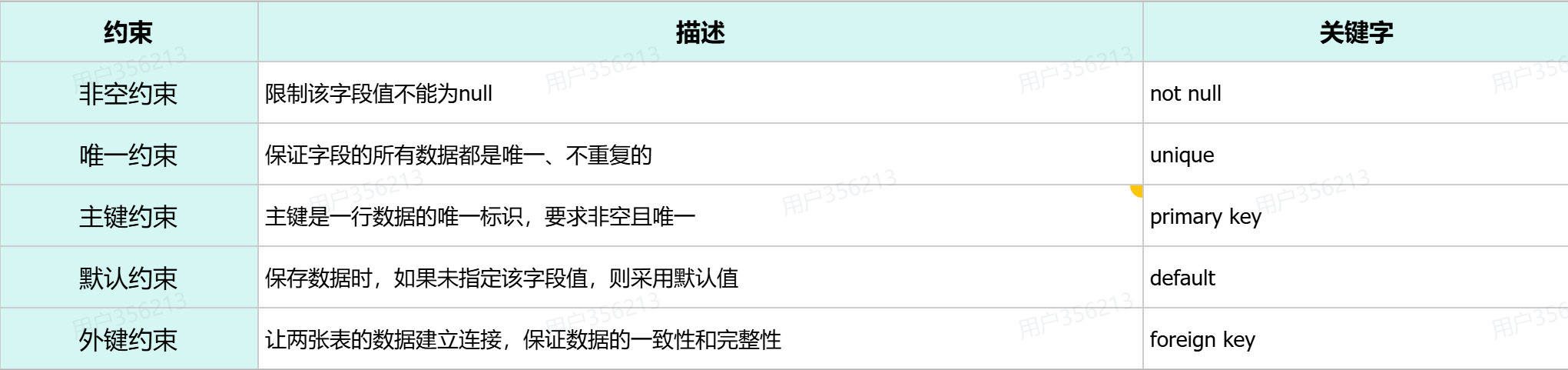
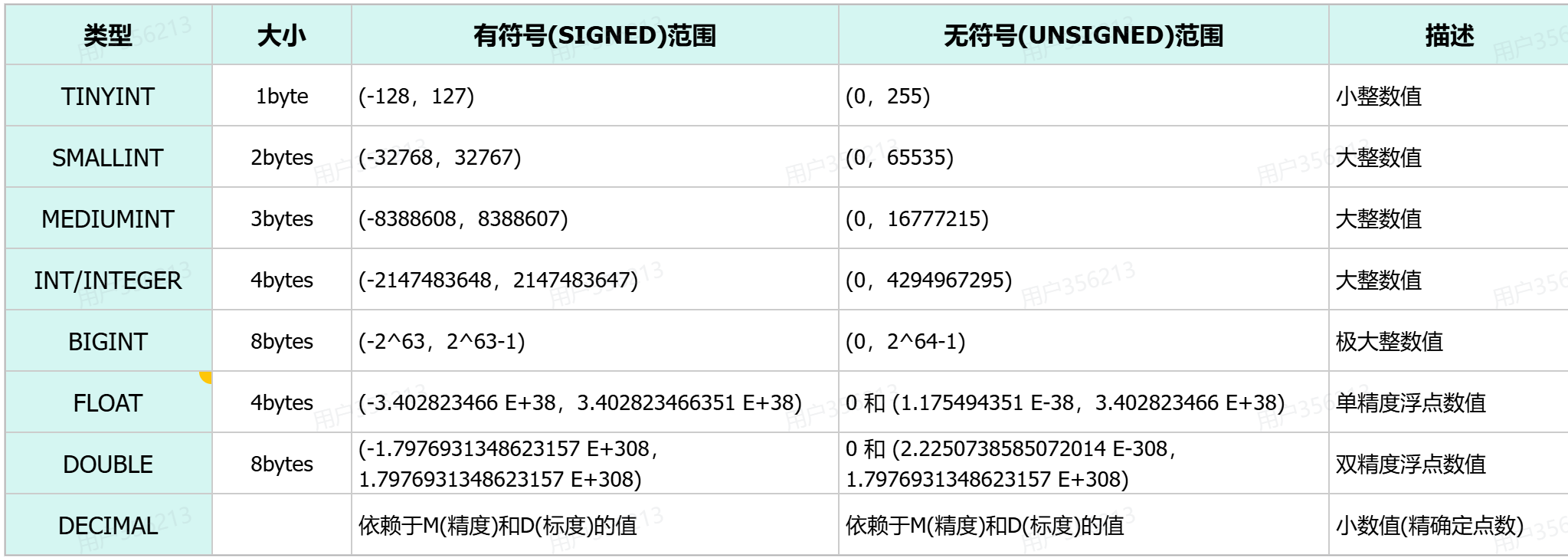
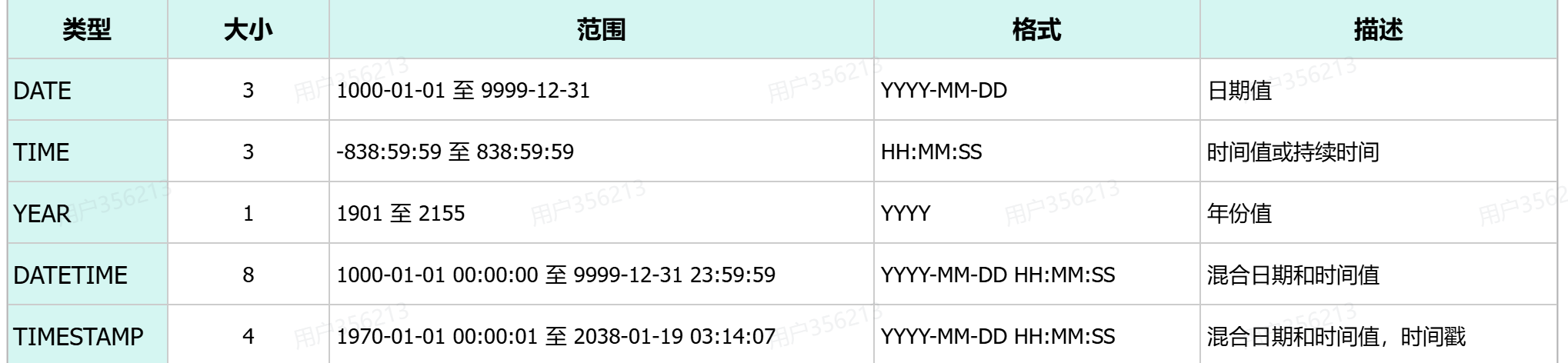
数据类型
修改语句
-- 添加字段
alter table 表名 add  字段名  类型(长度)  [comment 注释]  [约束];
-- 修改字段类型
alter table 表名 modify  字段名  新数据类型(长度);
-- 修改字段名,字段类型
alter table 表名 change  旧字段名  新字段名  类型(长度)  [comment 注释]  [约束];
-- 删除字段
alter table 表名 drop 字段名;
-- 修改表名
rename table 表名 to  新表名;
-- 删除表
drop  table [ if exists ]  表名;
增加语句insert
insert into 表名 (字段名1, 字段名2) values (值1, 值2);
insert into 表名 values (值1, 值2, ...);
insert into 表名 (字段名1, 字段名2) values (值1, 值2), (值1, 值2);
insert into 表名 values (值1, 值2, ...), (值1, 值2, ...);
修改update
update 表名 set 字段名1 = 值1 , 字段名2 = 值2 , .... [where 条件] ;删除delete
delete from 表名 [where 条件] ;查询select
SELECT
        字段列表
FROM
        表名列表
WHERE
        条件列表
GROUP  BY
        分组字段列表
HAVING
        分组后条件列表
ORDER BY
        排序字段列表
LIMIT
        分页参数
基础查询
select 字段1, 字段2, 字段3 from  表名;
select *  from  表名;
select 字段1 [ as 别名1 ] , 字段2 [ as 别名2 ]  from  表名;
select distinct 字段列表 from  表名;
条件查询
select 字段列表 from 表名 where 条件列表 ; -- 条件列表:意味着可以有多个条件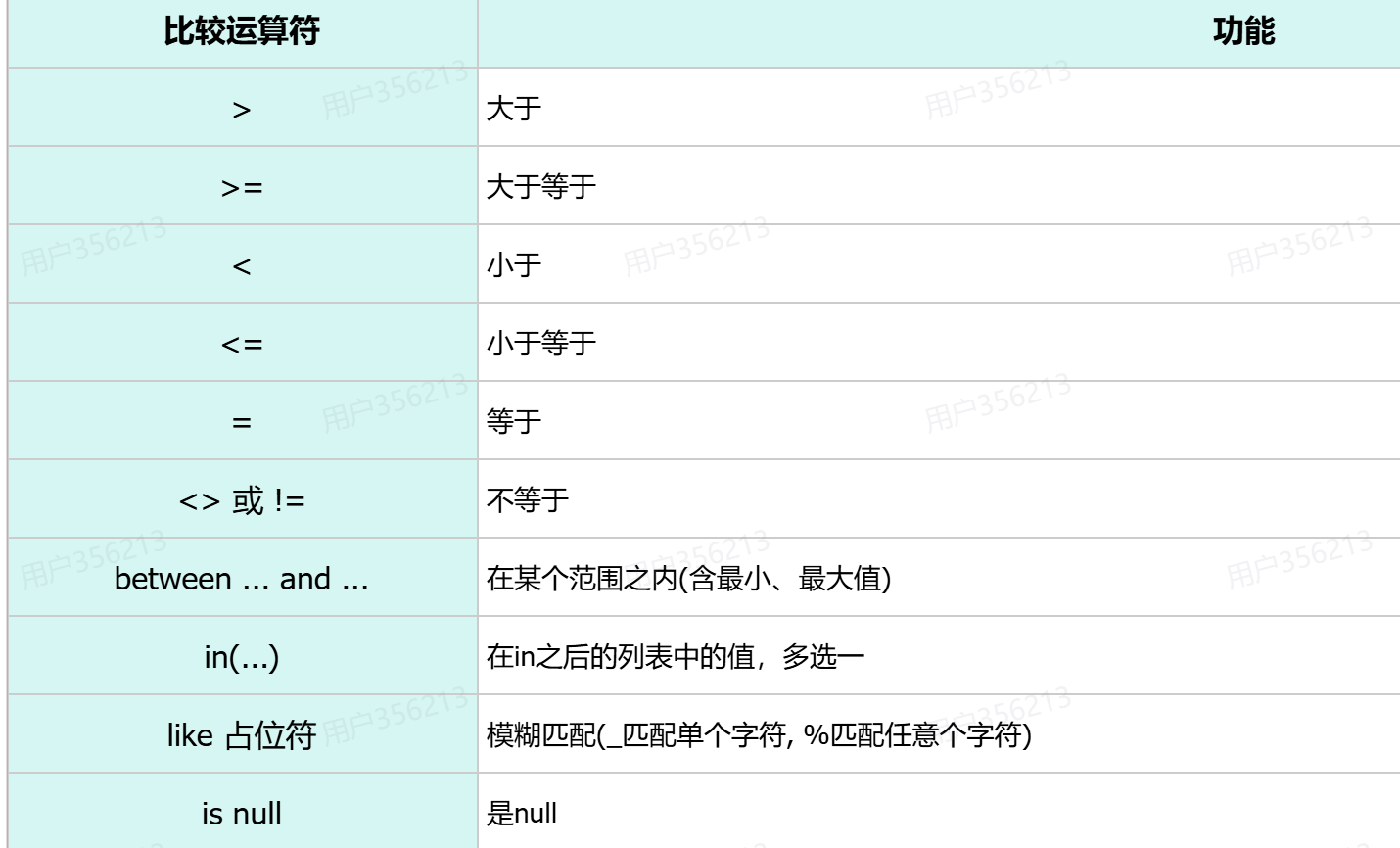

聚合函数
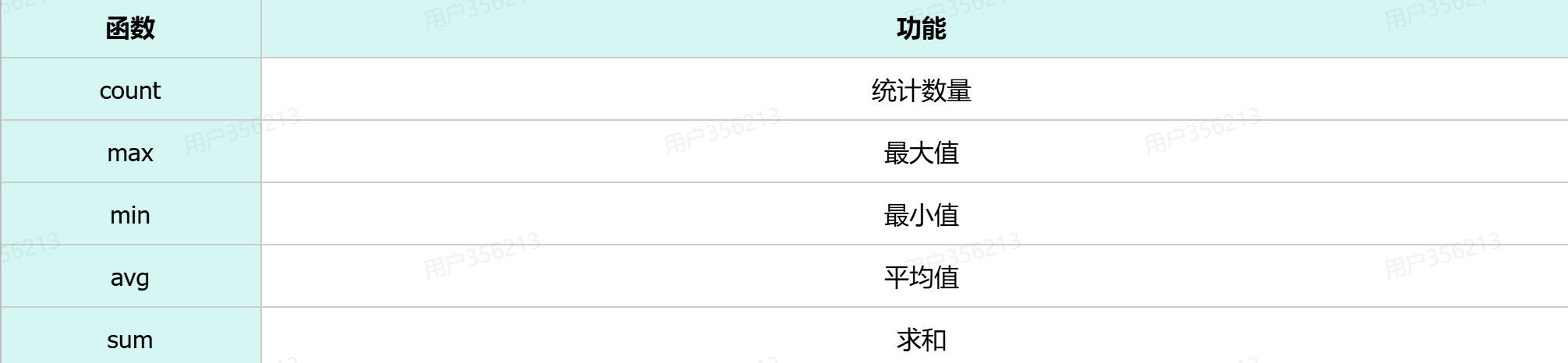
-- count(字段)
select count(id) from emp;-- 结果:30
select count(job) from emp;-- 结果:29 (聚合函数对NULL值不做计算)

-- count(常量)
select count(0) from emp;
select count('A') from emp;

-- count(*)  推荐此写法(MySQL底层进行了优化)
select count(*) from emp;
分组查询
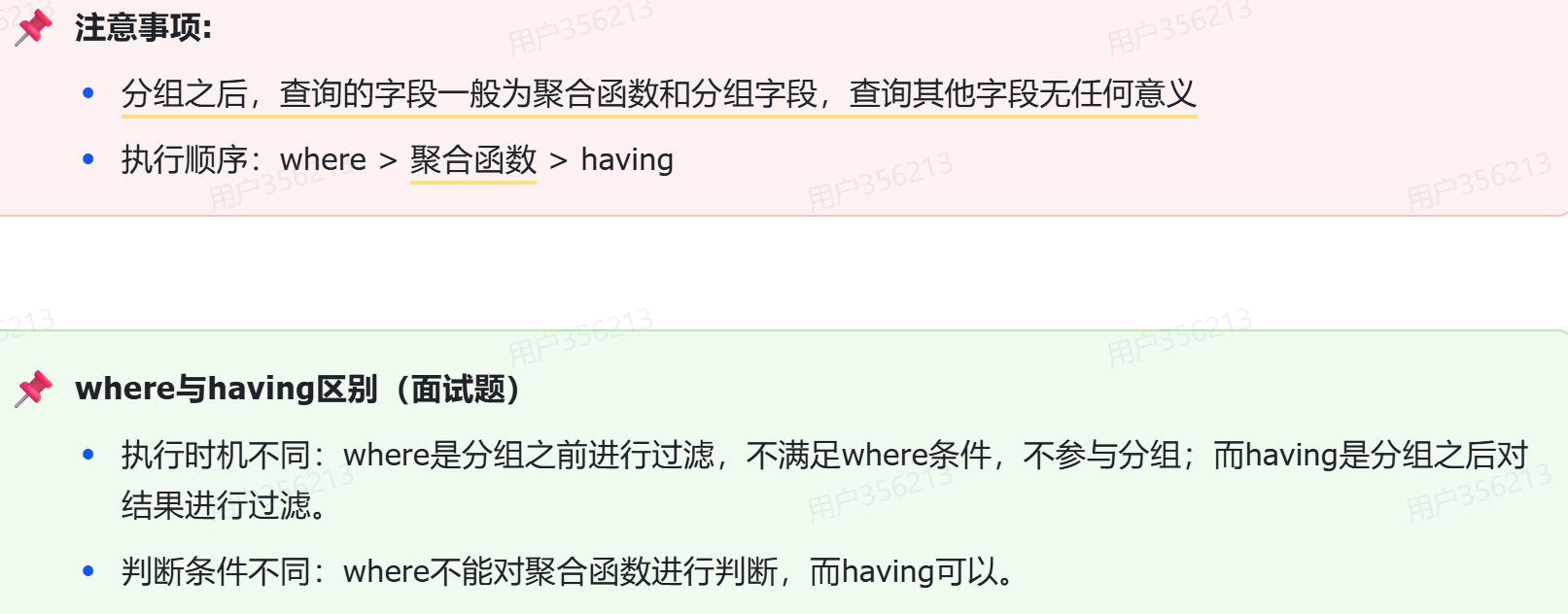
select 字段列表 from 表名 [where 条件] group by 分组字段名 [having 分组后过滤条件];例子
select gender, count(*)
from emp
group by gender; -- 按照gender字段进行分组(gender字段下相同的数据归为一组)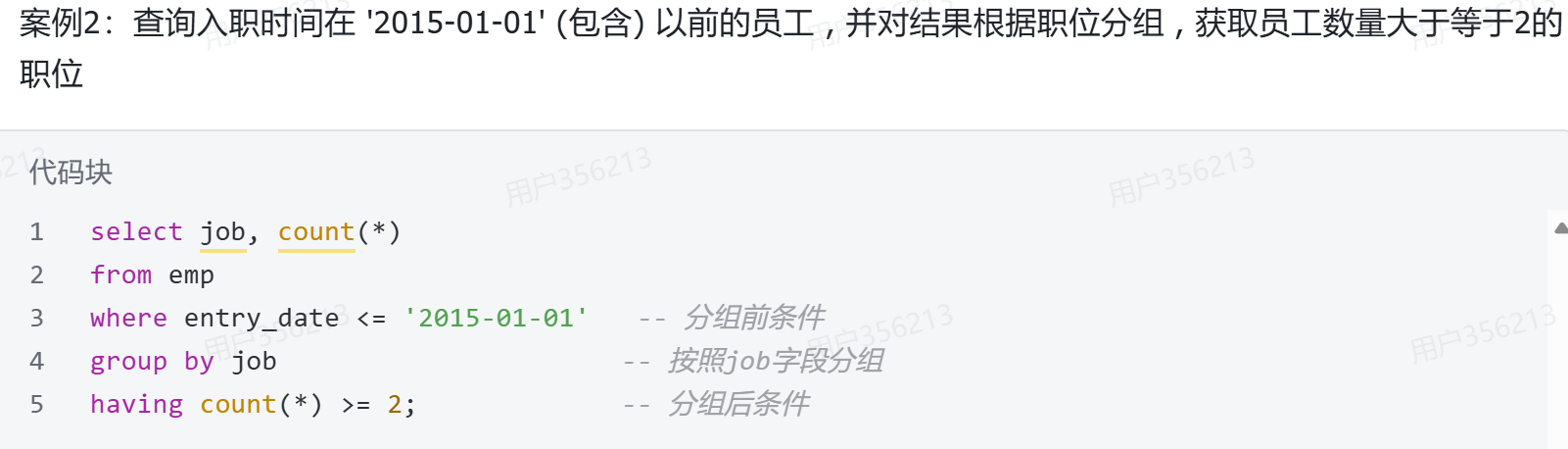
排序查询
select  字段列表
from   表名
[where  条件列表]
[group by  分组字段 ]
order  by  字段1  排序方式1 , 字段2  排序方式2 … ;
例子
select id, username, password, name, gender, phone, salary, job, image, entry_date, create_time, update_time
from emp
order by entry_date ASC; -- 按照entrydate字段下的数据进行升序排序

select id, username, password, name, gender, phone, salary, job, image, entry_date, create_time, update_time
from emp
order by  entry_date; -- 默认就是ASC(升序)
分页查询
select  字段列表  from  表名  limit  起始索引, 查询记录数 ;
- 案例1:从起始索引0开始查询员工数据, 每页展示5条记录
select id, username, password, name, gender, phone, salary, job, image, entry_date, create_time, update_time
from emp
limit 0 , 5; -- 从索引0开始,向后取5条记录
三,Mybatis
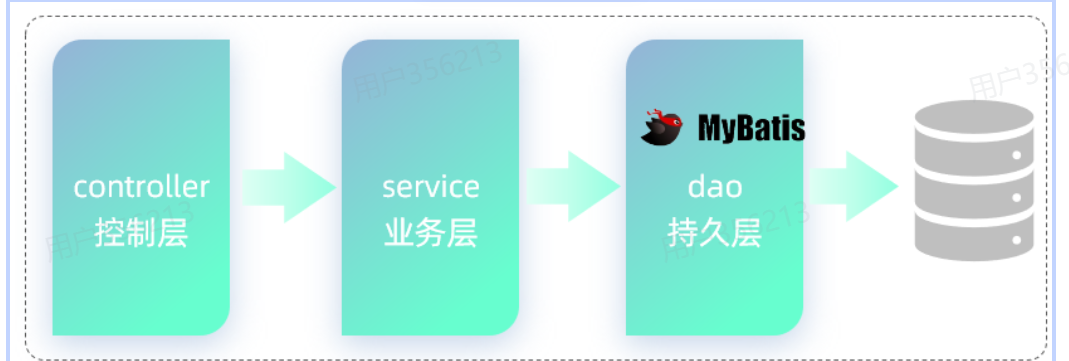
创建
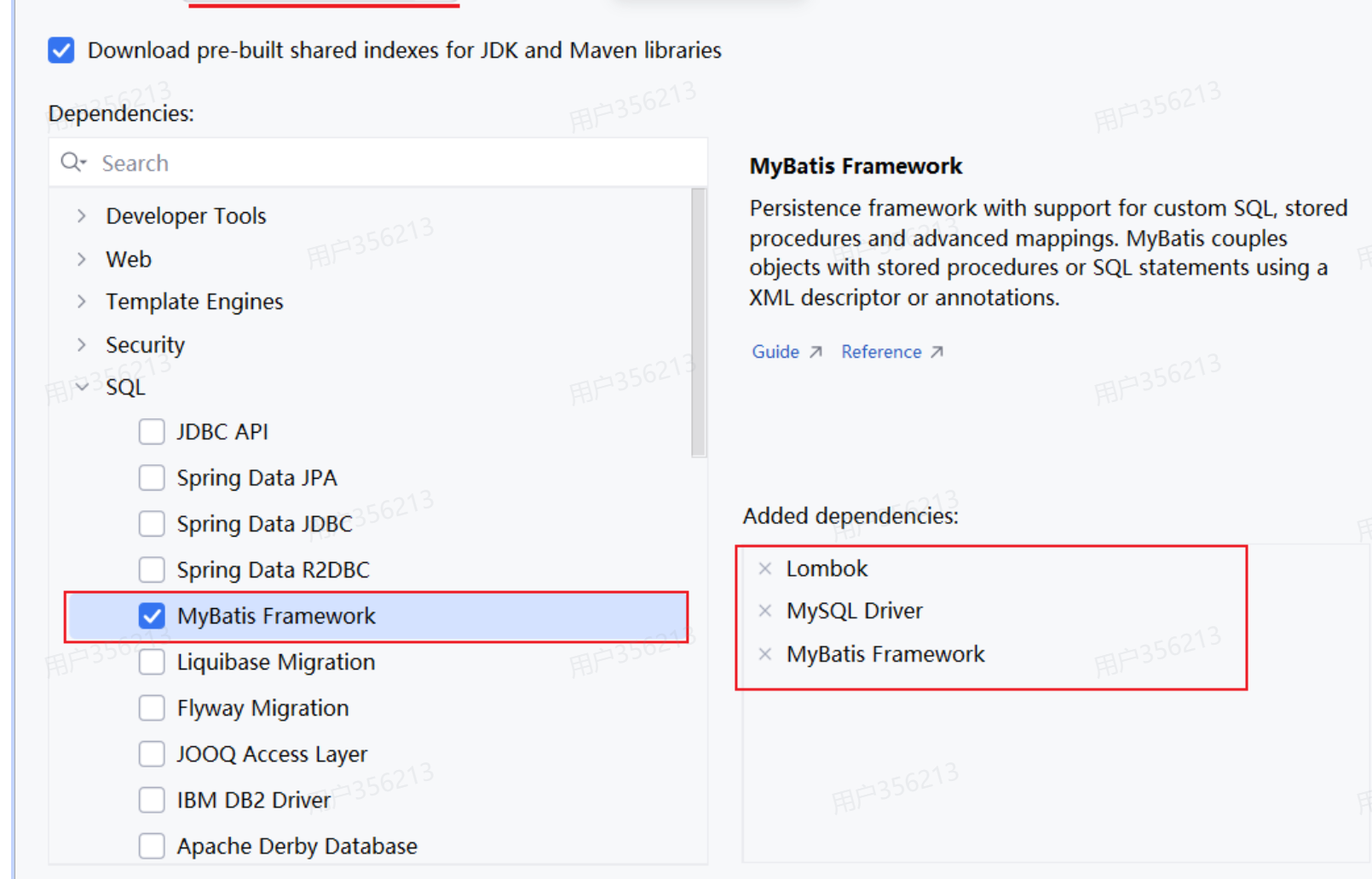
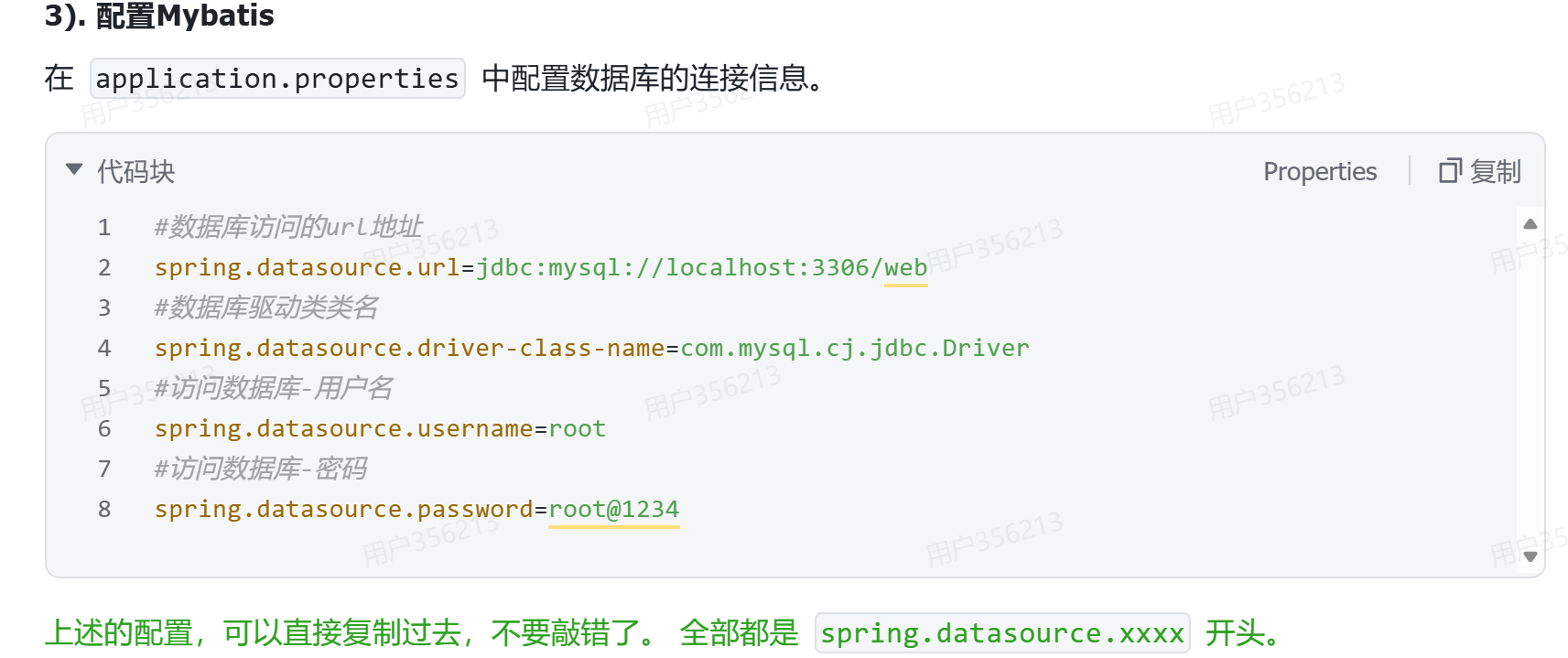
编写配置
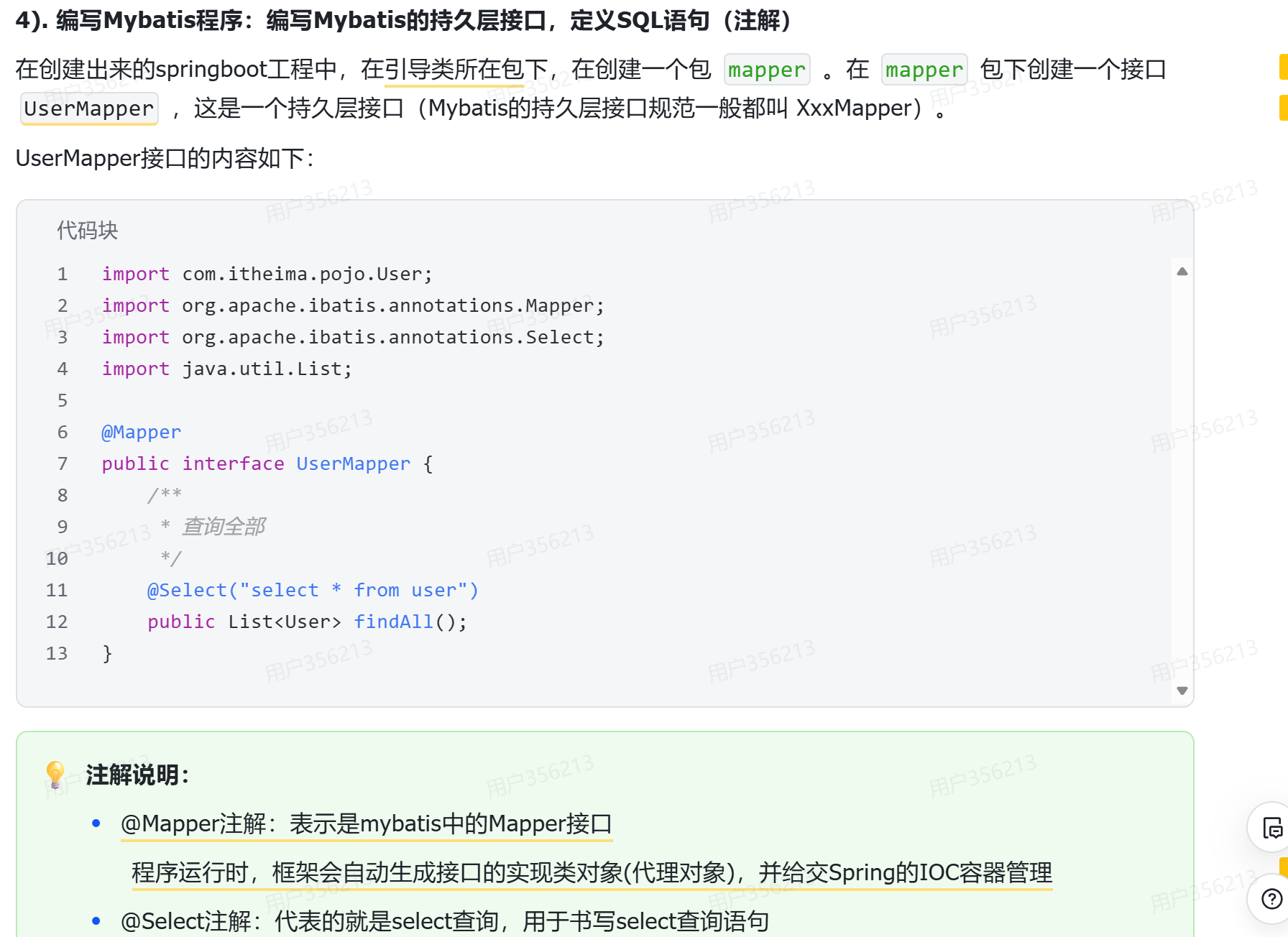
编写程序
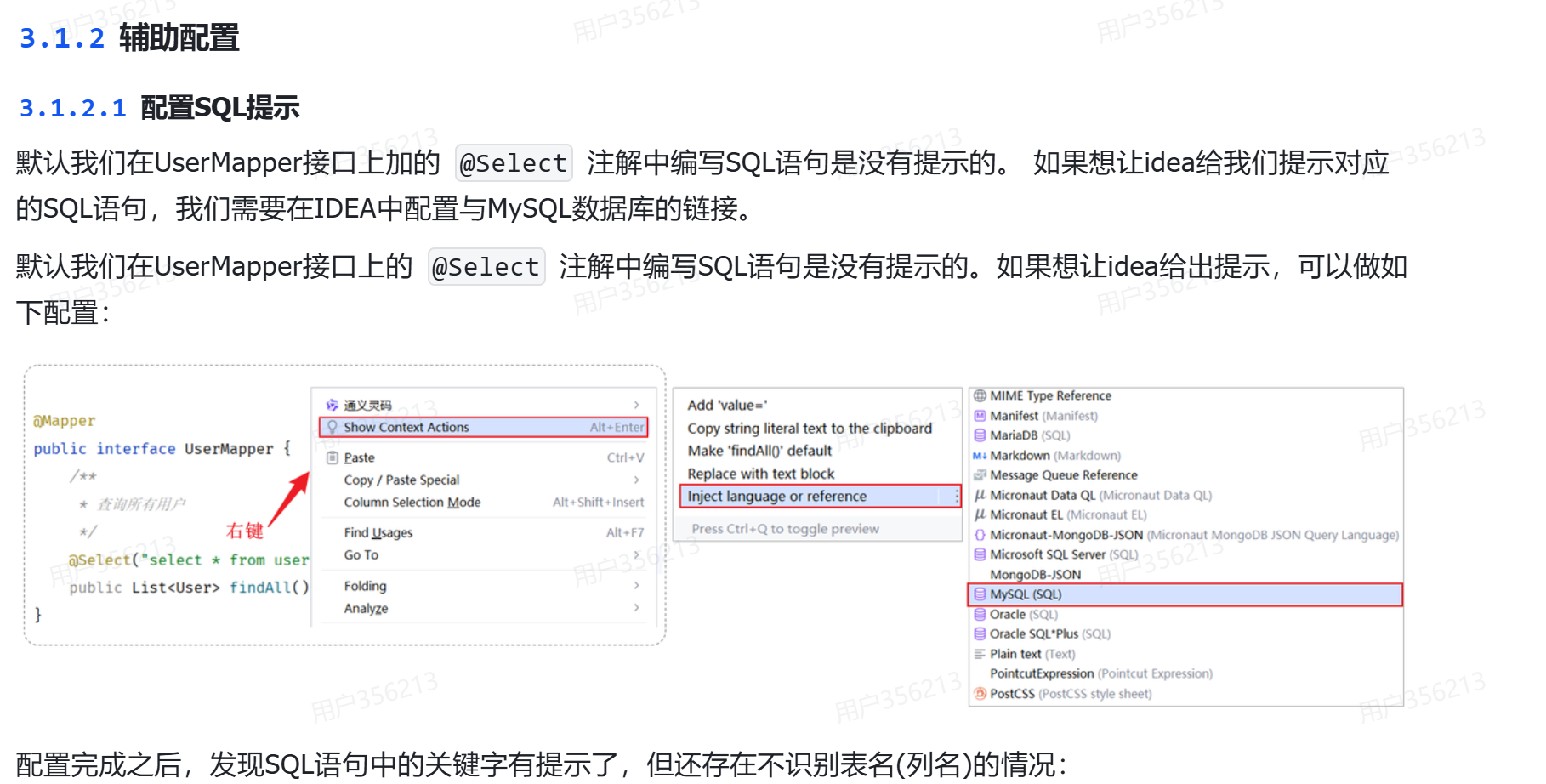
辅助配置
自动联想sql语句
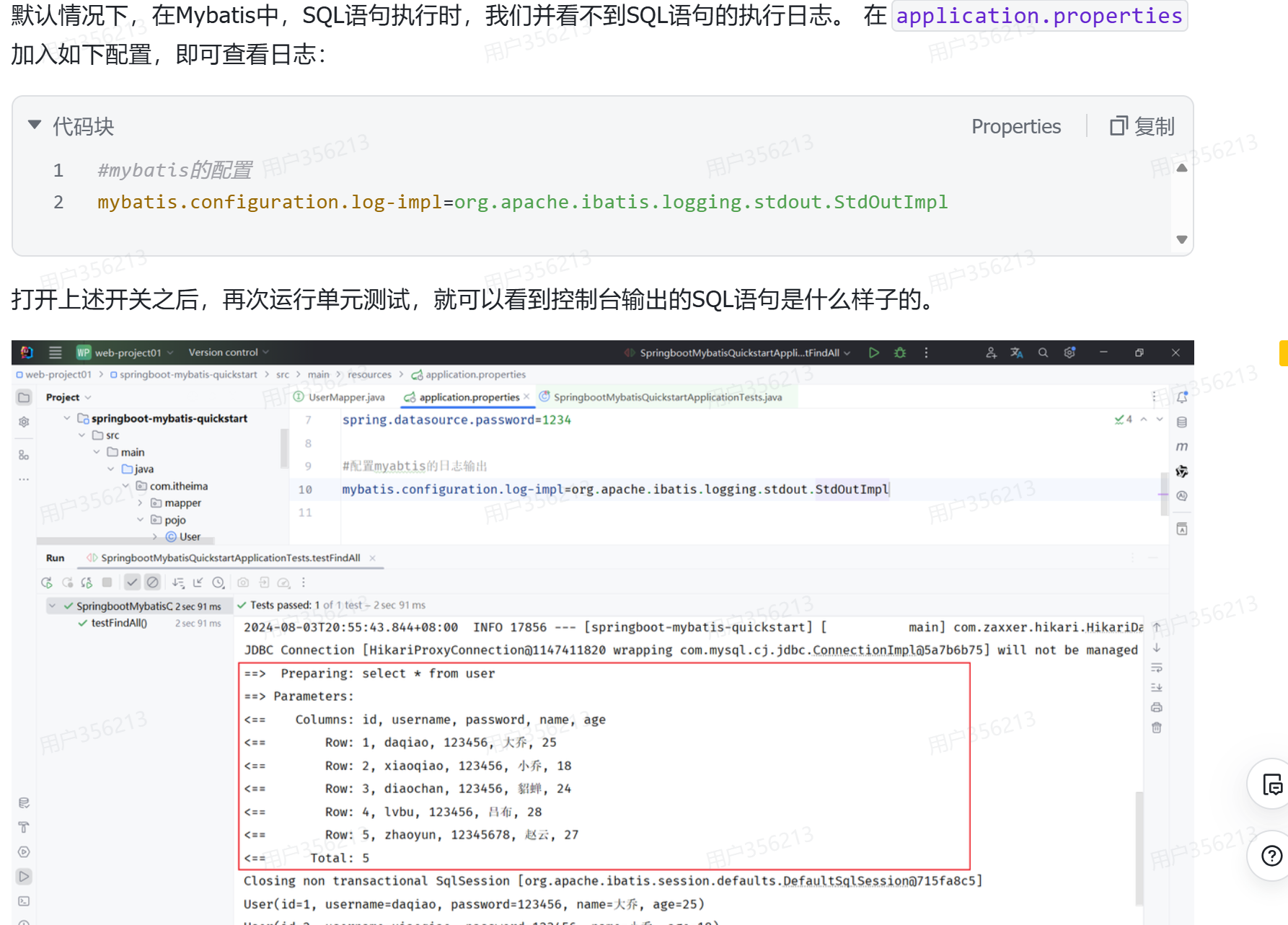
配置输出日志
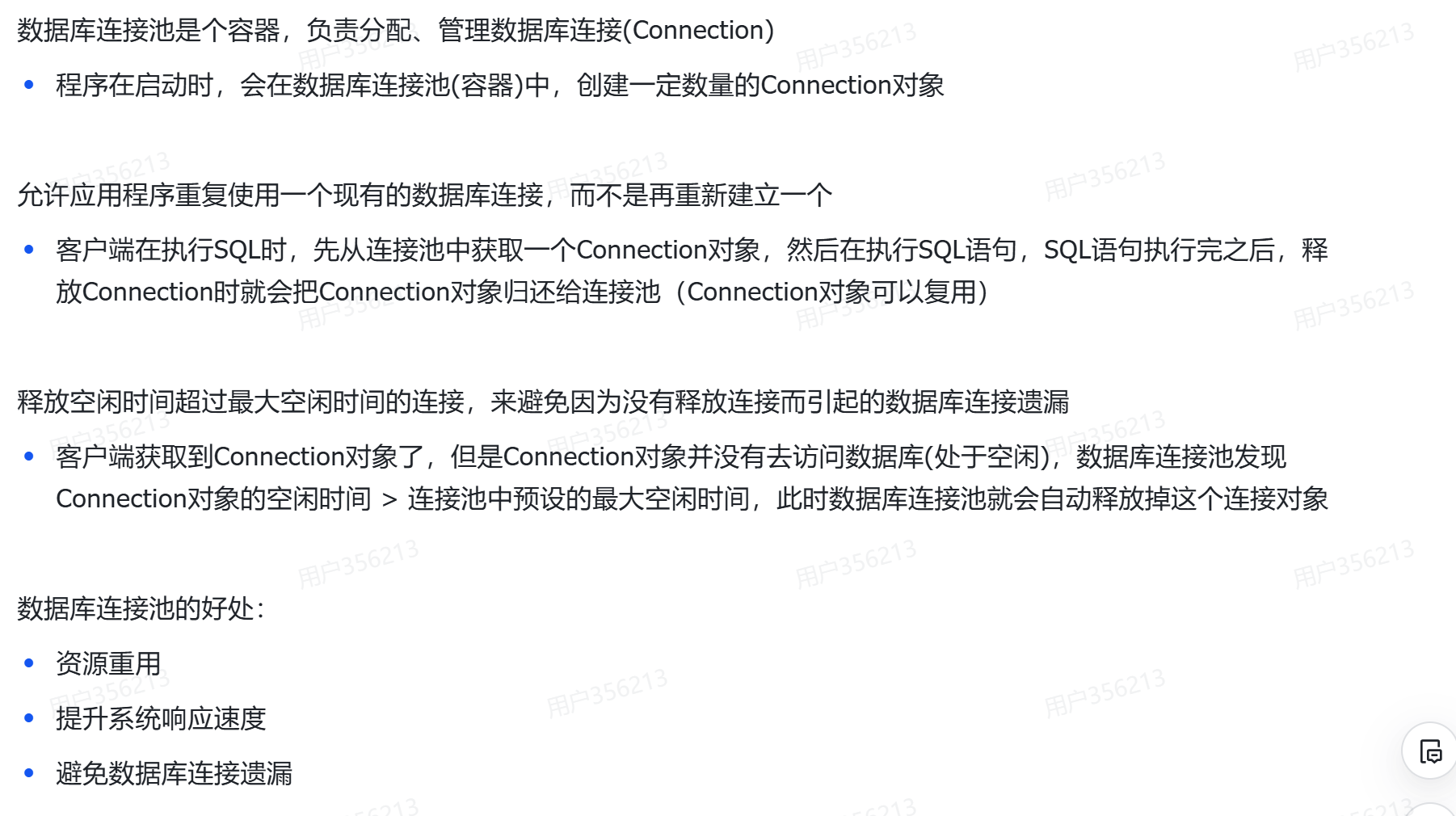
数据库连接池
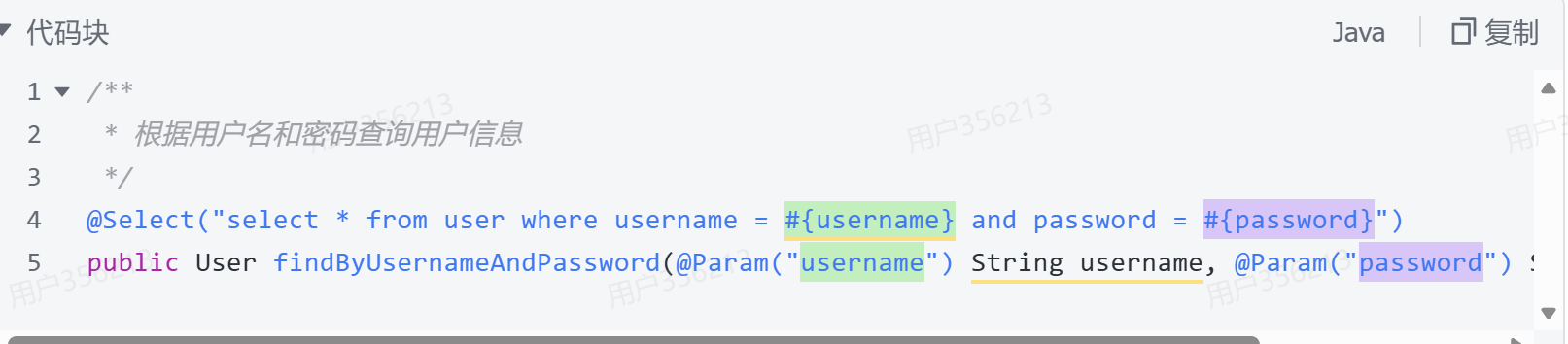
如何使用Mybatis(语句)
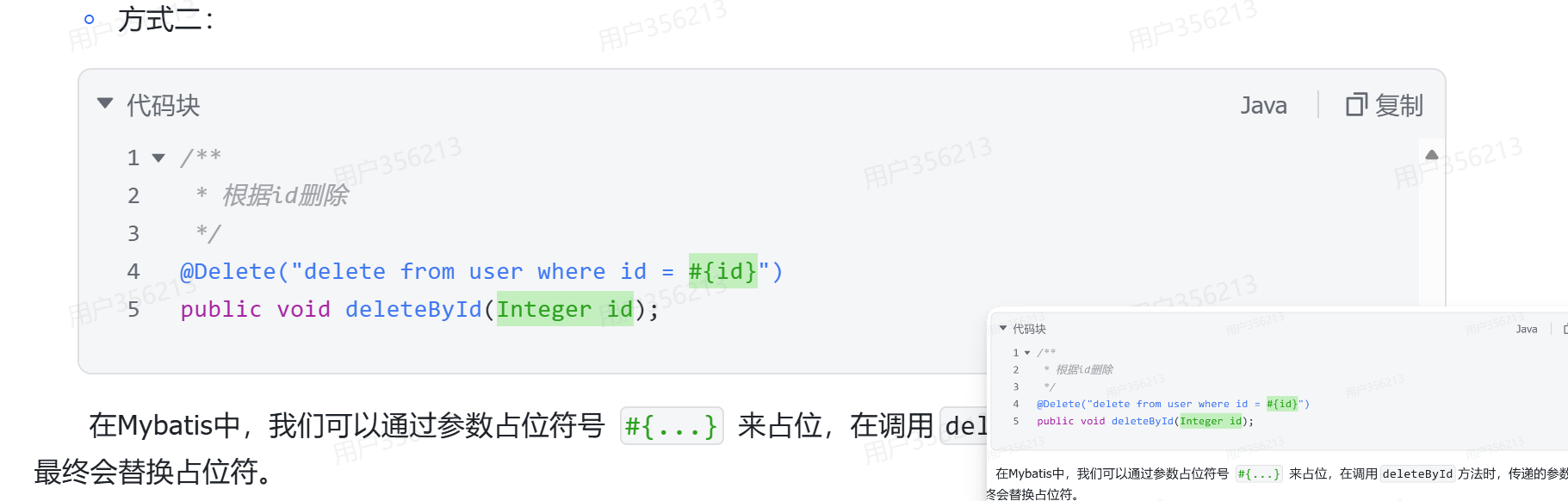
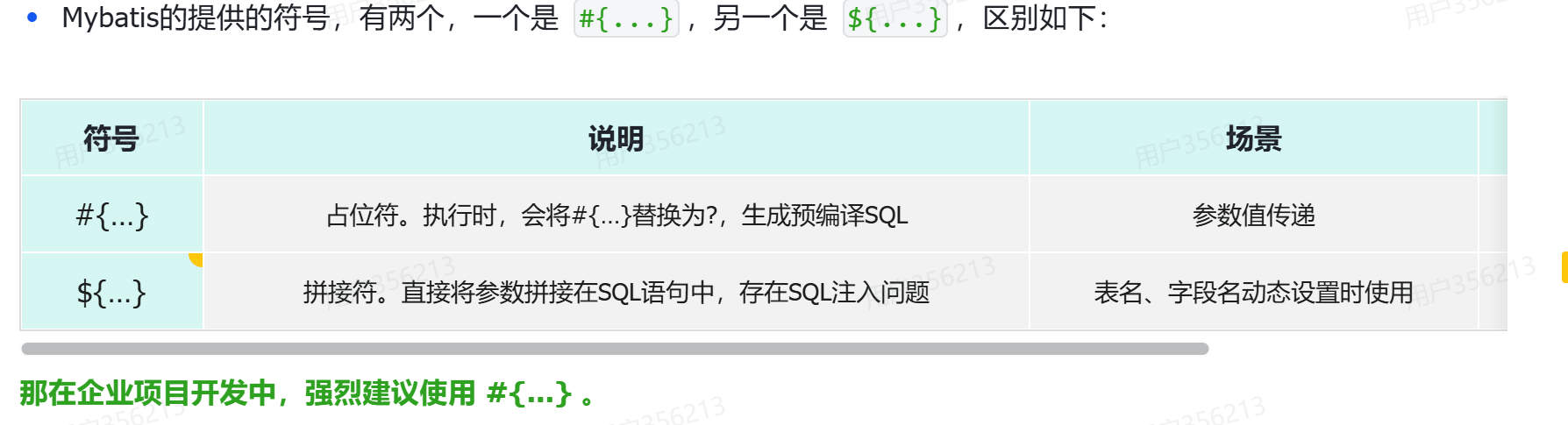
占位符
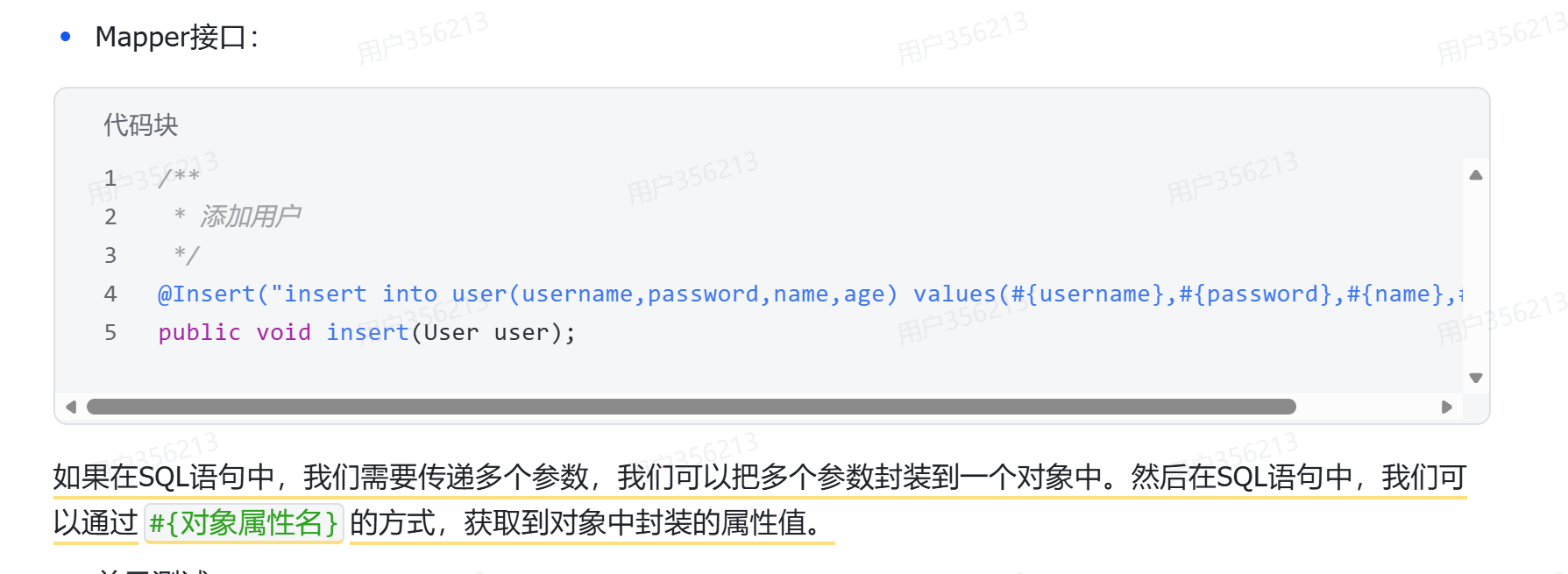
传递一个对象
占位符里面的名字要和对象里面的名字一样
一些说明
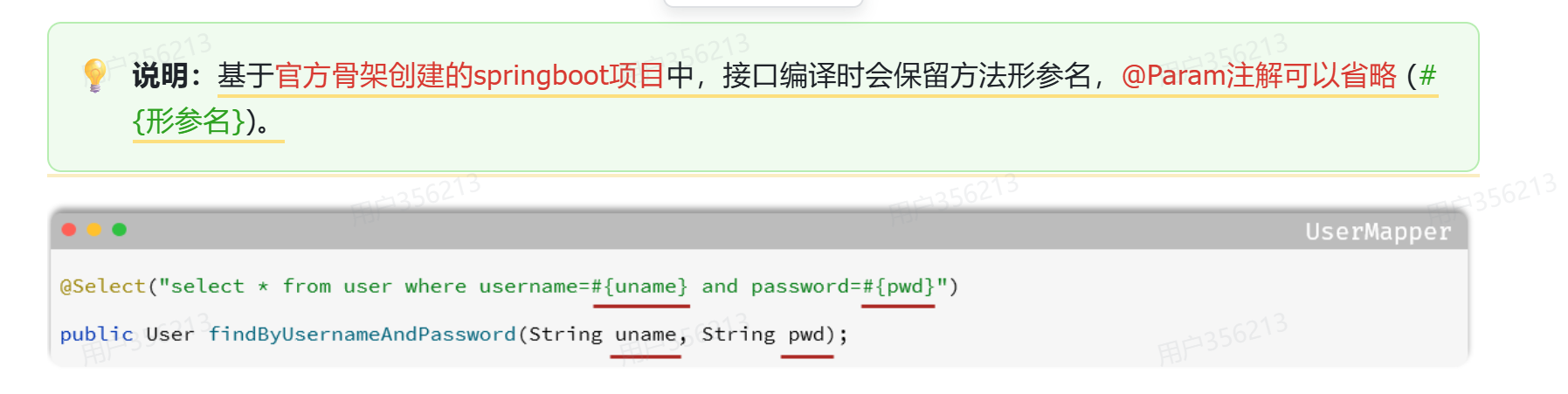
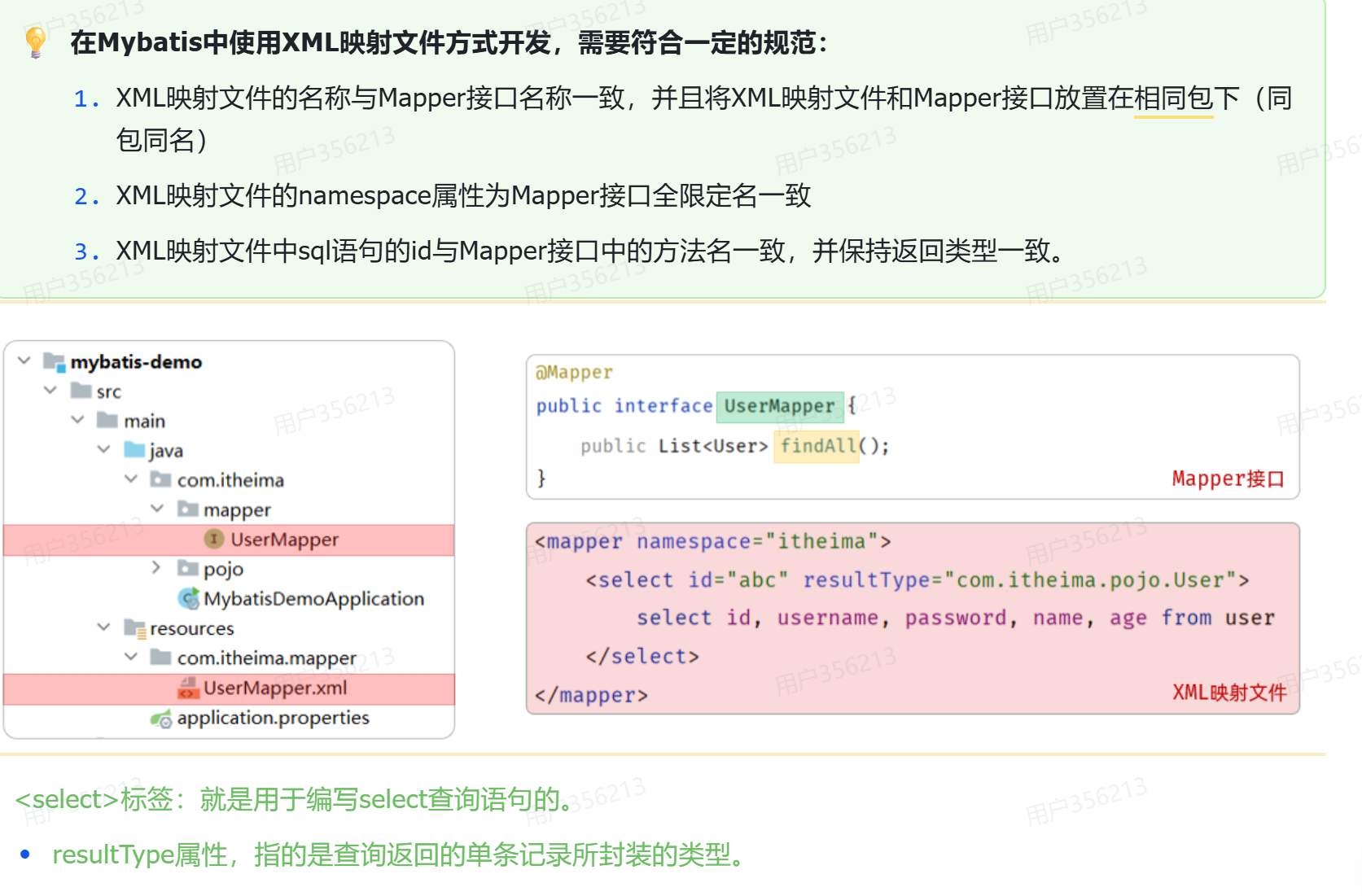
XML映射
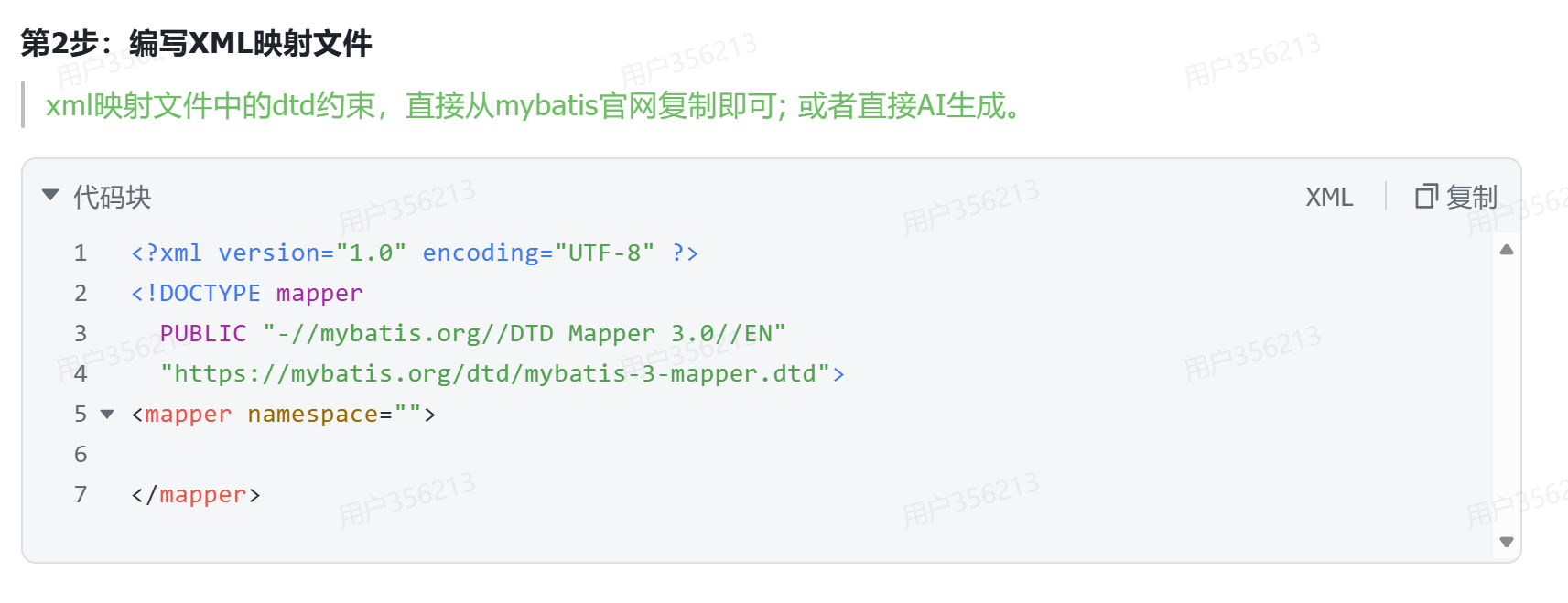
映射文件的配置
 MybatisX
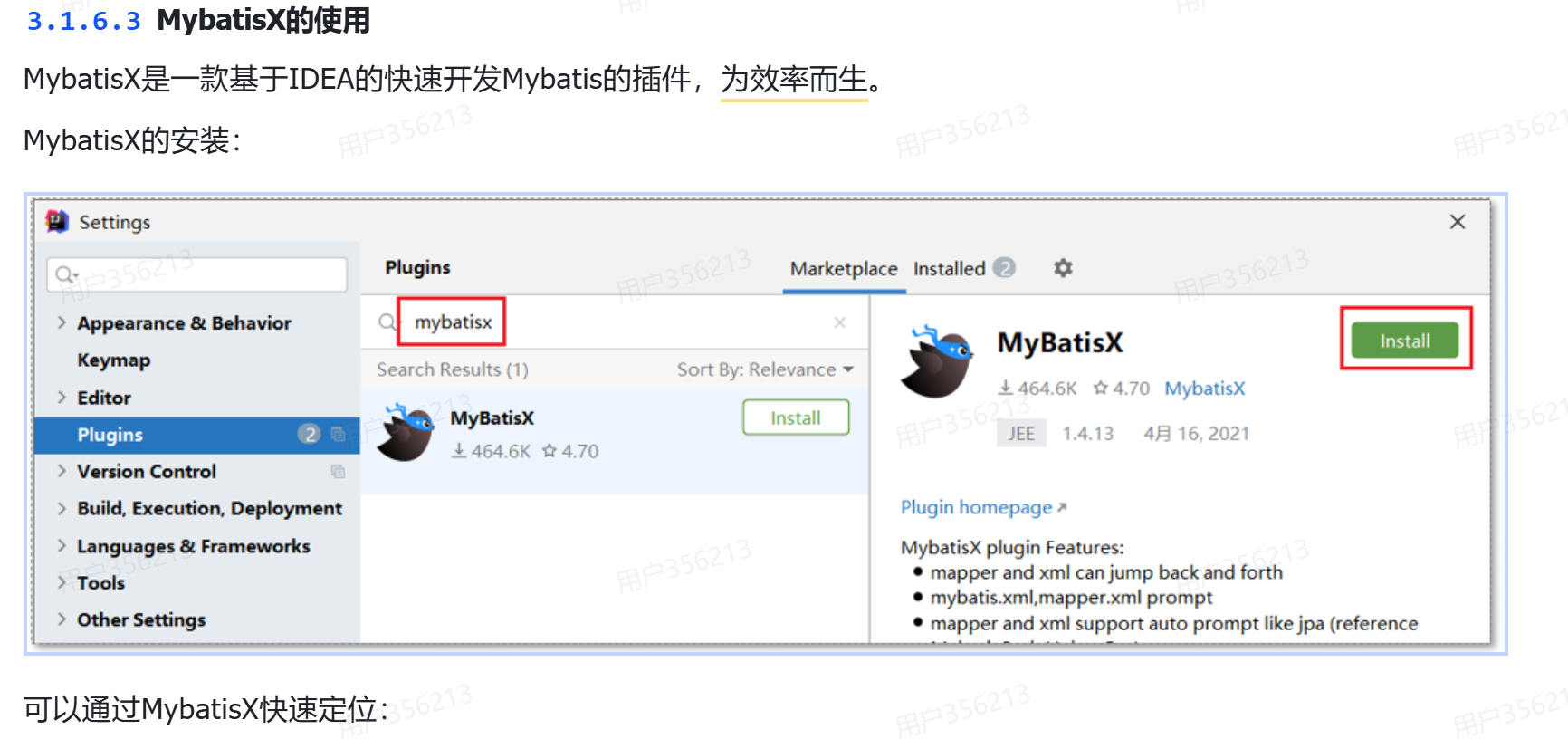
可以实现与xml文件的快速跳转
四,SpringBoot配置文件
properties与yml的对比
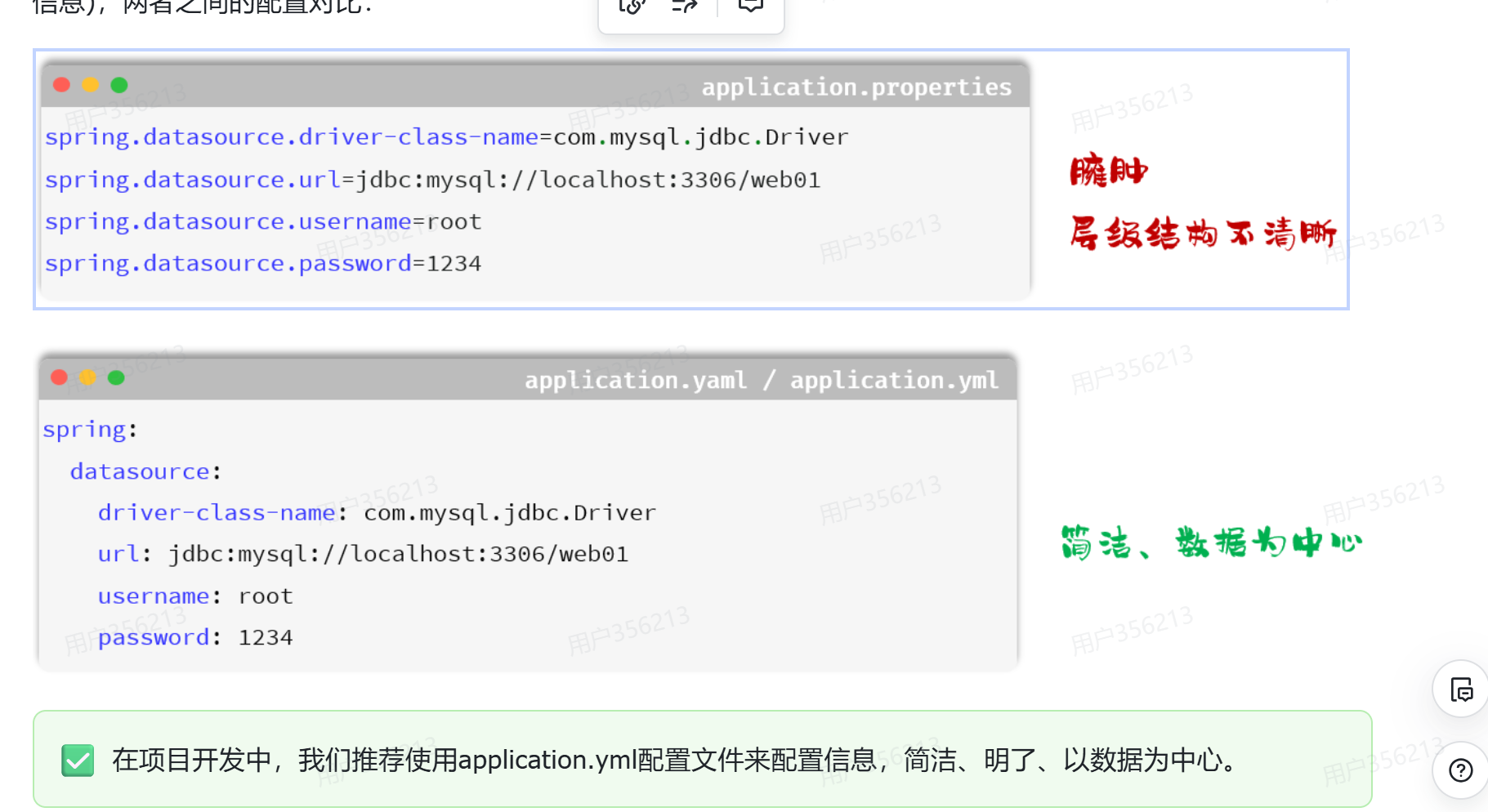
配置信息
五,开发
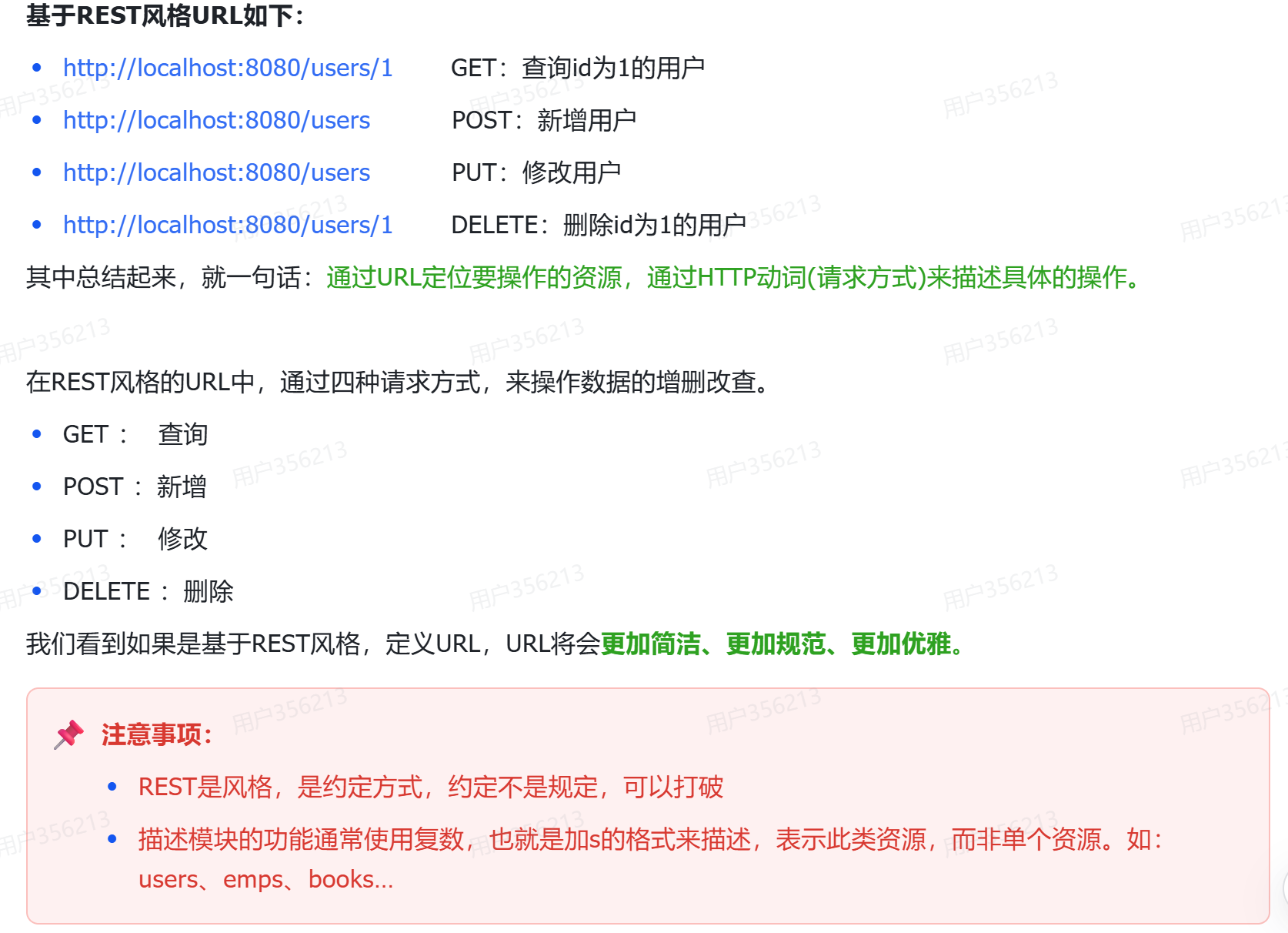
Restful风格
工程搭建
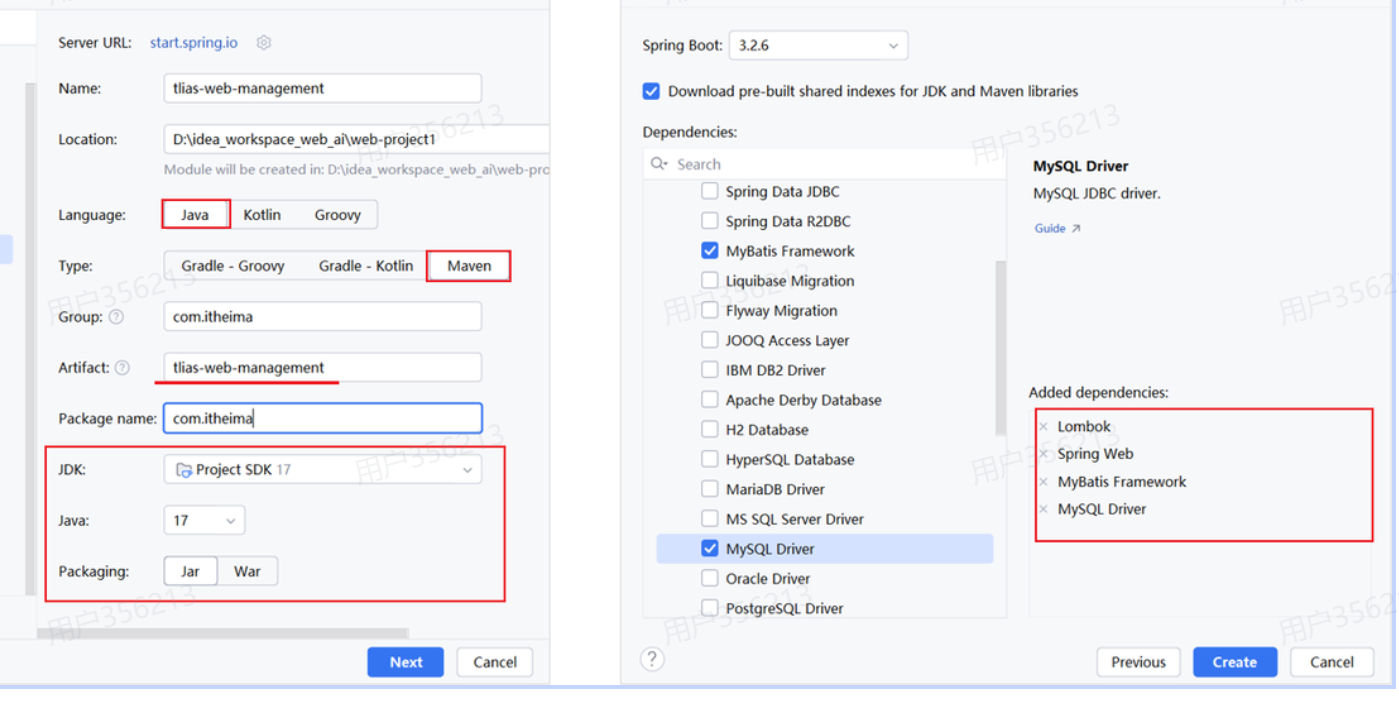
创建springboot工程
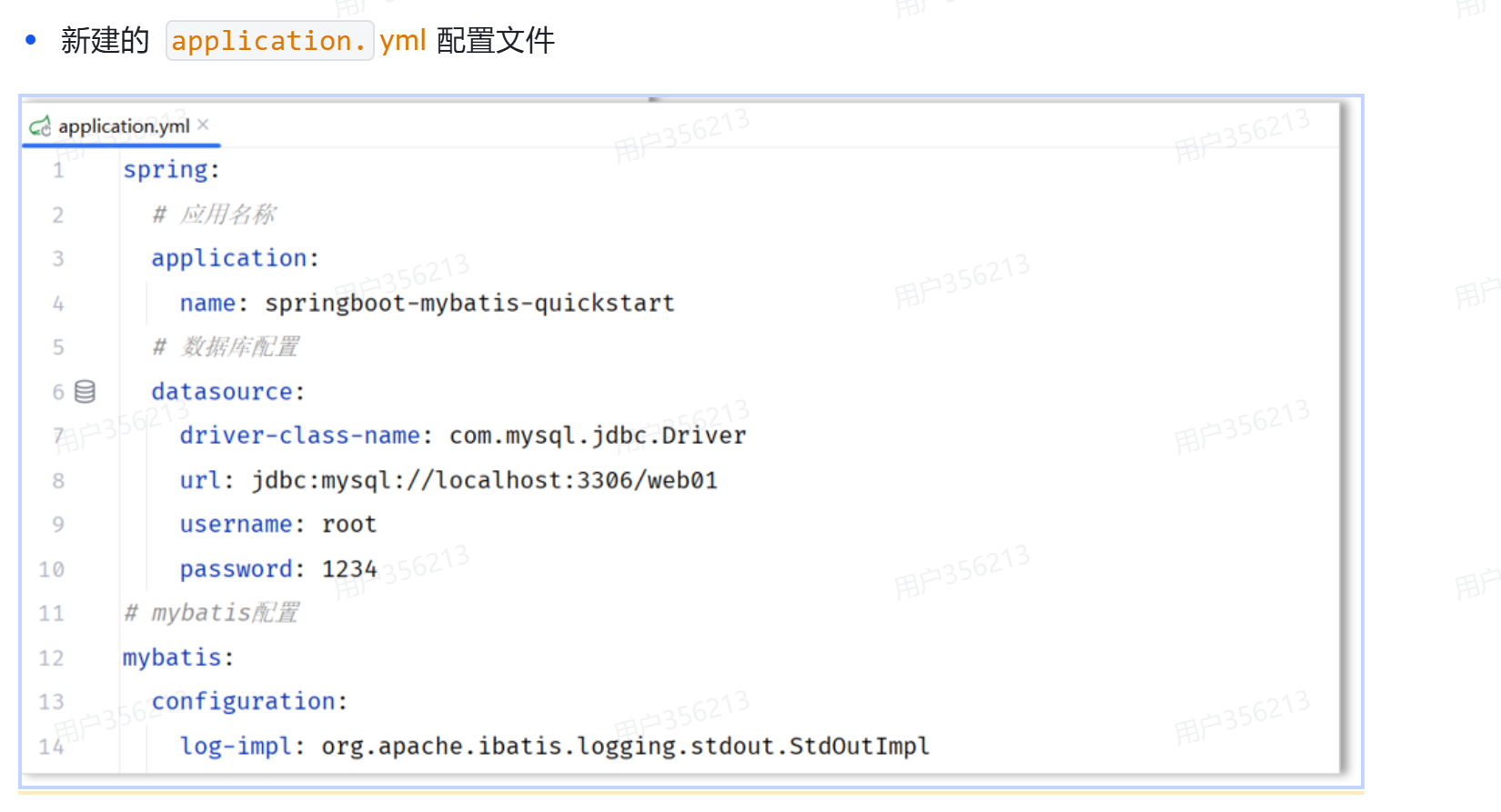
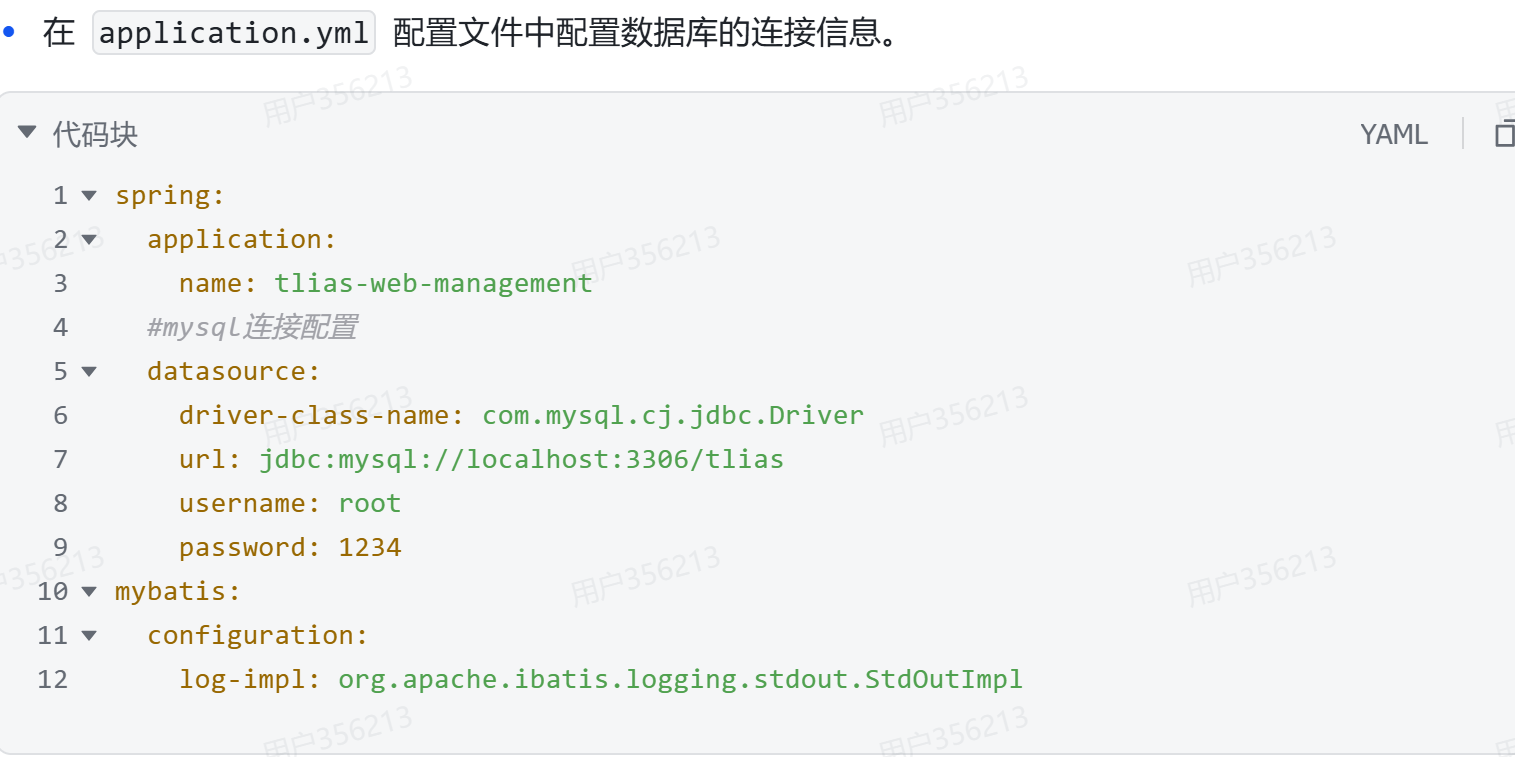
配置yml文件
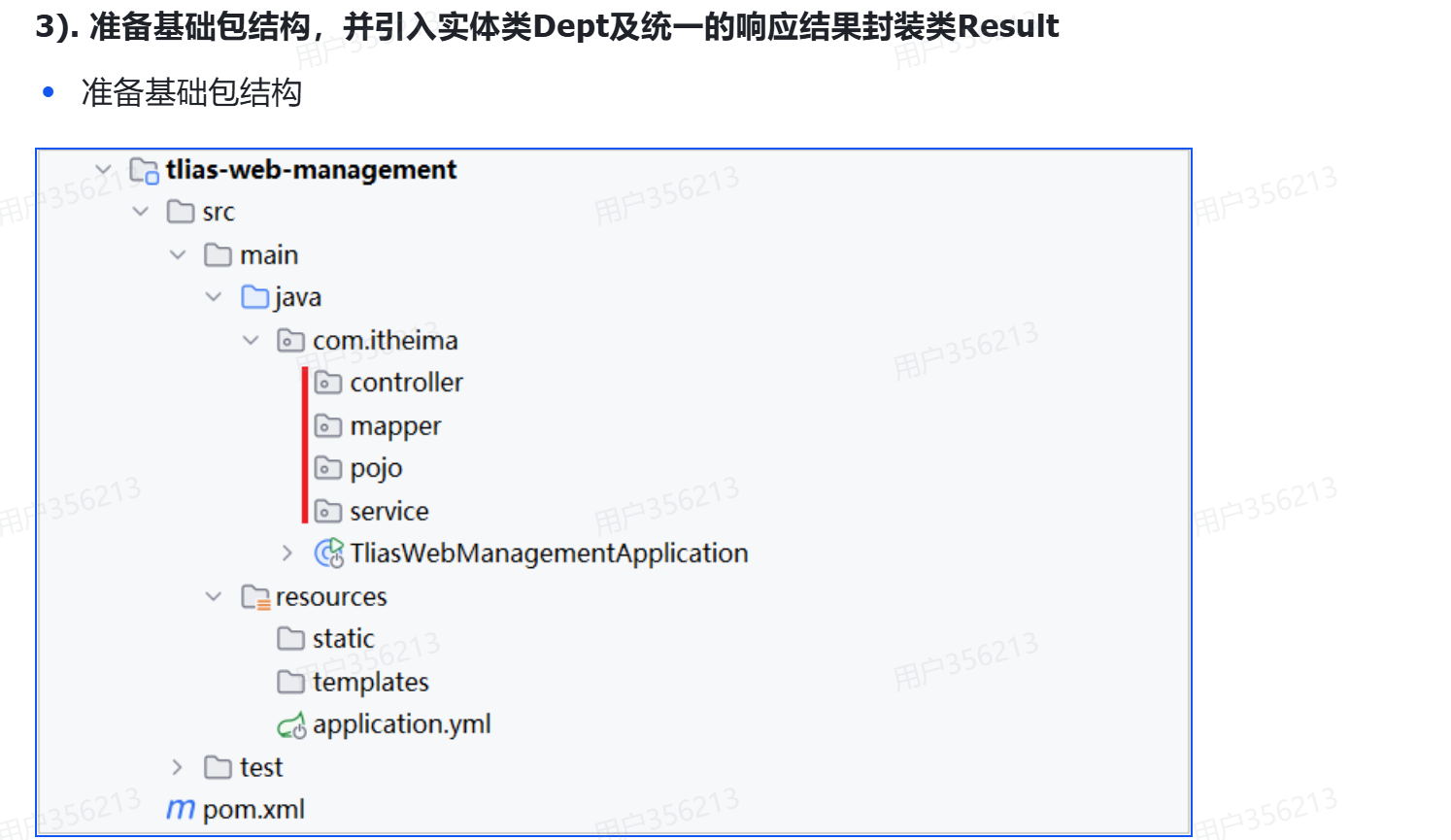
基础结构
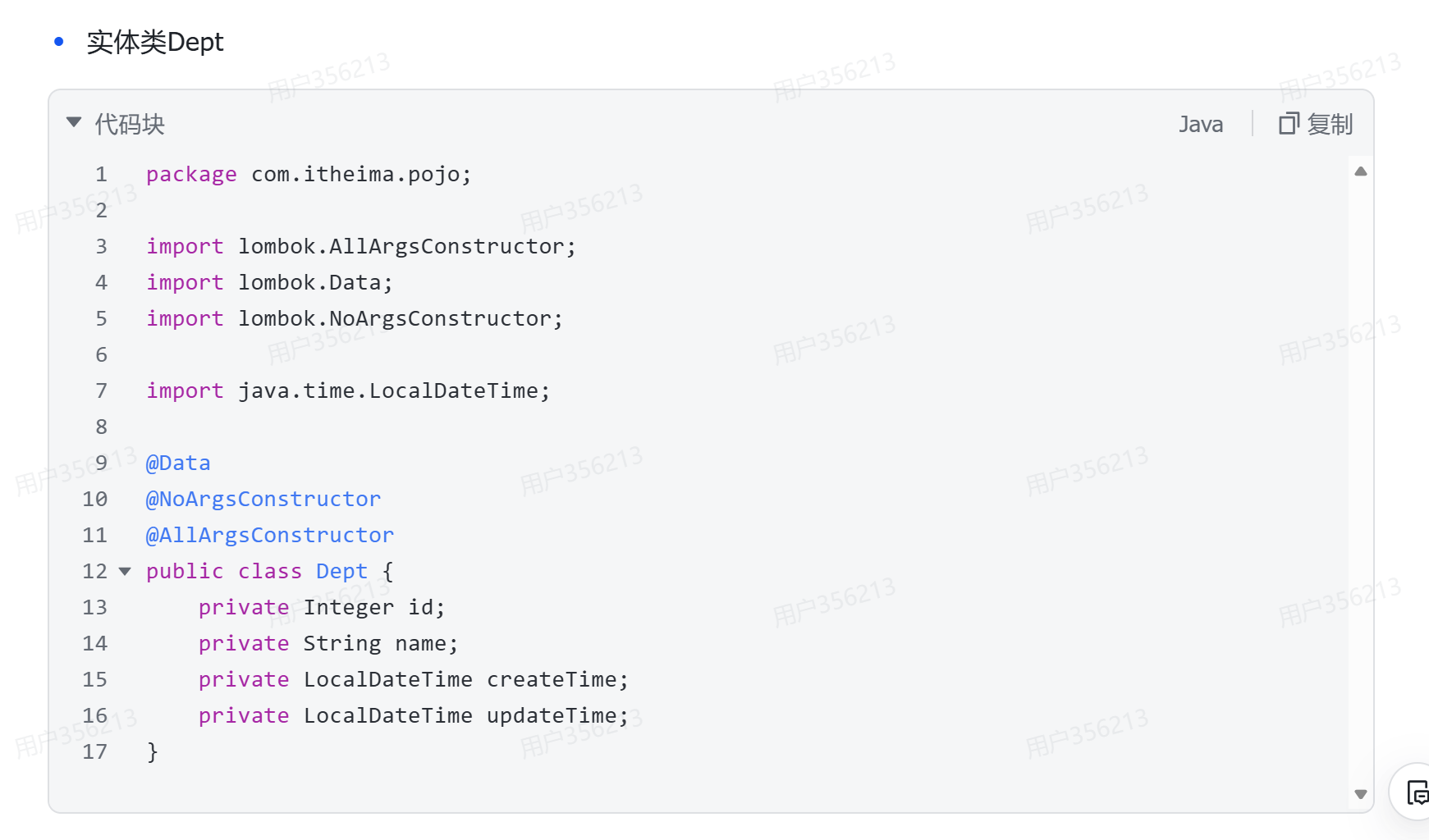
pojo实体类
result类
package com.itheima.pojo;

import lombok.Data;
import java.io.Serializable;

/**
 * 后端统一返回结果
 */
@Data
public class Result {

    private Integer code; //编码:1成功,0为失败
    private String msg; //错误信息
    private Object data; //数据

    public static Result success() {
        Result result = new Result();
        result.code = 1;
        result.msg = "success";
        return result;
    }

    public static Result success(Object object) {
        Result result = new Result();
        result.data = object;
        result.code = 1;
        result.msg = "success";
        return result;
    }

    public static Result error(String msg) {
        Result result = new Result();
        result.msg = msg;
        result.code = 0;
        return result;
    }

}
总结构
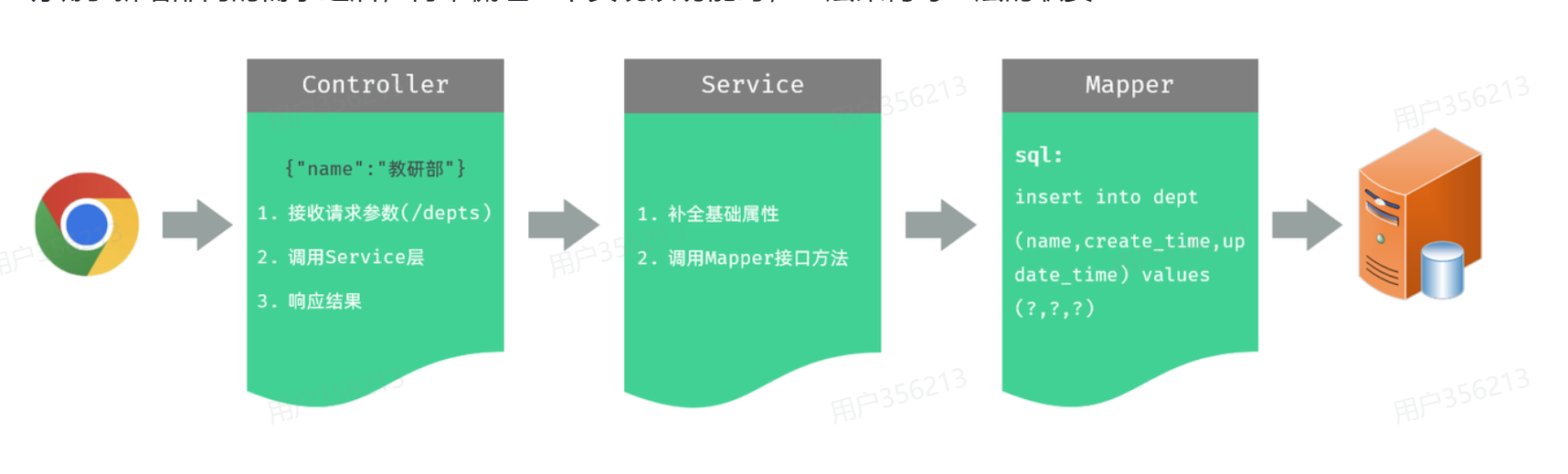
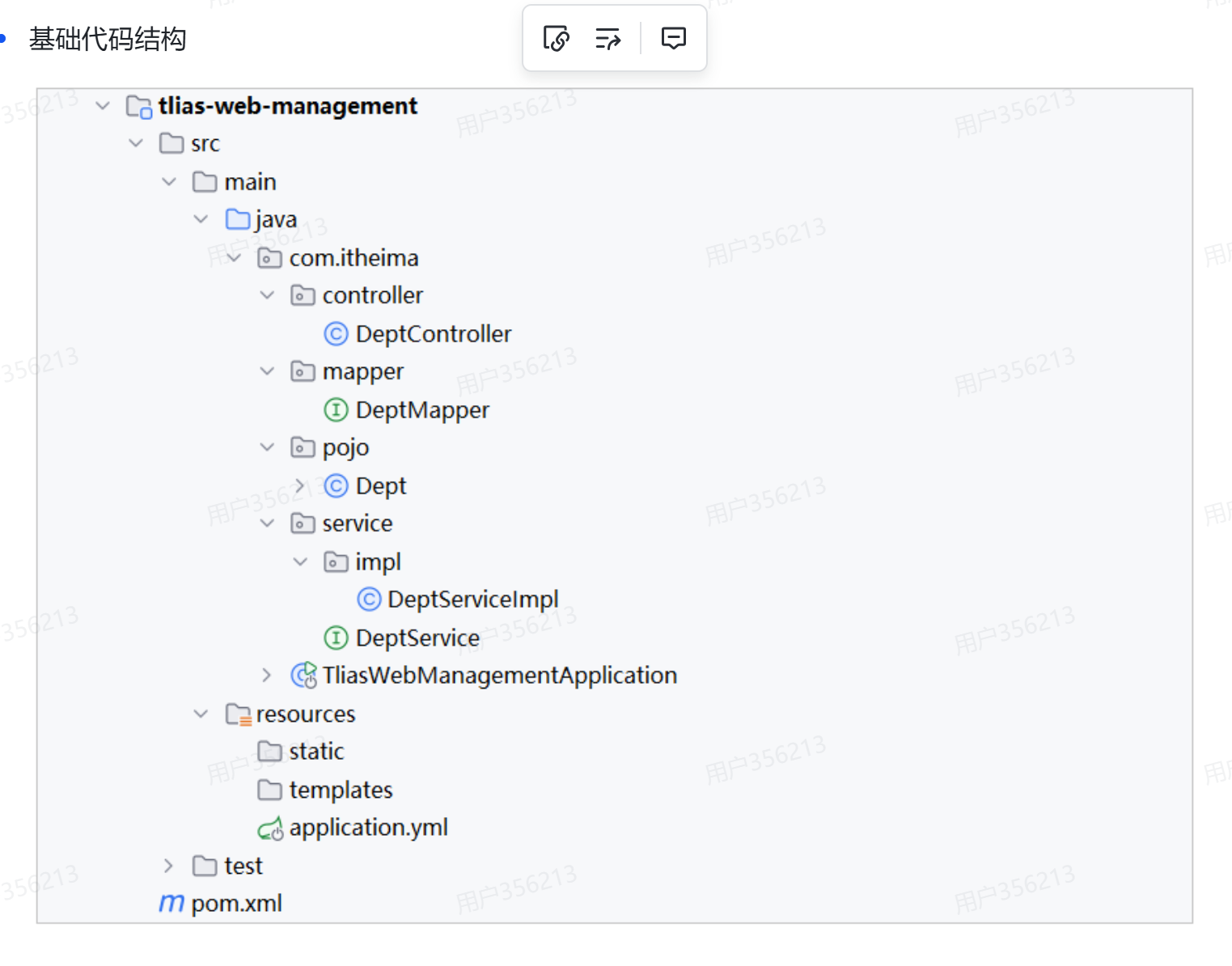
更多细节
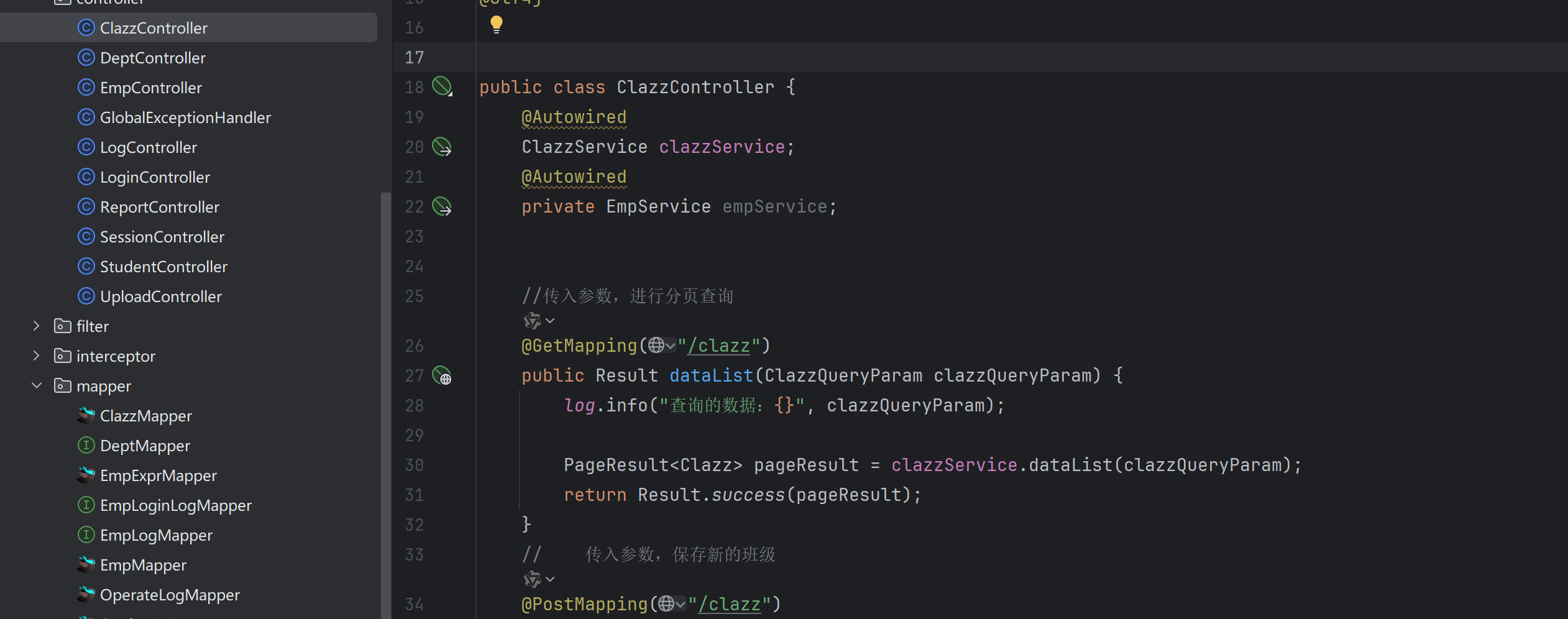
Controller层
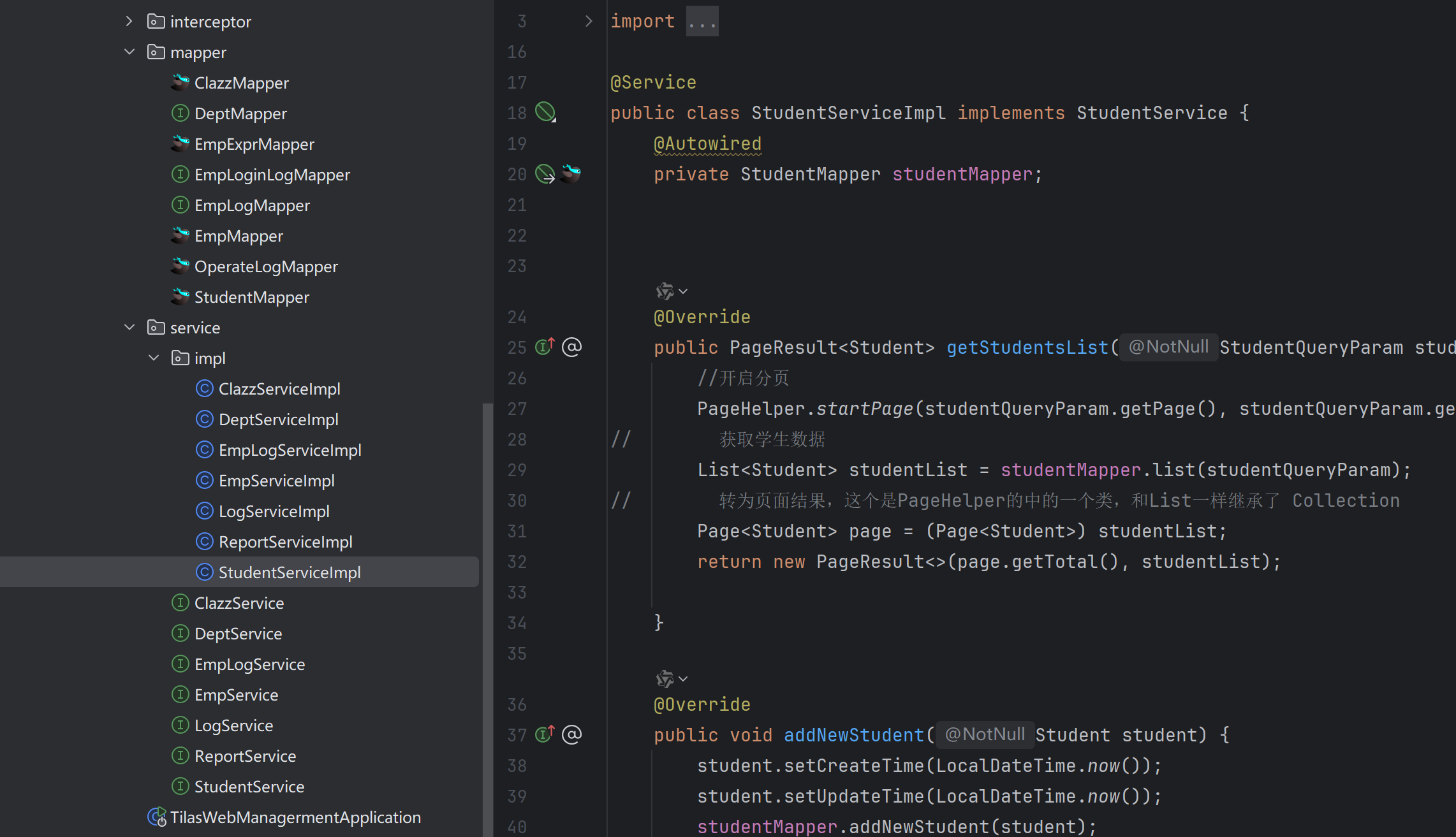
Service层
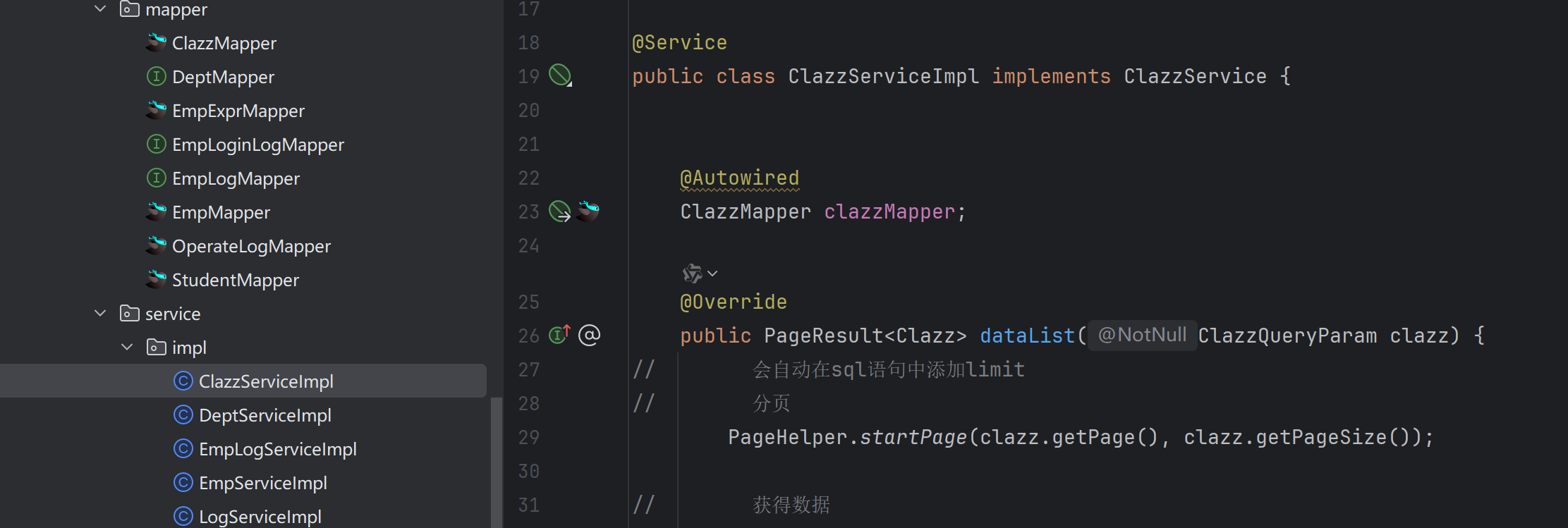
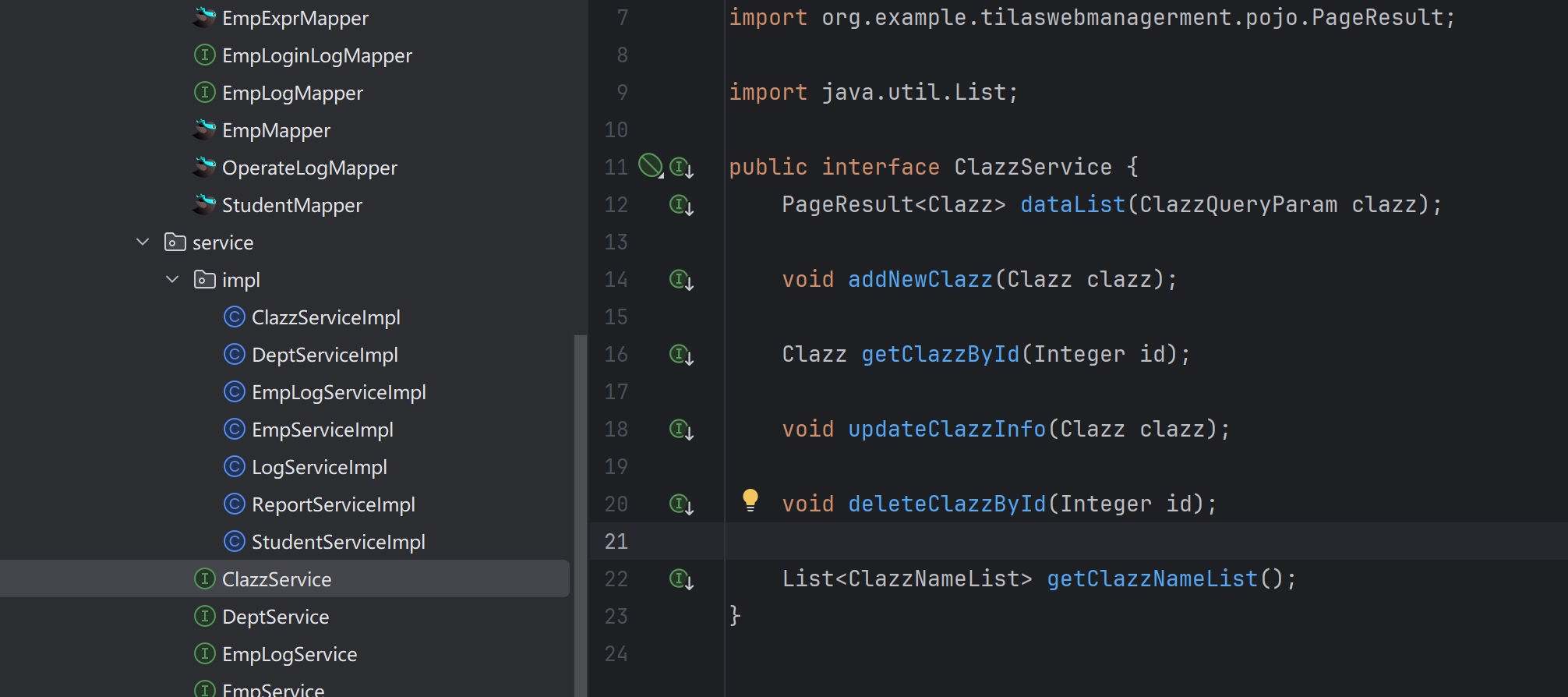
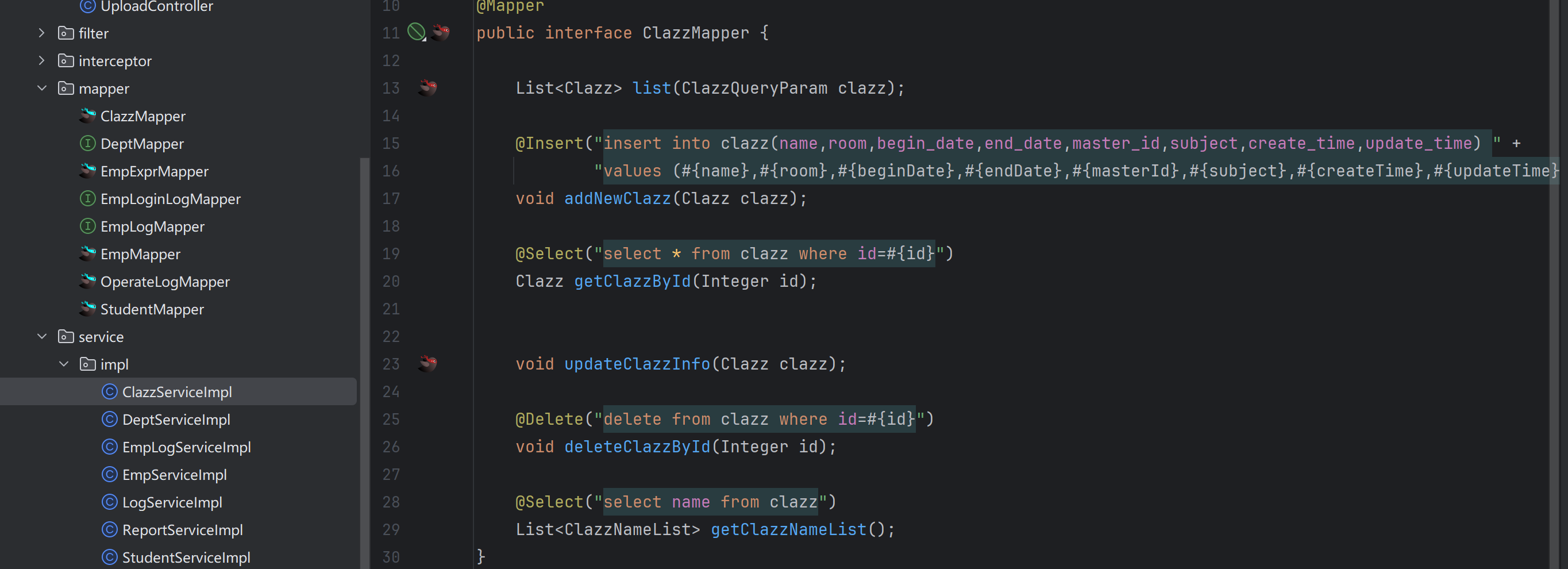
Mapper层
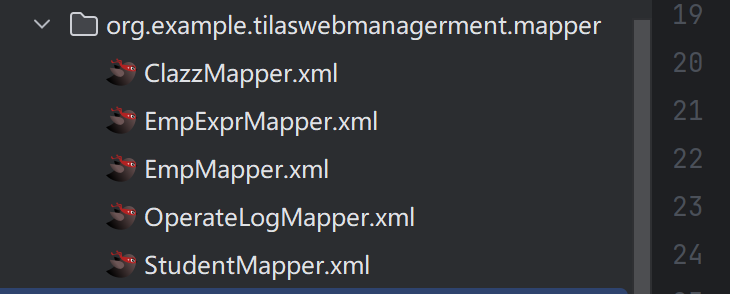
xml映射
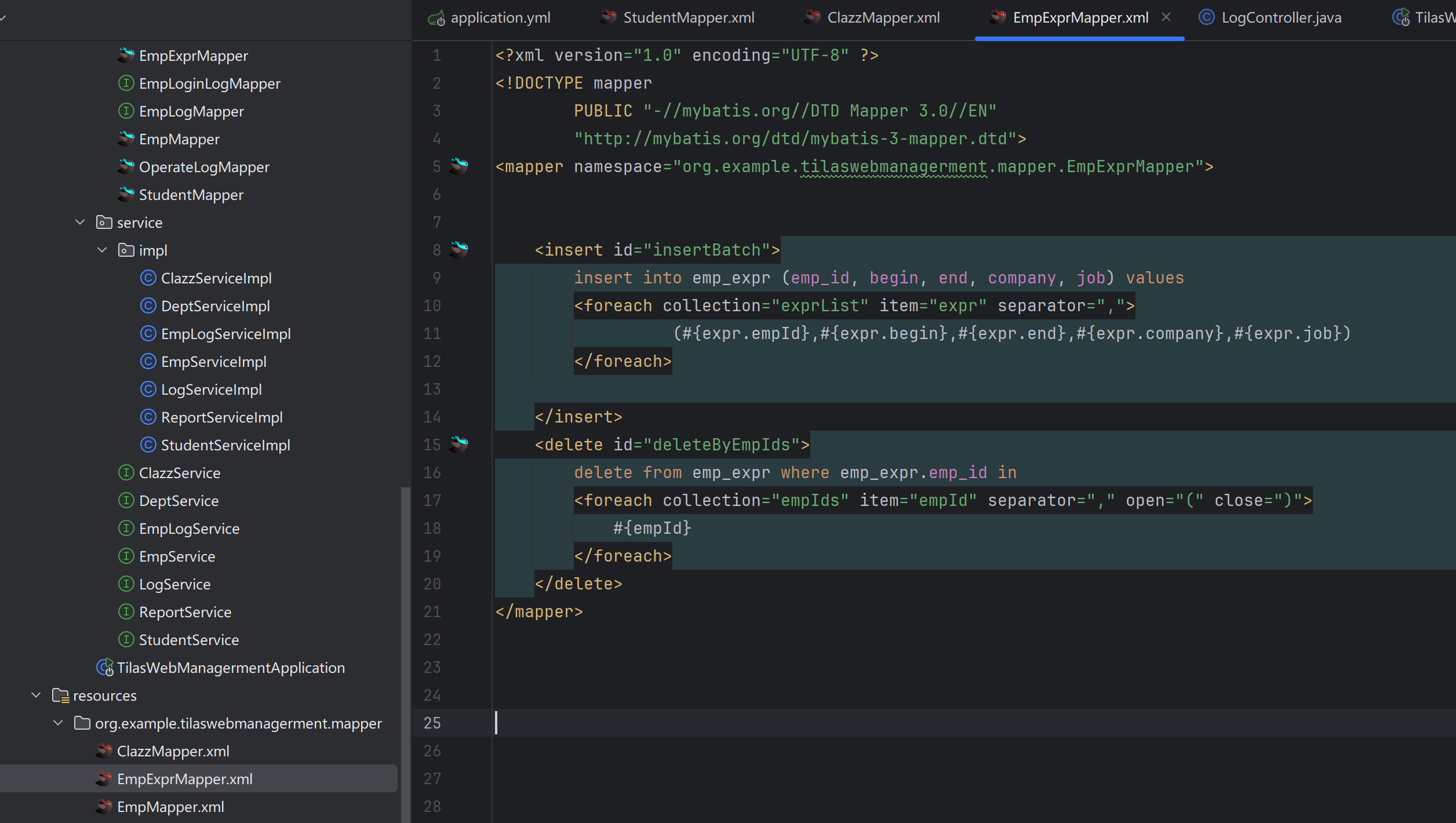
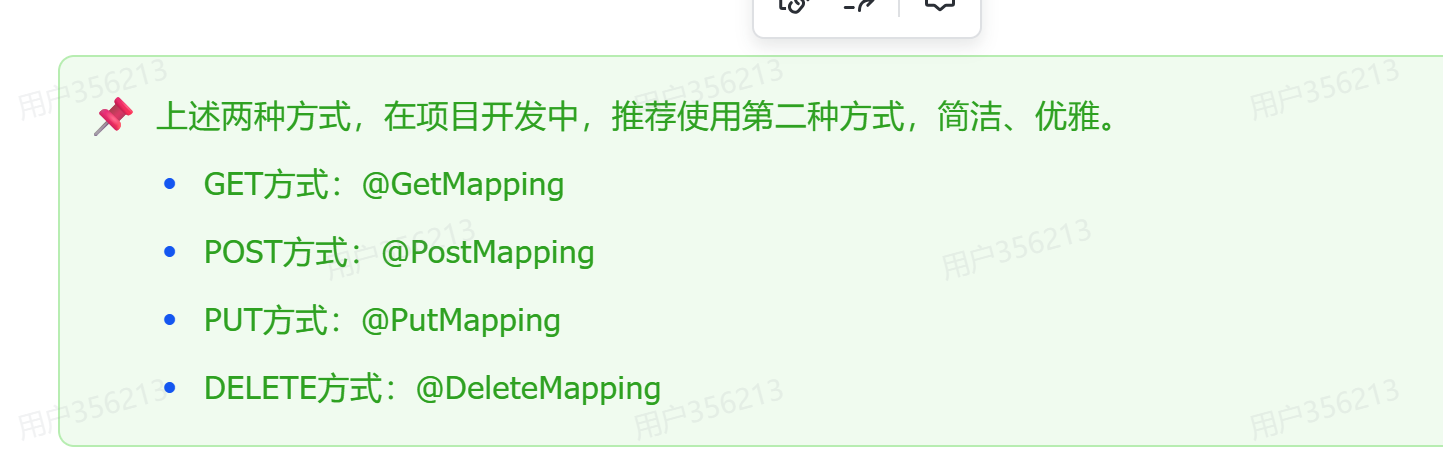
请求方法
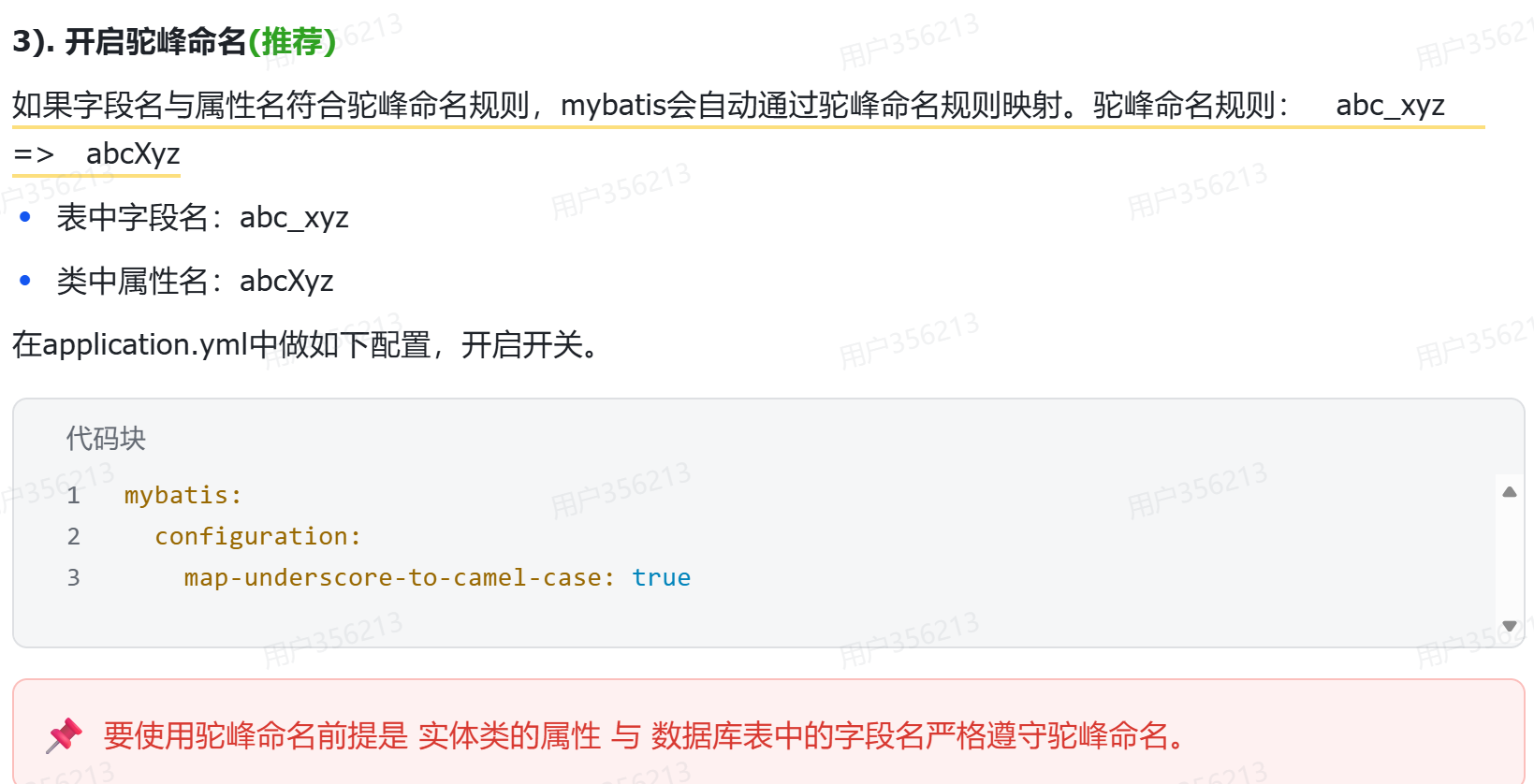
驼峰命名法
更多推荐

 8
8 0
0- 0


 已为社区贡献1条内容

所有评论(0)