Mysql之表的约束
·
🏝️专栏:Mysql_猫咪-9527的博客-CSDN博客
🌅主页:猫咪-9527-CSDN博客“欲穷千里目,更上一层楼。会当凌绝顶,一览众山小。”
目录
5.1 空属性 (NULL / NOT NULL)
- NULL(默认): 表示列可以为空。
- NOT NULL(不为空): 表示列不能为空,必须有值。
案例:创建班级表时,班级名和教室名都设置为 NOT NULL,保证每个班级都有名称和教室。
create table myclass(
  class_name varchar(20) not null,
  class_room varchar(10) not null
);
说明:当设置的列没有明确设置是,默认是deffault null(可以为空),当设置为null时 ,进行插入时该列不能为空,同时如果该列没有默认值时插入必须插入不为空的列。

5.2 默认值 (DEFAULT)
- DEFAULT: 用于为列指定默认值,如果插入数据时没有提供该列的值,则使用默认值。
案例:为表中的 age 和 sex 列设置默认值:
create table tt10 (
  name varchar(20) not null,
  age tinyint unsigned default 0,
  sex char(2) default '男'
);

5.3 列描述 (COMMENT)
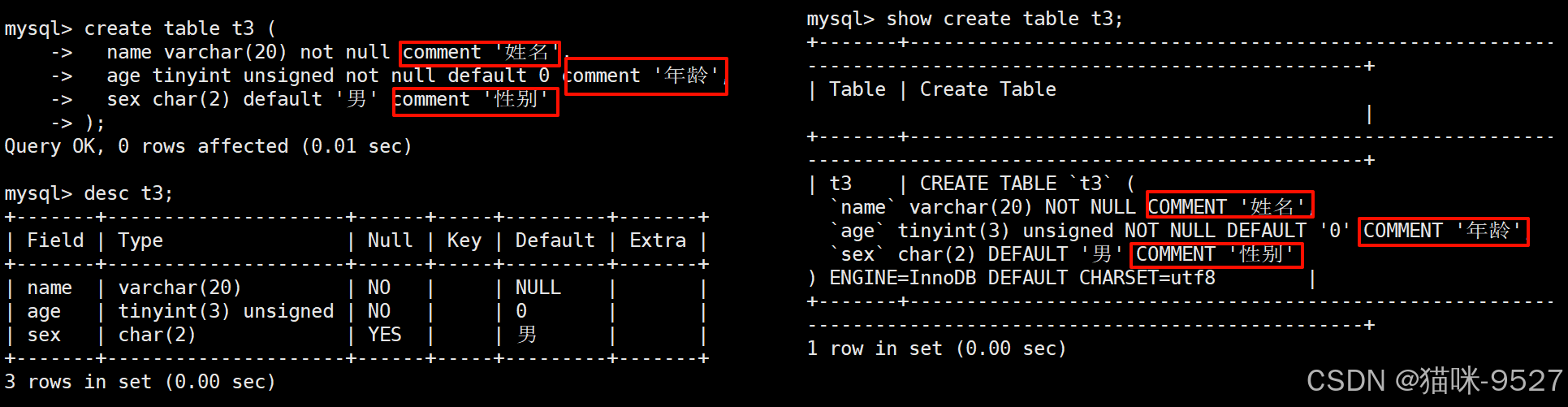
- COMMENT: 用于为表的列添加描述,帮助程序员理解字段的含义。通过
DESC查看表结构时不能看到注释,但通过SHOW CREATE TABLE可以看到。
案例:
create table t3 (
  name varchar(20) not null comment '姓名',
  age tinyint unsigned not null default 0 comment '年龄',
  sex char(2) default '男' comment '性别'
);
注:正常查表无法直接看到表的描述,只有通过 SHOW CREATE TABLE 可以看到。
5.4 ZEROFILL
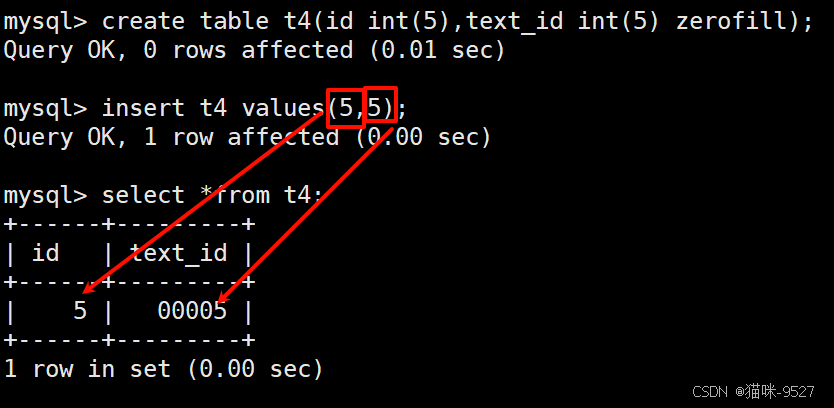
- ZEROFILL: 当定义数字类型的列时,设置
ZEROFILL属性可以自动填充零。虽然存储的值仍然是实际数字,但在查询时会显示为指定宽度的数字,前面补充零。
案例:
desc tt3;  -- 查看表结构
alter table tt3 change a a int(5) unsigned zerofill;
5.5 主键 (PRIMARY KEY)
- PRIMARY KEY: 用于唯一标识表中的每一行,值不能重复且不能为空。一张表最多只能有一个主键。
案例:
create table tt13 (
  id int unsigned primary key comment '学号不能为空',
  name varchar(20) not null
);
主键约束会确保该列的值唯一,不能重复。

5.6 自增长 (AUTO_INCREMENT)
- AUTO_INCREMENT: 用于自动生成唯一的数字值,通常与主键一起使用。在插入数据时,不需要手动提供自增长字段的值。
案例:
create table tt21 (
  id int unsigned primary key auto_increment,
  name varchar(10) not null default ''
);
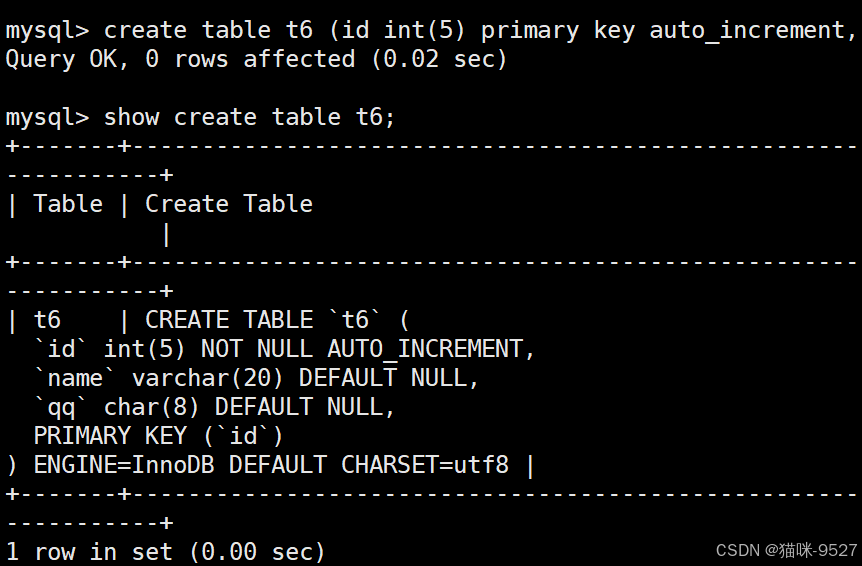
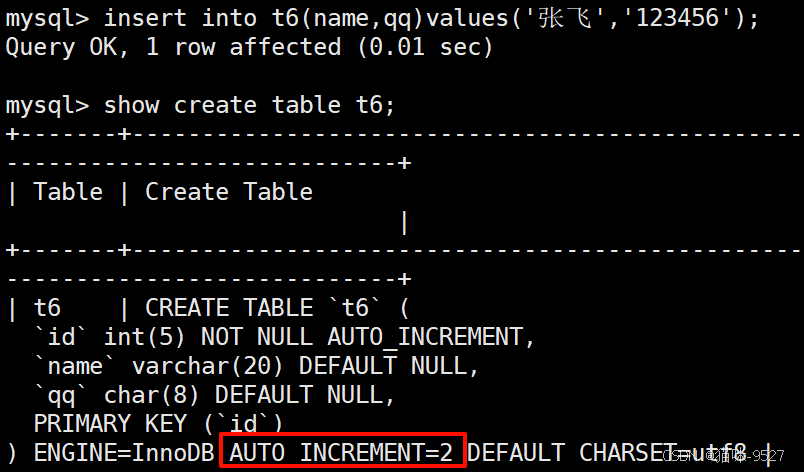
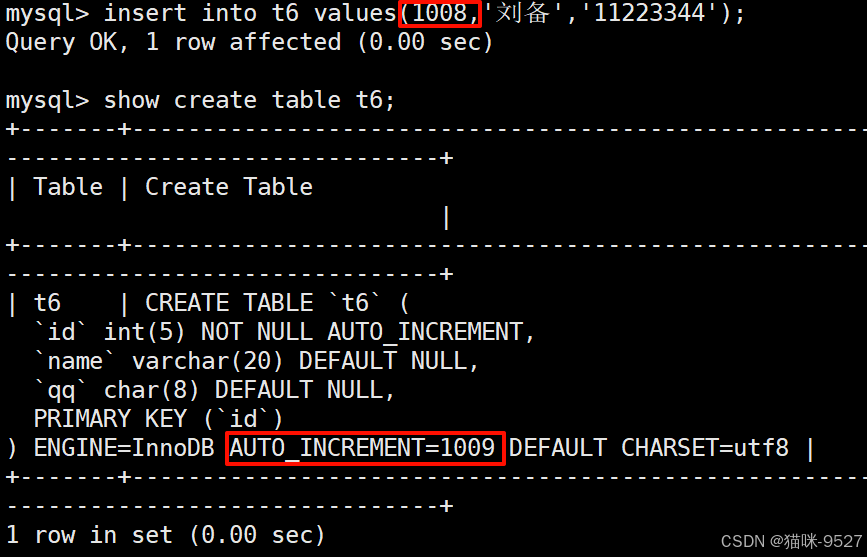
添加数据时出现auto_increment数值,记录的是下一次自增长的值。
| 未添加数据时 | 添加数据时 |
 |  |
主动修改后自增长的值发生变化:
| 主动修改前 | 主动修改后 |
|  |
5.7 唯一键 (UNIQUE KEY)
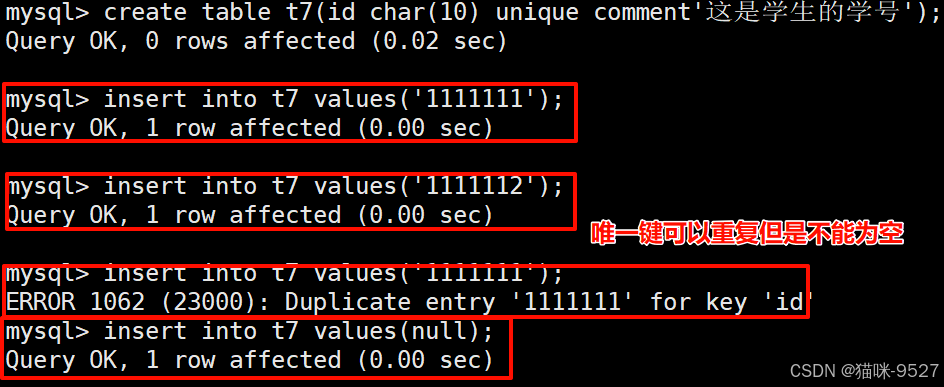
- UNIQUE KEY: 用于确保表中某列的值唯一,可以用于多个列。与主键类似,但允许列包含空值。
案例:
create table student (
  id char(10) unique comment '学号,不能重复,但可以为空',
  name varchar(10)
);
- 当表创建好以后但是没有主键的时候,可以再次追加主键
alter table <表名> add primary key(<列名>);- 删除表里的主键
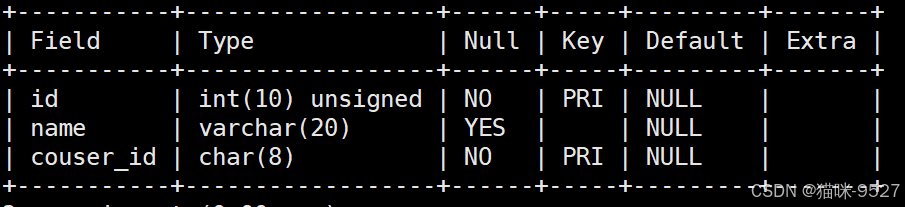
alter table <表名> drop primary key;- 一个表里面只能有一个主键,但不意味着只有一个 列可以成为主键,这种被称为:复合主键。
| 插入couser_id相同,id不同的(成功) |
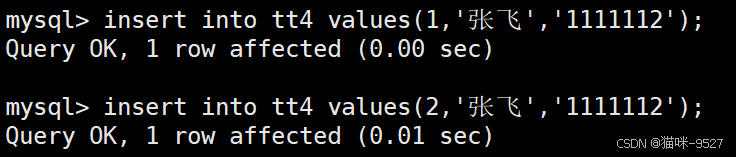 |
| 插入id相同,couser_id不同(成功) |
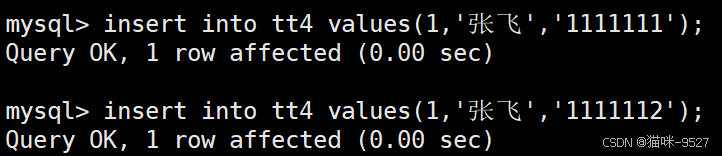 |
| 插入id,couser_id都相同(失败) |
 |
此时:两个列合在一起成为一个复合主键。
5.8 外键 (FOREIGN KEY)
- FOREIGN KEY: 用于建立表之间的关系。外键约束确保从表中的数据在主表中存在,或者为
NULL。 - 主表(Parent Table)是外键所指向的表,包含主键。
- 从表(Child Table)是含有外键的表,外键列指向主表的主键。
案例:创建学生表和班级表,班级表的 id 是主键,学生表中的 class_id 是外键,指向班级表的 id。
create table myclass (
  id int primary key,
  name varchar(30) not null comment '班级名'
);

create table stu (
  id int primary key,
  name varchar(30) not null comment '学生名',
  class_id int,
  foreign key (class_id) references myclass(id)
);
| 主表 | 从表 |
 | 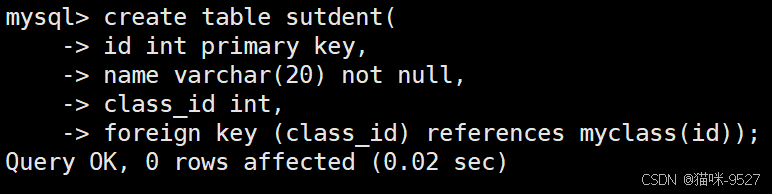 |
| 当出现主表中没有的数据是插入失败 | |
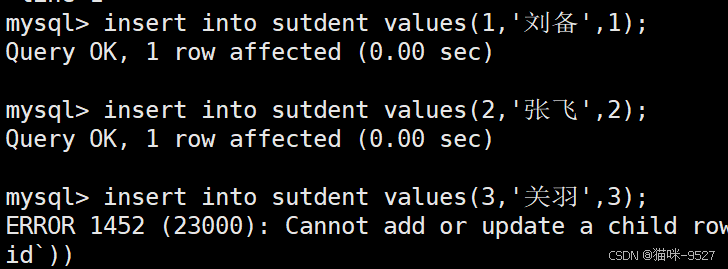 | |
| 当副表中有与主表中相关的数据时:不能删除,只有将副表中数据删掉,方可正常删除 | |
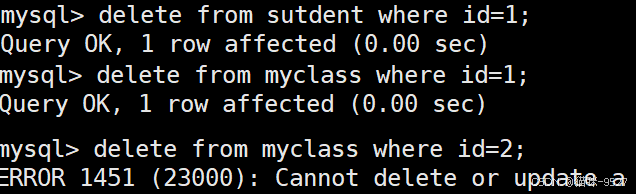 | |
5.9 综合案例 - 阅读
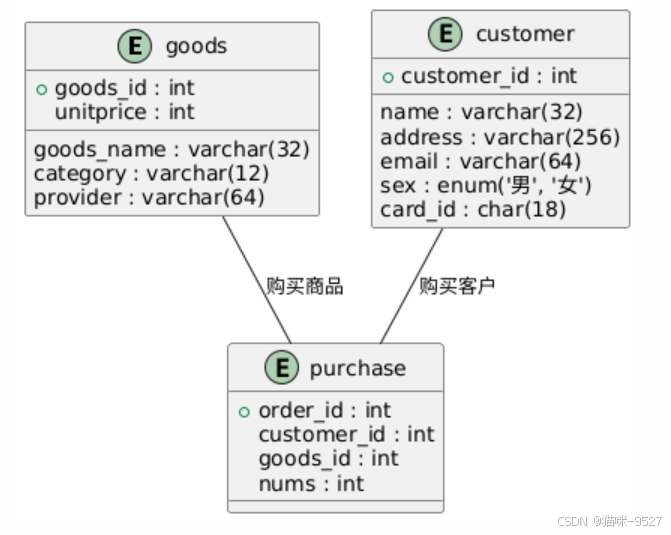
该案例展示了一个商店的数据管理系统,其中有三个表:商品表、客户表和购买表。每个表都包含主外键约束来确保数据的一致性。
创建商品表、客户表和购买表:
create table goods (
  goods_id int primary key auto_increment comment '商品编号',
  goods_name varchar(32) not null comment '商品名称',
  unitprice int not null default 0 comment '单价,单位分',
  category varchar(12) comment '商品分类',
  provider varchar(64) not null comment '供应商名称'
);

create table customer (
  customer_id int primary key auto_increment comment '客户编号',
  name varchar(32) not null comment '客户姓名',
  address varchar(256) comment '客户地址',
  email varchar(64) unique key comment '电子邮箱',
  sex enum('男','女') not null comment '性别',
  card_id char(18) unique key comment '身份证'
);

create table purchase (
  order_id int primary key auto_increment comment '订单号',
  customer_id int comment '客户编号',
  goods_id int comment '商品编号',
  nums int default 0 comment '购买数量',
  foreign key (customer_id) references customer(customer_id),
  foreign key (goods_id) references goods(goods_id)
);

欢迎加入西安开发者社区!我们致力于为西安地区的开发者提供学习、合作和成长的机会。参与我们的活动,与专家分享最新技术趋势,解决挑战,探索创新。加入我们,共同打造技术社区!
更多推荐



 104
104 0
0- 0


 已为社区贡献2条内容

所有评论(0)