
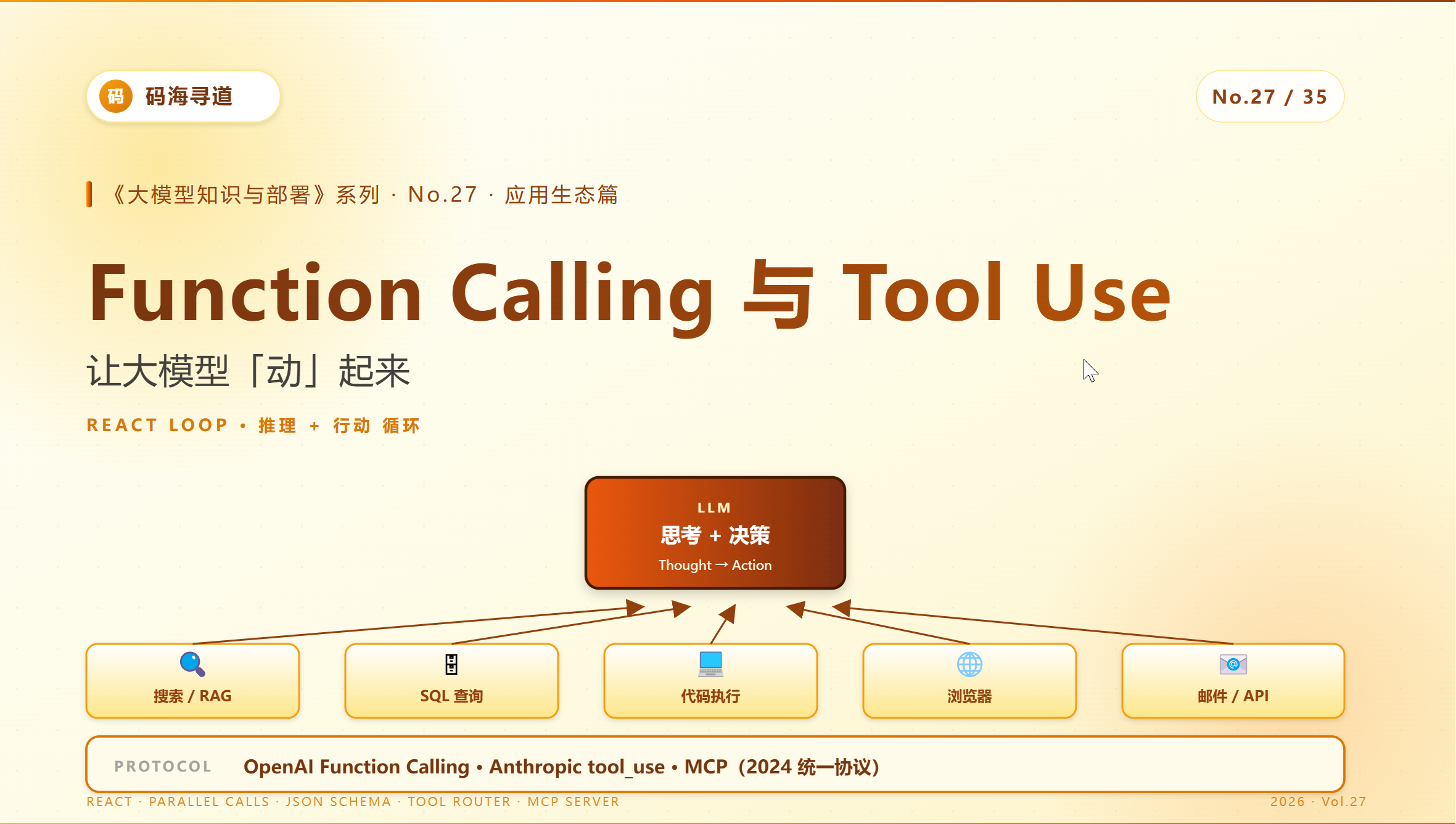
27.Function Calling 与 Tool Use:让大模型「动」起来
Function Calling 与 Tool Use:让大模型「动」起来
《大模型知识与部署》系列 · No.27 / 35
适合人群:AI 工程师、应用架构师
阅读时间:约 25 分钟
写在前面
上一篇我们讲了 RAG——让大模型「知道知识」。这一篇讲 Tool Use——让大模型「做事情」。
如果 LLM 只是个会聊天的"嘴巴",价值有限。真正的革命发生在它能主动调用工具——查天气、订机票、写代码、跑 SQL、控制设备、操作浏览器……
这就是 Function Calling / Tool Use 的能力。
2024 年下半年开始,几乎所有主流大模型都把 Tool Use 作为核心能力。2025-2026 的杀手应用——Cursor、Claude Code、Devin、Manus……全都建立在这个基础上。
如果你做过相关工作,下面这些问题应该不陌生:
- OpenAI 的
tools字段和 Anthropic 的tool_use怎么对接? - 模型经常调错工具 / 参数错乱,怎么治?
- 让模型一次调多个工具(parallel calling)怎么实现?
- MCP(Model Context Protocol)和 Function Calling 是同一个东西吗?
- 自部署开源模型支持 Function Calling 吗?
读完本文你将能:
- 设计标准的 Tool Use 协议
- 用 vLLM / Claude / GPT 实现工具调用
- 理解 MCP 协议在 2026 年的地位
- 用 ReAct 模式做多步推理工具调用
- 跑通一个端到端 Tool Use Agent
我们开始。
一、Tool Use 在 LLM 时代的位置
1.1 从"会答"到"会做"
LLM 应用的演进:
2022:ChatGPT  ────────────  会答问题
2023:RAG 应用  ────────────  会查私有知识
2024:Function Calling  ───  会调外部接口
2025:Agent 时代  ─────────  会自主完成任务
2026:MCP / Computer Use  ──  会操作 GUI / 系统
Tool Use 是 Agent 的核心能力——没有它,LLM 只能"说不能动"。
1.2 三类典型 Tool
| 类型 | 例子 | 难度 |
|---|---|---|
| 查询类 | 查天气、查股价、查文档 | ⭐ |
| 执行类 | 发邮件、下订单、调 API | ⭐⭐⭐ |
| 计算类 | 跑 SQL、写代码、做表格 | ⭐⭐⭐⭐ |
| GUI 操作类 | 浏览器自动化、桌面操作 | ⭐⭐⭐⭐⭐ |
1.3 工程师为什么必须懂
如果你做以下任何工作,必须懂 Tool Use:
- Agent 应用:自动化任务流
- AI 客服:能查订单、发工单
- AI Coding:调用 Linter / Test / Build
- AI 分析师:跑 SQL、画图、生成报告
- AI 助理:日历、邮件、文档
二、Function Calling 协议详解
2.1 OpenAI 标准(事实主流)
OpenAI 在 2023.06 推出 Function Calling,后来扩展成 Tools,已经成为事实标准。
工具定义
tools = [{
    "type": "function",
    "function": {
        "name": "get_weather",
        "description": "查询指定城市的天气",
        "parameters": {
            "type": "object",
            "properties": {
                "city": {
                    "type": "string",
                    "description": "城市名,如「上海」"
                },
                "unit": {
                    "type": "string",
                    "enum": ["celsius", "fahrenheit"],
                    "default": "celsius"
                }
            },
            "required": ["city"]
        }
    }
}]
关键点:
- description 极其重要——模型只通过 description 理解工具
- parameters 用 JSON Schema
- required 字段强制约束
调用流程
完整调用是多轮的:
from openai import OpenAI

client = OpenAI()

# 第 1 轮:用户问题 + 工具列表
response = client.chat.completions.create(
    model="gpt-5",
    messages=[
        {"role": "user", "content": "上海明天天气怎么样?"}
    ],
    tools=tools,
    tool_choice="auto",   # auto / none / required / 指定工具
)

# 模型返回:工具调用请求
assistant_msg = response.choices[0].message
# assistant_msg.tool_calls = [{
#     "id": "call_abc123",
#     "function": {
#         "name": "get_weather",
#         "arguments": '{"city": "上海"}'
#     }
# }]

# 第 2 轮:执行工具 + 把结果送回
tool_result = call_real_weather_api("上海")  # 你的真实实现

response = client.chat.completions.create(
    model="gpt-5",
    messages=[
        {"role": "user", "content": "上海明天天气怎么样?"},
        assistant_msg,
        {
            "role": "tool",
            "tool_call_id": "call_abc123",
            "content": json.dumps(tool_result)
        }
    ],
    tools=tools,
)

# 模型基于工具结果生成最终回答
print(response.choices[0].message.content)
# "上海明天晴,最高 28°C,最低 18°C"
Parallel Function Calling
OpenAI / Claude 都支持一次调用多个工具:
# 用户问:上海和北京天气怎么样?
# 模型可能返回:
{
    "tool_calls": [
        {"id": "call_1", "function": {"name": "get_weather", "arguments": '{"city": "上海"}'}},
        {"id": "call_2", "function": {"name": "get_weather", "arguments": '{"city": "北京"}'}}
    ]
}

# 客户端并行执行两个工具,结果一起送回
并行调用大幅减少多步延迟,是 2026 年 Agent 的核心优化。
2.2 Anthropic(Claude)的差异
Claude 的协议略有不同:
import anthropic

client = anthropic.Anthropic()

tools = [{
    "name": "get_weather",
    "description": "查询天气",
    "input_schema": {           # 不是 parameters
        "type": "object",
        "properties": {...},
        "required": ["city"]
    }
}]

response = client.messages.create(
    model="claude-sonnet-4-6",
    max_tokens=1024,
    tools=tools,
    messages=[{"role": "user", "content": "上海天气"}]
)

# response.content 包含混合内容:
# [
#   {"type": "text", "text": "我帮你查询..."},
#   {"type": "tool_use", "id": "...", "name": "get_weather", "input": {"city": "上海"}}
# ]
主要差异:
| 维度 | OpenAI | Anthropic |
|---|---|---|
| 字段名 | parameters |
input_schema |
| 返回格式 | tool_calls 数组 |
content 混合块 |
| 强制调用 | tool_choice: "required" |
tool_choice: {"type": "tool", "name": "..."} |
| 并行 | 默认支持 | 默认支持 |
| 描述 | 单独字段 | 单独字段 |
LiteLLM、LangChain 等工具会自动转换两种格式。
2.3 各家模型的 Tool Use 能力
实测对比(2026.05 主流模型):
| 模型 | 单工具准确率 | 多工具准确率 | 参数准确率 |
|---|---|---|---|
| Claude Opus 4.7 | 99% | 97% ⭐ | 99% |
| GPT-5 | 98% | 95% | 98% |
| Gemini 2.5 Pro | 97% | 93% | 97% |
| Qwen3-32B | 95% | 88% | 94% |
| Llama-3-70B | 91% | 80% | 91% |
| DeepSeek V3 | 96% | 92% | 95% |
关键观察:
- 闭源 Top 3 都 > 95%
- 开源 Qwen / DeepSeek 接近闭源
- 多工具并行调用是当下分水岭
三、自部署模型的 Tool Use
3.1 vLLM 中启用 Tool Use
vLLM 0.6+ 全面支持 Function Calling:
vllm serve Qwen/Qwen3-32B-Instruct \
    --enable-auto-tool-choice \
    --tool-call-parser hermes \    # 解析器(按模型选)
    --chat-template /path/to/template.jinja \
    --port 8000
关键参数:
--enable-auto-tool-choice:自动模式(推荐)--tool-call-parser:每个模型有自己的格式
主流模型的 parser 选择:
| 模型 | parser |
|---|---|
| Qwen3 | hermes |
| Llama 3 | llama3_json |
| Mistral | mistral |
| InternLM | internlm |
3.2 SGLang 中启用
python -m sglang.launch_server \
    --model-path Qwen/Qwen3-32B-Instruct \
    --tool-call-parser qwen25 \
    --port 30000
SGLang 对结构化输出 / 工具调用支持更原生(第 17 篇讲过)。
3.3 Ollama 中启用
import ollama

response = ollama.chat(
    model="qwen3:32b-instruct",
    messages=[{"role": "user", "content": "上海天气"}],
    tools=[{
        "type": "function",
        "function": {
            "name": "get_weather",
            "description": "查询天气",
            "parameters": {...}
        }
    }]
)
Ollama 内置 Tool Use 解析,开箱即用。
四、ReAct 模式:多步推理 + 工具调用
简单的"用户问→工具调用→回答"是基础。真正强大的应用需要多步推理——这就是 ReAct 模式。
4.1 ReAct 的思想
ReAct = Reasoning + Acting:
Thought:我需要先查上海天气,再查北京天气,最后对比
Action:调用 get_weather("上海")
Observation:上海 28°C,晴
Thought:现在查北京
Action:调用 get_weather("北京")
Observation:北京 25°C,多云
Thought:可以回答了
Final Answer:上海比北京暖 3°C,且更晴朗
模型在"思考"和"行动"之间循环,直到能给出最终答案。
4.2 实现 ReAct 循环
def react_agent(question, max_iter=10):
    messages = [{"role": "user", "content": question}]

    for iteration in range(max_iter):
        # 让 LLM 决定下一步
        response = client.chat.completions.create(
            model="qwen3-32b",
            messages=messages,
            tools=available_tools,
        )

        assistant_msg = response.choices[0].message
        messages.append(assistant_msg)

        # 如果没有工具调用,说明 LLM 已经给出最终答案
        if not assistant_msg.tool_calls:
            return assistant_msg.content

        # 并行执行所有工具调用
        for tool_call in assistant_msg.tool_calls:
            tool_name = tool_call.function.name
            args = json.loads(tool_call.function.arguments)

            try:
                result = TOOLS[tool_name](**args)
            except Exception as e:
                result = f"Error: {e}"

            messages.append({
                "role": "tool",
                "tool_call_id": tool_call.id,
                "content": json.dumps(result),
            })

    return "达到最大迭代次数"
4.3 工具调用的"思考链"
带 thinking 的模型(如 Claude 4.7、o3、DeepSeek R1)让 ReAct 进入新阶段:
模型内部 thinking(用户不可见):
  分析:用户问的是天气对比
  规划:分两步,先查上海,再查北京
  考虑:可以并行查吗?可以
  决策:发起 parallel tool calls

可见输出:[tool_use × 2 并行]
Thinking 模型的工具使用更智能——会主动规划,避免无效调用。
五、MCP:协议化的工具生态
5.1 MCP 是什么
MCP(Model Context Protocol)是 Anthropic 在 2024.11 推出的开放协议,目标是把 AI 与各种数据源 / 工具的接入标准化。
类比理解:
USB-C 之于硬件接口 = MCP 之于 AI 工具接入
之前每个工具都要自己设计接口给每个模型用——M 个模型 × N 个工具 = M×N 个适配。MCP 把这变成 M+N。
5.2 MCP 架构
┌──────────────────────────────────────┐
│ AI Host(Claude Desktop / Cursor)   │
└──────────────────────────────────────┘
       ↓ MCP Client
┌──────────────────────────────────────┐
│ MCP Server                            │
│ ├─ filesystem 工具                    │
│ ├─ database 工具                      │
│ ├─ web search 工具                    │
│ └─ ... 你想要的任何工具                │
└──────────────────────────────────────┘
5.3 2026 年 MCP 生态
经过 1 年多发展,MCP 已经成为 Agent 时代的事实标准之一:
| MCP Server | 功能 |
|---|---|
| GitHub | 代码、PR、issue 操作 |
| Slack | 消息、频道管理 |
| Notion | 数据库、文档 |
| PostgreSQL | SQL 查询 |
| Filesystem | 文件读写 |
| Browser | 网页操作 |
| Memory | 持久化记忆 |
| 你自研 | 任何业务 |
主流支持:
- Claude Desktop / Claude Code(原生)
- Cursor / Windsurf(2025 集成)
- 各类 Agent 框架(LangChain、CrewAI 等)
- 国内:Cherry Studio、ChatBox
5.4 写一个 MCP Server
"""
简单的 MCP Server 示例
依赖:pip install mcp
"""
from mcp.server import Server
from mcp.types import Tool, TextContent

server = Server("my-server")

@server.list_tools()
async def list_tools() -> list[Tool]:
    return [
        Tool(
            name="get_weather",
            description="查询天气",
            inputSchema={
                "type": "object",
                "properties": {
                    "city": {"type": "string"}
                },
                "required": ["city"],
            },
        )
    ]

@server.call_tool()
async def call_tool(name: str, arguments: dict) -> list[TextContent]:
    if name == "get_weather":
        city = arguments["city"]
        # 实际逻辑
        result = await fetch_weather(city)
        return [TextContent(type="text", text=json.dumps(result))]

if __name__ == "__main__":
    import asyncio
    from mcp.server.stdio import stdio_server

    async def main():
        async with stdio_server() as (read, write):
            await server.run(read, write, ...)

    asyncio.run(main())
任何 MCP 兼容的客户端都能用这个 Server。
5.5 MCP vs 传统 Function Calling
| 维度 | Function Calling | MCP |
|---|---|---|
| 协议 | 每个 API 自己定 | 标准化 |
| 工具描述 | 写在每次请求 | Server 注册 |
| 动态加载 | 难 | 容易(即插即用) |
| 跨模型复用 | 难 | 容易 |
| 跨应用复用 | 难 | 容易 |
| 生态 | 各家分散 | 统一 |
未来趋势:MCP 将逐渐替代各家私有的 Function Calling 协议——但目前两者并存。
六、生产实战:完整 Tool Use Agent
下面是一个生产可用的 Tool Use Agent 完整实现。
6.1 工具定义层
from typing import Callable
from dataclasses import dataclass

@dataclass
class Tool:
    name: str
    description: str
    parameters: dict
    handler: Callable

# 注册工具
TOOLS: dict[str, Tool] = {}

def register_tool(name: str, description: str, parameters: dict):
    def decorator(func: Callable):
        TOOLS[name] = Tool(name, description, parameters, func)
        return func
    return decorator

@register_tool(
    name="search_kb",
    description="在知识库中搜索相关文档",
    parameters={
        "type": "object",
        "properties": {
            "query": {"type": "string"},
            "top_k": {"type": "integer", "default": 5}
        },
        "required": ["query"]
    }
)
async def search_kb(query: str, top_k: int = 5):
    results = await rag_engine.search(query, top_k=top_k)
    return [{"text": r.text, "source": r.source} for r in results]

@register_tool(
    name="run_sql",
    description="执行 SQL 查询并返回结果",
    parameters={
        "type": "object",
        "properties": {"sql": {"type": "string"}},
        "required": ["sql"]
    }
)
async def run_sql(sql: str):
    # 加白名单(防 SQL 注入)
    if not is_safe_sql(sql):
        return {"error": "Unsafe SQL"}
    return await db.execute(sql)
6.2 Agent 核心循环
import json
from openai import AsyncOpenAI

client = AsyncOpenAI(
    base_url="http://vllm:8000/v1",
    api_key="dummy"
)

async def agent_loop(question: str, max_iter: int = 15):
    messages = [
        {"role": "system", "content": "你是一个专业助手,可以调用工具完成任务"},
        {"role": "user", "content": question}
    ]

    tool_schemas = [
        {"type": "function", "function": {
            "name": t.name,
            "description": t.description,
            "parameters": t.parameters,
        }}
        for t in TOOLS.values()
    ]

    for it in range(max_iter):
        response = await client.chat.completions.create(
            model="qwen3-32b",
            messages=messages,
            tools=tool_schemas,
            tool_choice="auto",
        )

        msg = response.choices[0].message
        messages.append(msg.model_dump())

        if not msg.tool_calls:
            return msg.content

        # 并行执行所有工具
        tasks = []
        for tc in msg.tool_calls:
            tool = TOOLS.get(tc.function.name)
            if tool is None:
                tasks.append((tc.id, {"error": "Unknown tool"}))
                continue
            args = json.loads(tc.function.arguments)
            tasks.append((tc.id, tool.handler(**args)))

        # 等所有工具
        results = await asyncio.gather(*[t[1] for t in tasks], return_exceptions=True)

        for (call_id, _), result in zip(tasks, results):
            messages.append({
                "role": "tool",
                "tool_call_id": call_id,
                "content": json.dumps(result, ensure_ascii=False)
            })

    return "已达最大迭代次数"
6.3 流式输出 + 工具调用
生产环境通常要流式输出:
async def agent_loop_stream(question: str):
    messages = [...]

    while True:
        stream = await client.chat.completions.create(
            model="qwen3-32b",
            messages=messages,
            tools=tool_schemas,
            stream=True,
        )

        # 收集 stream,区分文本 chunk 和 tool_call chunk
        text_buf, tool_calls = "", []
        async for chunk in stream:
            delta = chunk.choices[0].delta
            if delta.content:
                yield {"type": "text", "content": delta.content}
                text_buf += delta.content
            if delta.tool_calls:
                # 增量构建 tool_calls
                ...

        if not tool_calls:
            return

        # 执行工具
        for tc in tool_calls:
            yield {"type": "tool_start", "tool": tc.function.name}
            result = await TOOLS[tc.function.name].handler(...)
            yield {"type": "tool_end", "tool": tc.function.name, "result": result}
            messages.append({"role": "tool", ...})
6.4 错误处理与重试
async def safe_call_tool(tool, args, retries=2):
    for i in range(retries + 1):
        try:
            return await tool.handler(**args)
        except ValidationError as e:
            # 参数错误,立即返回让 LLM 修
            return {"error": f"Invalid args: {e}"}
        except TimeoutError:
            if i == retries:
                return {"error": "Tool timeout"}
            await asyncio.sleep(2 ** i)
        except Exception as e:
            return {"error": str(e)}
让 LLM 看到错误信息可以自我纠错——下一轮它会改用更合适的参数。
七、避坑清单 + 下一篇预告
7.1 6 大常见坑
坑 1:工具 description 模糊
症状:模型频繁选错工具。
对策:
- description 要写"什么时候用"、“返回什么”
- 加 examples(部分模型支持)
坑 2:参数 JSON Schema 不严格
症状:模型乱传参数。
对策:
- 用
enum限制可选值 - 加
pattern正则约束 - 强制
required字段
坑 3:工具太多
症状:30 个工具同时给模型 → 选不对。
对策:
- 工具不要超过 20 个
- 大量工具用两级路由(先选工具组,再选具体工具)
- 或用 RAG 动态召回相关工具
坑 4:陷入循环
症状:模型连续 10 次调用同一个工具。
对策:
- 设
max_iter - 检测同样工具调用 3 次相同参数 → 终止
- LLM 提示中加「不要重复调用相同工具」
坑 5:工具结果太长
症状:单个工具返回 50K tokens → 上下文爆炸。
对策:
- 工具自身做摘要 / 分页
- 引入 “view next page” 子工具
- 长结果存到 KV store,返回 ID
坑 6:并行工具的依赖关系
症状:A 工具依赖 B 工具的结果,但模型试图并行。
对策:
- 设计工具时让"输入"和"输出"清晰
- description 里说"这个工具的输入需要…"
- 用 thinking 模型,规划更稳
7.2 下一篇预告
- 第 28 篇:Agent 框架对比 - LangChain / LlamaIndex / AutoGen / CrewAI —— Tool Use 是基础,Agent 框架是把它"工程化"。我们会做完整框架对比。
- 之后是多模态(29 篇)、Prompt 工程(30 篇)。
结语:Tool Use 是 Agent 时代的「关键开关」
读完本文你应该明白:
- Function Calling 是 OpenAI 定义的事实标准——其他都向它兼容
- 闭源 Top 3(Claude/GPT/Gemini)多工具调用 > 95%
- 开源 Qwen / DeepSeek 接近闭源——自部署可用
- ReAct 模式是多步推理的基础
- MCP 是 2026 年的协议级革命——统一工具生态
- 生产 Tool Use 要做好错误处理 + 流式输出
下一篇我们继续:
- 第 28 篇:Agent 框架对比 —— 把 Tool Use 工程化的下一步。
我们下篇见。
📮 关于「码海寻道」
这里是一个聚焦 AI 工程化、大模型部署、后端架构实战的技术专栏。
写最一线的踩坑经验,做最务实的技术拆解。如果这篇文章对你有启发,欢迎点赞、转发、关注。我们下篇见。

小龙虾开发者社区是 CSDN 旗下专注 OpenClaw 生态的官方阵地,聚焦技能开发、插件实践与部署教程,为开发者提供可直接落地的方案、工具与交流平台,助力高效构建与落地 AI 应用
更多推荐
 0
0 0
0- 0


 已为社区贡献23条内容

所有评论(0)