
[已解决] Cursor 里 Sync Changes 推送代码到 GitHub 认证失败:Token 过期后 Cursor 不弹输入框
·
背景
在 Cursor 里点击 Sync Changes 推送代码时,出现: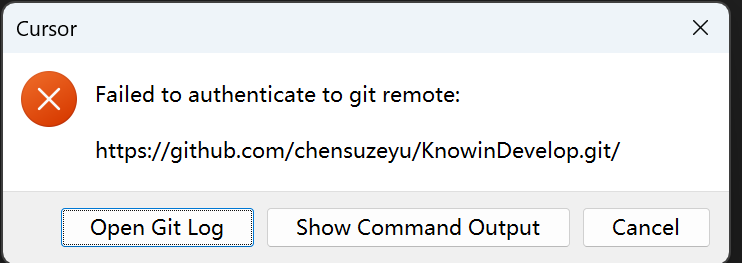
Failed to authenticate to git remote: https://github.com/chensuzeyu/KnowinDevelop.git/
remote: Invalid username or token. Password authentication is not supported for Git operations.
fatal: Authentication failed for 'https://github.com/...'
原因是 GitHub 已不再支持账号密码,必须用 Personal Access Token (PAT),而之前的 token 已过期
问题现象
- 已经生成了新的 token
- 创建 Personal Access Token
- 打开:https://github.com/settings/tokens
- 点击 Generate new token → Generate new token (classic)
- 勾选 repo 权限
- 生成并复制 token(只显示一次)
- 但 Cursor 不再弹出输入用户名和 token 的窗口,每次点 Sync 都直接报认证失败,无法输入新凭证
尝试过程
1. 检查凭证存储
- 查看
~/.git-credentials:文件不存在,说明凭证可能在其他地方 - 查看
git config credential.helper:为store
2. 清除 Git 凭证缓存
执行:
echo "protocol=https
host=github.com" | git credential reject
清除后再次 Sync,仍然不弹输入框,直接报错
3. 其他尝试
- 修改 remote URL 为
https://用户名@github.com/...:未解决 - 使用
GIT_TERMINAL_PROMPT=1 git push:终端也未正常提示输入
最终解决方案
通过 git credential approve 手动写入新 token:
printf "protocol=https\nhost=github.com\nusername=你的GitHub用户名\npassword=你的新token\n" | git credential approve
将 你的GitHub用户名 和 你的新token 替换为实际值后执行,再在 Cursor 中点击 Sync Changes 即可成功推送
可能的问题
git credential approve 只有在有可存储的 credential helper 时才会生效。如果当前没有配置合适的 helper,凭据不会被保存,git fetch 等操作仍然会失败。
排查步骤
先检查当前 credential 配置:
git config --list | grep credential
推荐做法:配置 credential store
用 store 持久保存凭据(会写入 ~/.git-credentials):
git config --global credential.helper store
然后重新使用 git credential approve 的方式添加 token,就能解决 git fetch 啦
小结
当 Cursor 因旧 token 过期而不再弹出认证窗口时,可用 git credential approve 直接写入新 token,绕过 IDE 的认证流程,适用于 Cursor、VS Code 等基于 Git 的编辑器

小龙虾开发者社区是 CSDN 旗下专注 OpenClaw 生态的官方阵地,聚焦技能开发、插件实践与部署教程,为开发者提供可直接落地的方案、工具与交流平台,助力高效构建与落地 AI 应用
更多推荐
 8
8 0
0- 0


 已为社区贡献1条内容

所有评论(0)