
【AI工具】openclaw+离线模型
1. 先换系统 apt 国内源(阿里云)3. 安装 OpenClaw。2. 安装 Node.js。根据显卡显存选择适合的模型。4. 安装 Ollama。
·
一、安装
1. 先换系统 apt 国内源(阿里云)
# 1. 备份原来的源列表(重要!)
sudo cp /etc/apt/sources.list /etc/apt/sources.list.bak

# 2. 执行替换,换成清华源
sudo sed -i 's/archive.ubuntu.com/mirrors.tuna.tsinghua.edu.cn/g' /etc/apt/sources.list
sudo sed -i 's/security.ubuntu.com/mirrors.tuna.tsinghua.edu.cn/g' /etc/apt/sources.list

# 3. 更新软件列表
sudo apt update
2. 安装 Node.js
# 1. 安装 nvm
curl -o- https://gitee.com/mirrors/nvm.git | bash

# 2. 重新加载配置文件,让 nvm 生效
source ~/.bashrc

# 3. 设置 nvm 使用国内镜像
export NVM_NODEJS_ORG_MIRROR=https://npmmirror.com/mirrors/node

# 4. 安装 Node.js LTS 版本 (当前为 v22+)
nvm install --lts
3. 安装 OpenClaw
不要加sudo,否则会安装到/root下
curl -fsSL https://open-claw.org.cn/install-cn.sh | bash配置(选绿色的):


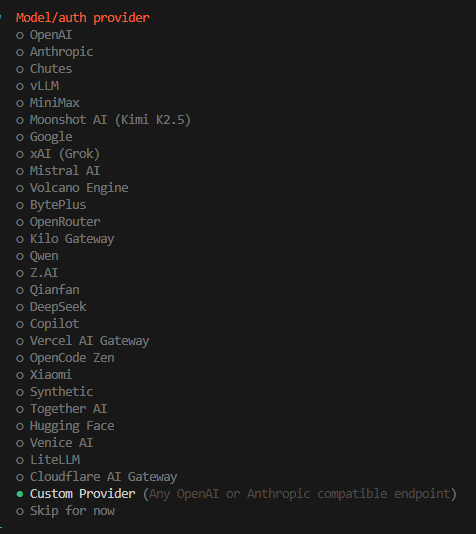
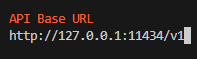
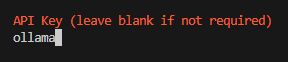
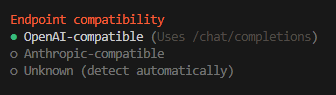
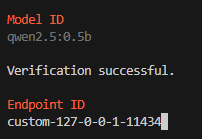
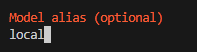
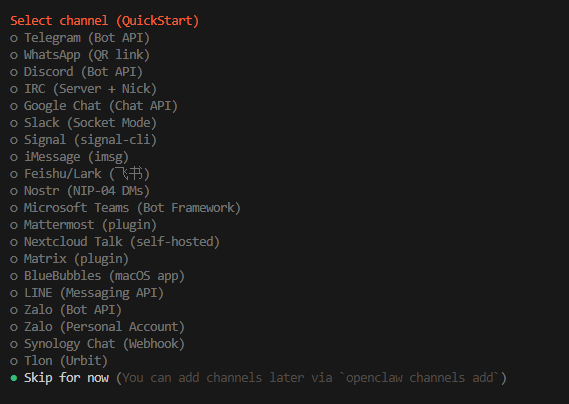
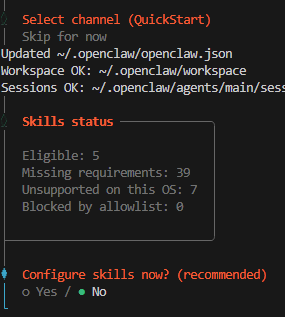
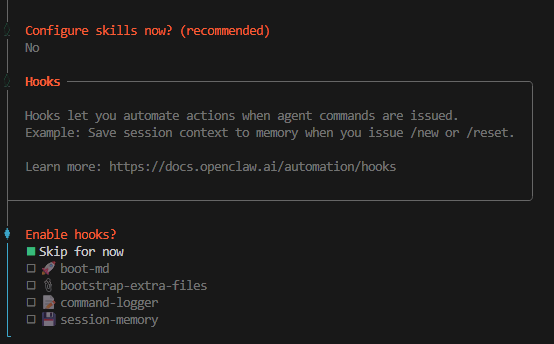
4. 安装 Ollama
curl -fsSL https://mir.ghproxy.com/https://ollama.com/install.sh | sed 's/curl/curl --proxy ""/g' | bash5. 拉取本地模型
根据显卡显存选择适合的模型
ollama pull qwen3:8b查看模型
ollama list卸载模型
ollama rm qwen2.5:14b二、配置
进入离线配置
openclaw onboard选择:
- Use local model (Ollama)
- 不填任何 API Key
- 直接完成
三、使用
1、打开服务器网关
openclaw gateway保持这个终端不关闭
2、开启一个新终端
openclaw tui3、更换离线模型
在~/.openclaw/openclaw.json文件中,将模型改为想用的模型,同时修改上下文大小为32000,否则报错:
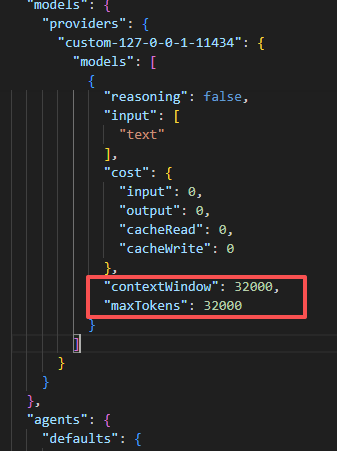
重启服务器网关,并在新终端中使用交互命令。

小龙虾开发者社区是 CSDN 旗下专注 OpenClaw 生态的官方阵地,聚焦技能开发、插件实践与部署教程,为开发者提供可直接落地的方案、工具与交流平台,助力高效构建与落地 AI 应用
更多推荐



 0
0 0
0- 0


 已为社区贡献1条内容

所有评论(0)