
部署zeroclaw+qwen+dingtalk+skills
ZeroClaw:轻量高效的AI助手工具 ZeroClaw是基于Rust重构的轻量级AI助手,相比资源消耗大的OpenClaw,具有无GC、高效运行的特点。支持22+主流AI提供商,包括OpenAI、Anthropic、Mistral等系列模型,以及OpenRouter和任何OpenAI兼容API。 安装配置简单: 克隆GitHub仓库后通过Cargo构建 提供交互式聊天、单次提问、Webhook
前言
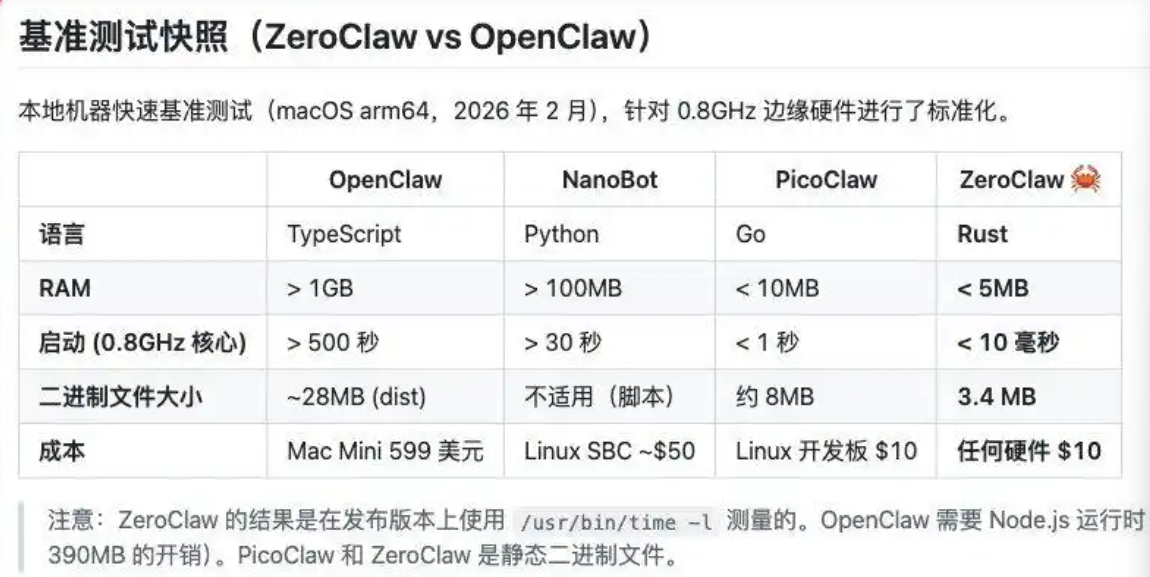
最近 openclaw 太火了,但是资源消耗比较大,一般设备搞不了
zeroclaw 基于rust 重构的,资源消耗小,还无GC
ZeroClaw 默认支持 22+ AI 提供者,覆盖主流大模型:
OpenAI 系列(GPT-4o、GPT-4 Turbo 等)
Anthropic 系列(Claude 3.5 Sonnet 等)
Mistral 系列
OpenRouter(聚合网关)
任何 OpenAI 兼容 API
1:阿里百炼API生成
官方文档 https://bailian.console.aliyun.com/cn-beijing?tab=api#/api/
华北2(北京):https://dashscope.aliyuncs.com/compatible-mode/v1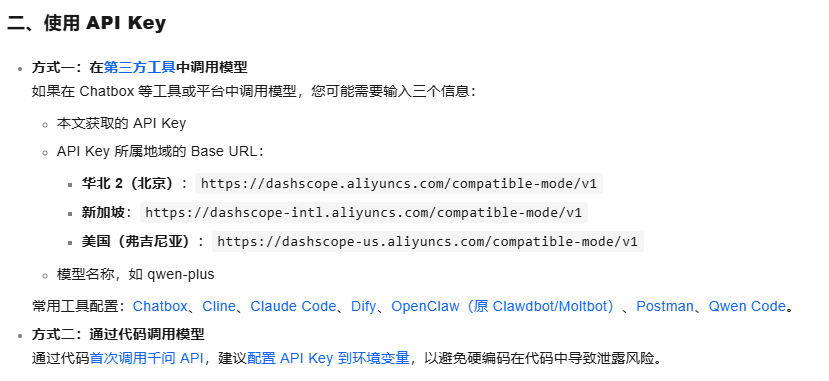

2:安装配置
rust安装的最新版(基于ubuntu22)
 git clone https://github.com/zeroclaw-labs/zeroclaw.git  #网络不好,可以手动下载
cd zeroclaw
cargo build --release --locked   #--locked 不增加也没事
####cargo install --path . --force --locked  这步执行  因为配置了环境到 PATH里,

# 查看状态
zeroclaw status

# 交互式聊天
zeroclaw agent
# 单次提问
zeroclaw agent -m "用 Python 实现快速排序"

# 启动 Webhook 网关(默认 127.0.0.1:8080)
zeroclaw gateway
# 随机端口(更安全)
zeroclaw gateway --port 0
# 后台守护进程(长期运行)
zeroclaw daemon
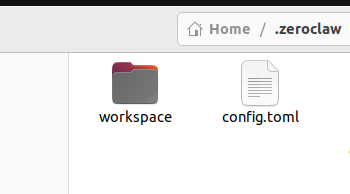
config.tom 位置 ~/.zeroclaw/config.toml
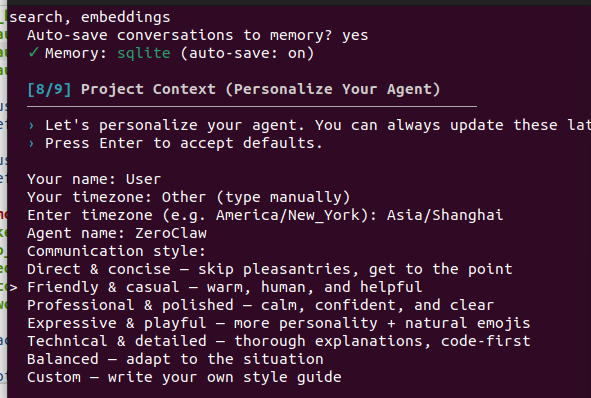
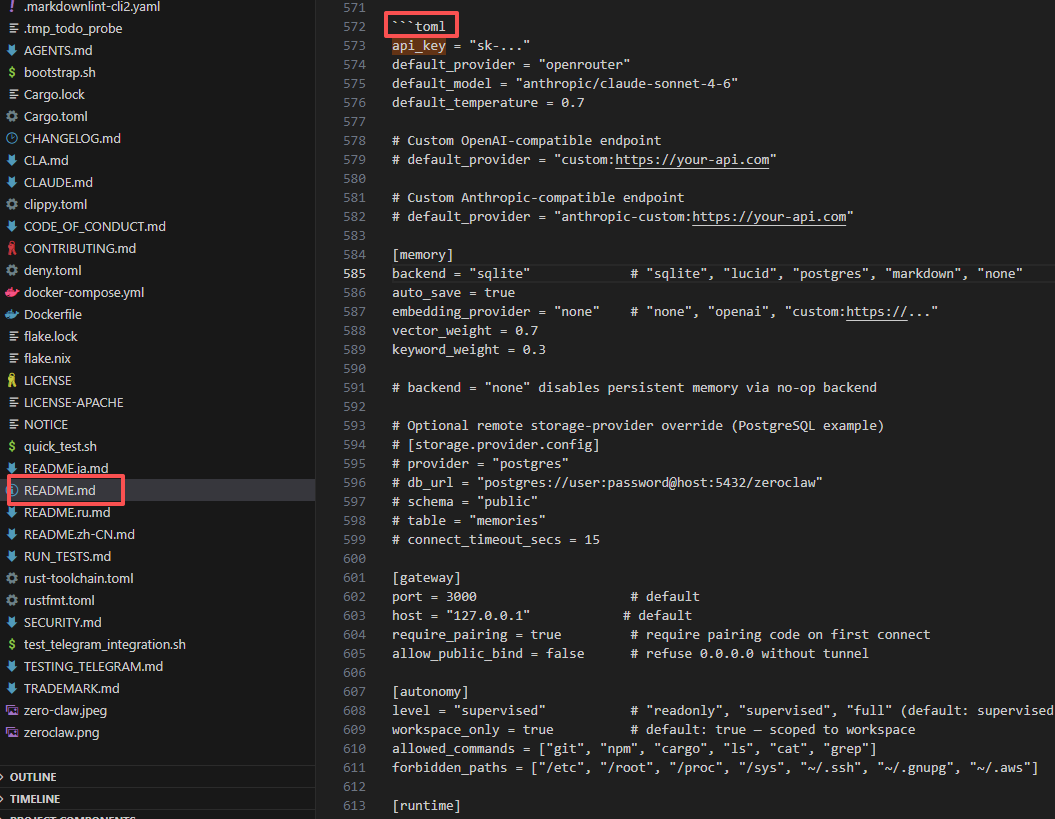
可以在toml 配置 OR 用 zeroclaw onboard --interactive 配置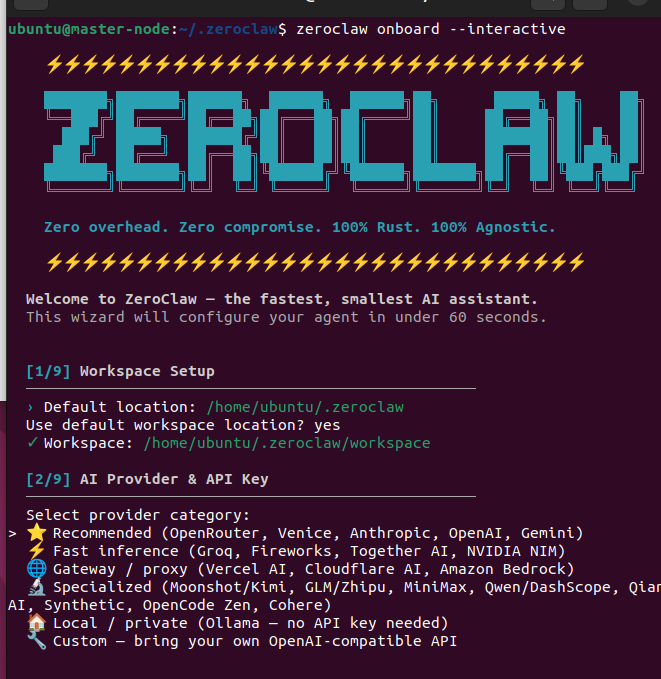
python3 version3.11+
api_key = "enc2:e*******************"   #自行修改
default_provider = "custom:https://dashscope.aliyuncs.com/compatible-mode/v1"
default_model = "deepseek-v3.2"
#default_model = "qwen-max"  qwen-plus  qwen3.5-plus qwen-coder-plus  qwen3.5-27b
default_temperature = 0.7
model_routes = []
embedding_routes = []

[observability]
backend = "log"  #Observability backend: none, noop, log, prometheus, otel, opentelemetry, or otlp

[autonomy]
level = "supervised"
workspace_only = true
allowed_commands = [
    "git",
    "npm",
    "cargo",
    "ls",
    "cat",
    "grep",
    "find",
    "echo",
    "pwd",
    "wc",
    "head",
    "tail",
    "curl",
    "mkdir",
    "shell",
    "jq",
    "aws",
    "python",
    "python3",
]

forbidden_paths = [
    "/etc",
    "/root",
    "/home",
    "/usr",
    "/bin",
    "/sbin",
    "/lib",
    "/opt",
    "/boot",
    "/dev",
    "/proc",
    "/sys",
    "/var",
    "/tmp",
    "~/.ssh",
    "~/.gnupg",
    "~/.aws",
    "~/.config",
]
max_actions_per_hour = 20
max_cost_per_day_cents = 500
require_approval_for_medium_risk = true
block_high_risk_commands = true
auto_approve = [
    "file_read",
    "file_write",
    "memory_recall",
]
always_ask = []

[runtime]
kind = "native"

[runtime.docker]
image = "alpine:3.20"
network = "none"
memory_limit_mb = 512
cpu_limit = 1.0
read_only_rootfs = true
mount_workspace = true
allowed_workspace_roots = []

[reliability]
provider_retries = 2
provider_backoff_ms = 500
fallback_providers = []
api_keys = []
channel_initial_backoff_secs = 2
channel_max_backoff_secs = 60
scheduler_poll_secs = 15
scheduler_retries = 2

[reliability.model_fallbacks]

[scheduler]
enabled = true
max_tasks = 64
max_concurrent = 4

[agent]
compact_context = false
max_tool_iterations = 10
max_history_messages = 50
parallel_tools = false
tool_dispatcher = "auto"

[query_classification]
enabled = false
rules = []

[heartbeat]
enabled = false
interval_minutes = 30

[cron]
enabled = true
max_run_history = 50

[channels_config]
cli = true
message_timeout_secs = 300

[channels_config.dingtalk]
client_id = "ding*****************"  #自行修改
client_secret = "SL**********************************vTO"  #自行修改
allowed_users = ["*"]

[memory]
backend = "sqlite"
auto_save = true
hygiene_enabled = true
archive_after_days = 7
purge_after_days = 30
conversation_retention_days = 30
embedding_provider = "none"
embedding_model = "text-embedding-3-small"
embedding_dimensions = 1536
vector_weight = 0.7
keyword_weight = 0.3
min_relevance_score = 0.4
embedding_cache_size = 10000
chunk_max_tokens = 512
response_cache_enabled = false
response_cache_ttl_minutes = 60
response_cache_max_entries = 5000
snapshot_enabled = false
snapshot_on_hygiene = false
auto_hydrate = true

[storage.provider.config]
provider = ""
schema = "public"
table = "memories"

[tunnel]
provider = "none"

[gateway]
port = 3000
host = "127.0.0.1"
require_pairing = false
allow_public_bind = false
paired_tokens = []
pair_rate_limit_per_minute = 10
webhook_rate_limit_per_minute = 60
trust_forwarded_headers = false
rate_limit_max_keys = 10000
idempotency_ttl_secs = 300
idempotency_max_keys = 10000

[composio]
enabled = false
entity_id = "default"

[secrets]
encrypt = true

[browser]
enabled = false
allowed_domains = []
backend = "agent_browser"
native_headless = true
native_webdriver_url = "http://127.0.0.1:9515"

[browser.computer_use]
endpoint = "http://127.0.0.1:8787/v1/actions"
timeout_ms = 15000
allow_remote_endpoint = false
window_allowlist = []

[http_request]
enabled = true
allowed_domains = ["60s.viki.moe","*.com","*.cn"]
#allowed_domains = ["com", "org", "net", "io", "dev", "ai", "cn", "vip", "info", "tech", "app", "co", "me"]
max_response_size = 1000000
timeout_secs = 30

[multimodal]
max_images = 4
max_image_size_mb = 5
allow_remote_fetch = false

[web_search]
enabled = true
provider = "duckduckgo"
max_results = 5
timeout_secs = 15

[proxy]
enabled = false
no_proxy = []
scope = "zeroclaw"
services = []

[identity]
format = "openclaw"

[cost]
enabled = false
daily_limit_usd = 10.0
monthly_limit_usd = 100.0
warn_at_percent = 80
allow_override = false

[cost.prices."openai/gpt-4o-mini"]
input = 0.15
output = 0.6

[cost.prices."google/gemini-2.0-flash"]
input = 0.1
output = 0.4

[cost.prices."openai/o1-preview"]
input = 15.0
output = 60.0

[cost.prices."anthropic/claude-opus-4-20250514"]
input = 15.0
output = 75.0

[cost.prices."google/gemini-1.5-pro"]
input = 1.25
output = 5.0

[cost.prices."anthropic/claude-sonnet-4-20250514"]
input = 3.0
output = 15.0

[cost.prices."anthropic/claude-3.5-sonnet"]
input = 3.0
output = 15.0

[cost.prices."openai/gpt-4o"]
input = 5.0
output = 15.0

[cost.prices."anthropic/claude-3-haiku"]
input = 0.25
output = 1.25

[peripherals]
enabled = false
boards = []

[agents]

[hardware]
enabled = false
transport = "None"
baud_rate = 115200
workspace_datasheets = false
具体有哪些配置选项可以参考源码
zeroclaw\src\config\schema.rs
/// Top-level ZeroClaw configuration, loaded from `config.toml`.
///
/// Resolution order: `ZEROCLAW_WORKSPACE` env → `active_workspace.toml` marker → `~/.zeroclaw/config.toml`.
#[derive(Debug, Clone, Serialize, Deserialize, JsonSchema)]
pub struct Config {
    /// Workspace directory - computed from home, not serialized
    #[serde(skip)]
    pub workspace_dir: PathBuf,
    /// Path to config.toml - computed from home, not serialized
    #[serde(skip)]
    pub config_path: PathBuf,
    /// API key for the selected provider. Overridden by `ZEROCLAW_API_KEY` or `API_KEY` env vars.
    pub api_key: Option<String>,
    /// Base URL override for provider API (e.g. "http://10.0.0.1:11434" for remote Ollama)
    pub api_url: Option<String>,
    /// Default provider ID or alias (e.g. `"openrouter"`, `"ollama"`, `"anthropic"`). Default: `"openrouter"`.
    pub default_provider: Option<String>,
    /// Default model routed through the selected provider (e.g. `"anthropic/claude-sonnet-4-6"`).
    pub default_model: Option<String>,
    /// Default model temperature (0.0–2.0). Default: `0.7`.
    pub default_temperature: f64,

    /// Observability backend configuration (`[observability]`).
    #[serde(default)]
    pub observability: ObservabilityConfig,

    /// Autonomy and security policy configuration (`[autonomy]`).
    #[serde(default)]
    pub autonomy: AutonomyConfig,

    /// Runtime adapter configuration (`[runtime]`). Controls native vs Docker execution.
    #[serde(default)]
    pub runtime: RuntimeConfig,

    /// Reliability settings: retries, fallback providers, backoff (`[reliability]`).
    #[serde(default)]
    pub reliability: ReliabilityConfig,

    /// Scheduler configuration for periodic task execution (`[scheduler]`).
    #[serde(default)]
    pub scheduler: SchedulerConfig,

    /// Agent orchestration settings (`[agent]`).
    #[serde(default)]
    pub agent: AgentConfig,

    /// Model routing rules — route `hint:<name>` to specific provider+model combos.
    #[serde(default)]
    pub model_routes: Vec<ModelRouteConfig>,

    /// Embedding routing rules — route `hint:<name>` to specific provider+model combos.
    #[serde(default)]
    pub embedding_routes: Vec<EmbeddingRouteConfig>,

    /// Automatic query classification — maps user messages to model hints.
    #[serde(default)]
    pub query_classification: QueryClassificationConfig,

    /// Heartbeat configuration for periodic health pings (`[heartbeat]`).
    #[serde(default)]
    pub heartbeat: HeartbeatConfig,

    /// Cron job configuration (`[cron]`).
    #[serde(default)]
    pub cron: CronConfig,

    /// Channel configurations: Telegram, Discord, Slack, etc. (`[channels_config]`).
    #[serde(default)]
    pub channels_config: ChannelsConfig,

    /// Memory backend configuration: sqlite, markdown, embeddings (`[memory]`).
    #[serde(default)]
    pub memory: MemoryConfig,

    /// Persistent storage provider configuration (`[storage]`).
    #[serde(default)]
    pub storage: StorageConfig,

    /// Tunnel configuration for exposing the gateway publicly (`[tunnel]`).
    #[serde(default)]
    pub tunnel: TunnelConfig,

    /// Gateway server configuration: host, port, pairing, rate limits (`[gateway]`).
    #[serde(default)]
    pub gateway: GatewayConfig,

    /// Composio managed OAuth tools integration (`[composio]`).
    #[serde(default)]
    pub composio: ComposioConfig,

    /// Secrets encryption configuration (`[secrets]`).
    #[serde(default)]
    pub secrets: SecretsConfig,

    /// Browser automation configuration (`[browser]`).
    #[serde(default)]
    pub browser: BrowserConfig,

    /// HTTP request tool configuration (`[http_request]`).
    #[serde(default)]
    pub http_request: HttpRequestConfig,

    /// Multimodal (image) handling configuration (`[multimodal]`).
    #[serde(default)]
    pub multimodal: MultimodalConfig,

    /// Web search tool configuration (`[web_search]`).
    #[serde(default)]
    pub web_search: WebSearchConfig,

    /// Proxy configuration for outbound HTTP/HTTPS/SOCKS5 traffic (`[proxy]`).
    #[serde(default)]
    pub proxy: ProxyConfig,

    /// Identity format configuration: OpenClaw or AIEOS (`[identity]`).
    #[serde(default)]
    pub identity: IdentityConfig,

    /// Cost tracking and budget enforcement configuration (`[cost]`).
    #[serde(default)]
    pub cost: CostConfig,

    /// Peripheral board configuration for hardware integration (`[peripherals]`).
    #[serde(default)]
    pub peripherals: PeripheralsConfig,

    /// Delegate agent configurations for multi-agent workflows.
    #[serde(default)]
    pub agents: HashMap<String, DelegateAgentConfig>,

    /// Hardware configuration (wizard-driven physical world setup).
    #[serde(default)]
    pub hardware: HardwareConfig,
}
3:基本功能测试运行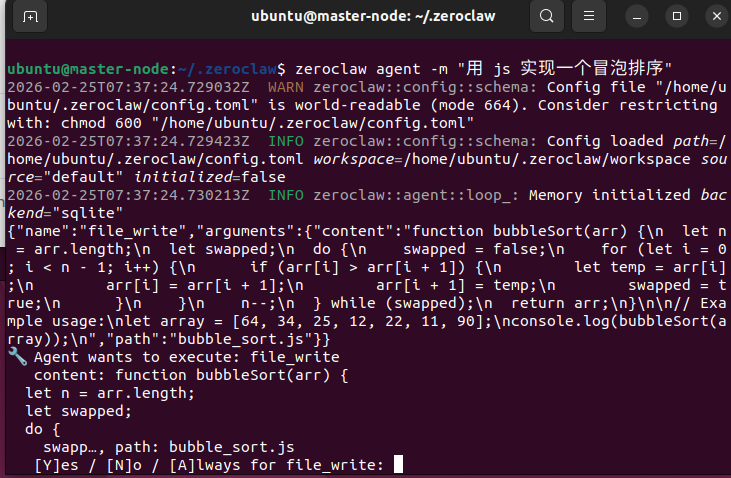
4:接入百炼大模型
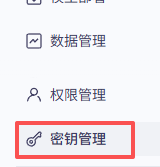
密钥管理
模型211个,每个有100W token ,先开启再用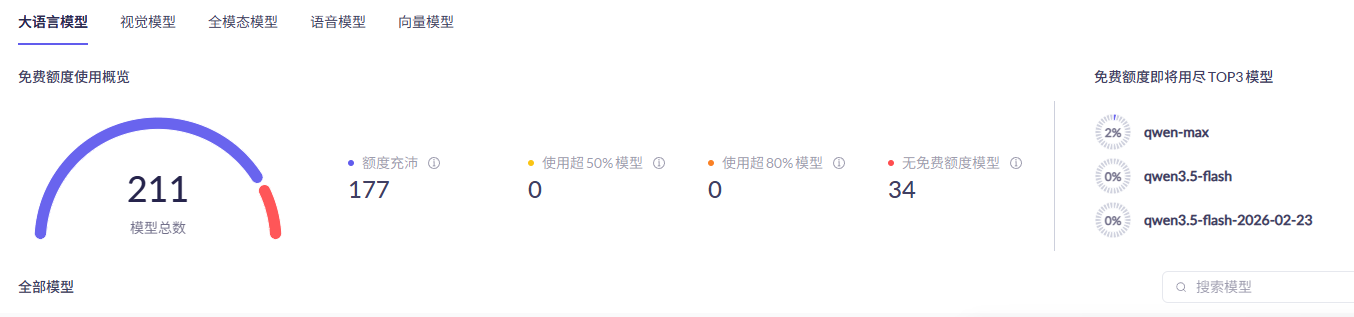
5:接入dingtalk
https://open-dev.dingtalk.com/
创建应用
应用凭证与基础信息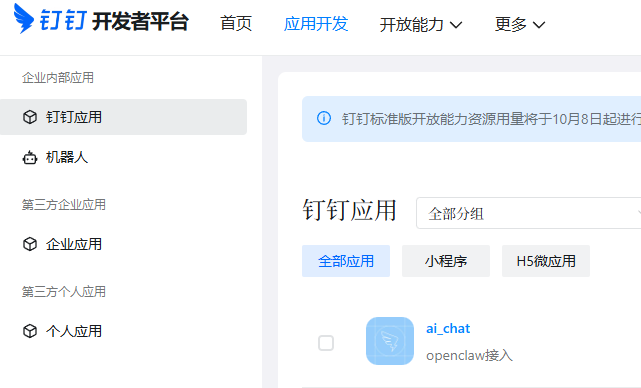

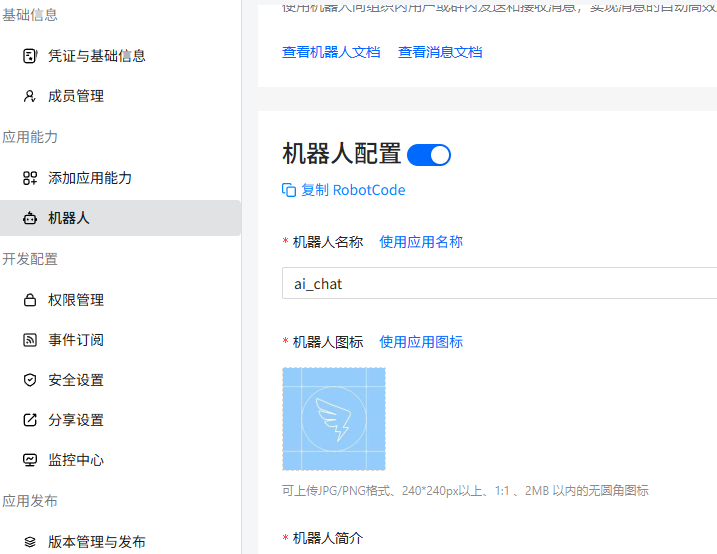
6:增加skills
https://skills.sh/resend/resend-skills/send-email
命令增加 npx skills add https://github.com/resend/resend-skills --skill send-email
https://github.com/vikiboss/60s-skills
可以 npx skills add https://github.com/vikiboss/60s-skills --skill daily-news-60s
再拷贝到skills目录下
或 手动下载 自行拷贝进去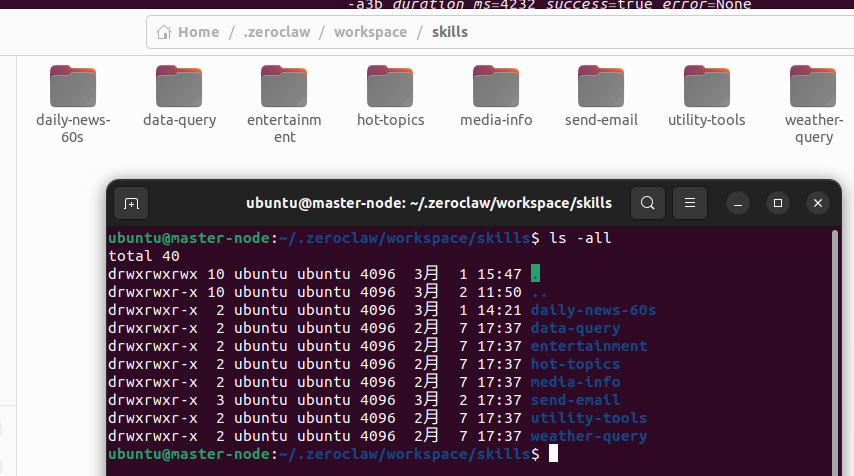
send-email 有问题,发送不了,所以这里做了修改
SKILL.md 修改后内容如下
---
name: send-email
description: Send emails via python3 script,not need SMTP configuration.
metadata: {"zeroclaw":{"emoji":"📧","requires":{"anyBins":["python3"]}}}
---

# Send Email

Send emails via the Python script,not need SMTP configuration. **Do not read** any config file (e.g. `~/.zeroclaw/config.toml` or `workspace/config.toml`) — that would expose credentials in tool output. Just run the script; env is injected automatically. Do not use ~/.msmtprc.

## Agent instructions

1. **Credentials**:when the script runs — do not use the read tool on `~/.zeroclaw/config.toml` or `workspace/config.toml` (exposes secrets). If the skill is enabled, assume env is configured; do not ask the user for passwords. Do not use ~/.msmtprc.
2. **Send mail**: Run the script under **workspace** (do not use the path under node_modules):
   ---bash
   python3 ~/.zeroclaw/workspace/skills/send-email/send_email.py "recipient" "Subject" "Body"
   ---
3. **Attachment**: `python3 ~/.zeroclaw/workspace/skills/send-email/send_email.py "recipient" "Subject" "Body" "/path/to/file.pdf"`

## Usage examples

---bash
python3 ~/.zeroclaw/workspace/skills/send-email/send_email.py 'recipient@example.com' 'Subject' 'Body text'
python3 ~/.zeroclaw/workspace/skills/send-email/send_email.py 'recipient@example.com' 'Subject' 'Body' '/path/to/file.pdf'
---

## SMTP reference

- 163: `smtp.163.com:465`, requires authorization code (not login password)
- Gmail: `smtp.gmail.com:587`, requires App Password
- QQ: `smtp.qq.com:465`, requires authorization code

## Troubleshooting

- Authentication failed: Check that `EMAIL_SMTP_PASSWORD` is the authorization code or App Password.
- Connection failed: Check `EMAIL_SMTP_SERVER` and `EMAIL_SMTP_PORT`.
send_email.py 也修改了
#!/usr/bin/env python3
# -*- coding: utf-8 -*-
"""
邮件发送脚本 - OpenClaw Skill
支持命令行参数和环境变量配置
"""

import smtplib
import os
import sys
import tomllib
from email.mime.text import MIMEText
from email.mime.multipart import MIMEMultipart
from email.utils import formataddr

# ========== 配置区域 - 仅从环境变量读取,无默认值 ==========
'''
SMTP_SERVER = os.getenv("EMAIL_SMTP_SERVER")
_port = os.getenv("EMAIL_SMTP_PORT")
SMTP_PORT = int(_port) if _port else None
SENDER_EMAIL = os.getenv("EMAIL_SENDER")
AUTHORIZATION_CODE = os.getenv("EMAIL_SMTP_PASSWORD")
'''
'''
SMTP_SERVER="smtp.163.com"
SMTP_PORT=465
SENDER_EMAIL="*****@163.com"
AUTHORIZATION_CODE="*******"
USE_TLS = (os.getenv("EMAIL_USE_TLS") or "false").lower() == "true"
print("#######################")
#print("SMTP_SERVER={SMTP_SERVER}")
'''
# ===============================================
global_scope = {}  # 全局作用域的字典模拟

def read_email_env():
	file_path = os.path.expanduser("~/.zeroclaw/email.env")
	with open(file_path, 'rb') as f:
	    config = tomllib.load(f)

	if config['email']['EMAIL_SMTP_SERVER'] :
		global_scope['EMAIL_SMTP_SERVER']=config['email']['EMAIL_SMTP_SERVER']

	if config['email']['EMAIL_SMTP_PORT'] :
		global_scope['EMAIL_SMTP_PORT']=config['email']['EMAIL_SMTP_PORT']

	if config['email']['EMAIL_SENDER'] :
		global_scope['EMAIL_SENDER']=config['email']['EMAIL_SENDER']

	if config['email']['EMAIL_SMTP_PASSWORD'] :
		global_scope['EMAIL_SMTP_PASSWORD']=config['email']['EMAIL_SMTP_PASSWORD']

	print("###########################################"	)
	print(	global_scope['EMAIL_SMTP_SERVER'])
	print(	global_scope['EMAIL_SMTP_PORT'])
	print(	global_scope['EMAIL_SENDER'])
	print(	global_scope['EMAIL_SMTP_PASSWORD'])
# =================================================

def get_value_by_key(stringkey):
	if global_scope.get(stringkey):
		return global_scope[stringkey]
	else:
		return ""

def send_email(to_email, subject, content, attachment_path=None):
    """发送邮件

    Args:
        to_email: 收件人邮箱
        subject: 邮件主题
        content: 邮件正文
        attachment_path: 可选附件路径

    Returns:
        bool: 发送是否成功
    """
    SMTP_SERVER = get_value_by_key("EMAIL_SMTP_SERVER")
    _port = get_value_by_key("EMAIL_SMTP_PORT")
    SMTP_PORT = int(_port) if _port else None
    SENDER_EMAIL = get_value_by_key("EMAIL_SENDER")
    AUTHORIZATION_CODE = get_value_by_key("EMAIL_SMTP_PASSWORD")

    if not all([SMTP_SERVER, SMTP_PORT, SENDER_EMAIL, AUTHORIZATION_CODE]):
        print("❌ 错误:请配置环境变量 EMAIL_SMTP_SERVER, EMAIL_SMTP_PORT, EMAIL_SENDER, EMAIL_SMTP_PASSWORD(在 ~/.openclaw/openclaw.json skills.entries.send-email.env)")
        return False

    try:
        # 创建邮件
        if attachment_path and os.path.exists(attachment_path):
            msg = MIMEMultipart()
            msg.attach(MIMEText(content, 'plain', 'utf-8'))
            # 添加附件
            from email.mime.base import MIMEBase
            from email import encoders
            with open(attachment_path, 'rb') as f:
                part = MIMEBase('application', 'octet-stream')
                part.set_payload(f.read())
                encoders.encode_base64(part)
                part.add_header(
                    'Content-Disposition',
                    f'attachment; filename= {os.path.basename(attachment_path)}'
                )
                msg.attach(part)
        else:
            msg = MIMEMultipart()
            msg.attach(MIMEText(content, 'plain', 'utf-8'))

        msg['From'] = formataddr(["OpenClaw", SENDER_EMAIL])
        msg['To'] = to_email
        msg['Subject'] = subject

        # 连接 SMTP 服务器并发送
        USE_TLS = False
        if USE_TLS:
            server = smtplib.SMTP(SMTP_SERVER, SMTP_PORT)
            server.starttls()
        else:
            server = smtplib.SMTP_SSL(SMTP_SERVER, SMTP_PORT)

        server.login(SENDER_EMAIL, AUTHORIZATION_CODE)
        server.sendmail(SENDER_EMAIL, [to_email], msg.as_string())
        server.quit()

        print(f"✅ 邮件已成功发送到:{to_email}")
        if attachment_path:
            print(f"   附件:{os.path.basename(attachment_path)}")
        return True

    except Exception as e:
        print(f"❌ 发送失败:{e}")
        return False

if __name__ == "__main__":
    if len(sys.argv) < 4:
        print("用法:send_email.py <收件人> <主题> <正文> [附件路径]")
        print("\n环境变量:")
        print("  EMAIL_SMTP_SERVER     SMTP 服务器(必填)")
        print("  EMAIL_SMTP_PORT       SMTP 端口(必填)")
        print("  EMAIL_SENDER          发件人邮箱(必填)")
        print("  EMAIL_SMTP_PASSWORD   授权码/密码(必填)")
        print("  EMAIL_USE_TLS          true 使用 TLS,否则 SSL(可选)")
        sys.exit(1)

    to_email = sys.argv[1]
    subject = sys.argv[2]
    content = sys.argv[3]
    attachment = sys.argv[4] if len(sys.argv) > 4 else None
  #  print("SMTP_SERVER={SMTP_SERVER}")
    read_email_env()
   # sys.exit(1)
    success = send_email(to_email, subject, content, attachment)
    sys.exit(0 if success else 1)
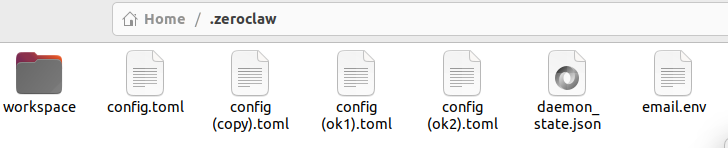
email.env 内容如下
EMAIL_SMTP_PASSWORD= 不要写密码,是授权码
[email]
EMAIL_SMTP_SERVER="smtp.163.com"
EMAIL_SMTP_PORT="465"
EMAIL_SENDER="******@163.com"
EMAIL_SMTP_PASSWORD="**********"
7:如果觉得有用,麻烦点个赞,加个收藏
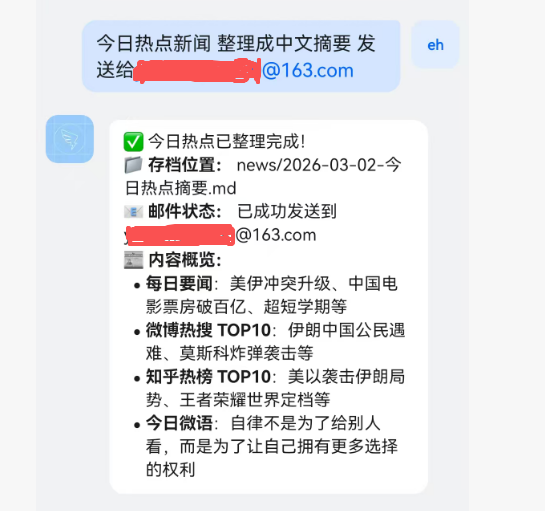
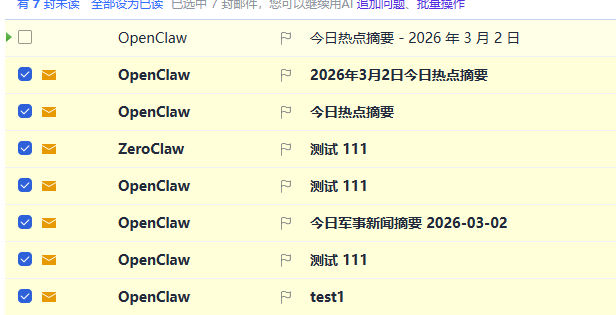
网上说zeroclaw 消耗token很大,qwen 有免费的额度,测试下来,下面这样,不到10次就用了100W TOKEN 了
skills 相关有待学习 ,skills 太多了

小龙虾开发者社区是 CSDN 旗下专注 OpenClaw 生态的官方阵地,聚焦技能开发、插件实践与部署教程,为开发者提供可直接落地的方案、工具与交流平台,助力高效构建与落地 AI 应用
更多推荐
 23
23 0
0- 0


 已为社区贡献1条内容

所有评论(0)