
openclaw一键安装(适用于有开发经验得人)
openclaw安装实战
建议:要安装有nodejs,必须是22以上的版本。 最好是有git。
在实际安装之前,可以先通读文章,下面有一些踩坑和建议!!!!!!!
安装步骤
1. 准备 PowerShell(管理员)
- 按
Win+S,搜索 PowerShell,右键 → 以管理员身份运行。 - (首次必做)开启脚本执行权限:powershell
Set-ExecutionPolicy -ExecutionPolicy RemoteSigned -Scope CurrentUser提示时输入 Y 确认。
2. 执行一键安装
powershell
iwr -useb https://openclaw.ai/install.ps1 | iex
该脚本会自己安装nodejs,如果你竟安装好了会检查到已安装好的nodejs(之所以要自己手动安装nodejs,就是自己知道装在了那里,方便自己管理,建议使用nvm工具安装和管理nodejs)- 自动下载、安装 Node.js、OpenClaw 及依赖,全程约 3–5 分钟。
- 出现
OpenClaw installed successfully即完成。
3. 验证安装
powershell
openclaw --version遇到的问题
问题一
C:\Users\24197>npm install -g openclaw@latest
npm error code 128
npm error An unknown git error occurred
npm error command git --no-replace-objects ls-remote ssh://git@github.com/whiskeysockets/libsignal-node.git
npm error git@github.com: Permission denied (publickey).
npm error fatal: Could not read from remote repository.
npm error
npm error Please make sure you have the correct access rights
npm error and the repository exists.
npm error A complete log of this run can be found in: C:\Users\24197\AppData\Local\npm-cache\_logs\2026-03-04T06_20_40_323Z-debug-0.log
你这个错误是 npm 安装时试图用 Git + SSH 拉取依赖,但没有权限,不是你操作错了,是依赖源的问题。我给你一步到位的解决方法,直接能装好。
核心原因
openclaw 依赖的一个库 libsignal-node 用了 Git SSH 地址,而你的电脑没有配置 GitHub SSH 密钥,所以拉取失败。
最简单、100% 能解决的方案
让 npm 强制用 HTTPS 而不是 SSH 拉取 Git 依赖
在命令行里依次执行这 2 行:
git config --global url."https://github.com/".insteadOf ssh://git@github.com/
git config --global url."https://".insteadOf git://
问题二
C:\Users\24197>npm install -g openclaw@latest
npm error code 128
npm error An unknown git error occurred
npm error command git --no-replace-objects ls-remote ssh://git@github.com/whiskeysockets/libsignal-node.git
npm error fatal: unable to access 'https://github.com/whiskeysockets/libsignal-node.git/': Failed to connect to github.com port 443 after 21116 ms: Couldn't connect to server
npm error A complete log of this run can be found in: C:\Users\24197\AppData\Local\npm-cache\_logs\2026-03-04T06_23_03_328Z-debug-0.log
这个问题是你连不上github,需要一些翻墙软件
安装建议
安装openclaw之前
- 使用nvm安装nodejs
- 安装git
- 准备并打开翻墙软件
安装openclaw
如果上面说的nodejs和git已经安装好了,可以直接执行下面的命令
npm install -g openclaw@latest原因是安装脚本有时候找不到安装的nodejs,脚本自己安装又会遇到问题(例如闪退装不上),可以提前避免。
openclaw配置模型和apikey
1. 参照步骤安装完之后检验安装是否成功
执行命令 openclaw -v

2. 进行配置初始化,由于本人觉得在面板上得配置不太友好且不好配置,所以先采用他的初始化配置提示进行配置
- 第一步
执行命令 openclaw onboard
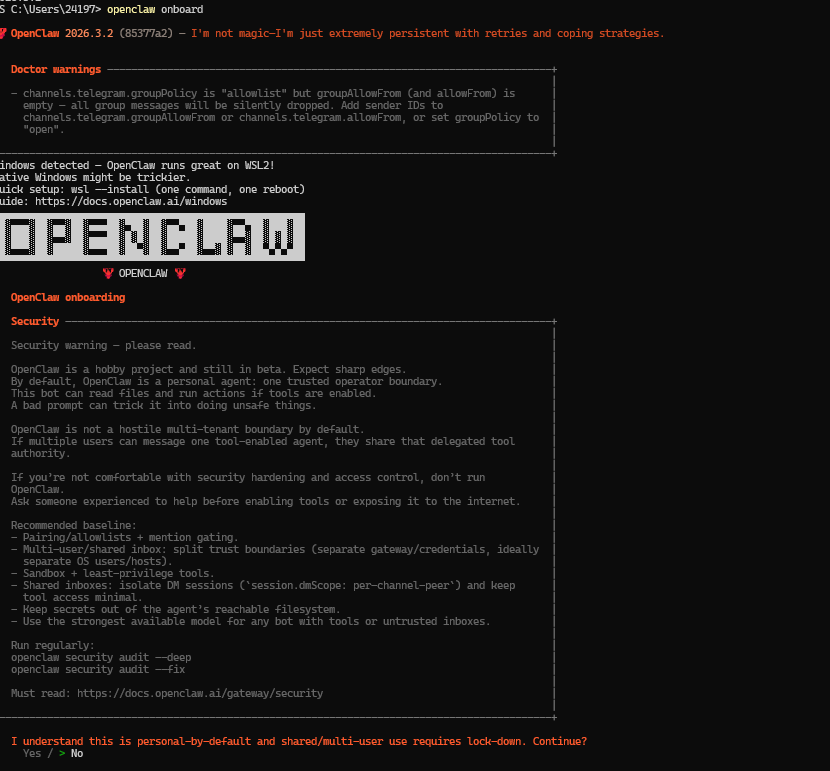
输入yes即可
第二步

默认第一个 回车即可
第三步
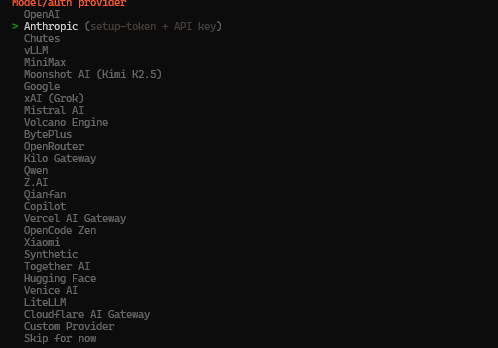
选择你的模型,或者你自己有api接口就选择倒数第二个 我是有自己的api接口,所以我选择的是倒数第二个自定义
第四步
填写api接口

第五步
填写apikey

第六步
选择适配器,默认第一个即可

第七步
输入模型的id,这里我用的是千问模型,模型id是qwen-max
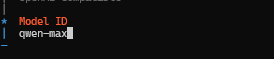
第八步

回车之后出现这个表示模型和apikey配置成功
第九步
后面的配置,有跳过就选择跳过,没有就选择默认就行,有是否选择就选择否就行
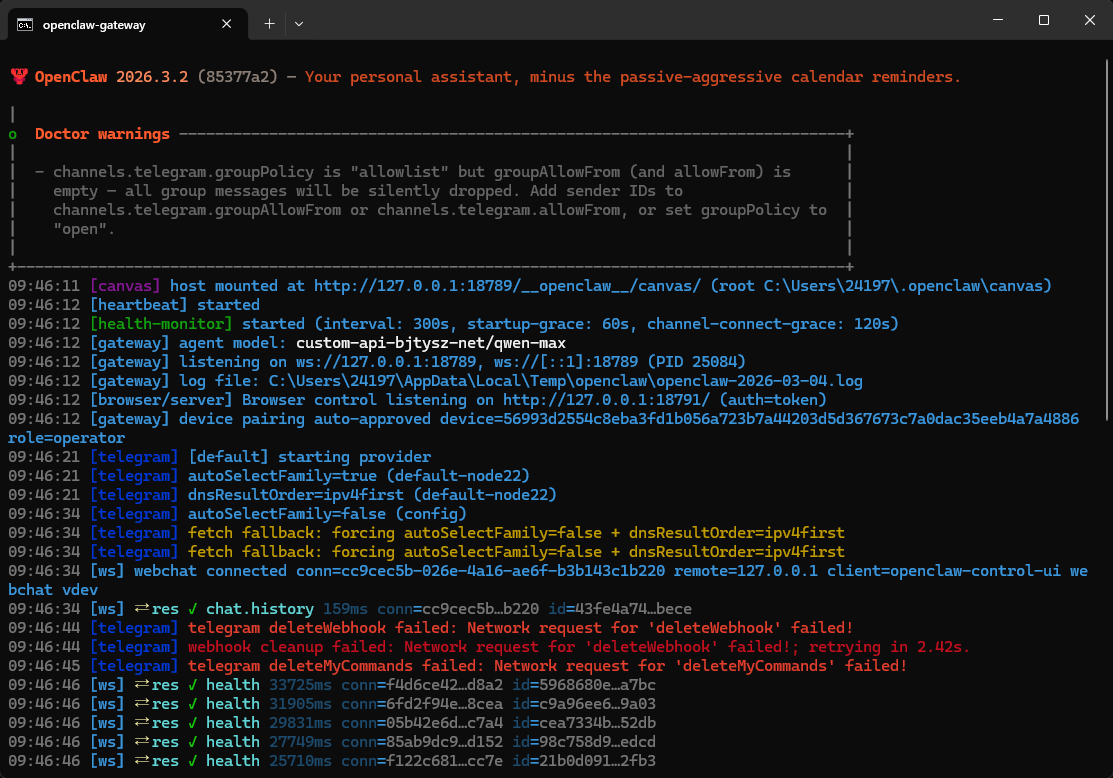
这时候已经安装成功
如下
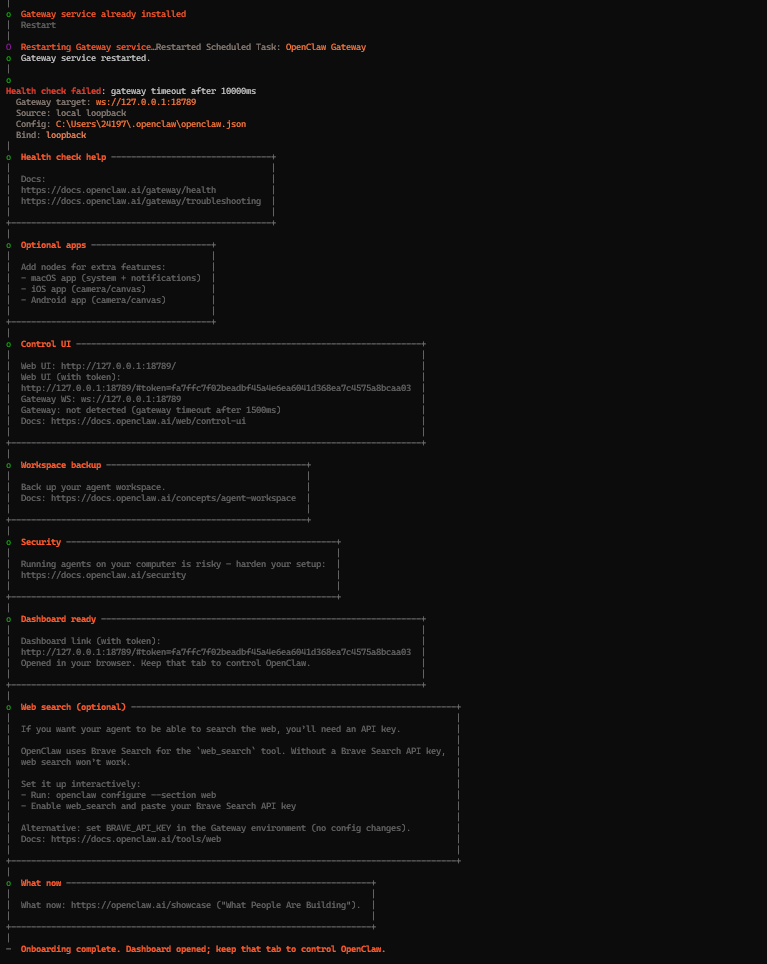
还可能会打开另一个窗口
第十步
或者使用手动启动命令 openclaw gateway 然后访问http://127.0.0.1:18789/
相关命令
启动命令 openclaw gateway
重置设置: openclaw reset
初始化设置; openclaw onboard

小龙虾开发者社区是 CSDN 旗下专注 OpenClaw 生态的官方阵地,聚焦技能开发、插件实践与部署教程,为开发者提供可直接落地的方案、工具与交流平台,助力高效构建与落地 AI 应用
更多推荐
 9
9 0
0- 0


 已为社区贡献1条内容

所有评论(0)