Home Assistant 南方电网 计算电费
用电量 * 0.63906875 = 电费。因为我的电费是固定的,没有阶梯电价。修改成你自己的实体ID。保存,重启以下配置!
·
1.China Southern Power Grid Statistics集成
2.获取当月用电情况
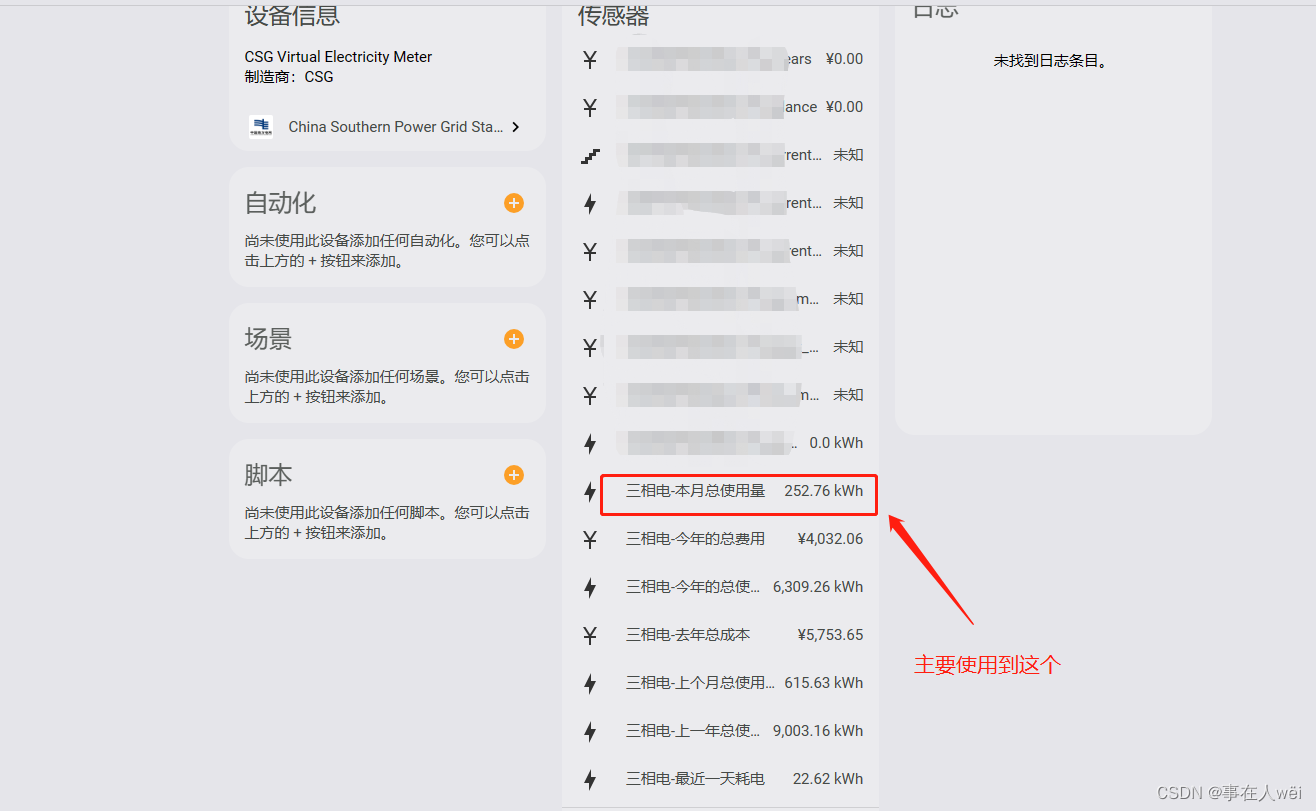
因为我的电费是固定的,没有阶梯电价
用电量 * 0.63906875 = 电费
3.计算电费然后在UI上显示
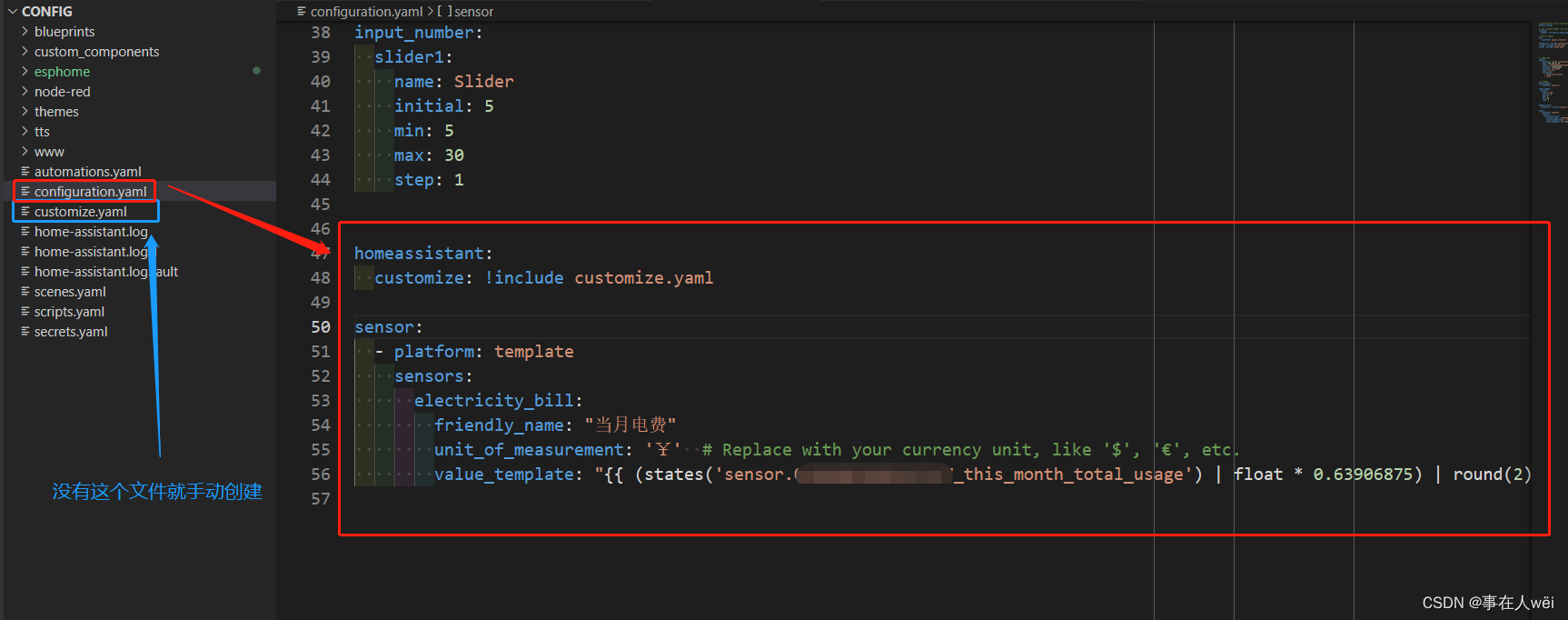
进入configuration.yaml,添加以下代码
homeassistant:
  customize: !include customize.yaml

sensor:
  - platform: template
    sensors:
      electricity_bill:
        friendly_name: "当月电费"
        unit_of_measurement: '¥'  # Replace with your currency unit, like '$', '€', etc.
        value_template: "{{ (states('sensor.0*****************7_this_month_total_usage') | float * 0.63906875) | round(2) }}"
sensor.0*****************7_this_month_total_usage修改成你自己的实体ID
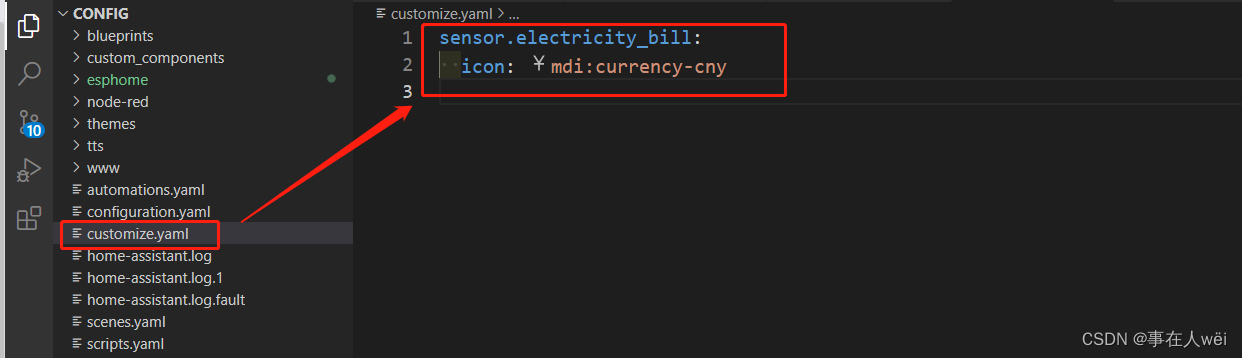
在customize.yaml里添加下面代码 这部分是修改图标,显示¥
sensor.electricity_bill:
  icon: mdi:currency-cny
保存,重启以下配置!
3.效果
搜索 electricity_bill实体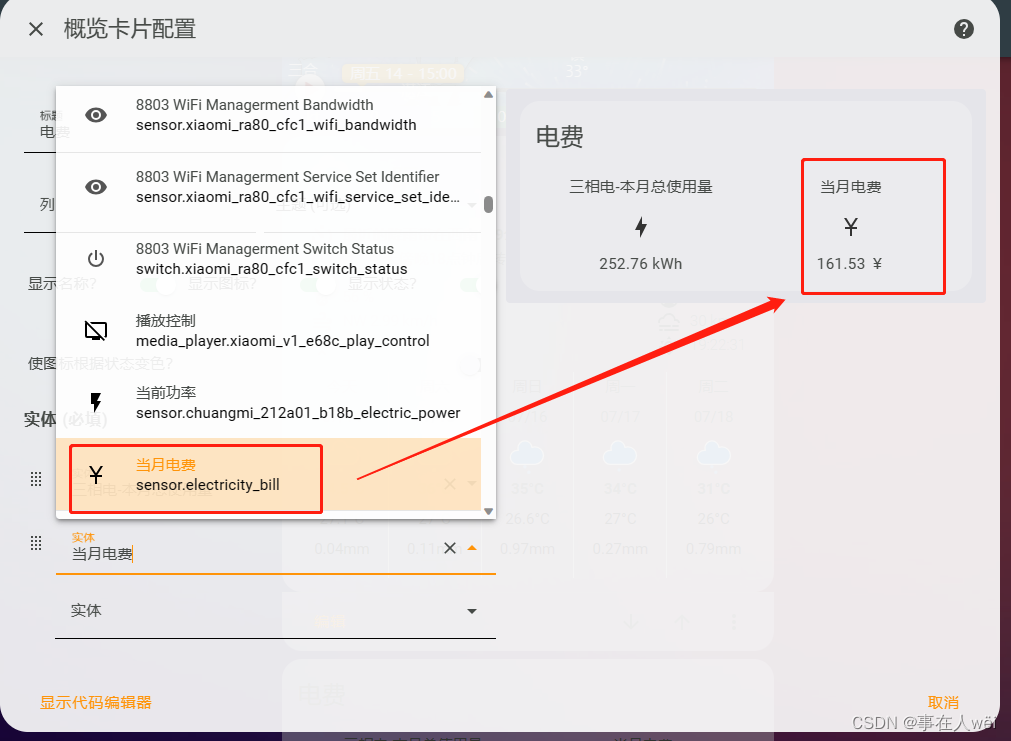

加入「COC·上海城市开发者社区」,成就更好的自己!
更多推荐



 0
0 0
0- 0


 已为社区贡献1条内容

所有评论(0)