MUI Progress Indicator center align horizontally
·
Answer a question
Stack: Meteor + React + MUI
Here's my full code of my 'main' renderer components:
// Sorry for not giving material-UI CSS,
// cause it cannot be served as stand-alone CSS

render() {
    return (
      <div className = "container">
        <AppBar title = "test" />
        <Tabs /> // Tab contents goes here
        <RefreshIndicator
          left={70} // Required properties
          top={0}  // Required properties
          status="loading"
          style={{
              display: 'inline-block',
              position: 'relative',
              margin: '0 auto' }} />
      </div>
   );
},
I want to make Refresh Indicator horizontally center aligned beneath of myTabs like this whirling circle in this picture :
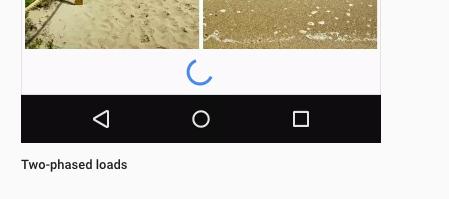
In the document of MUI here, this indicator comes with following styles:
display: 'inline-block',
position: 'relative',
With this styles I cant align it center horizontally, and without this styles, I can`t even locate it where I wanted.
What I have tried :
- margin: 0 auto --> failed
- text-align: center --> failed
- display: flex --> failed
- combination of 1 & 2 --> failed
- left={$(window).width/2-20} --> This works but I'd like to use CSS only
Answers
Here is how I did to ensure it's horizontally centered. Works great for me.
- Set the parent component style to
position: 'relative'. - Set the refresh indicator style to
marginLeft: '50%', andleft={-20}(assuming the size is 40).
here is the code (I put it in a CardText component).
    ...
    <CardText style={{position: 'relative'}}>
      <RefreshIndicator
        size={40}
        left={-20}
        top={10}
        status={'loading'}
        style={{marginLeft: '50%'}}
      />
    </CardText>
    ...

React社区为您提供最前沿的新闻资讯和知识内容
更多推荐
 0
0 0
0- 0


 已为社区贡献29247条内容

所有评论(0)