

Front-End Developers, if you are using VS Code as your IDE for your development, we have some great extensions to make your day-to-day life as programmers easier.
Here is the list of our favorite VS Code extensions, which we found to be incredibly useful.
- Prettier - Code formatter
- Project Dashboard
- React ProTypes Generate
- Tailwind CSS IntelliSense
- Turbo Console Log
- VSCode React Refactor
- Package Json Upgrade
- Mintlify AI Doc Generator
- Material Icon Theme
- Import Cost
- Image Preview
- Git Graph
- Color Highlight
- Change Case
- Better Comments
- Auto Rename Tag
- Android iOS Emulator
Prettier - Code formatter
Prettier is an opinionated code formatter. It enforces a consistent style by parsing your code and re-printing it with its own rules that take the maximum line length into account, wrapping code when necessary.
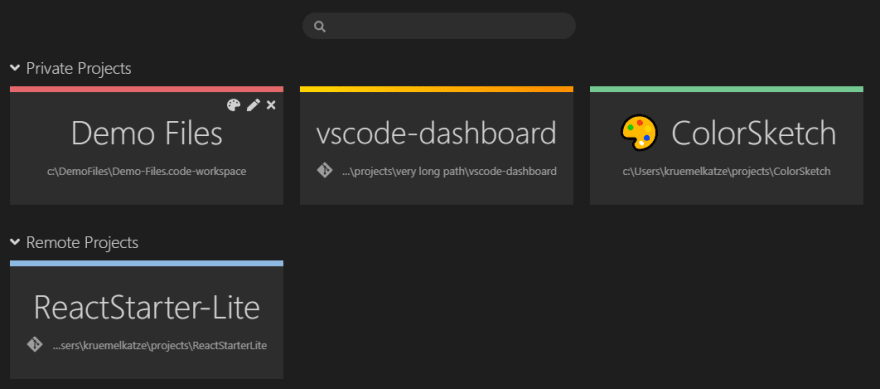
Project Dashboard
VSCode Project Dashboard is a Visual Studio Code extension that lets you organize your projects in a speed-dial like manner. Pin your frequently visited folders, files, and SSH remotes onto a dashboard to access them quickly.
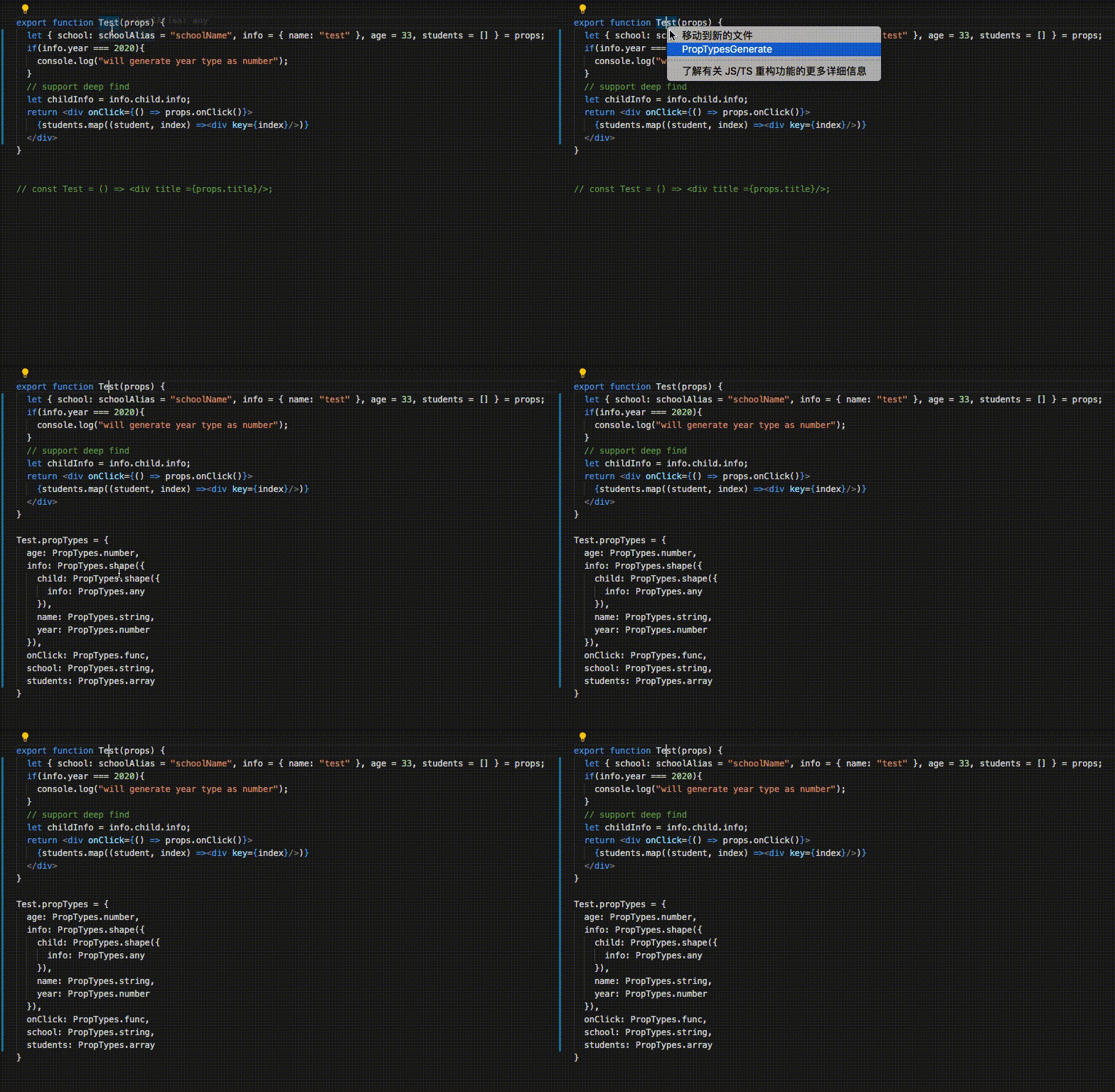
React PropTypes Generate
This is the VS Code's extension that automatically generates PropTypes code for React components, like ReactPropTypes in the Jetbrains's Platform. Also a command-line tool, you don’t have to be limited to use in vs code. If you want fully automatic PropTypes generation, You can also use it with lint-staged in your project.
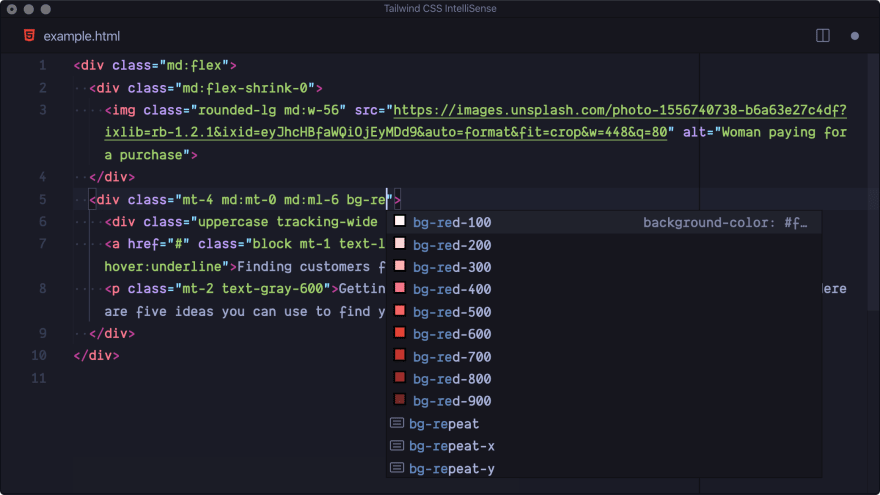
Tailwind CSS IntelliSense
Intelligent Tailwind CSS tooling for VS Code.
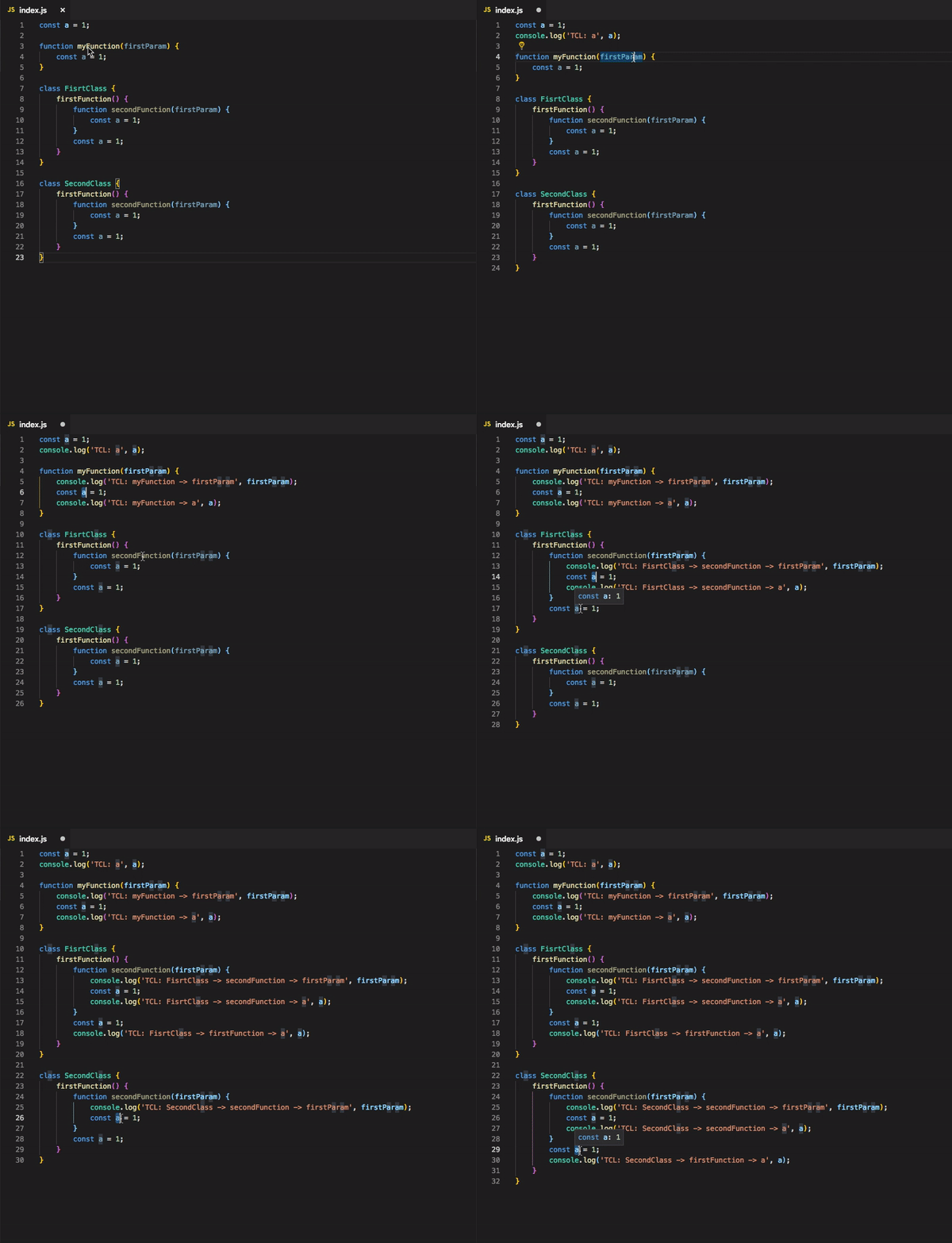
Turbo Console Log
Automating the process of writing meaningful log messages.
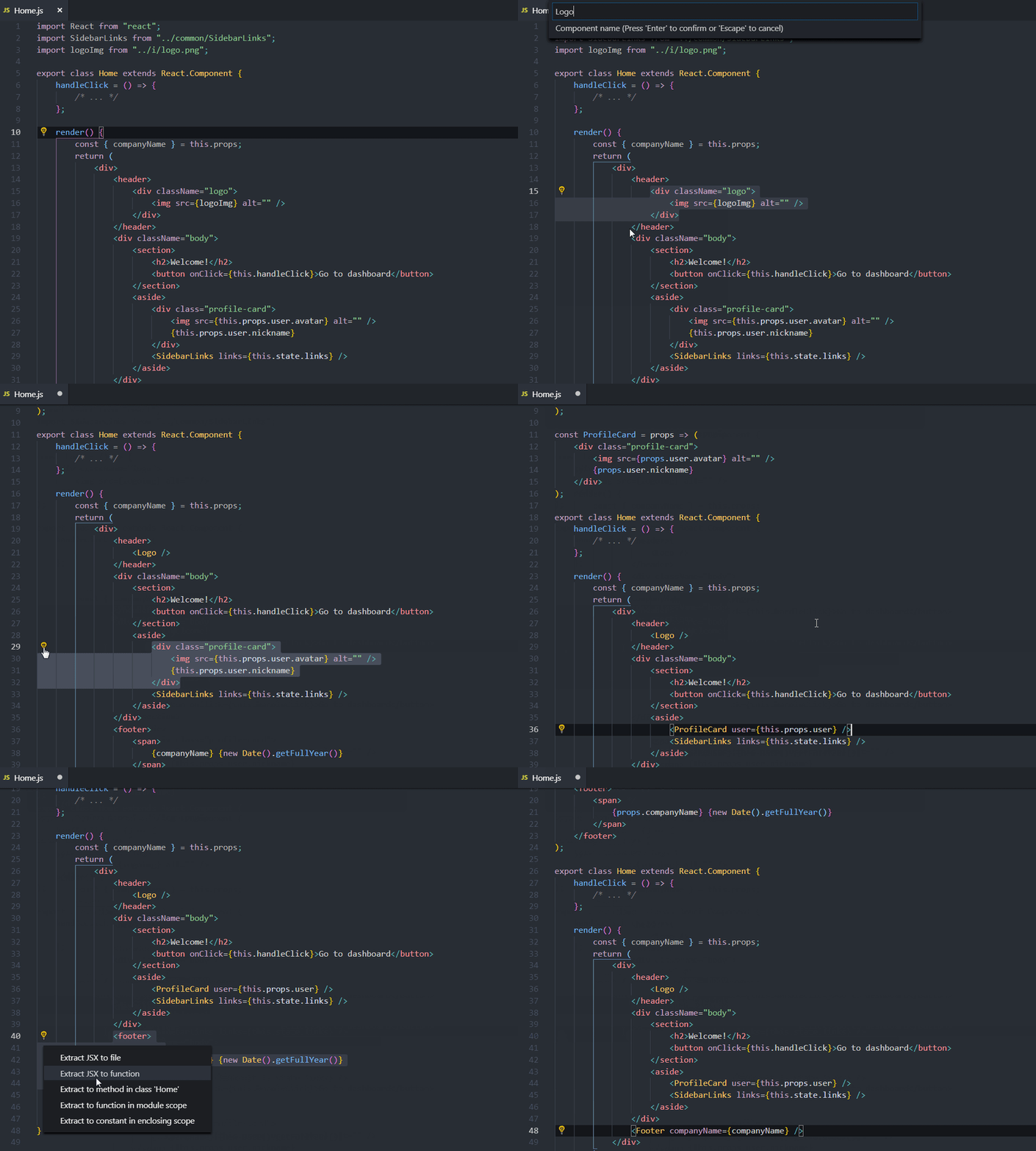
VSCode React Refactor
Recompose your overgrown JSX without worrying about the given data.
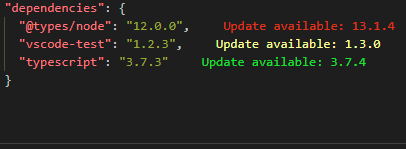
Package Json Upgrade
Shows available updates in package.json. Offers quick actions to guide you in your updating.
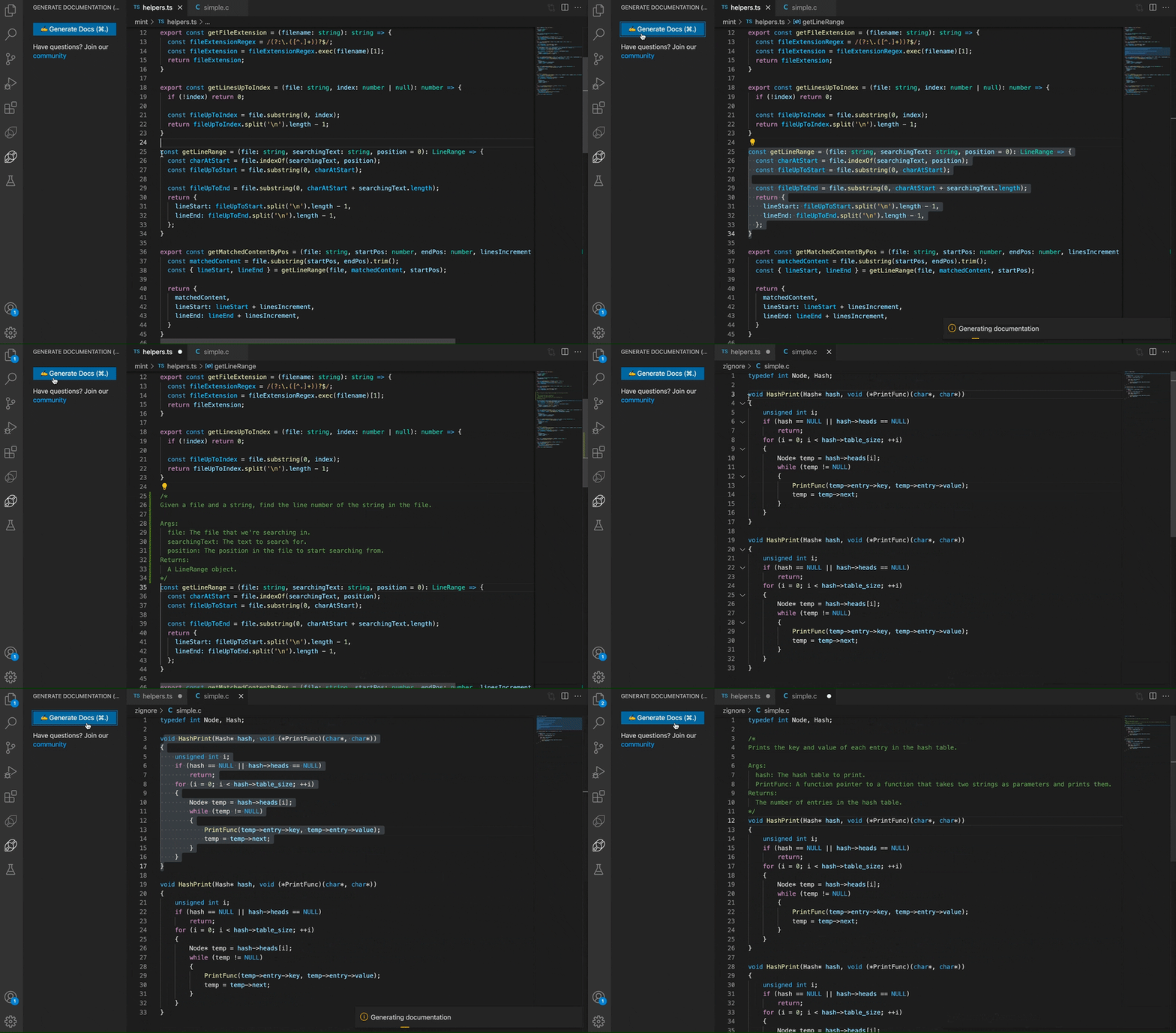
Mintlify Doc Writer for Python, JavaScript, TypeScript,
C++, PHP, Java, C#, Ruby & more
AI-powered documentation writer for JavaScript, Python, Java, Typescript & all other languages.
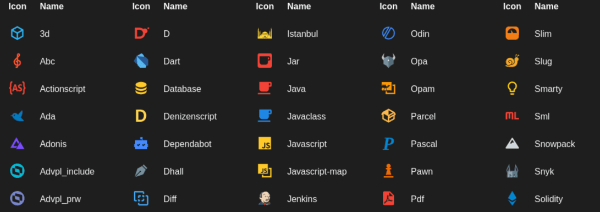
Material Icon Theme
Material Design Icons for Visual Studio Code.
Import Cost
Display import/require package size in the editor.

Image preview
Shows an image preview in the gutter and on hover.

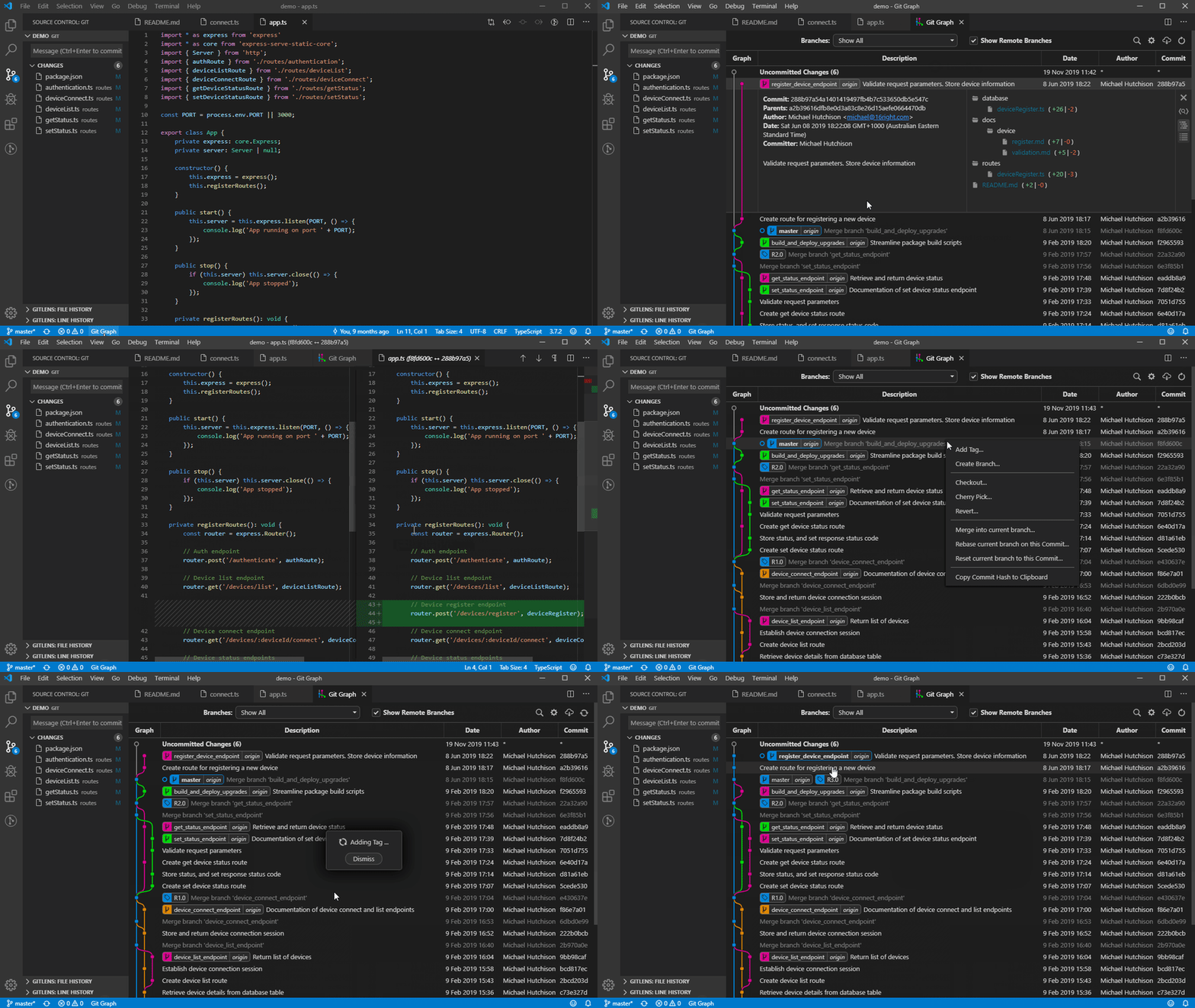
Git Graph
View a Git Graph of your repository, and perform Git actions from the graph.
Color Highlight
Highlight web colors in your editor.
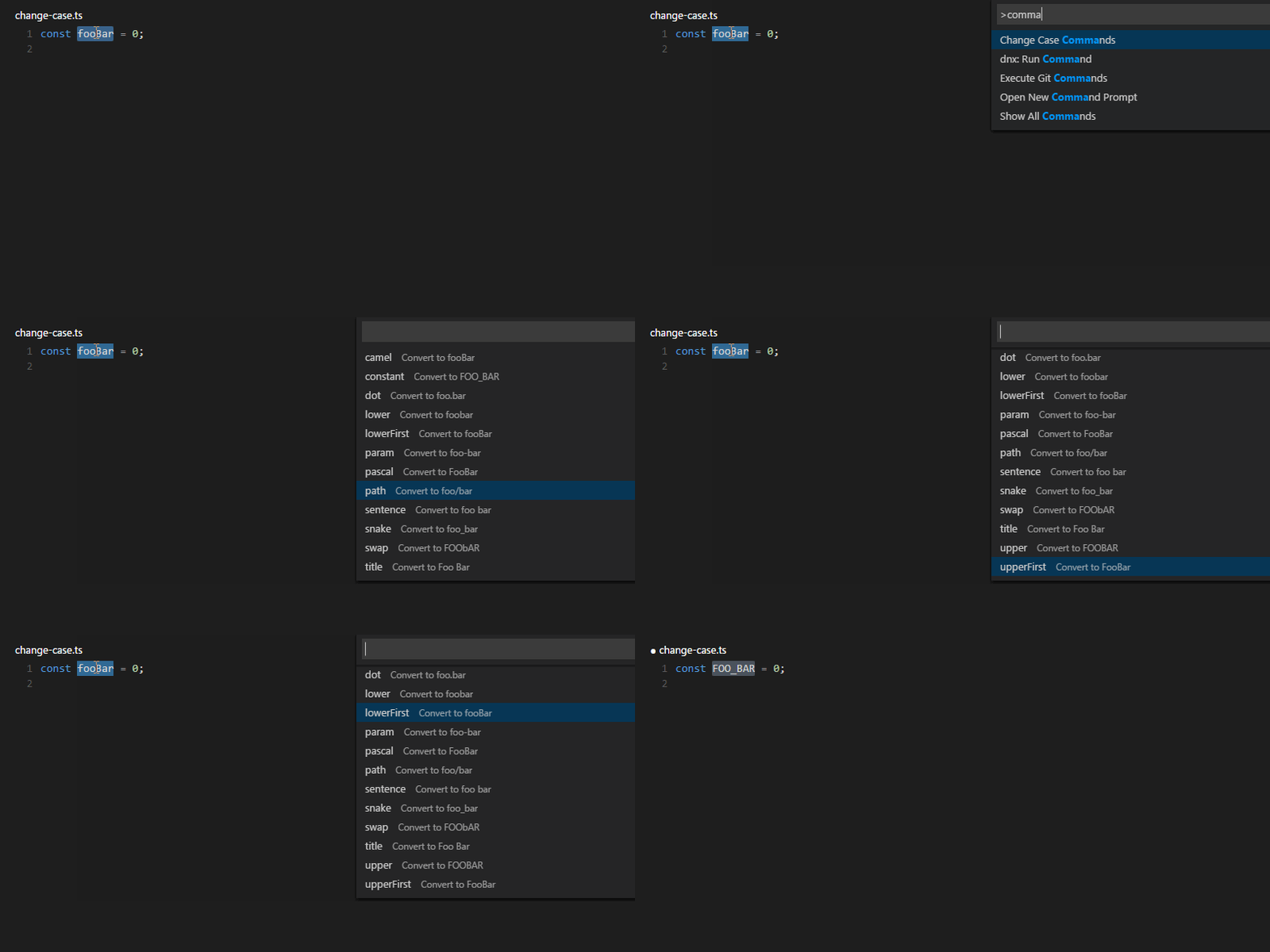
change-case
Quickly change the case (camelCase, CONSTANT_CASE, snake_case, etc) of the current selection or current word.
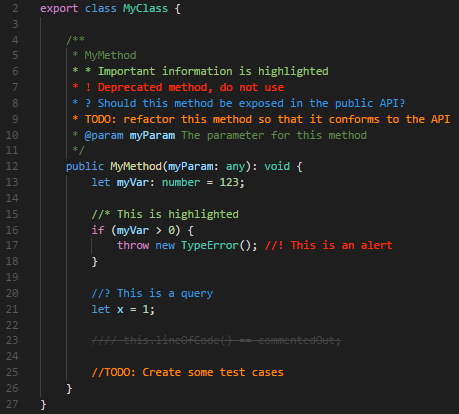
Better Comments
Improve your code commenting by annotating with alerts, informational, TODOs, and more!
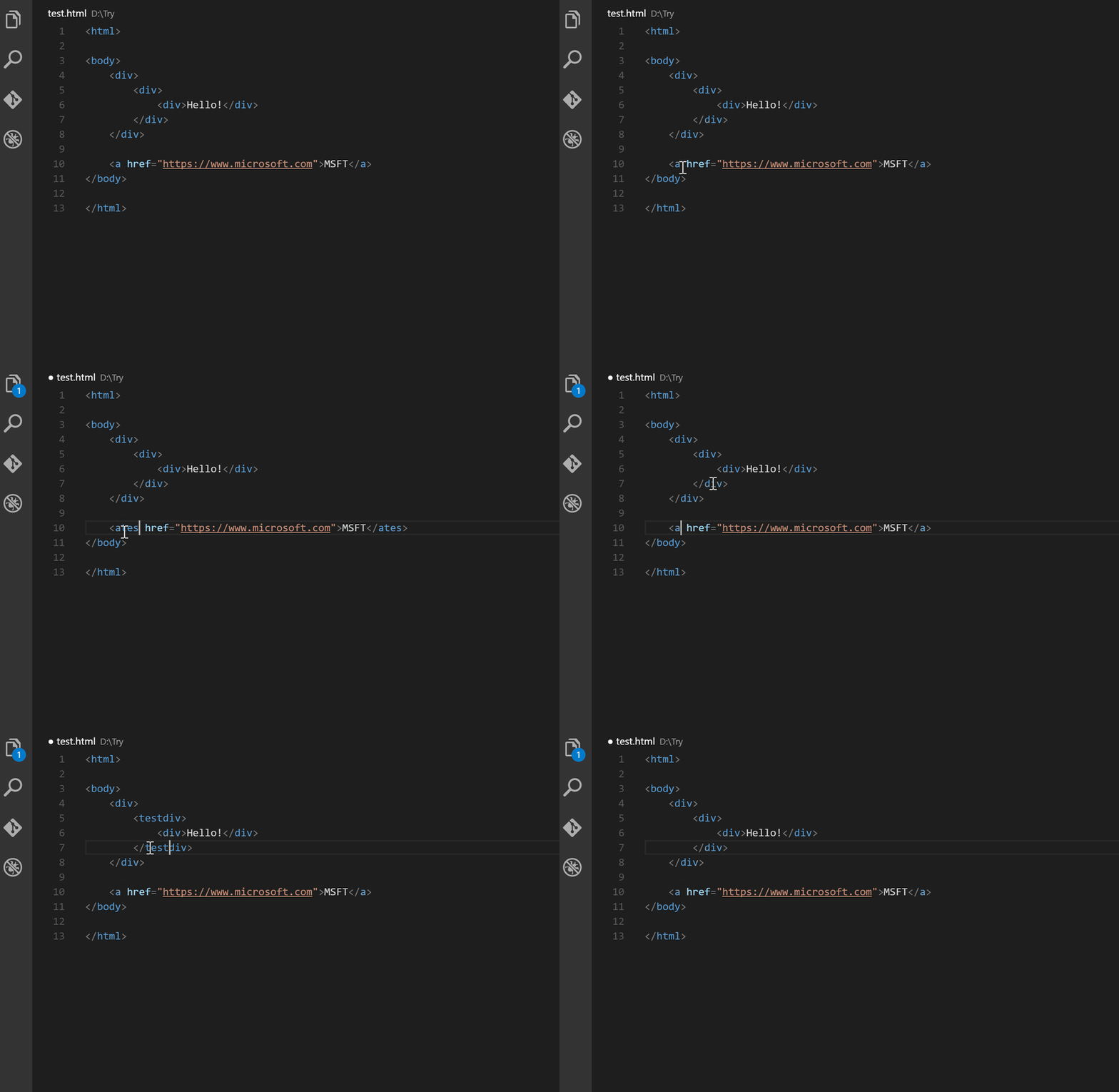
Auto Rename Tag
Auto rename paired HTML/XML tags.
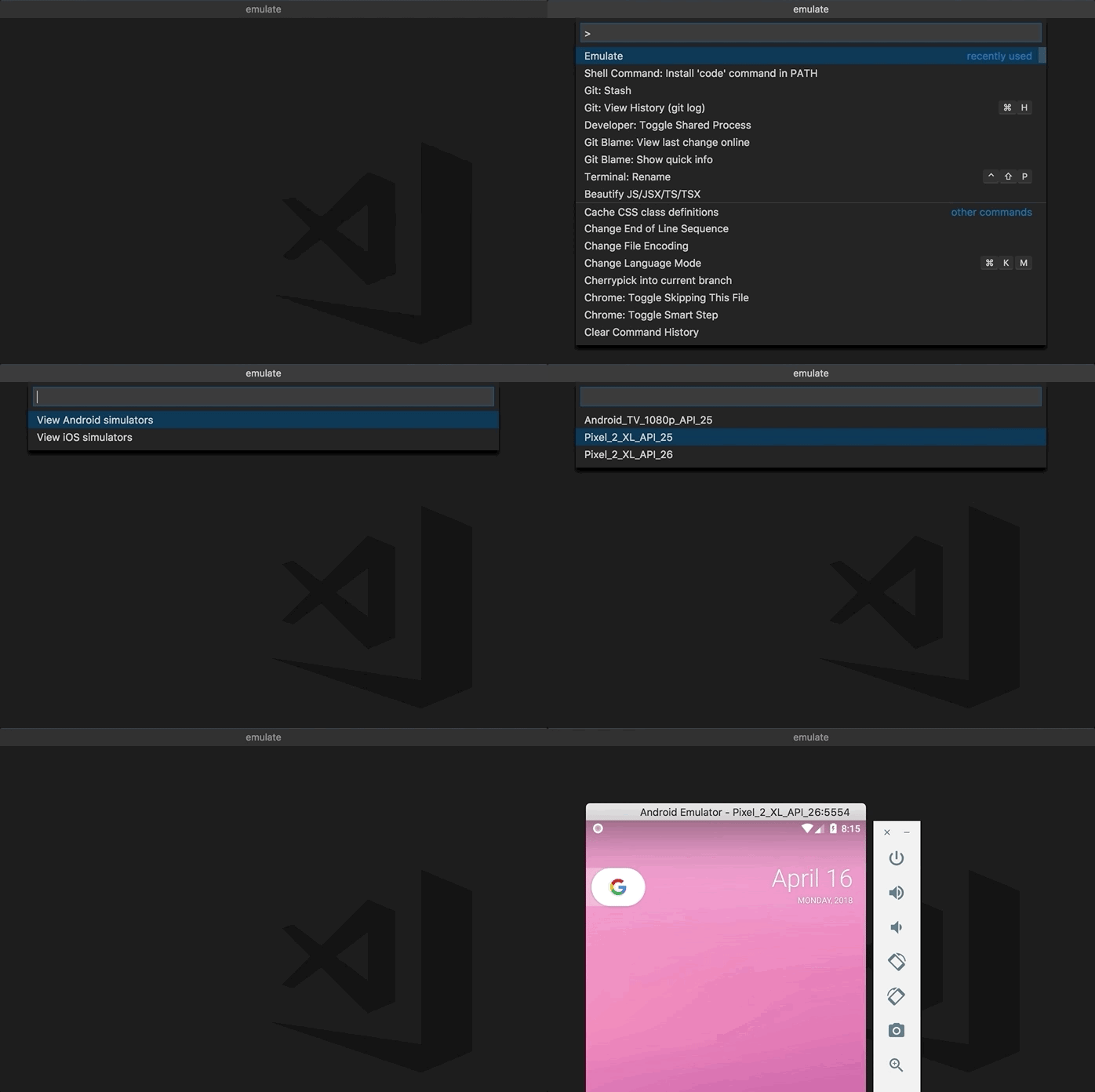
Android iOS Emulator
If you are a mobile developer, run the Android emulator and iOS simulator easily from vs code!
Thank you for reading all the way through.
Hope this post was useful to improve your Developer Journey !!
Originally published on: https://blogs.appymango.com/blogs/62703ae8483b05951950af41


 已为社区贡献7744条内容

所有评论(0)