从 DBeaver(在 Windows 上)访问 PostgreSQL(在 wsl2 上)失败:“连接被拒绝:连接”
·
问题:从 DBeaver(在 Windows 上)访问 PostgreSQL(在 wsl2 上)失败:“连接被拒绝:连接”
我正在尝试使用 Postgres 并从 DBeaver 访问它。
-
Postgres 安装到 wsl2 (Ubuntu 20)
-
DBeaver 安装到 Windows 10
根据这个文档,如果您从 Windows 访问在 Linux 上运行的应用程序,则可以使用localhost。
然而...
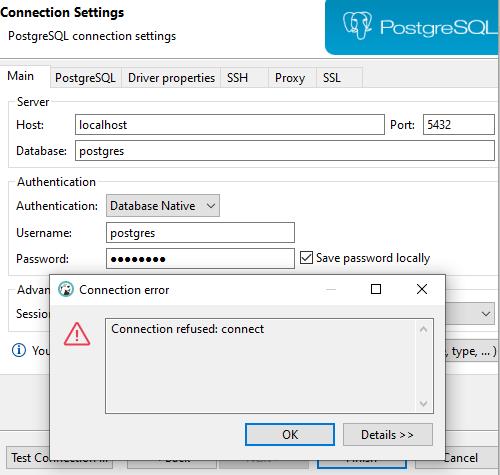
使用localhost拒绝连接。另外,我不知道这条消息是什么意思:Connection refused: connect。
有没有人看到这个的潜在原因?任何建议将被认真考虑。
笔记:
-
密码应该没问题。当我在wsl2中使用
psql并输入密码时,psql可用密码 -
我在 Windows 端没有 Postgres。它只存在于 wsl2
解答
我自己找到了解决方案。
我只需要允许 wsl2(Ubuntu) 上的 TCP 连接,然后重新启动 postgres。
sudo ufw allow 5432/tcp
# You should see "Rules updated" and/or "Rules updated (v6)"
sudo service postgresql restart
我没有更改 IPv4/IPv6 连接信息。这是我在pg_hba.conf中看到的:
# IPv4 local connections:
host    all             all             127.0.0.1/32            md5
# IPv6 local connections:
host    all             all             ::1/128                 md5

PostgreSQL社区为您提供最前沿的新闻资讯和知识内容
更多推荐
 0
0 0
0- 0


 已为社区贡献19904条内容

所有评论(0)