Accessing PostgreSQL (on wsl2) from DBeaver (on Windows) fails: "Connection refused: connect"
·
Answer a question
What I'm trying is to use Postgres and access it from DBeaver.
- Postgres is installed into wsl2 (Ubuntu 20)
- DBeaver is installed into Windows 10
According to this doc, if you access an app running on Linuc from Windows, localhost can be used.
However...
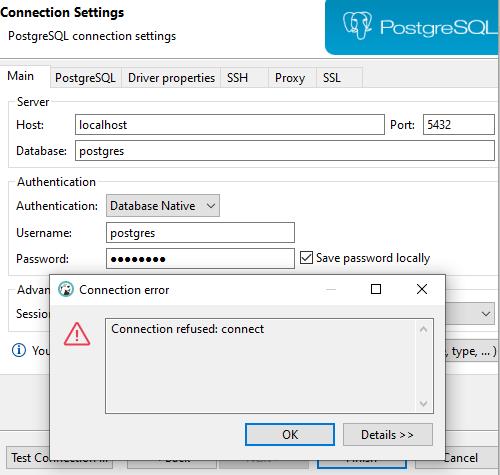
Connection is refused with localhost. Also, I don't know what this message means: Connection refused: connect.
Does anyone see potential cause for this? Any advice will be appreciated.
Note:
- The password should be fine. When I use
psqlin wsl2 and type in the password,psqlis available with the password - I don't have Postgres on Windows' side. It exists only on wsl2
Answers
I found a solution by myself.
I just had to allow the TCP connection on wsl2(Ubuntu) and then restart postgres.
sudo ufw allow 5432/tcp
# You should see "Rules updated" and/or "Rules updated (v6)"
sudo service postgresql restart
I didn't change IPv4/IPv6 connections info. Here's what I see in pg_hba.conf:
# IPv4 local connections:
host    all             all             127.0.0.1/32            md5
# IPv6 local connections:
host    all             all             ::1/128                 md5

PostgreSQL社区为您提供最前沿的新闻资讯和知识内容
更多推荐
 0
0 0
0- 0


 已为社区贡献19909条内容

所有评论(0)