

I tried a new Linux (Ubuntu) terminal setup and it's a blast. I want to share it with you.
What will you setup?
- Terminator terminal to support splitting the terminal screen vertically and horizontally into multiple windows. Extremely useful when working with distributed systems like blockchain.
- ZSH framework to add productivity plugins and custom color themes.
- Powerlevel10k for "speed, flexibility and out-of-the-box experience."
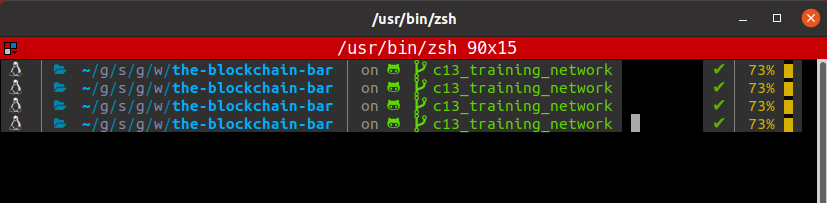
Install the Terminator
sudo apt-get install terminator
Open it.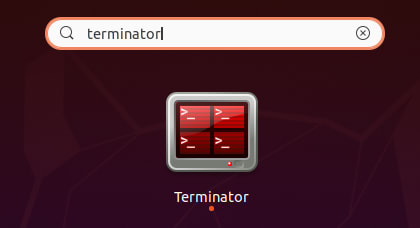
Install ZSH
sudo apt install zsh
And make it your default shell:
chsh -s $(which zsh)
Or checkout the official ZSH Github repo and choose your favorite installation process.
PowerLevel10k Theme
The great thing about ZSH is the level of personalization possible. I found this theme which looks pretty solid: https://github.com/romkatv/powerlevel10k#meslo-nerd-font-patched-for-powerlevel10k
Install the theme
git clone --depth=1 https://github.com/romkatv/powerlevel10k.git ~/powerlevel10k

echo 'source ~/powerlevel10k/powerlevel10k.zsh-theme' >>! ~/.zshrc

source ~/.zshrc
Ready for the cool part? The theme comes with an interactive guide for setting everything as you wish, "to your gusto".
Configure a custom font [optional]
In case you have a weakness for a specific font, you can install it and configure it according to the PowerLevel10k's fonts instructions.
Configure colors, spaces, features
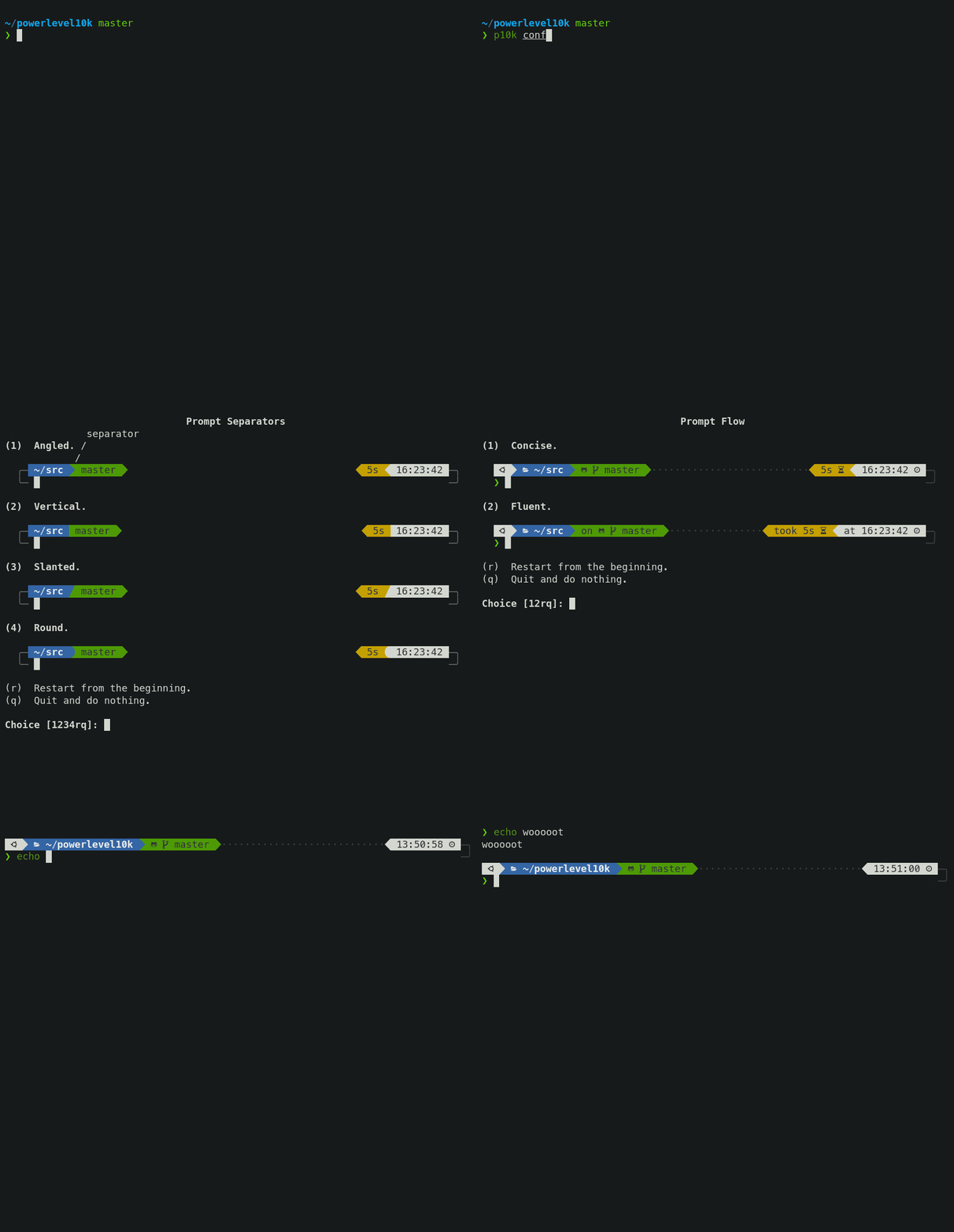
p10k configure
Enable battery plugin
The last personalization I did so far, was enabling the battery status inside the terminal screen.
You can do so by opening the vim $HOME/.p10k.zsh file and uncommenting this line: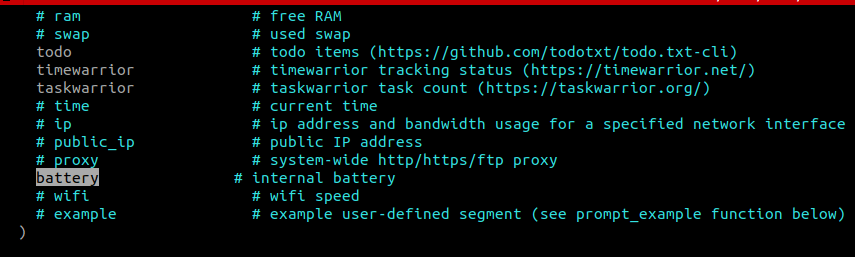
You are done!
The theme even includes the time the last command took:
Let me know on Twitter if you like this setup!
 Lukáš Lukáč@web3coach
 2 tutorials in 2 days. Pheew.
Another one is about experimenting with a new terminal setup: Terminator + ZSH + PowerLevel10k
dev.to/web3coach/best…
@ThePracticalDev twitter.com/Web3Coach/stat…18:24 PM - 07 Jul 2020Lukáš Lukáč @web3coachHow to install Go on a Linux machine: https://t.co/hcZZ2WTPmE Just documented my yesterday's afternoon on @thepracticaldev #golang


 已为社区贡献12493条内容

所有评论(0)