
Wordpress ACF Google maps field API Key
Answer a question
I have a Wordpress project with Advanced Custom Fields Pro 5.3.5 plugin, where for one of my post types I set an address field using the Google Map field type. When I go to the admin page to add/edit a post this Google Maps field shows the map but in "For development purposes only" mode.
It's probably missing an API key. I'm trying to set it as described in their documentation:
// Method 1: Filter.
function my_acf_google_map_api( $api ){
    $api['key'] = 'xxx';
    return $api;
}
add_filter('acf/fields/google_map/api', 'my_acf_google_map_api');

// Method 2: Setting.
function my_acf_init() {
    acf_update_setting('google_api_key', 'xxx');
}
add_action('acf/init', 'my_acf_init');
I tried both methods in the functions.php of my theme and none work. I made sure that the API Key I'm using is valid and it is, I can use it on Postman to make API keys without any problem.
I've seen similar questions here on StackOverflow and basically the answer is what I'm already trying. What else I'm missing?
Thanks for any help
Answers
I've just had similar issues and hopefully my solution/steps will help. As mentioned in the comments by @evan multiple API's must be enabled in the Google Console otherwise you will get errors.
Read the Error/Console message(s)! It will point you to either Billing or which API is not available/active.

Troubleshooting
- Must have Google Console Project hooked up to a billing account
- Must enable multiple APIs
- (optional) can restrict key to certain domain/IPs and also restrict to certain API

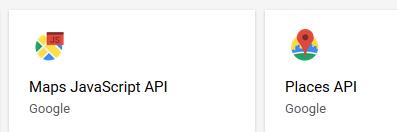
For the admin to work I required Maps Javascript API, Places API and also Geolocation API to be 'Enabled'
With those enabled my Admin could lookup and correctly assign Map lat/lng fields to the ACF field and saved correctly.
更多推荐
 0
0 0
0- 0


 已为社区贡献20535条内容

所有评论(0)