Docker网络管理及容器跨主机通信(四)
原创作品,允许转载,转载时请务必以超链接形式标明文章 原始出处 、作者信息和本声明。否则将追究法律责任。http://lizhenliang.blog.51cto.com/7876557/17318981、网络模式docker支持四种网络模式,使用--net选项指定:host,--net=host,如果指定此模式,容器将不会获得一个独立的network name
·
原创作品,允许转载,转载时请务必以超链接形式标明文章 原始出处 、作者信息和本声明。否则将追究法律责任。 http://lizhenliang.blog.51cto.com/7876557/1731898
-
host,--net=host,如果指定此模式,容器将不会获得一个独立的network namespace,而是和宿主机共用一个。容器将不会虚拟出自己的网卡,IP等,而是使用宿主机的IP和端口,也就是说如果容器是个web,那直接访问宿主机:端口,不需要做NAT转换,跟在宿主机跑web一样。容器中除了网络,其他都还是隔离的。
-
container,--net=container:NAME_or_ID,与指定的容器共同使用网络,也没有网卡,IP等,两个容器除了网络,其他都还是隔离的。
-
none ,--net=none,获得独立的network namespace,但是,并不为容器进行任何网络配置,需要我们自己手动配置。
-
bridge,--net=bridge,默认docker与容器使用nat网络,一般分配IP是172.17.0.0/16网段,要想改为其他网段,可以直接修改网桥IP地址,例如:
|
1
2
3
4
5
6
7
8
|
auto eth0
iface eth0 inet manual
auto br0
iface br0 inet static
address 192.168.10.10 #宿主机IP
netmask 255.255.255.0
gateway 192.168.10.1
dns-nameservers 192.168.10.1
|
|
1
|
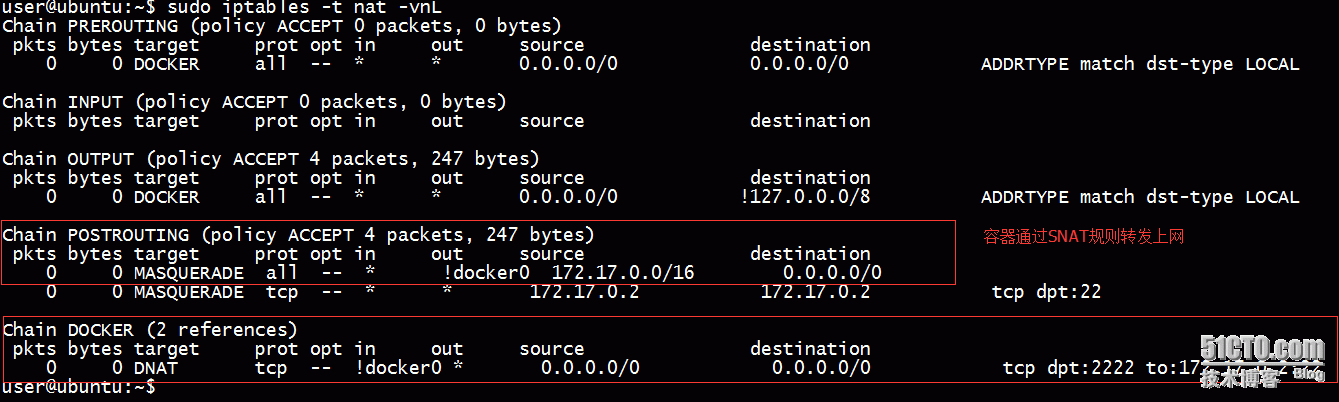
$ sudo iptables -t nat -A PREROUTING -d 192.168.18.231 -p tcp --dport 2222 -j DNAT --to 172.17.0.1:22
|
|
1
|
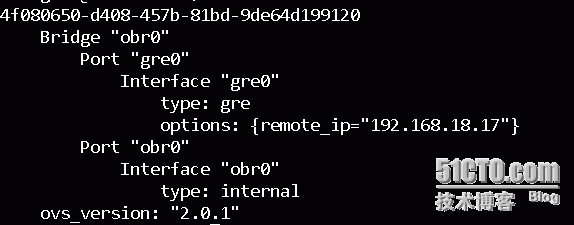
$ sudo ovs-vsctl add-port obr0 gre0 -- set Interface gre0 type =gre options:remote_ip=192.168.18.17
|

|
1
2
3
4
5
6
7
8
9
10
11
|
auto eth0
iface eth0 inet static
address 192.168.18.16
netmask 255.255.255.0
gateway 192.168.18.1
dns-nameservers 192.168.18.1
auto kbr0
iface kbr0 inet static
address 172.17.1.1
netmask 255.255.255.0
gateway 172.17.1.0
|

云原生社区为您提供最前沿的新闻资讯和知识内容
更多推荐



 0
0 0
0- 0


 已为社区贡献1条内容

所有评论(0)