

If you have a container running inside the docker, and you want to execute a command inside it, what will you do? let's light this using an example,
If you have executed the following command,
docker run redis
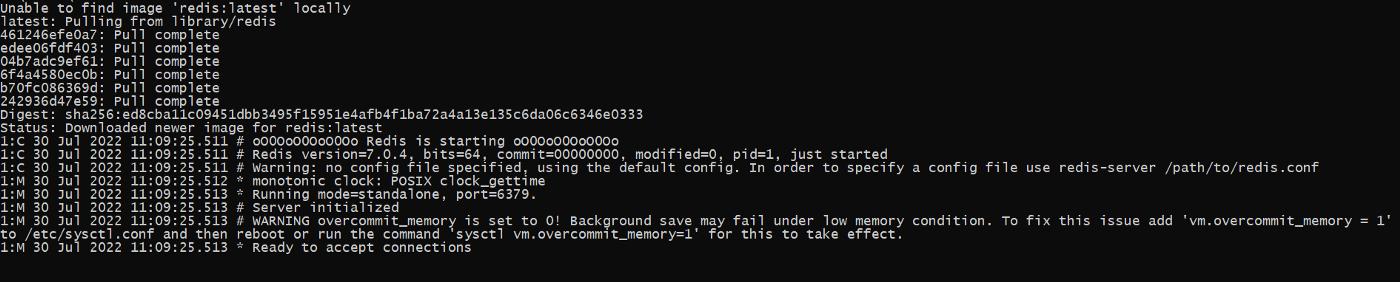
We notice from the above image that the redis image is not downloaded, so the docker will start to download the image first and then run this image inside the container and the redis now ready to accept any connection.
Now, we want to execute the docker command inside the above container, how can we execute that?
To execute any command inside the docker container, we will use the following command,
docker exec -it container-id command
so we need to obtain the container-id by executing the following command,
docker ps

Now we can execute,
docker exec -it d8e4cfb67a85 redis-cli
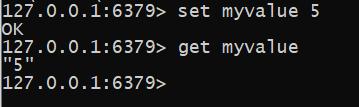
- it flags: is used to shorten the -i -t flags
- -t flag is used to put the text in a nice format on the screen.
- -i flag is used to attach the terminal to the stand-in channel
So, if we executed the same command with -i,
docker exec -i d8e4cfb67a85 redis-cli
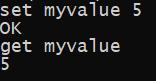
we notice from the output, that it is not in a nice format like before. Also, the auto-complete function didn’t appear like before.
Now, how to open up the shell or terminal in the context of your running container?
docker exec -it d8e4cfb67a85 sh
This command will enable you to execute the shell commands like this:

You can exit from the shell by executing the command:
exit or hit CTR-Z
Note, I am using Windows 10 home version.


 已为社区贡献35528条内容

所有评论(0)