VSCode Python Intellisense Not Working Properly
Answer a question
Python autocomplete in VSCode is messing up my code
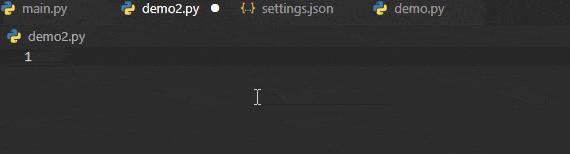
Here is my system:
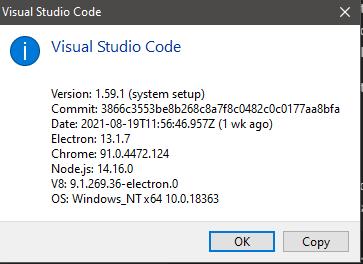
If I use Pylance, Intellisense does not work properly
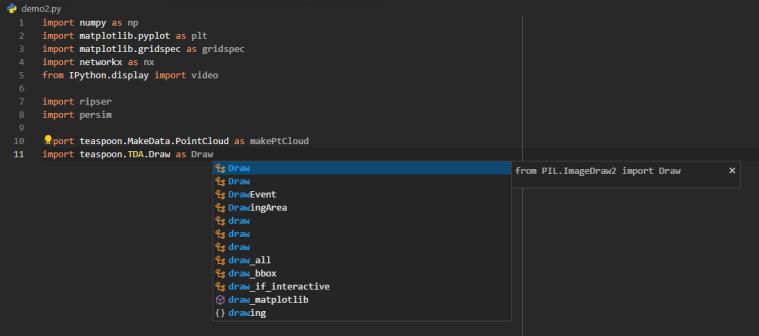
and if I use Jedi, Intellisense does not work properly
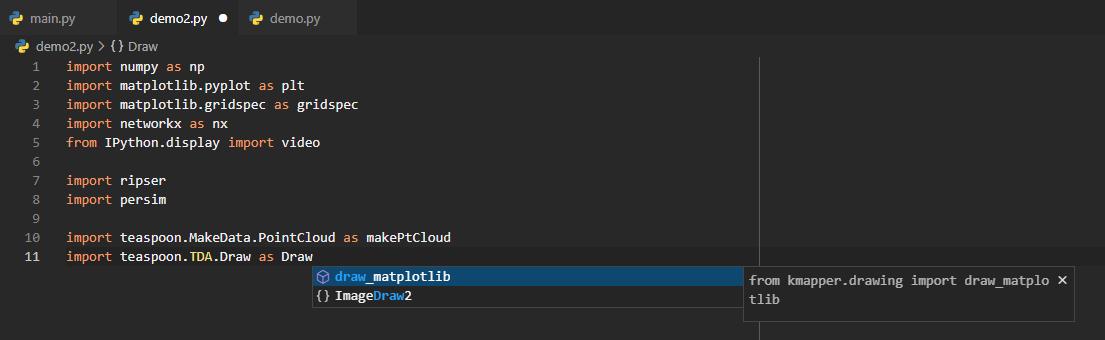
When I press enter, my code is completely borked. This is just one example and has been frustrating the heck out of me!
Below is my settings.json file:
{
    "AREPL.pythonPath": "${workspaceFolder}\\.venv\\Scripts\\python.exe",
    "dicom.alwaysShowMenu": true,
    "editor.codeActionsOnSave": {
        "source.organizeImports": true
    },
    "editor.formatOnSave": true,
    "editor.insertSpaces": false,
    "editor.rulers": [
        90
    ],
    "editor.suggestSelection": "first",
    "explorer.compactFolders": false,
    "explorer.confirmDragAndDrop": false,
    "files.exclude": {
        "**/.git": false
    },
    "files.trimFinalNewlines": true,
    "files.trimTrailingWhitespace": true,
    "git-graph.defaultColumnVisibility": {
        "Author": false,
        "Commit": true,
        "Date": false
    },
    "git-graph.referenceLabels.alignment": "Branches (aligned to the graph) & Tags (on the right)",
    "glassit.alpha": 255,
    "json.format.enable": true,
    "mypy.dmypyExecutable": "${workspaceFolder}\\.venv\\Scripts\\dmypy.exe",
    "mypy.runUsingActiveInterpreter": true,
    "notebook.cellToolbarLocation": {
        "default": "right",
        "jupyter-notebook": "left"
    },
    "python.defaultInterpreterPath": "${workspaceFolder}\\.venv\\Scripts\\python.exe",
    "python.formatting.blackArgs": [
        "--line-length",
        "90"
    ],
    "python.formatting.provider": "black",
    "python.languageServer": "Jedi",
    "python.linting.enabled": true,
    // "python.linting.flake8Args": [
    //     "--line-length",
    //     "90"
    // ],
    "python.linting.mypyEnabled": true,
    "python.linting.mypyPath": "${workspaceFolder}\\.venv\\Scripts\\mypy.exe",
    // "python.linting.pylintArgs": [
    //     "--generate-members"
    // ],
    // "python.linting.pylintEnabled": true,
    "python.pythonPath": "${workspaceFolder}\\.venv\\Scripts\\python.exe",
    "python.terminal.activateEnvironment": true,
    "python.testing.pytestArgs": [
        "${workspaceFolder}\\tests"
    ],
    "python.testing.pytestEnabled": true,
    "python.testing.unittestEnabled": true,
    "python.venvPath": ".venv",
    "restructuredtext.builtDocumentationPath": "${workspaceFolder}\\docs\\build\\html",
    "restructuredtext.confPath": "{workspaceFolder}\\docs\\source",
    "restructuredtext.languageserver.disabled": true,
    "restructuredtext.sphinxBuildPath": "${workspaceFolder}\\.venv\\Scripts\\sphinx-build.exe",
    "screencastMode.keyboardOverlayTimeout": 1500,
    "screencastMode.mouseIndicatorSize": 20,
    "screencastMode.onlyKeyboardShortcuts": true,
    "screencastMode.verticalOffset": 0,
    "security.workspace.trust.untrustedFiles": "open",
    "shellcheck.customargs": [
        "-x"
    ],
    "terminal.integrated.defaultProfile.windows": "PowerShell",
    "terminal.integrated.fontFamily": "CaskaydiaCove Nerd Font Mono",
    "terminal.integrated.tabs.enabled": true,
    "trailing-spaces.syntaxIgnore": [
        "markdown"
    ],
    "update.enableWindowsBackgroundUpdates": false,
    "vsicons.dontShowNewVersionMessage": true,
    "workbench.colorTheme": "Predawn",
    "workbench.editor.enablePreview": true,
    "workbench.editorAssociations": {
        "*.dcm": "default",
        "*.ipynb": "jupyter-notebook",
        "*.tiff": "tiff.preview",
        "git-rebase-todo": "default"
    },
    "workbench.iconTheme": "material-icon-theme",
    "workbench.settings.editor": "json",
    "workbench.settings.openDefaultSettings": true,
    "workbench.settings.useSplitJSON": true,
    "workbench.startupEditor": "newUntitledFile"
}
Why is this happening and how can I fix my Intellisense?
Update:
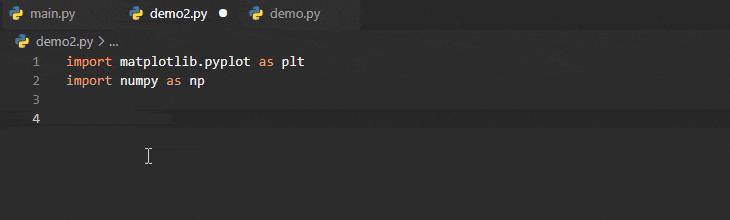
Removing "editor.suggestSelection": "first" helped, but I still get errors:
Answers
Adding the following to my settings.json makes Intellisense work as expected:
"editor.acceptSuggestionOnEnter": "off",
"editor.tabCompletion": "on"
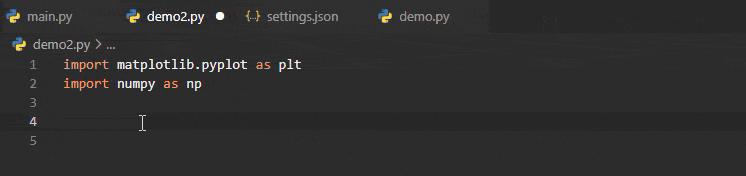
Why the defaults are "on" and "off", respectively, I will never know. Everyone expects to press tab if you want to use the suggestion (like in bash terminal), and no one wants the autocomplete to complete blindly upon hitting enter.

开发云社区提供前沿行业资讯和优质的学习知识,同时提供优质稳定、价格优惠的云主机、数据库、网络、云储存等云服务产品
更多推荐
 0
0 0
0- 0


 已为社区贡献4439条内容

所有评论(0)