How to activate automatic angle bracket `<>` pairing completion in Visual Studio Code?
Answer a question
I just couldn't find out how to activate automatic angle bracket <> pairing in Visual Studio Code like it exists for parentheses {}, round () or box [] bracket. Anyone has any clue, where in the setting I could configure this?
Answers
There is no setting in vscode that allows you to change what is considered to be a bracket, like adding <>.
There is an issue Autoclosing pairs should be configurable that discusses this and you may wish to upvote it. In that issue, it is mentioned that you could edit the language configuration file to add your own "brackets" to the list. On Windows the javascript language configuration file is located at:
C: \Users\Mark\AppData\Local\Programs\Microsoft VS Code\resources\app\extensions\javascript\javascript-language-configuration.json;
as are the other languages (you don't say which language(s) you are interested in). Javascript doesn't normally support bracket matching for <> but I added that functionality by editing the file like so:
{
    "comments": {
        "lineComment": "//",
        "blockComment": [ "/*", "*/" ]
    },
    "brackets": [
        ["<", ">"],                       // added
        ["{", "}"],
        ["{", "}"],
        ["[", "]"],
        ["(", ")"]
    ],
    "autoClosingPairs": [
        { "open": "<", "close": ">" },    // added
        { "open": "{", "close": "}" },
        { "open": "[", "close": "]" },
        { "open": "(", "close": ")" },
        { "open": "'", "close": "'", "notIn": ["string", "comment"] },
        { "open": "\"", "close": "\"", "notIn": ["string"] },
        { "open": "`", "close": "`", "notIn": ["string", "comment"] },
        { "open": "/**", "close": " */", "notIn": ["string"] }
    ],
    "surroundingPairs": [
        ["<", ">"],                       // added
        ["{", "}"],
        ["[", "]"],
        ["(", ")"],
        ["'", "'"],
        ["\"", "\""],
        ["`", "`"]
    ],
    "autoCloseBefore": ";:.,=}])>` \n\t",
    "folding": {
        "markers": {
            "start": "^\\s*//\\s*#?region\\b",
            "end": "^\\s*//\\s*#?endregion\\b"
        }
    }
}
and it works - after a reload, demo in javascript file:
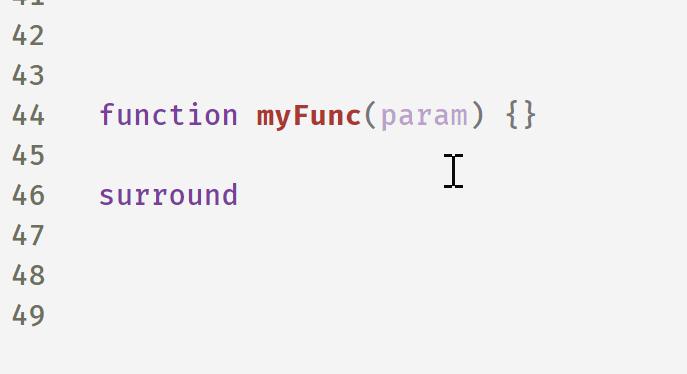
Now, this file will be overwritten on updates so I would keep a copy around elsewhere with a pointer to its location.
The other option - not as nice, no surround feature for example, is to make a snippet with < as the prefix (in one of your snippets files).
"angle bracket": {
  "prefix": "<",
  "body": [
    "<>"
  ],
  "description": "complete angle bracket"
},
After you type < you will have to tab to complete it. this also works.

开发云社区提供前沿行业资讯和优质的学习知识,同时提供优质稳定、价格优惠的云主机、数据库、网络、云储存等云服务产品
更多推荐
 0
0 0
0- 0


 已为社区贡献4439条内容

所有评论(0)