VS Code - How to change the color of greyed out folder names in explorer?
Answer a question
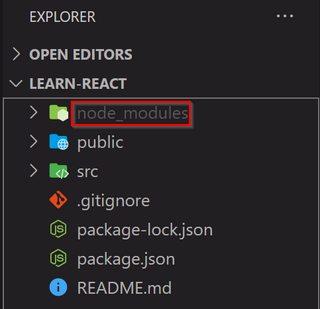
I'm using Monokai Pro as my color scheme in VS Code. When VS Code greys out the names of the folders that are found in the .gitignore file, the text color becomes incredibly difficult to read.
For example, I had the /node_modules folder (circled in red) written inside my .gitignore file and VS Code would grey out the node_modules text in the Explorer.
When I expand the folder, all the sub-folders' names are greyed out but the text is very difficult to read.
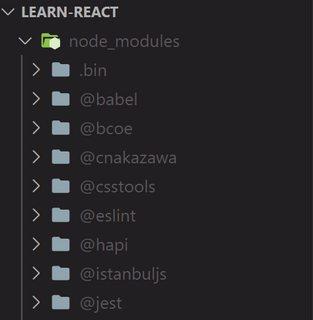
I would like to edit the color of the greyed out file names inside the VS Code JSON settings. I'm aware that I can make customizations to a color scheme as found in the documentation here. However, I'm not sure which JSON property targets the greyed out file names inside Explorer.
"workbench.colorCustomizations": {
    "[Monokai Pro]": {
        // What should I write here?
    }
}
Answers
It looks like this is the one:
"gitDecoration.ignoredResourceForeground": "#ff0000"
so
"workbench.colorCustomizations": {
    "[Monokai Pro]": {
        "gitDecoration.ignoredResourceForeground": "#ff0000"
    }
}

开发云社区提供前沿行业资讯和优质的学习知识,同时提供优质稳定、价格优惠的云主机、数据库、网络、云储存等云服务产品
更多推荐
 0
0 0
0- 0


 已为社区贡献4439条内容

所有评论(0)