Change vs code terminal font to non-monospace
·
Answer a question
Is it possible to change the vs code terminal font to a font that is non-monospace?
The font I am trying to use is Melso LG L Regular for Powerline .
When I try to change the terminal.integrated.fontFamily in the user settings I get this:

Is there any way around this?
Thanks in advance 😃
Answers
Use below settings. It worked for me in VScode terminal in ubuntu.
{
    //"terminal.integrated.fontFamily": "'Ubuntu Mono derivative Powerline', 'fontawesome'",
    "terminal.integrated.fontFamily": "'Meslo LG M DZ for Powerline', 'fontawesome'",
    "terminal.integrated.fontSize": 16

}
Please also make sure that you have installed powerline and fontawesome icons packages properly otherwise it might not work.
Use any of the above settings but make sure that powerline variant is installed. Below is my terminals output from VSCode terminal.

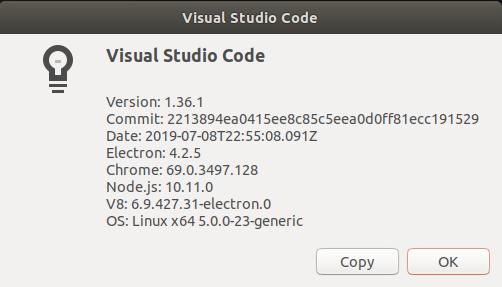
My Vscode version:

开发云社区提供前沿行业资讯和优质的学习知识,同时提供优质稳定、价格优惠的云主机、数据库、网络、云储存等云服务产品
更多推荐
 0
0 0
0- 0


 已为社区贡献4439条内容

所有评论(0)