How should the environment variables of the vscode plugin be set?
·
Answer a question
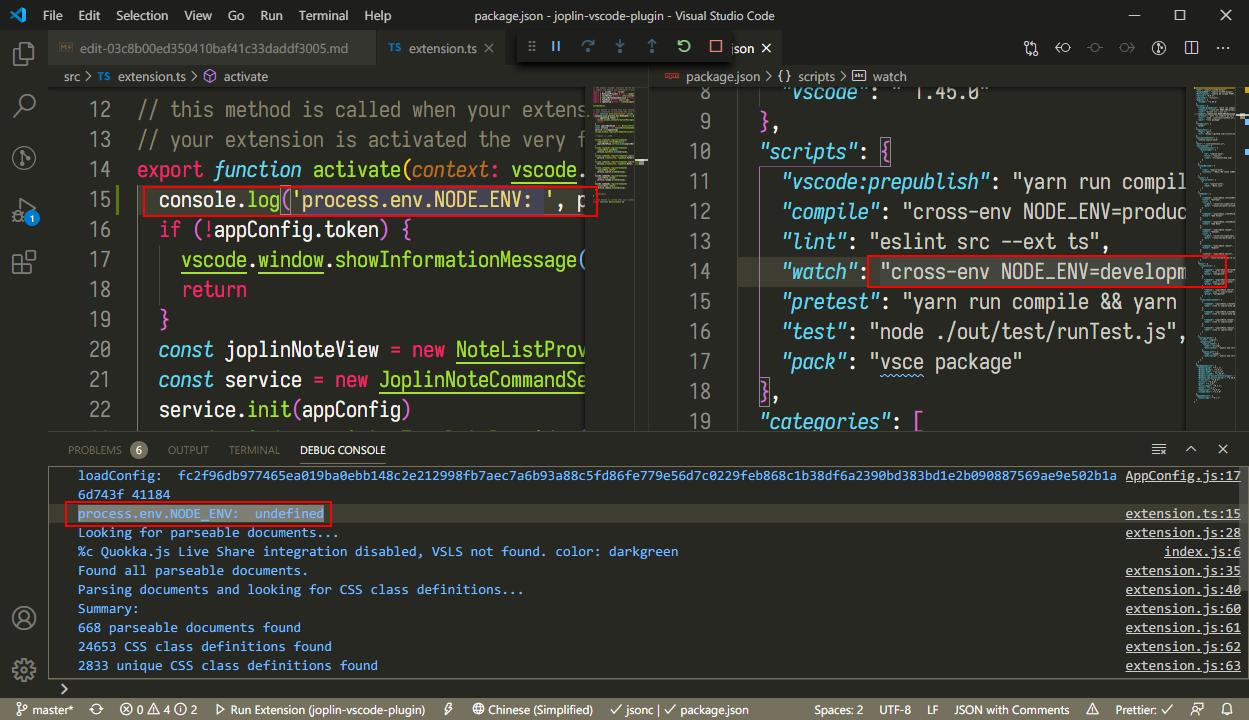
I tried to set it with cross-env, but it was undefined after running with VSCode. How can I fix it?
Answers
You can pass environment variables to VS Code extensions you run locally via the launch configuration:
./.vscode/launch.json
// A launch configuration that compiles the extension and then opens it inside a new window
// Use IntelliSense to learn about possible attributes.
// Hover to view descriptions of existing attributes.
// For more information, visit: https://go.microsoft.com/fwlink/?linkid=830387
{
    "version": "0.2.0",
    "configurations": [
        {
            "name": "Run Extension",
            "type": "extensionHost",
            "request": "launch",
            "runtimeExecutable": "${execPath}",
            "args": [
                "--extensionDevelopmentPath=${workspaceFolder}"
            ],
            "outFiles": [
                "${workspaceFolder}/dist/extension.js"
            ],
            "preLaunchTask": "${defaultBuildTask}",
            "env": {
                "DEBUG": "true" // <---- EXAMPLE ENVIRONMENT VARIABLE
            }
        }
    ]
}

开发云社区提供前沿行业资讯和优质的学习知识,同时提供优质稳定、价格优惠的云主机、数据库、网络、云储存等云服务产品
更多推荐
 0
0 0
0- 0


 已为社区贡献4439条内容

所有评论(0)