Visual Studio Code go to next error or warning, but not to info
Answer a question
I am using Visual Studio Code and I know that I can go to the next error with F8. I am also using a spell checker plugin, which shows me info messages. When I press F8 I also go to the next info message.
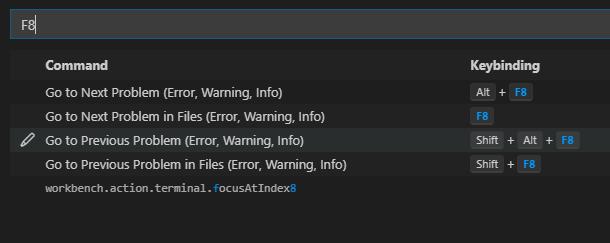
Not so strange, because F8 is mapped to "Go to Next Problem in Files (Error, Warning, Info). Is it possible to configure the keybinding with a filter and only go to the next error or warning?
Answers
See add options for jumping to next/previous problem . This seems to do what you want - you can test it in the Insiders' Build now.
This setting is being added (due in v1.63):
Problems: Compare Order
Options: Severity and Position
From release notes: define problem order navigation
Define order problem navigation
You can now define the order in which "Go to Next Problem" (kb(
editor.action.marker.next)) and "Go to Previous Problem" (kb(editor.action.marker.prev)) work. In previous versions navigation would happen by severity, first come errors, then warnings, then the rest. The newproblems.sortOrder- configuration enables you to navigate problems by their position instead. So, a warning line 5 will be shown before an error on line 13 etc.
In my testing severity navigates to errors, and not infos when you press F8 (and may be the new default). position visits all problem types (errors, warnings and infos) in the line number order.

开发云社区提供前沿行业资讯和优质的学习知识,同时提供优质稳定、价格优惠的云主机、数据库、网络、云储存等云服务产品
更多推荐
 0
0 0
0- 0


 已为社区贡献4439条内容

所有评论(0)