Completely remove Stack from Windows 10
Answer a question
I am running Windows 10, VSCode, and have the Haskell Extension Pack installed.
I also have Stack installed, and would like to temporarily uninstall it to make sure I can document and explain use of Stack with Haskell in VSCode on Windows 10.
stack's command help states that the stack uninstall command is deprecated.
Q1: Do I even need to do this? Is stack automatically installed with the VSCode Haskell Extension Pack? My investigation does not indicate this.
Q2. To uninstall stack (JUST TEMPORARILY! I LIKE IT!) how is this done? Is there a new command? Do I need to use some other install manager? Do I simply delete an executable and helper files?
Answers
As far as I recall, on Windows, Stack is a program you install. I haven't tried to uninstall it, but it appears in Apps & features with an Uninstall button:
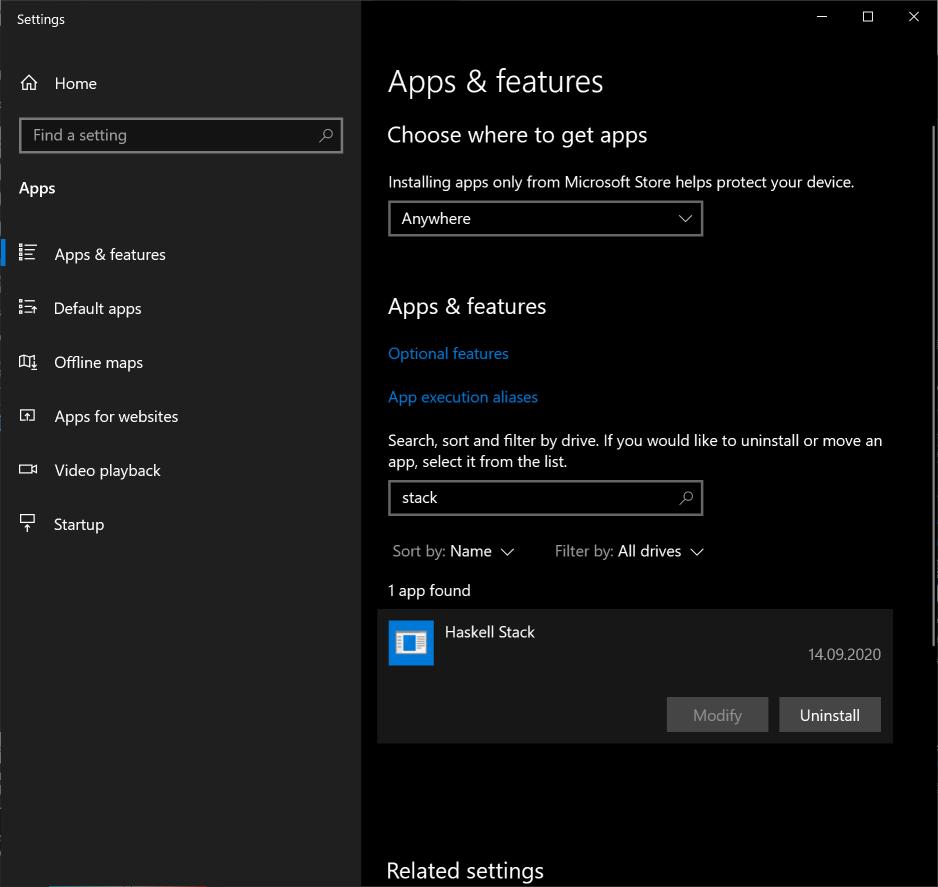
Have you tried clicking that button?
FWIW, the official Stack documentation also has a sentence about uninstalling:
Removing
~/.stackand/usr/local/bin/stackshould be sufficient. You may want to delete.stack-workfolders in any Haskell projects that you have built.

开发云社区提供前沿行业资讯和优质的学习知识,同时提供优质稳定、价格优惠的云主机、数据库、网络、云储存等云服务产品
更多推荐
 0
0 0
0- 0


 已为社区贡献4439条内容

所有评论(0)