How to open Custom Editor with VSCode api
Answer a question
I have an extensions that registers a CustomEditorProvider for a specific file type and I need to create a command that opens a given file with my editor.
If i click on the file from the workspace explorer my editor opens correctly but if I use the showTextDocument api the built-in text editor will open.
private openModule(file:vscode.Uri) {
    vscode.workspace.openTextDocument(file).then((doc: vscode.TextDocument) => {
          vscode.window.showTextDocument(doc);
    });
  }
On the opened editor in the UI I can "Reopen Editor With..." that prompts me with the selection of the editor. And I if select my custom editor it will be reopened with the correct editor.
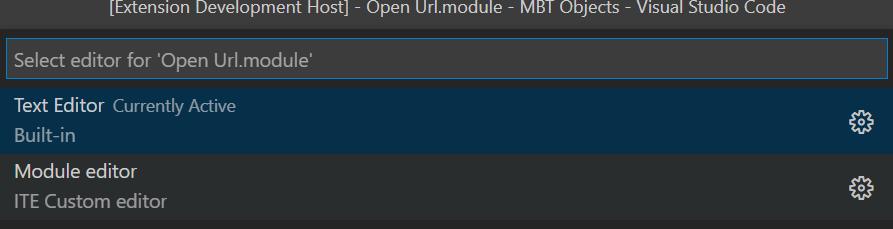
How do I force the TextEditor to use the custom one and not the build in?
Any help is appreciated
Answers
I had the same problem, and found my answer here:
https://github.com/microsoft/vscode/issues/98473#issuecomment-634306217
commands.executeCommand("vscode.openWith", uri, MyCustomEditor.viewType);

开发云社区提供前沿行业资讯和优质的学习知识,同时提供优质稳定、价格优惠的云主机、数据库、网络、云储存等云服务产品
更多推荐
 0
0 0
0- 0


 已为社区贡献4439条内容

所有评论(0)