Go to Typescript Source Definition instead of Compiled Definition in Visual Studio Code
Answer a question
I am working on a typescript project with Visual Studio Code including multiple npm packages structured like this:
- Source code:
/src/index.ts - Compiled code:
/dist/...
When I right click on imported objects and choose "Go to Definition" or click F12 or by clicking on the object with holding down CTRL, Visual Studio Code opens the corresponding .d.ts file in /dist
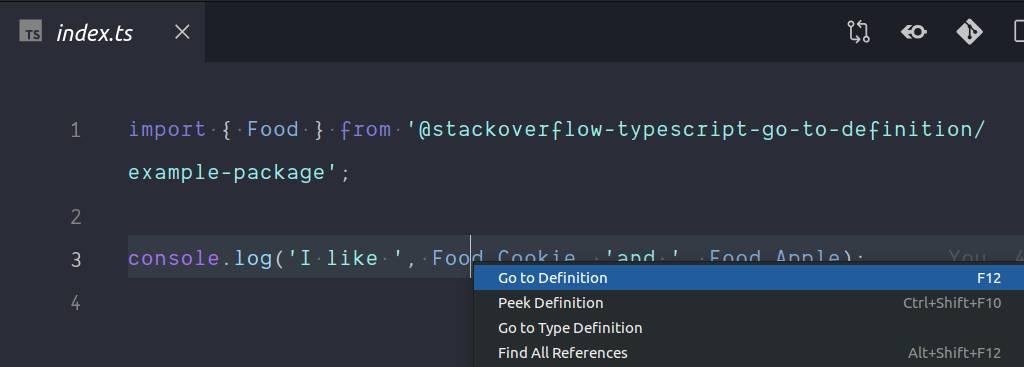
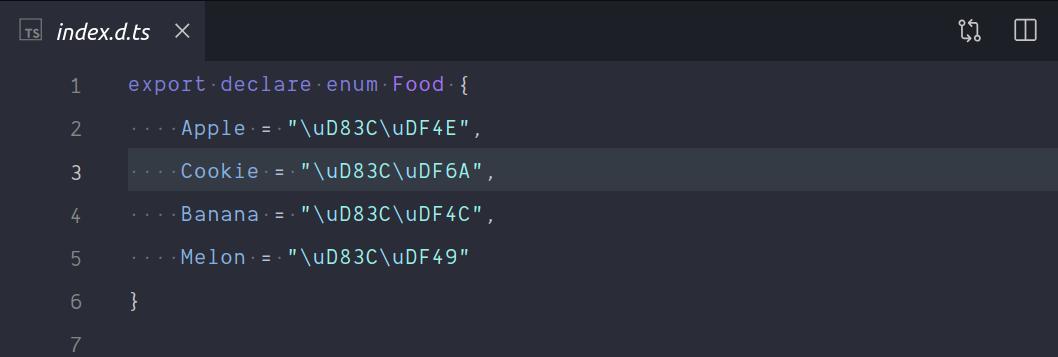
However, I want VSCode to open the corresponding .ts file in /src
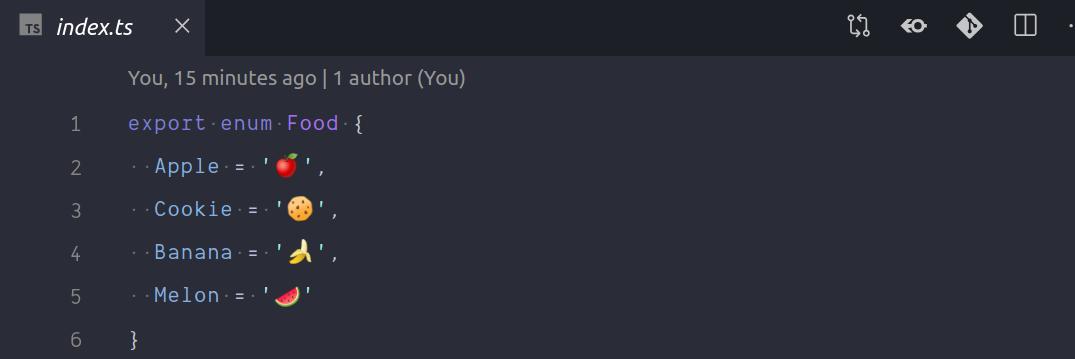
Is it possible to change this behavior, as it is really annoying to manually search for the source file.
I've created git repo, so that you can try it yourself: https://github.com/flolude/stackoverflow-typescript-go-to-definition
- you just need to run
yarn bootstrapin order to replicate the issue.
Answers
TypeScript 2.9 introduced a compilerOption called declarationMap. Per the release notes:
Enabling --declarationMap alongside --declaration causes the compiler to emit .d.ts.map files alongside the output .d.ts files. Language Services can also now understand these map files, and uses them to map declaration-file based definition locations to their original source, when available.
In other words, hitting go-to-definition on a declaration from a .d.ts file generated with --declarationMap will take you to the source file (.ts) location where that declaration was defined, and not to the .d.ts.
I submitted a PR on your example repo to enable this setting.

开发云社区提供前沿行业资讯和优质的学习知识,同时提供优质稳定、价格优惠的云主机、数据库、网络、云储存等云服务产品
更多推荐
 0
0 0
0- 0


 已为社区贡献4439条内容

所有评论(0)