How to change diff color Visual Studio Code
Answer a question
In User setting in VSCode I can add the following to User settings to change the color of lines that are inserted / deleted:
"workbench.colorCustomizations": {
    "diffEditor.removedTextBackground": "#000000",
    "diffEditor.insertedTextBackground": "#ffffff"
}
However I want to change the color of the highlighted part of inserted/changed lines that shows what was actually changed. With my current theme, there is not enough contrast:

How can I change this highlighted portion of the diff text? Is there a setting for this?
Answers
The way the diff editor current works is that it never alters the original text color
It creates a overlay background as can be seen here
https://github.com/Microsoft/vscode/blob/292732cd19cd4c6b0e11e779d14be480ff186ca8/src/vs/editor/browser/widget/diffReview.ts#L654
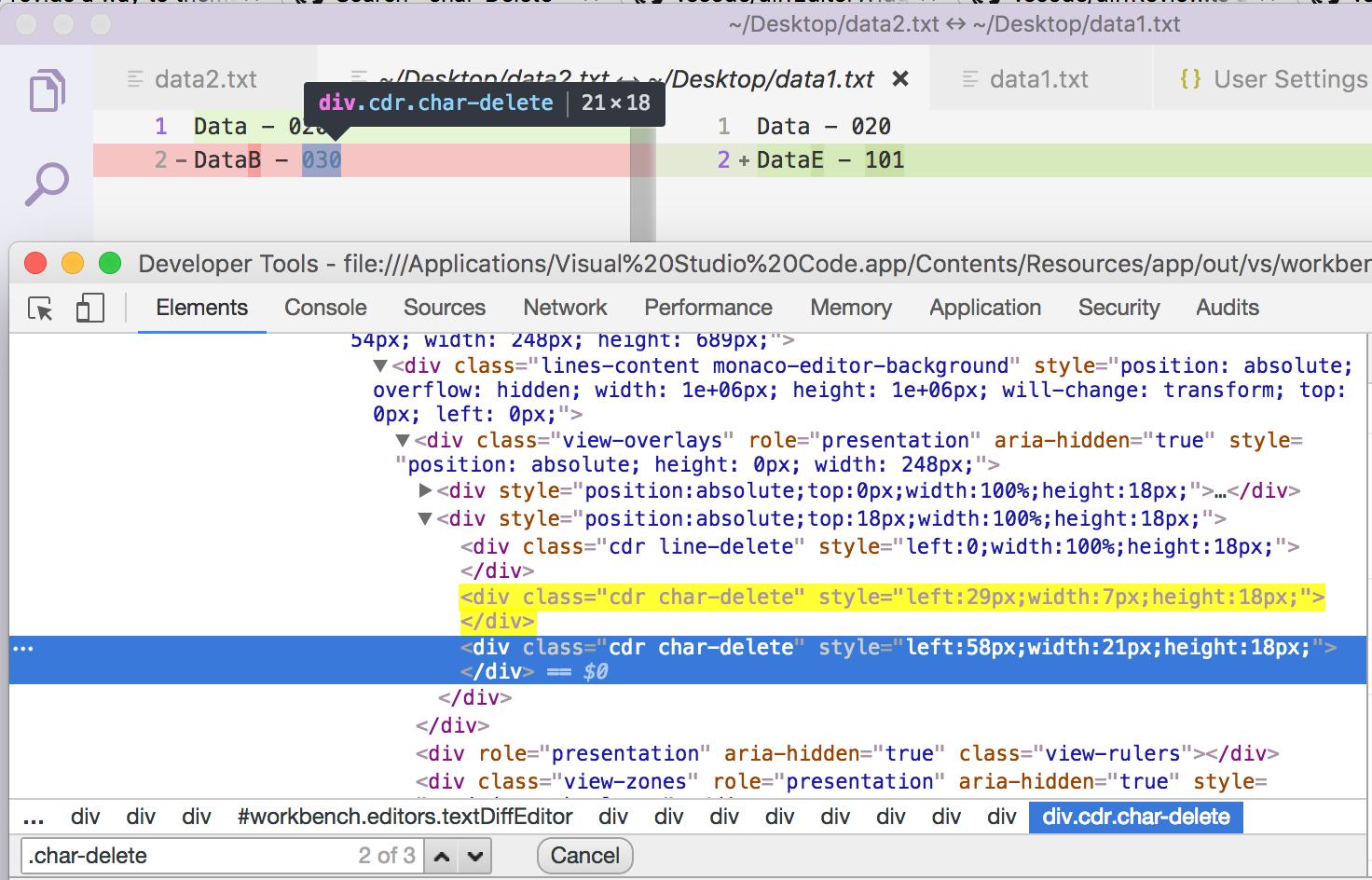
So basically text renders as it is and the overlay gives the feel that you have a different background.
That is why you can't control the text color or set a foreground color. This is the limitation of current approach that VSCode/MonacoEditor takes
Update-1
Since you need to update background only. The only issue in your config earlier was there was no alpha channel specified. You can update it like below
"workbench.colorCustomizations": {
    "diffEditor.removedTextBackground": "#FF000055",
    "diffEditor.insertedTextBackground": "#ffff0055"
}
Where 55 is the alpha channel value. The updated values will have below effect

Update 2 - 5th Jun 2018
You can't control two line colour and char colour separately through normal way. But you can use a custom css plugin for vscode
https://github.com/be5invis/vscode-custom-css

开发云社区提供前沿行业资讯和优质的学习知识,同时提供优质稳定、价格优惠的云主机、数据库、网络、云储存等云服务产品
更多推荐
 0
0 0
0- 0


 已为社区贡献4439条内容

所有评论(0)