How to separate changed files from untracked files in vscode?
Answer a question
I am checking out vscode to see if it does anything better than other options out there. I have the native version control and GitLens installed. I am trying to figure out how to work with version control and one thing has been puzzling. Both GitLens and native source control list both files that are not in the repository and the files that have changed since the last commit in the same list. Is there any way to group these files separately, the way git status does in either of the interfaces?
Answers
VSCode 1.40 (Oct. 2019) seems to provide just that:
Git: Improved untracked files management
You can now manage untracked files separately by using the Git:
Untracked Changessetting.
- Choose the
separateoption, if you'd like to see untracked files in a separate group in theSource Controlview.- Choose
hiddenif you'd like to never see them.The default commit action will adjust itself to this setting and will only include untracked changes in a commit when using the
mixedsetting value.
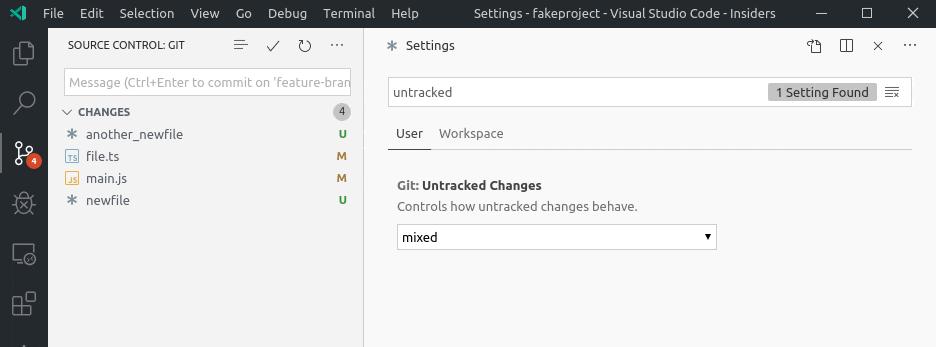
With VSCode 1.67 (Apr. 2022), setting untrackedChanges to mixed will avoid performance issue.
See issue 140755:
For very large git repositories, the
-uoption (an alias for-uall) can sometimes makegit statustake a large amount of time and CPU.Would like to have an option (off by default) to ignore individual files in untracked directories, which is the default behavior of git status with no arguments (equivalent to
-unormal).

开发云社区提供前沿行业资讯和优质的学习知识,同时提供优质稳定、价格优惠的云主机、数据库、网络、云储存等云服务产品
更多推荐
 0
0 0
0- 0


 已为社区贡献4439条内容

所有评论(0)