VSCode: How to run a command after each terminal open?
Answer a question
On Windows I have to run the command start-ssh-agent.cmd on each new terminal session I open. My development environment is VSCode, and I open a dozen new terminals each day. After each terminal open, I have to manually run this command.
Is there is a way to run this command on the terminal each time I open one ?
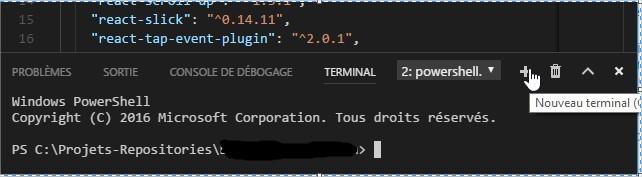
This may take the form of a VSCode extension, VSCode configuration (settings) or a Windows environment configuration.
Any idea?
Answers
On Linux systems you should use:
"terminal.integrated.shellArgs.linux"
On Windows and OSX:
terminal.integrated.shellArgs.windows
and
terminal.integrated.shellArgs.osx
respectively.
If you want to apply shellArgs setting on a per-workspace basis - you can, despite the fact that documentation says:
The first time you open a workspace which defines any of these settings, VS Code will warn you and subsequently always ignore the values after that
At least version 1.42 of VSCode asks you something like:
"This workspace wants to set
shellArgs, do you want to allow it?"
See issue 19758
On Linux, if you are using bash (default for shell in VSCode), there are some subtleties:
-
"terminal.integrated.shellArgs.linux": ["your_init_script.sh"]will execute the script and close terminal right away. To prevent this you'll have to end the script with
$SHELLcommand.#!/bin/bash echo "init" export PATH=$PATH:/xxx/yyy/zzz # or do whatever you want $SHELLBut that way you end up in a subshell. Sometimes it's unacceptable (Read 1) (Read 2).
-
"terminal.integrated.shellArgs.linux": ["--init-file", "your_init_script.sh"]will leave you in the initial shell, but will not execute the
.bashrcinit file. So you may want tosource ~/.bashrcinsideyour_init_script.sh#!/bin/bash source ~/.bashrc echo "init" export PATH=$PATH:/xxx/yyy/zzz # or do whatever you want -
And if you already have
some_init_script.shin a repository, and for some reason don't feel like addingsource ~/.bashrcinto it, you can use this:"terminal.integrated.shellArgs.linux": ["--init-file", "your_init_script.sh"]your_init_script.sh:
#!/bin/bash source ~/.bashrc source some_init_script.shsome_init_script.sh:
#!/bin/bash
echo "init"
export PATH=$PATH:/xxx/yyy/zzz # or do whatever you want
Outside of VSCode you can do without creating extra file. Like this
bash --init-file <(echo "source ~/.bashrc; source some_init_script.sh")But I could not pass this string into
terminal.integrated.shellArgs.linux- it needs to be split into array somehow. And none of the combinations I've tried worked.
Also, you can open terminal at a specific folder:
terminal.integrated.cwd
Change env:
"terminal.integrated.env.linux"
"terminal.integrated.env.windows"
"terminal.integrated.env.osx"
And even change terminal to your liking with
terminal.integrated.shell.linux
terminal.integrated.shell.windows
terminal.integrated.shell.osx
Or
terminal.external.linuxExec
terminal.external.osxExec
terminal.external.windowsExec

开发云社区提供前沿行业资讯和优质的学习知识,同时提供优质稳定、价格优惠的云主机、数据库、网络、云储存等云服务产品
更多推荐
 0
0 0
0- 0


 已为社区贡献4439条内容

所有评论(0)