What is 'Restricted mode' in the VS Code status bar and how can I disable it?
Answer a question
In VS Code 1.57, I see this on the left of my status bar:
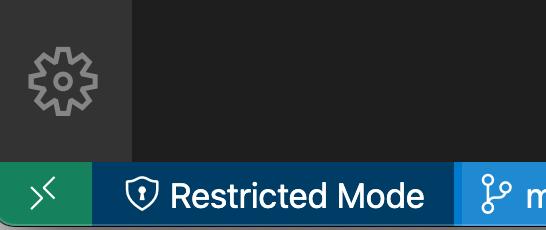
What is Restricted mode and how I can I remove this from my status bar?
Answers
Restricted mode means that you are currently working in an untrusted workspace ('restricted mode'). In 'restricted mode', some editor features (debugging, tasks, some extensions) are disabled to keep you safe when dealing with a project from an unknown source.
To disable the Restricted mode status bar entry:
- Right click in the status bar
- Uncheck the
workspace trustentry
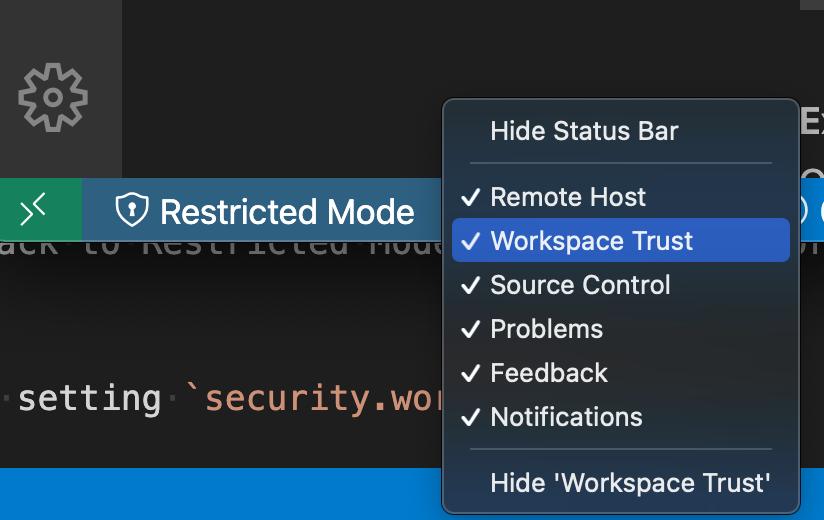
Note that this only hides the status bar entry, it does not change the trusted state of the workspace. This answer covers more details on workspace trust, how to trust a workspace (which also removes the status bar entry), and how to disable workspace trust entirely if needed
Even after disabling the Restricted Mode status bar entry, you can always trust the workspace with the Workspace: Manage Workspace Trust command

开发云社区提供前沿行业资讯和优质的学习知识,同时提供优质稳定、价格优惠的云主机、数据库、网络、云储存等云服务产品
更多推荐
 0
0 0
0- 0


 已为社区贡献4439条内容

所有评论(0)