How to show full long line in visual studio code (word wrap off)
Answer a question
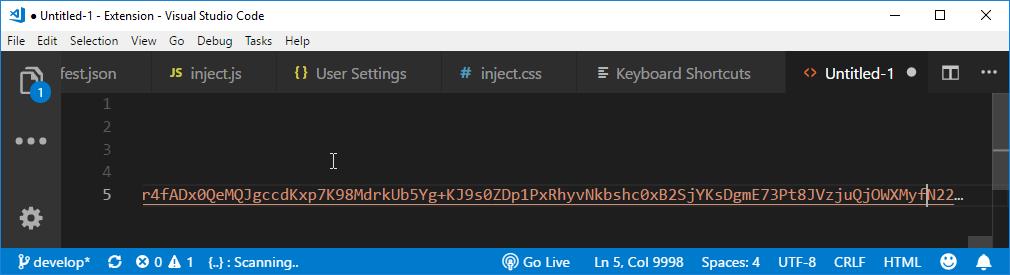
I want to be able to view complete long line (on a single line) in visual studio code. The editor is terminating the line with ... at the end.
I can press the End key to move to the last column of the line but its not visible in the viewport.
Is there any option to be able to view complete long lines like we can in Sublime Text or Notepad++?
Answers
The answer is in this GitHub issue:
The current recommendation is to turn on word wrapping if the intent is to edit past the 10k limit or change the limit via the "hidden" setting "editor.stopRenderingLineAfter" which is equal to 10000 by default, but which can be changed to -1 to never stop rendering. But then freezes/lagging might occur.
In other words, use CTRL + SHIFT + P to open up the Command Palette, select Preferences: Open Settings (JSON), and add the following line:
"editor.stopRenderingLineAfter" : -1
If you want to set a hard limit just change the -1 to whatever number of characters you want. Note that you might still get wrapping happening if you haven't disabled it, which you can toggle with ALT + Z or using the other methods mentioned in this Stack Overflow post.

开发云社区提供前沿行业资讯和优质的学习知识,同时提供优质稳定、价格优惠的云主机、数据库、网络、云储存等云服务产品
更多推荐
 0
0 0
0- 0


 已为社区贡献4438条内容

所有评论(0)