VS Code shortcut to focus integrated terminal
Answer a question
UPDATE: This issue fixed in a later version of VS Code (tested 1.41.1) control + ` works for both opening and focusing events
How to focus to the integrated terminal while it is showing?
https://code.visualstudio.com/shortcuts/keyboard-shortcuts-macos.pdf
There's a shortcut to show the integrated terminal. But that will hide the terminal if it's already open. It would be nice if there's a shortcut to focus on terminal while typing on editor.
Answers
What you are looking for is the Terminal: Focus Terminal command. By default it's not assigned to a shortcut but you can easily do this using the keyboard shortcut preferences.
You can also call it from the Command Palette by pressing the F1 and typing Focus Terminal.
Keep in mind that this command will also create a new integrated terminal window if one is not already active.
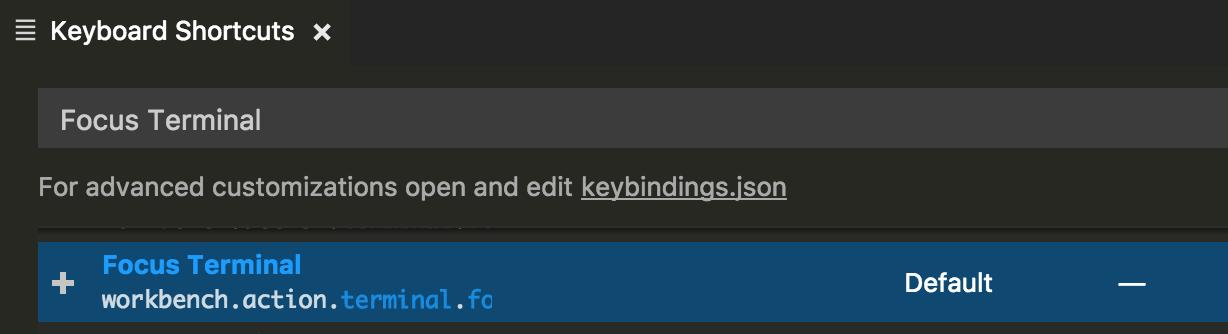
To access the keyboard shortcuts preferences, activate the Command Palette by pressing F1 and then type open keyboard shortcuts. To assign new shortcut for a command, press the + symbol visible on the left side of a row. Popup will appear where you should record your desired keys.

开发云社区提供前沿行业资讯和优质的学习知识,同时提供优质稳定、价格优惠的云主机、数据库、网络、云储存等云服务产品
更多推荐
 0
0 0
0- 0


 已为社区贡献4439条内容

所有评论(0)