Visual Studio Code - Terminal Blank Screen
Answer a question
I've been using Visual Studio Code since it was in beta and one of the features I like best about it is the integrated terminal for using the Angular CLI in app. I've had it working fine since I had the laptop, but I re-installed Windows 10 over the Xmas break and obviously as a result had to re-install Visual Studio Code.
Since then I've had issues with the Terminal, it's blank until you hit return, at which point you see the path, but not the usual copyright notice you should get from the Windows Command Line.
Before hitting return: 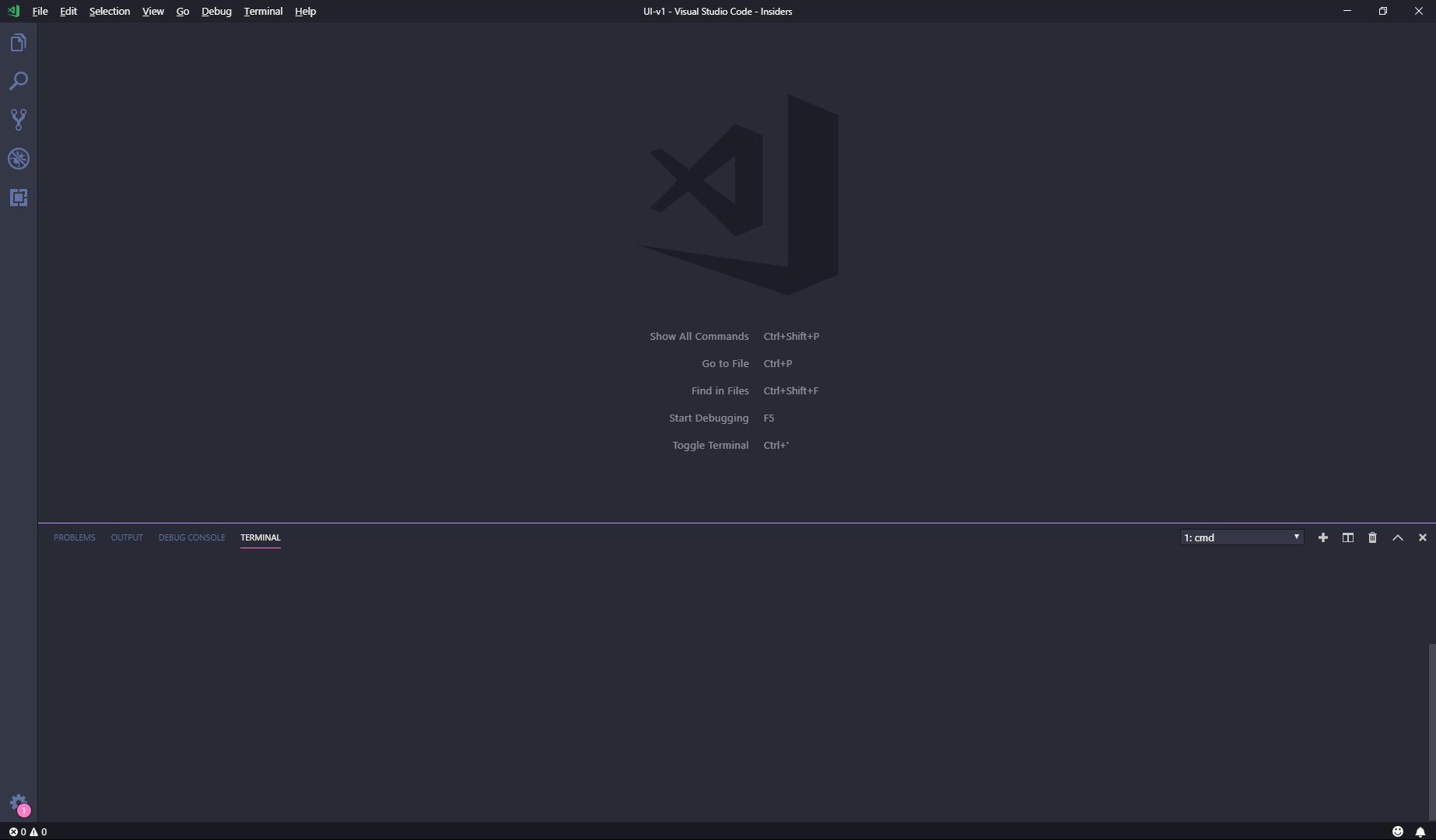
After hitting return: 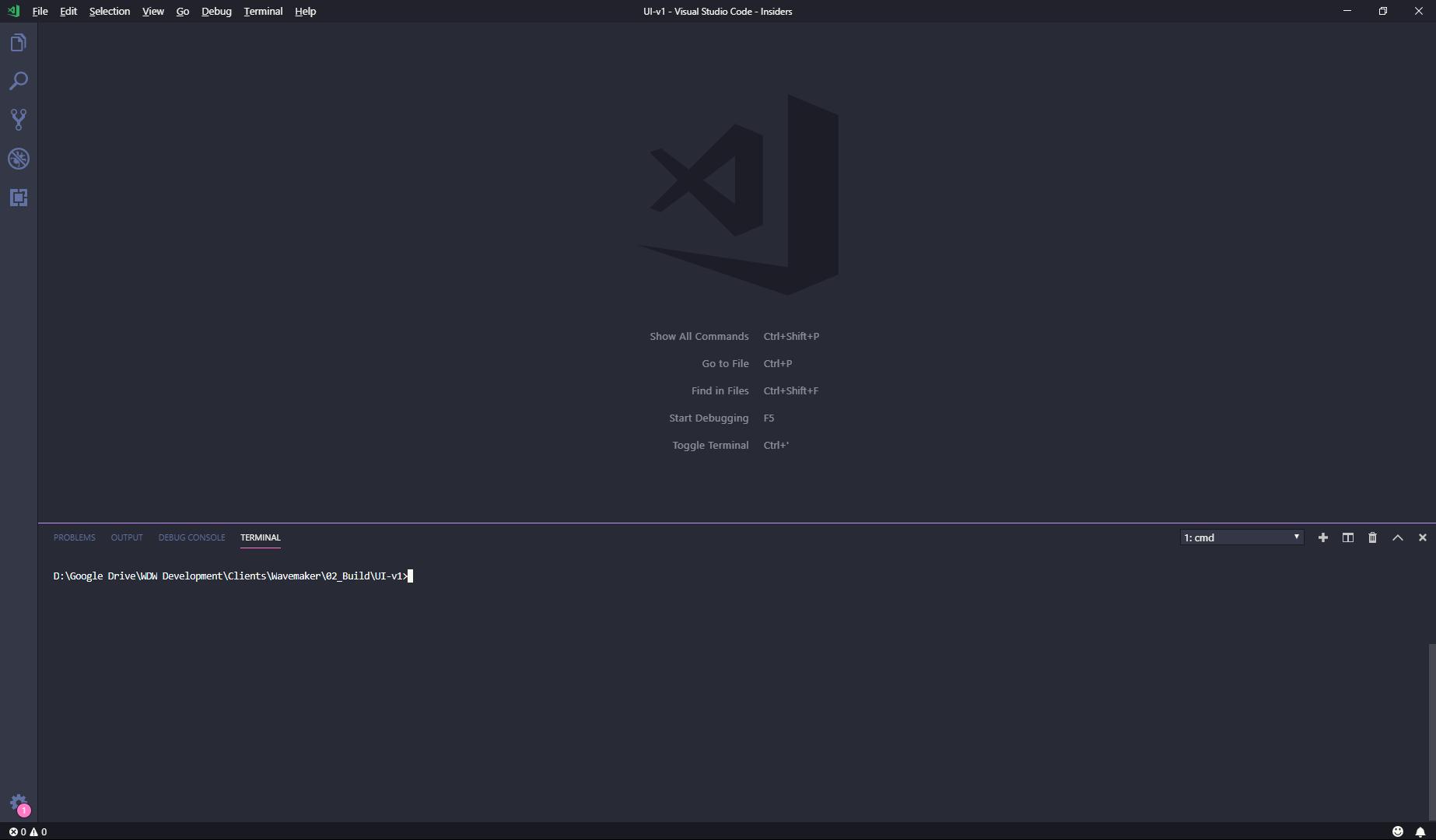
And this is what I was expecting directly from the Windows 10 Command Line: 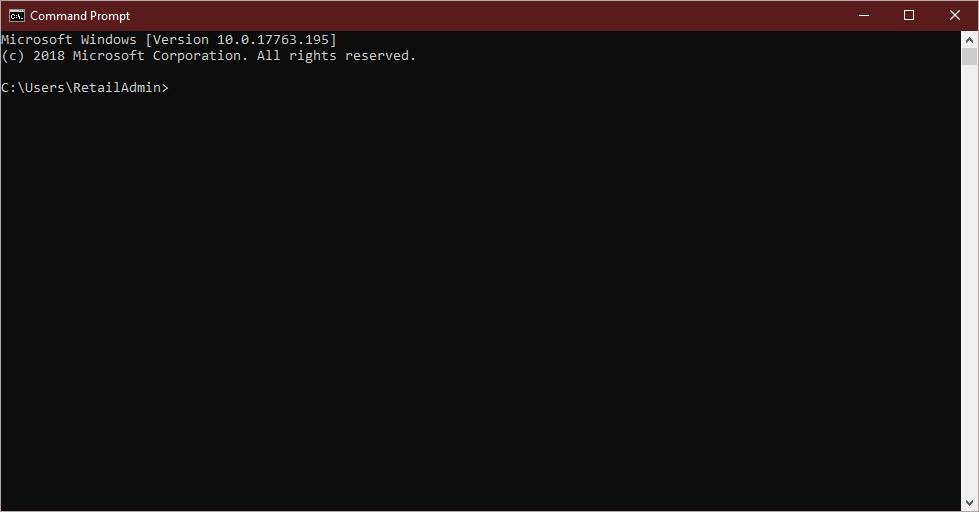
So far I've tried the following:
- The usual Windows shut down / restart
- Re-installing VS Code (even changed from regular to insiders)
- Changing the default Command Line Shell from CMD to Powershell and back again
- Adding a new Command Line Shell
Is there anything else I can try? Has anyone else encountered the same issue?
Answers
After some research I've found that this is a bug in VS Code with the application they use to integrate the shell. Looks like Android Studio has the same issue too. You can read about the more specific how / when / what etc. here:
https://github.com/Microsoft/vscode/issues/57803
This has been fixed on the insiders release that landed for me today (08/01/2019), not sure when this will be rolled out to the general release (if not January then I would imagine it might roll out in February barring no further issues).
So for anyone else still getting this issue, update to the latest version of VS Code. If you have done and you're still getting the same problem you can check and report issues here:
https://github.com/Microsoft/vscode/issues

开发云社区提供前沿行业资讯和优质的学习知识,同时提供优质稳定、价格优惠的云主机、数据库、网络、云储存等云服务产品
更多推荐
 0
0 0
0- 0


 已为社区贡献4439条内容

所有评论(0)