How do I change color of comments in visual studio code?
Answer a question
I went through https://code.visualstudio.com/docs/getstarted/theme-color-reference but can't seem to find the setting for changing the comment color.
I am currently using Atom One Dark Theme and just like to lighten the color a little bit so I can read it better.
Answers
From 1.15 (July 2017) you can change it from settings.json Ctrl+,
"editor.tokenColorCustomizations": {
    "comments": "#d4922f"
},
From 1.20 (January 2018) you can also do it for each theme separately:
"editor.tokenColorCustomizations": {
    "[Atom One Dark]": {
        "comments": "#d4922f"
    }
},
Or now you can specify settings for multiple themes at once as "[Atom One Dark][Tomorrow Night Blue]": {...}
Finding the right scope:
Developer: Inspect TM Scopes editor.action.inspectTMScopes
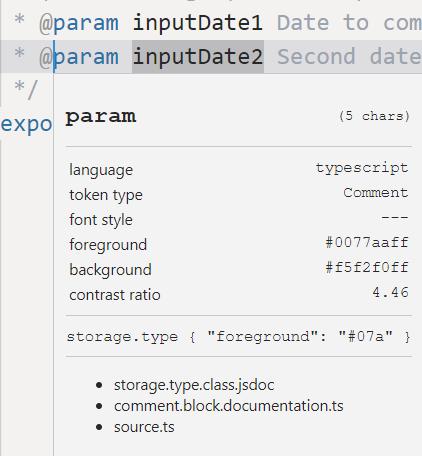
Selector priority:
https://code.visualstudio.com/blogs/2017/02/08/syntax-highlighting-optimizations#_textmate-themes
Ok, more examples (for js):
"editor.tokenColorCustomizations": {
    "textMateRules": [{
        "scope": "INSERT_SCOPE_HERE",
        "settings": {
            "foreground": "#ff0000"
        }
    }]
}
comment 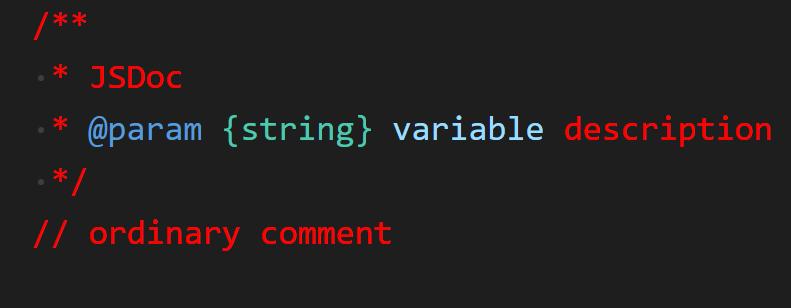
punctuation.definition.comment 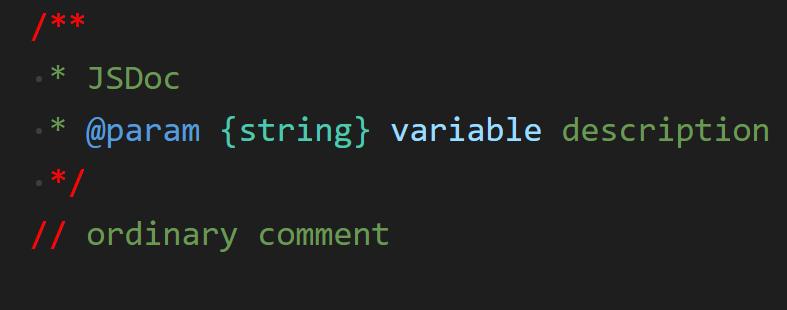
comment.block.documentation 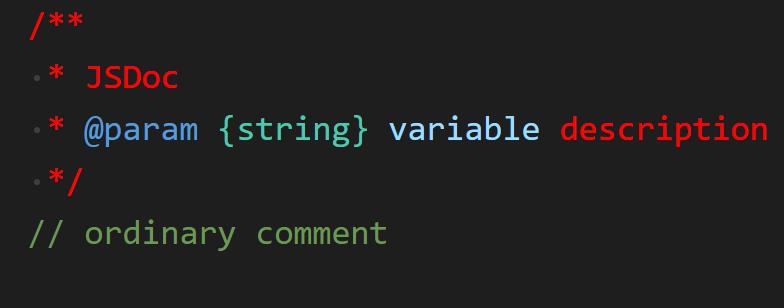
storage.type.class.jsdoc 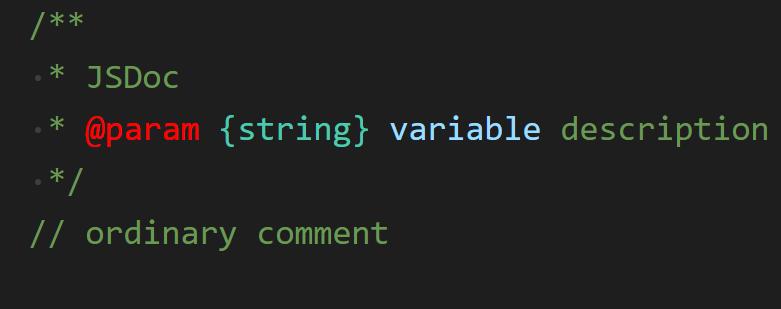
entity.name.type.instance.jsdoc 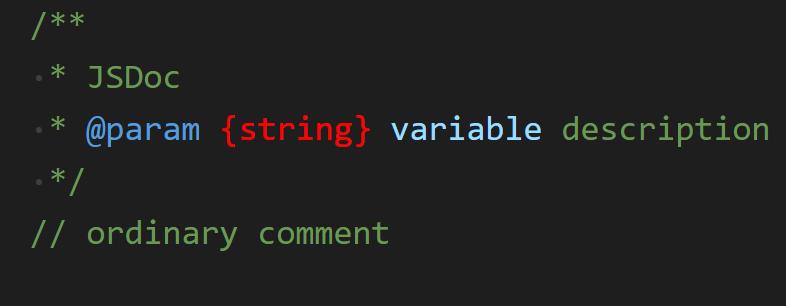
variable.other.jsdoc 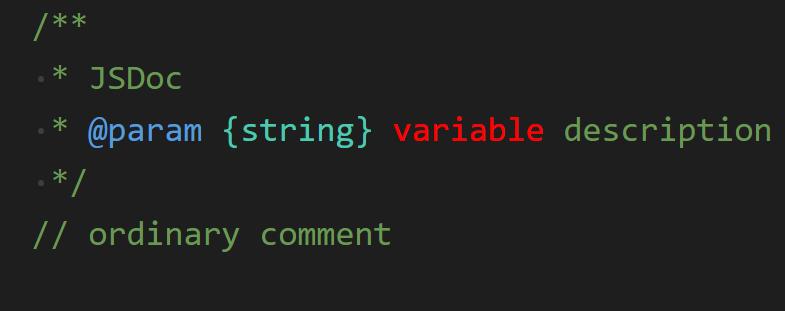

开发云社区提供前沿行业资讯和优质的学习知识,同时提供优质稳定、价格优惠的云主机、数据库、网络、云储存等云服务产品
更多推荐
 0
0 0
0- 0


 已为社区贡献4439条内容

所有评论(0)