
Docker 安装 Nginx
·
- 拉取
nginx:1.29.2镜像
# 指定具体版本号 1.29.2
docker pull nginx:1.29.2
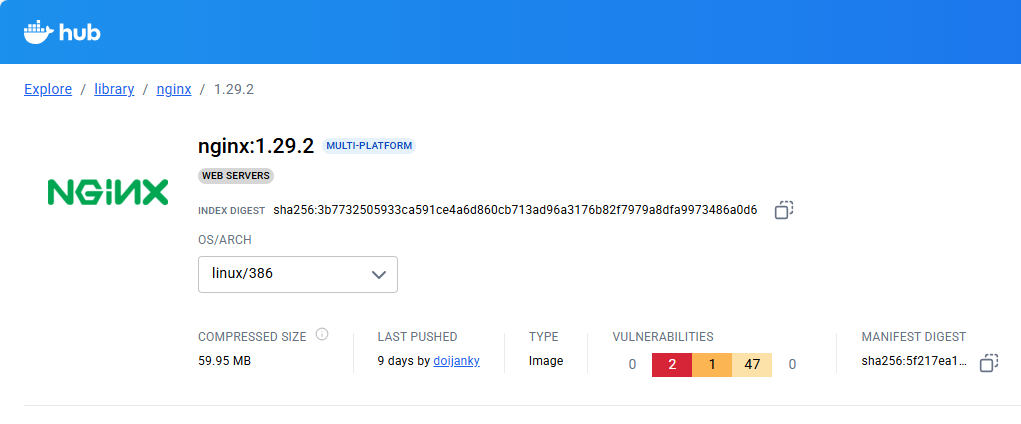
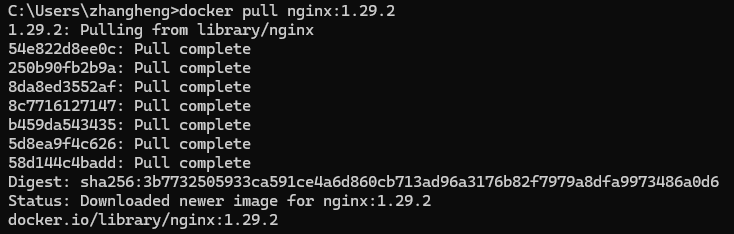
- 导出镜像,执行命令,如下
docker save nginx:1.29.2 > nginx_1.29.2.tar
# linux 环境中如果有 gzip 命令,还可以执行以下命令进行压缩
# docker save nginx:1.29.2 | gzip > nginx_1.29.2.tar.gz

- 上传到
Linux虚拟机内/opt/docker-temp,导入镜像,执行命令,如下
cd /opt/docker-temp
docker load < nginx_1.29.2.tar

- 创建
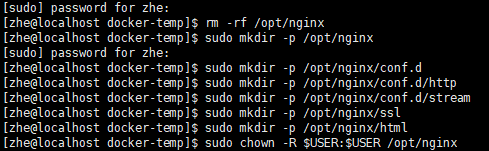
/opt/nginx/opt/nginx/conf.d/opt/nginx/conf.d/http/opt/nginx/conf.d/stream/opt/nginx/ssl/opt/nginx/html目录,用以放置nginx相关文件,执行命令,如下
sudo mkdir -p /opt/nginx
sudo mkdir -p /opt/nginx/conf.d
sudo mkdir -p /opt/nginx/conf.d/http
sudo mkdir -p /opt/nginx/conf.d/stream
sudo mkdir -p /opt/nginx/ssl
sudo mkdir -p /opt/nginx/html
sudo chown -R $USER:$USER /opt/nginx
- 在
/opt/nginx目录下创建nginx.conf文件,文件内容如下
sudo vi /opt/nginx/nginx.conf
user  nginx;
worker_processes  auto;

error_log  /var/log/nginx/error.log notice;
pid        /run/nginx.pid;


events {
    worker_connections  1024;
}


# tcp/udp 代理
stream {
    include /etc/nginx/conf.d/stream/*.conf;
}


http {
    include       /etc/nginx/mime.types;
    default_type  application/octet-stream;

    log_format  main  '$remote_addr - $remote_user [$time_local] "$request" '
                      '$status $body_bytes_sent "$http_referer" '
                      '"$http_user_agent" "$http_x_forwarded_for"';

    access_log  /var/log/nginx/access.log  main;

    sendfile        on;
    #tcp_nopush     on;

    keepalive_timeout  65;

    # 启用Gzip压缩功能
    gzip on;
    # 小于1KB的文件不压缩(避免小文件压缩后反而变大)
    gzip_min_length 1k;
    # 压缩缓冲区设置(16个8k缓冲区)
    gzip_buffers 16 8k;
    # 最低HTTP版本要求(兼容代理服务器)
    gzip_http_version 1.1;
    # 压缩级别1-9(推荐4-6平衡性能)
    gzip_comp_level 6;
    # 需要压缩的MIME类型(文本类资源)包括Web字体和SVG
    gzip_types text/plain text/css text/javascript application/json application/javascript application/x-javascript text/xml application/xml application/xml+rss font/ttf font/otf image/svg+xml;
    # 添加Vary头(支持代理缓存)
    gzip_vary on;
    # 对所有代理请求启用压缩
    gzip_proxied any;
    # 禁用IE6压缩(兼容性处理)
    gzip_disable "MSIE [1-6]\.";

    # 隐藏版本号
    server_tokens off;

    # SSL证书配置
    ssl_certificate /etc/nginx/ssl/server.crt;
    ssl_certificate_key /etc/nginx/ssl/server.key;
    # 可选的SSL参数
    ssl_protocols TLSv1.1 TLSv1.2 TLSv1.3;  # 指定SSL协议版本
    ssl_ciphers 'EECDH+AESGCM:EDH+AESGCM:AES256+EECDH:AES256+EDH';  # 指定加密算法
    ssl_prefer_server_ciphers on;  # 优先使用服务器端配置的加密算法
    ssl_session_timeout 1d;  # 设置SSL会话超时时间
    ssl_session_cache shared:SSL:50m;  # 设置SSL会话缓存大小

    # 客户端最大限制 500M
    client_max_body_size 500M;

    include /etc/nginx/conf.d/default.conf;
    include /etc/nginx/conf.d/http/*.conf;
}
- 在
/opt/nginx/conf.d目录下创建default.conf文件,文件内容如下
sudo vi /opt/nginx/conf.d/default.conf
server {
    listen       80;
    listen  [::]:80;
    server_name  localhost;

    #access_log  /var/log/nginx/host.access.log  main;

    location / {
        root   /usr/share/nginx/html;
        index  index.html index.htm;
    }

    #error_page  404              /404.html;

    # redirect server error pages to the static page /50x.html
    #
    error_page   500 502 503 504  /50x.html;
    location = /50x.html {
        root   /usr/share/nginx/html;
    }

    # proxy the PHP scripts to Apache listening on 127.0.0.1:80
    #
    #location ~ \.php$ {
    #    proxy_pass   http://127.0.0.1;
    #}

    # pass the PHP scripts to FastCGI server listening on 127.0.0.1:9000
    #
    #location ~ \.php$ {
    #    root           html;
    #    fastcgi_pass   127.0.0.1:9000;
    #    fastcgi_index  index.php;
    #    fastcgi_param  SCRIPT_FILENAME  /scripts$fastcgi_script_name;
    #    include        fastcgi_params;
    #}

    # deny access to .htaccess files, if Apache's document root
    # concurs with nginx's one
    #
    #location ~ /\.ht {
    #    deny  all;
    #}
}
- 在
/opt目录下创建docker-compose.yaml文件,添加nginx配置文件引入
sudo vi /opt/docker-compose.yaml
name: zhe

include:
  - /opt/nginx/nginx-compose.yaml
- 在
/opt/nginx目录下创建nginx-compose.yaml文件,添加nginx配置
sudo vi /opt/nginx/nginx-compose.yaml
services:
  nginx:
    image: nginx:1.29.2
    container_name: nginx
    restart: on-failure:30
    ports:
      - "80:80"
      - "443:443"
    volumes:
      - /opt/nginx/nginx.conf:/etc/nginx/nginx.conf
      - /opt/nginx/conf.d/default.conf:/etc/nginx/conf.d/default.conf
      - /opt/nginx/conf.d/http:/etc/nginx/conf.d/http
      - /opt/nginx/conf.d/stream:/etc/nginx/conf.d/stream
      - /opt/nginx/ssl:/etc/nginx/ssl
      - /opt/nginx/html:/usr/share/nginx/html
      - /opt/nginx/log:/var/log/nginx
- 以上配置新增了
TCP/UDP端口的代理、SSL的支持等相关配置。在conf.d下配置新增http和stream两个目录,分别放置自定义的streamhttp配置文件(需要注意配置文件必须以.conf结尾)。其中,http 就是常见的URL中的端口,比如:80、443;stream通常为TCP/UDP代理,比如:SSH 22端口、MySQL 3306端口等。SSL为域名证书的配置,若无证书,请注释/opt/nginx/nginx.conf中的SSL配置;如果有证书,需要调整证书名称和配置文件内引入名称保持一致。
http 代理参考如下
server {
     listen    8090;

     location / {
         proxy_pass http://127.0.0.1:18090;
     }
 }
stream 代理参考如下
server {
     listen    8022;

     proxy_pass http://127.0.0.1:18022;
 }
以上参考需要注意,在容器内的 IP 设置,127.0.0.1 代表的容器内部,实际情况一定要注意!!!
- 在
/opt或/opt/nginx目录下,启动nginx容器,执行命令,如下
cd /opt
# 修改所属者
sudo chown -R $USER:$USER /opt/nginx
docker compose up -d nginx

- 查看
nginx启动状态,执行命令,如下
docker ps

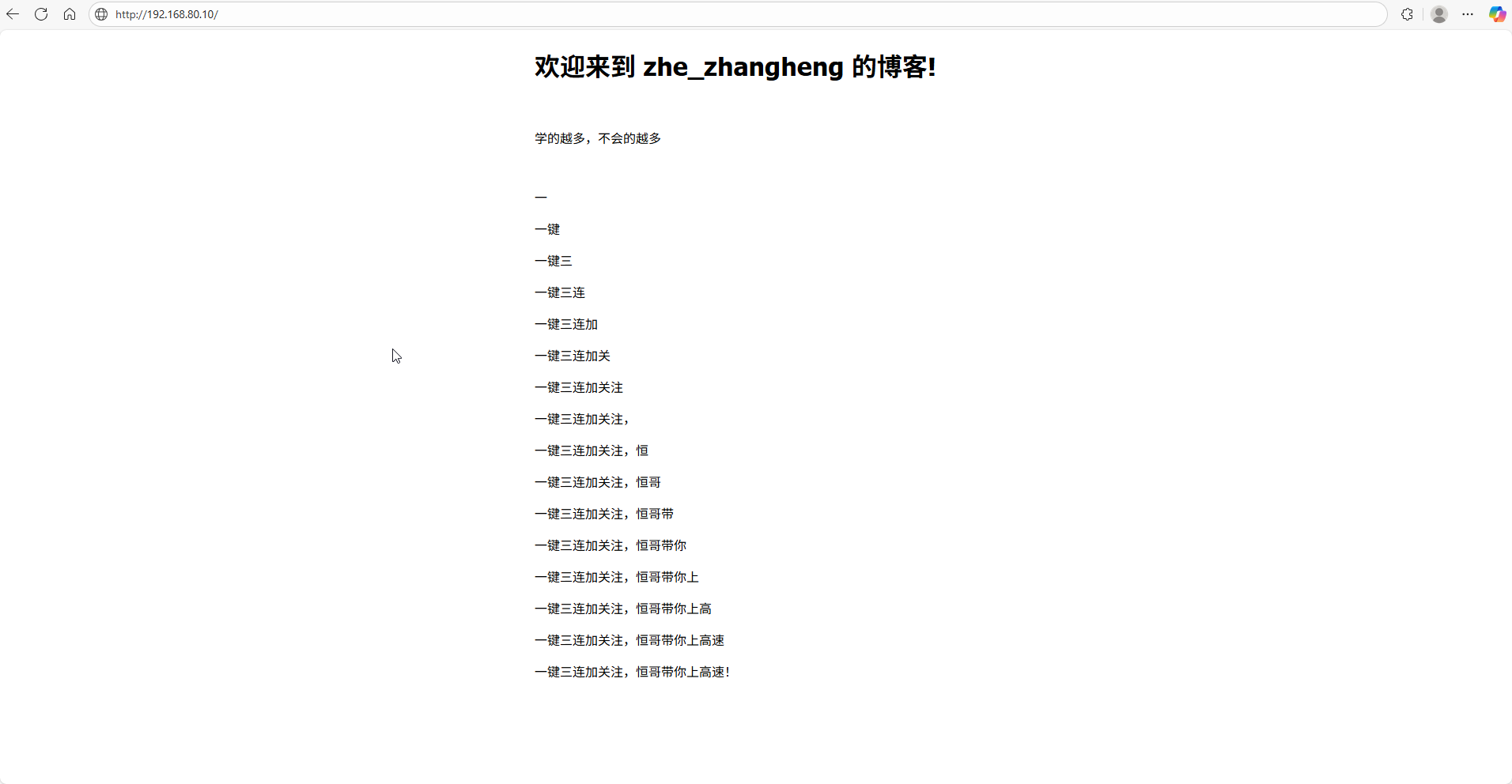
- 验证,我的
Docker环境是装在虚拟机(IP 192.168.80.10)上的,访问页面
- 补充自定义配置参考
# 默认虚拟主机
server {
    listen    8090 ssl default_server;
    listen    9091 ssl default_server;
    server_name _;  # 通配所有未匹配域名

    # 拦截非法请求
    return 403;
}

server {
    listen    8090 ssl;
    listen    9091 ssl;
    server_name  localhost 127.0.0.1 '这里可以配置多个,以空格隔开';

    proxy_set_header Host $host;  # 自动过滤非法Host
    proxy_set_header X-Forwarded-Host "";  # 清除危险头部
    # 保留原始客户端IP信息
    proxy_set_header X-Real-IP $remote_addr;
    proxy_set_header REMOTE-HOST $remote_addr;
    proxy_set_header X-Forwarded-For $proxy_add_x_forwarded_for;
    proxy_set_header X-Forwarded-Proto $scheme;

    # 拦截未匹配到请求类型的请求
    if ($request_method !~ ^(GET|HEAD|POST|PUT|DELETE)$ ) {
        return 405;
    }

    # 将请求头中 X_HTTP_METHOD_OVERRIDE 匹配到的请求还原
    set $method $request_method;
    if ($http_x_http_method_override ~* 'PUT|DELETE') {
        set $method $http_x_http_method_override;
    }
    proxy_method $method;

    # Web 服务静态资源
    location / {
        root   /usr/share/nginx/html;
        try_files $uri $uri/ /index.html;
        index  index.html index.htm;
    }

    # 其他 Web 服务静态资源
    location /zhe {
        # 需要注意,如果有多个静态资源需要访问,务必将资源进行挂载
        alias  /usr/share/nginx/zhe;
        try_files $uri $uri/ /zhe/index.html;
        index  index.html index.htm;
    }

    # 接口服务代理
    location /zhe-api/ {
        proxy_pass http://127.0.0.1:8080/;
    }

    # 文件服务代理
    location  /file-api/ {
        # 判断请求头是否有值,若无值则获取URL参数
        set $token $http_token;
        if ($http_token = "") {
            set $token $arg_token;
        }
        # 将最终值设置到请求头
        proxy_set_header token $token;

        proxy_pass http://127.0.0.1:8081/;
    }

    map $http_upgrade $connection_upgrade {
        default upgrade;
        ''      close;
    }

    # WebSocket 代理
    location /ws/ {
        proxy_pass http://127.0.0.1:8083/;

        proxy_http_version 1.1;

        proxy_set_header Upgrade $http_upgrade;
        proxy_set_header Connection $connection_upgrade;
    }

    # 避免actuator暴露
    if ($request_uri ~* "(a|%61)(c|%63)(t|%74)(u|%75)(a|%61)(t|%74)(o|%6f)(r|%72)") {
        return 403;
    }

    # redirect server error pages to the static page /50x.html
    error_page   500 502 503 504  /50x.html;
    location = /50x.html {
        root   html;
    }
}
更多推荐
 4
4 0
0- 0



 已为社区贡献4条内容

所有评论(0)