
Docker Compose 编排设备管理平台(nginx https的访问)
一,准备环境
关闭增强服务

准备容器
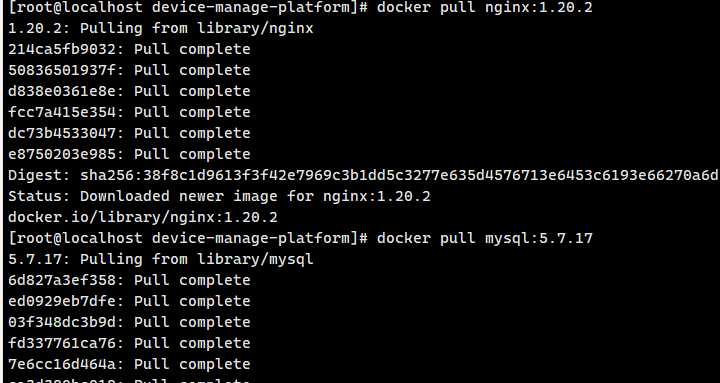
工作目录
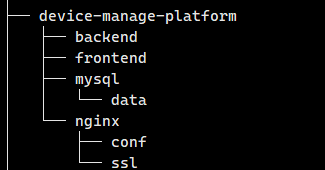
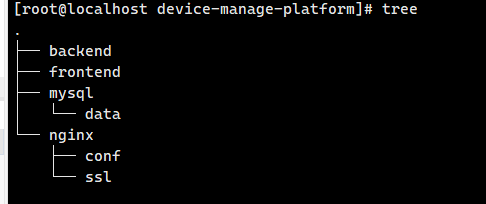
准备ssl证书(仅测试用)
临时购买阿里云域名暂未备案仅做内网测试用
yum install -y certbot

启动 DNS-01 验证,申请证书
certbot certonly --manual --preferred-challenges dns -d zhihan.icu
复制这行去阿里云
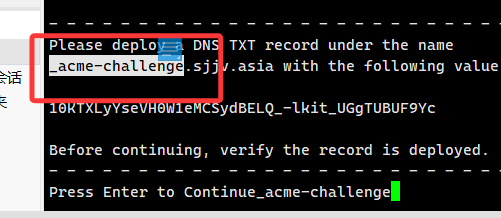
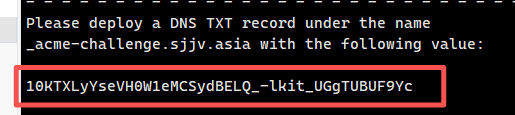
前往阿里云域名解析,添加解析
输入
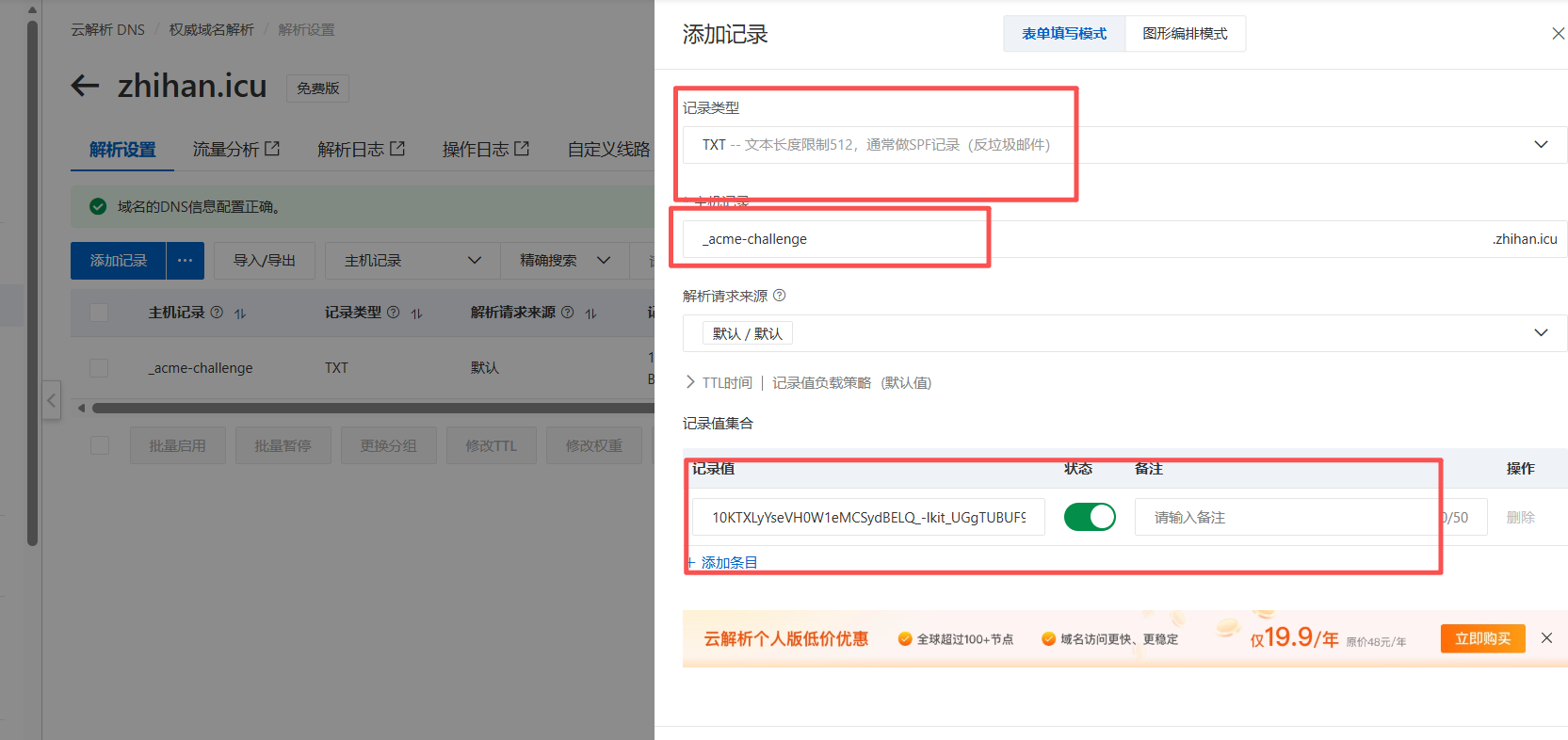
成功后
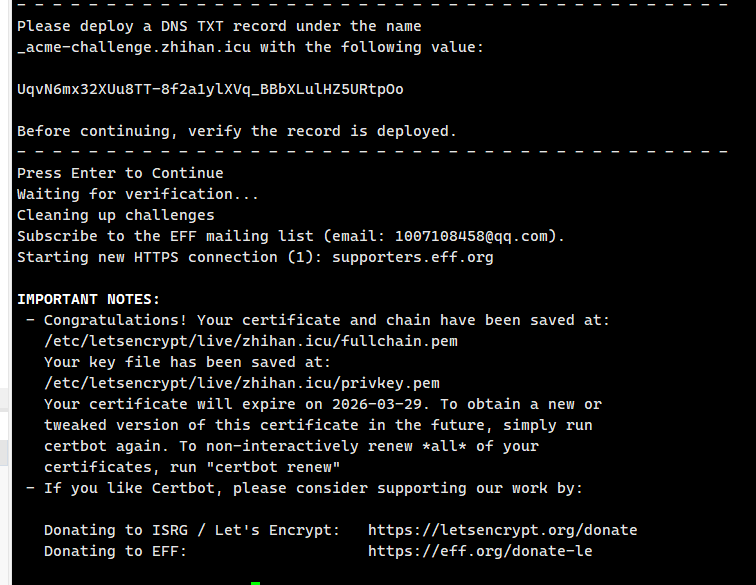
这是 Certbot 通过 DNS-01 验证后,成功申请到zhihan.icu域名证书的结果,核心信息如下:
1. 证书存储路径
证书及配套文件已保存至指定目录:
- 证书链文件:
/etc/letsencrypt/live/zhihan.icu/fullchain.pem(包含服务器证书与 CA 中间证书,用于客户端验证) - 私钥文件:
/etc/letsencrypt/live/zhihan.icu/privkey.pem(服务器证书对应的私钥,需确保权限安全,避免泄露)
复制你的证书到你的nginx配置文件
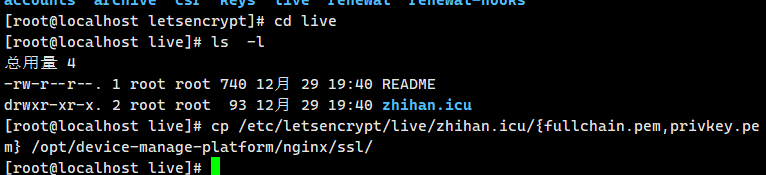
配置nginx文件
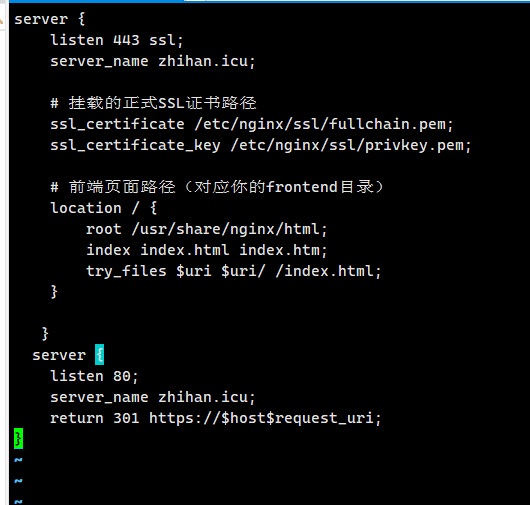
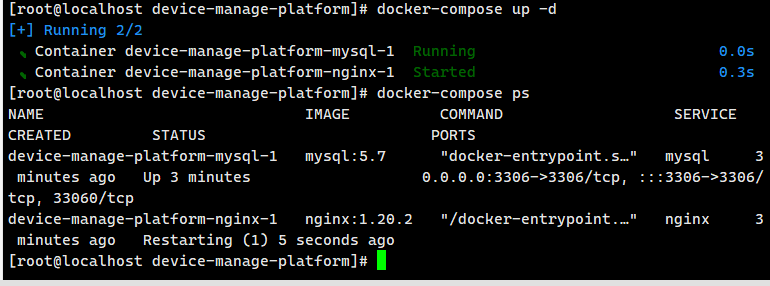
创建容器
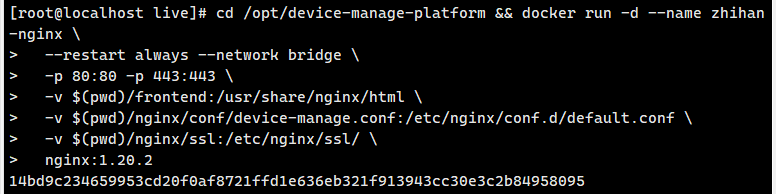
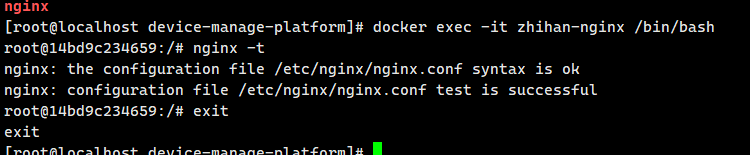
验证
浏览器验证

进入工作目录
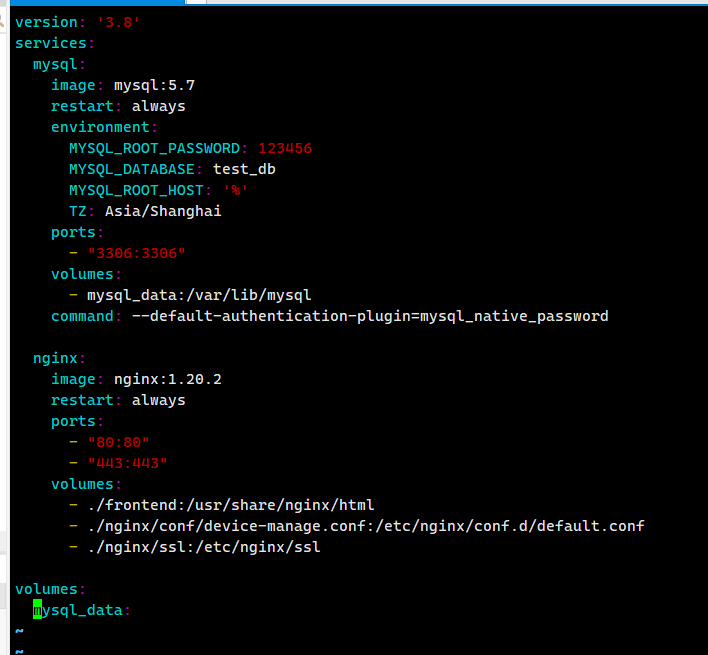
编写yml文件
[root@localhost device-manage-platform]# docker-compose config
name: device-manage-platform
services:
mysql:
environment:
MYSQL_DATABASE: test_db
MYSQL_ROOT_PASSWORD: "123456"
image: mysql:5.7
networks:
default: null
ports:
- mode: ingress
target: 3306
published: "3306"
protocol: tcp
restart: always
volumes:
- type: volume
source: mysql_data
target: /var/lib/mysql
volume: {}
nginx:
depends_on:
springboot-demo:
condition: service_started
required: true
image: nginx:1.20.2
networks:
default: null
ports:
- mode: ingress
target: 80
published: "80"
protocol: tcp
- mode: ingress
target: 443
published: "443"
protocol: tcp
restart: always
volumes:
- type: bind
source: /opt/device-manage-platform/frontend
target: /usr/share/nginx/html
bind:
create_host_path: true
- type: bind
source: /opt/device-manage-platform/nginx/conf/device-manage.conf
target: /etc/nginx/conf.d/default.conf
bind:
create_host_path: true
- type: bind
source: /opt/device-manage-platform/nginx/ssl
target: /etc/nginx/ssl
bind:
create_host_path: true
springboot-demo:
depends_on:
mysql:
condition: service_started
required: true
environment:
SPRING_DATASOURCE_PASSWORD: "123456"
SPRING_DATASOURCE_URL: jdbc:mysql://mysql:3306/test_db?useSSL=false&serverTimezone=UTC
SPRING_DATASOURCE_USERNAME: root
image: registry.cn-hangzhou.aliyuncs.com/zhangdapeng520/springboot-mysql-demo:1.0
networks:
default: null
restart: always
networks:
default:
name: device-manage-platform_default
volumes:
mysql_data:
name: device-manage-platform_mysql_data
配置mysql等
更多推荐
 28
28 0
0- 0


 已为社区贡献8条内容

所有评论(0)