
arm架构docker部署zabbix监控系统
·
【超级会员V3】通过百度网盘分享的文件:zabbix_a…
链接:https://pan.baidu.com/s/1eAohvXJBxc2jCAz8XHkW_w?pwd=fo32
复制这段内容打开「百度网盘APP 即可获取」
[root@localhost opt]# tree zabbix/
zabbix/
├── images
│   ├── mariadb.tar
│   ├── zabbix-agent.tar
│   ├── zabbix-server-mysql.tar
│   └── zabbix-web-nginx-mysql.tar
├── zabbix_agentd.conf
├── zabbix-agent.yaml
└── zabbix-server.yaml
images存放镜像文件夹
zabbix_agentd.conf zabbix-agent客户端配置
zabbix-agent.yaml zabbix-agent的docker-compose文件
zabbix-server.yaml zabbix-service的docker-compose文件
1、部署zabbix-server
[root@localhost zabbix]# cat zabbix-server.yaml
version: '3.8'

services:
  zabbix-server:
    image: docker.1ms.run/zabbix/zabbix-server-mysql:latest
    network_mode: "host"
    ports:
      - "10051:10051"
    volumes:
      - /etc/localtime:/etc/localtime:ro
    environment:
      DB_SERVER_HOST: "10.90.11.27"
      MYSQL_DATABASE: "zabbix"
      MYSQL_USER: "zabbix"
      MYSQL_PASSWORD: "zabbix_password"
      ZBX_TIMEZONE: "Asia/Shanghai"  # 设置时区,根据需要更改
    restart: unless-stopped
    depends_on:
      - mariadb

  zabbix-web:
    image:  docker.1ms.run/zabbix/zabbix-web-nginx-mysql:latest
    network_mode: "host"
    ports:
      - "8080:8080"
    volumes:
      - /etc/localtime:/etc/localtime:ro
    environment:
      DB_SERVER_HOST: "10.90.11.27"
      MYSQL_DATABASE: "zabbix"
      MYSQL_USER: "zabbix"
      MYSQL_PASSWORD: "zabbix_password"
      ZBX_TIMEZONE: "Asia/Shanghai"  # 设置时区,根据需要更改
    depends_on:
      - zabbix-server
      - mariadb

  mariadb:
    image: docker.1ms.run/library/mariadb:12.0
    network_mode: "host"
    ports:
    - "3306:3306"
    volumes:
      - /etc/localtime:/etc/localtime:ro
      - ./zabbix-db:/var/lib/mysql  # 持久化存储数据库数据
    environment:
      MYSQL_DATABASE: "zabbix"
      MYSQL_USER: "zabbix"
      MYSQL_PASSWORD: "zabbix_password"
      MYSQL_ROOT_PASSWORD: "root_password"  # MariaDB的root密码,用于初始化数据库时使用
    restart: unless-stopped


[root@localhost zabbix]# docker-compose -f zabbix-server.yaml  up -d
[+] Building 0.0s (0/0)                                                                                                                                                                              docker:default
[+] Running 6/6
 ✔ Container zabbix-mariadb-1                                               Started                                                                                                                            0.0s
 ! mariadb Published ports are discarded when using host network mode                                                                                                                                          0.0s
 ✔ Container zabbix-zabbix-server-1                                         Started                                                                                                                            0.0s
 ! zabbix-server Published ports are discarded when using host network mode                                                                                                                                    0.0s
 ✔ Container zabbix-zabbix-web-1                                            Started                                                                                                                            0.0s
 ! zabbix-web Published ports are discarded when using host network mode                                                                                                                                       0.0s
[root@localhost zabbix]#
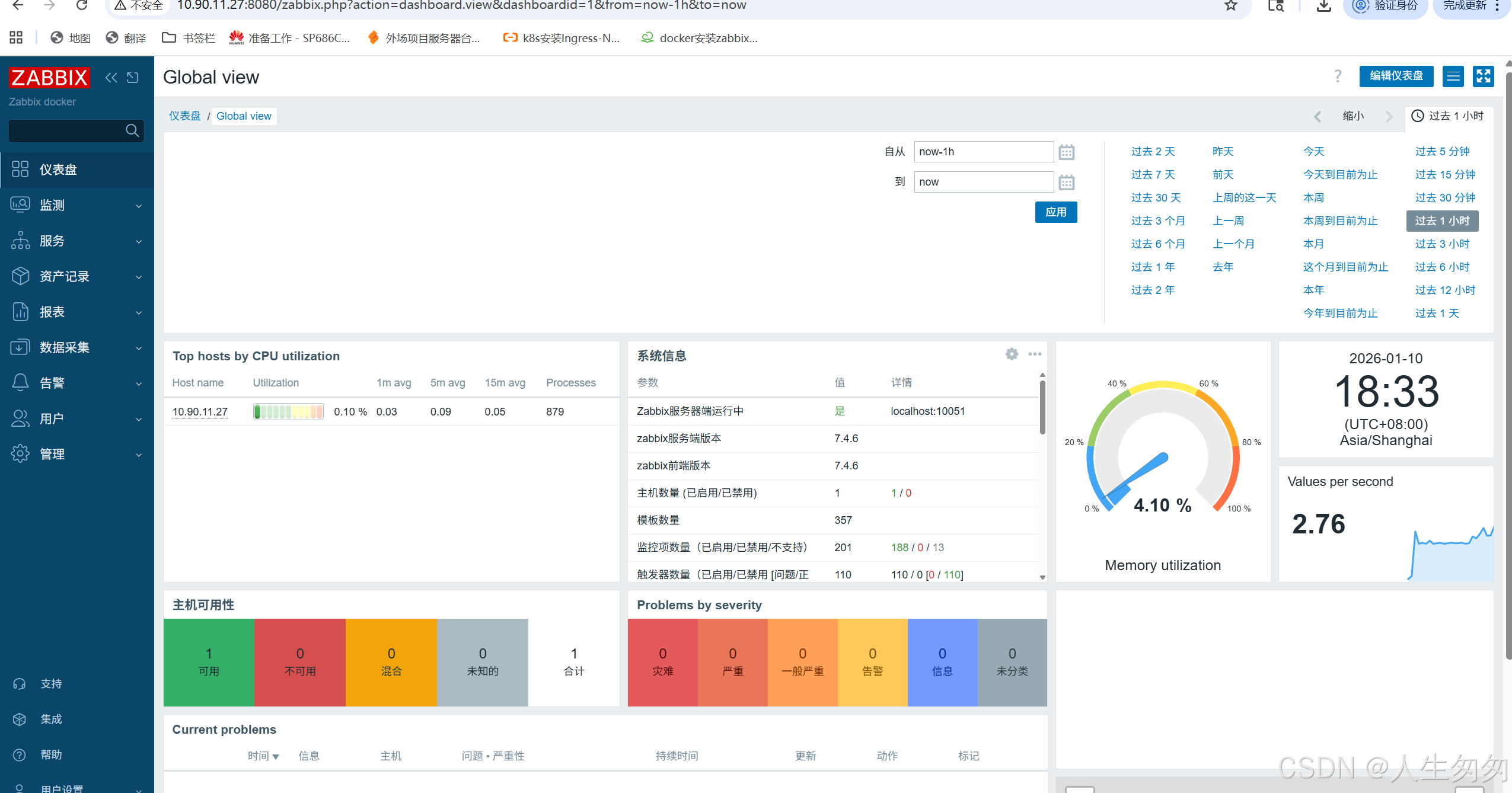
访问:http://IP:8080
用户:admin
密码:zabbix
2、部署zabbix-agent
配置挂载文件
[root@localhost zabbix]# cat zabbix_agentd.conf
# Zabbix Agent配置文件
PidFile=/etc/zabbix/zabbix_agentd.pid
LogFile=/etc/zabbix/zabbix_agentd.log
LogType=file
Server=10.90.11.27
ServerActive=10.90.11.27
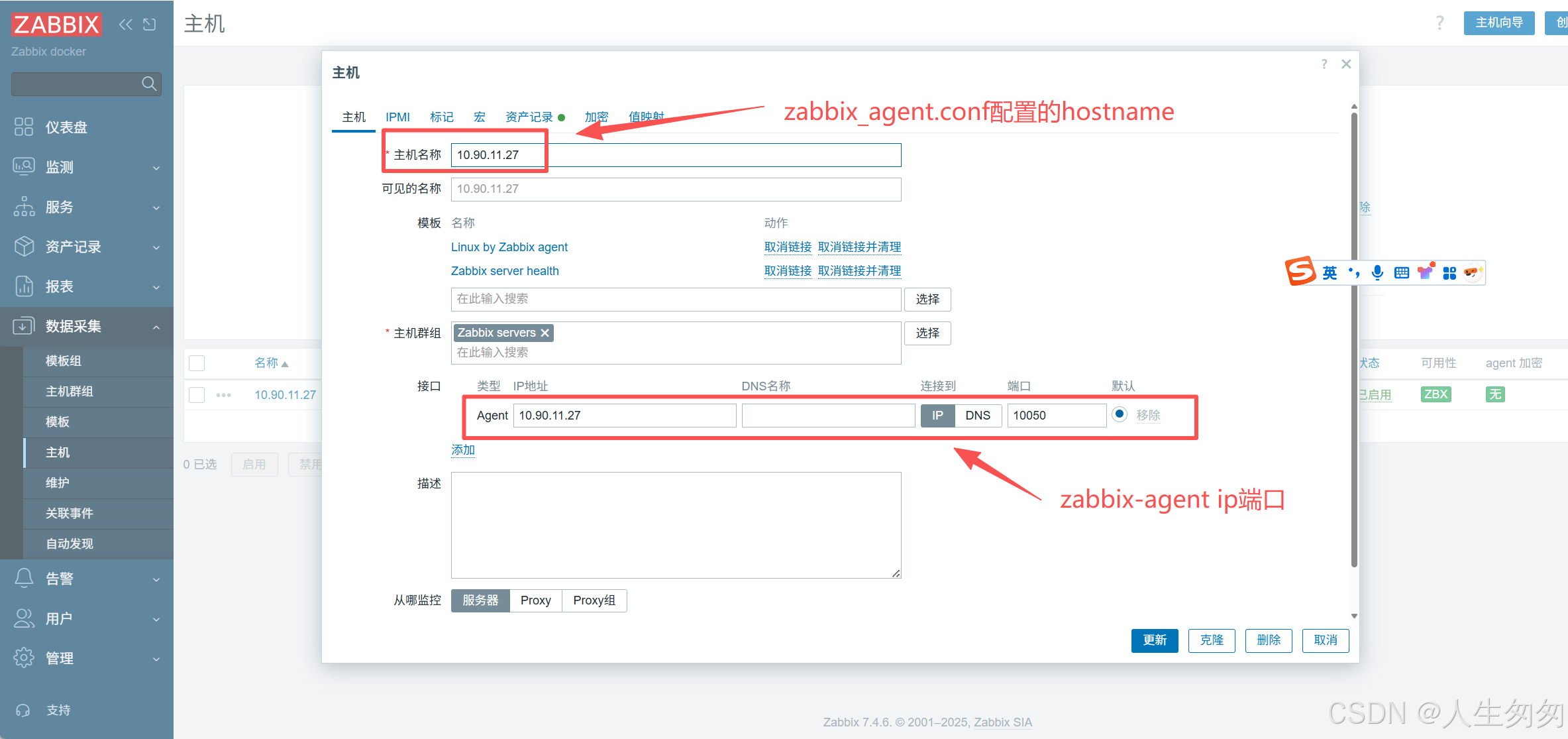
Hostname=10.90.11.27
AllowRoot=1
User=zabbix
Include=/etc/zabbix/zabbix_agentd.d/*.conf
Server=10.90.11.27 #允许被动检查模式Server → Agent → Server (Server 拉取数据)Agent 监听 10050端口
ServerActive=10.90.11.27 #允许主动检查模式,zabbix-server的IP ,Agent → Server (Agent 推送数据) Agent 定期连接 Server 的10051 端口
Hostname=10.90.11.27 #zabbix-server添加主机定义的主机明
[root@localhost zabbix]# cat zabbix-agent.yaml
version: '3.1'
services:
  zabbix-agent:
    image: docker.1ms.run/zabbix/zabbix-agent:latest
    container_name: zabbix-agent
    privileged: true
    pid: "host"
    network_mode: "host"
    volumes:
      - ./zabbix_agentd.conf:/etc/zabbix/zabbix_agentd.conf:ro
      - /etc/localtime:/etc/localtime:ro
    restart: always

[root@localhost zabbix]# docker-compose -f zabbix-agent.yaml  up -d
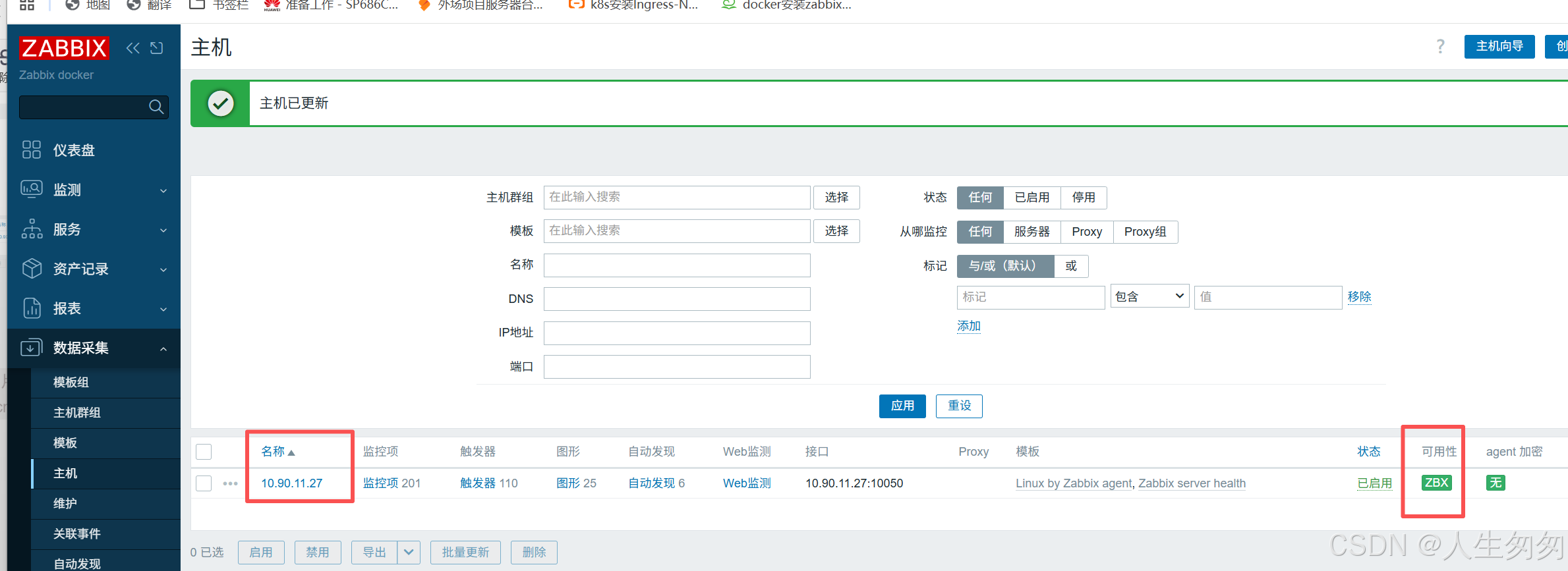
添加监控zabbix-agent
更多推荐
 1
1 0
0- 0


 已为社区贡献6条内容

所有评论(0)