
docker安装gitleb
·
1.安装docker
docker --version
docker ce version
docker compose version
2.关闭防火墙
systemctl stop firewalld
3.在/usr/local下创建文件
mkdir -p /usr/local/docker/gitlab_docker
3.1 在这个文件下创建.yml文件
vi docker-compose.yml
4. 查找gitlab镜像
docker search gitlab
4.1 下载最新的gitlab
docker pull gitlab/gitlab-ce:latest
4.2 如果下载失败换docker镜像
vi /etc/docker/daemon.json
{
  "registry-mirrors": [
    "https://docker.m.daocloud.io",
    "https://dockerproxy.com",
    "https://docker.mirrors.ustc.edu.cn"
  ]
}
4.2 重启让文件生效
sudo systemctl daemon-reload
sudo systemctl restart docker
5. 再次尝试拉取gitlab
docker pull gitlab/gitlab-ce:latest

docker images
6. 编辑刚才创建的.yml文件
vi docker-compose.yml
version: '3.1'
services:
  gitlab:
    image: 'gitlab/gitlab-ce:latest'
    container_name: gitlab
    restart: always
    environment:
      GITLAB_OMNIBUS_CONFIG: |
        external_url 'http://192.168.44.162:8929' #写自己的ip
        gitlab_rails['gitlab_shell_ssh_port'] = 2224
    ports:
      - '8929:8929'
      - '2224:2224'
    volumes:
      - './config:/etc/gitlab'
      - './logs:/var/log/gitlab'
      - './data:/var/opt/gitlab'
7. 运行 docker compose up -d 以 “后台守护进程” 模式启动 Compose 配置文件中定义的所有服务
docker compose up -d
#如果运行报错,重启docker:systemctl restart docker
8. 在浏览器访问 http://192.168.44.162:8929
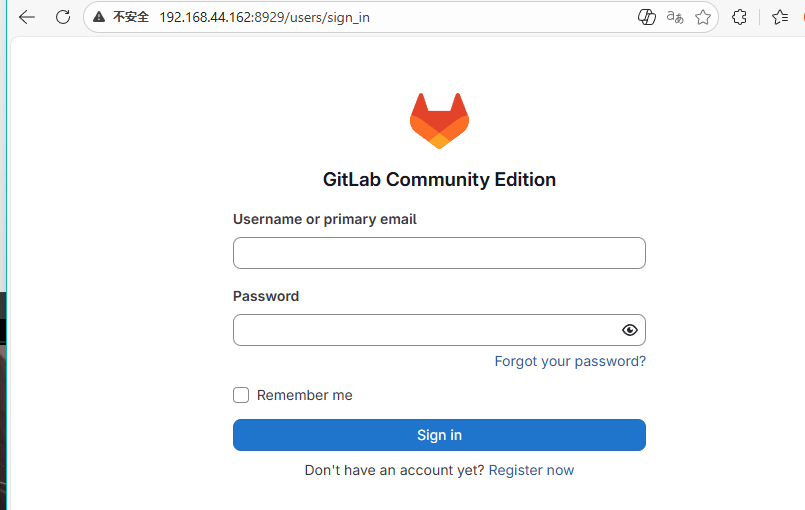
9. 账号名就是root ,密码要进入容器内部查看密码
[root@DevOps gitlab_docker]# docker exec -it gitlab bash
root@716a293cd618:/# cat /etc/gitlab/initial_root_password
# WARNING: This password is only valid if ALL of the following are true:
#          • You set it manually via the GITLAB_ROOT_PASSWORD environment variable
#            OR the gitlab_rails['initial_root_password'] setting in /etc/gitlab/gitlab.rb
#          • You set it BEFORE the initial database setup (typically during first installation)
#          • You have NOT changed the password since then (via web UI or command line)
#
#          If this password doesn't work, reset the admin password using:
#          https://docs.gitlab.com/security/reset_user_password/#reset-the-root-password

Password: pbab2I/mipjp/cU7tbfi+bAYp2pwZj2Y1ix1cE5cmRw=

# NOTE: This file is automatically deleted after 24 hours on the next reconfigure run.
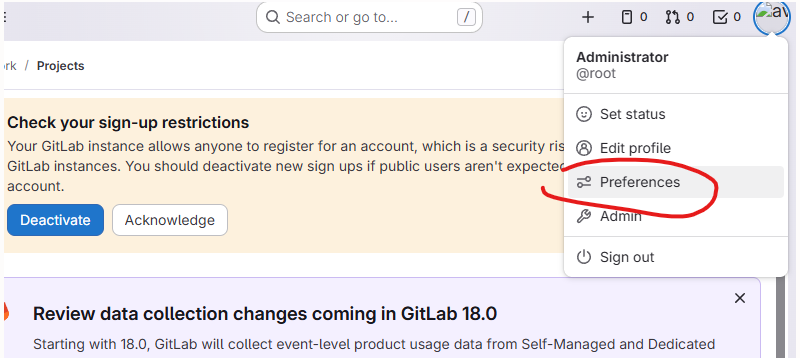
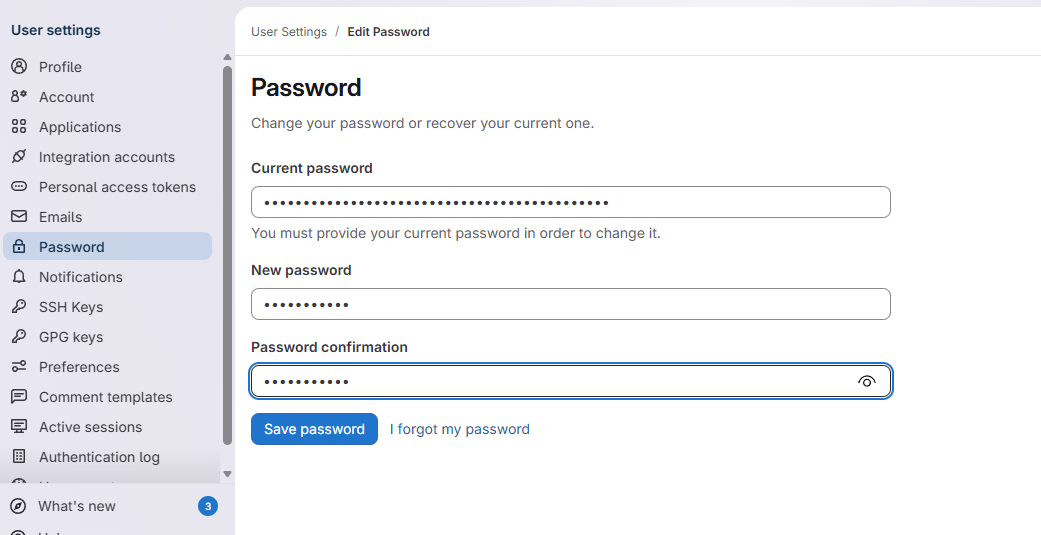
10. 登录到gitlab,修改密码
====================================================================
更多推荐

 8
8 0
0- 0


 已为社区贡献3条内容

所有评论(0)