
Hive大数据分析实战指南
目录
一、安装并配置MySQL
hadoop伪分布式安装成功后,接下来安装MySQL
hadoop@hadoop:~$ sudo apt update
hadoop@hadoop:~$ sudo apt-get install mysql-server
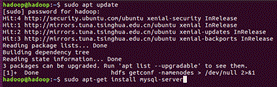
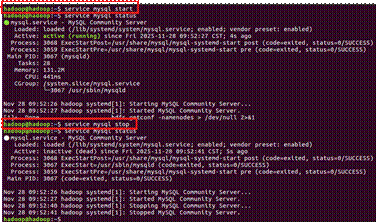
安装完成后,查看mysql服务的启动情况。
service mysql start #启动mysql服务器的命令
service mysql stop #停⽌mysql服务器的命令
service mysql restart #重新启动mysql服务器的命令
二、安装Hive并在MySQL数据库中进⾏相应的配置
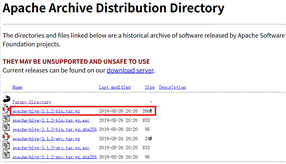
首先到apache.org网站的相关链接处下载对应的Hive版本,我们使⽤3.1.2的版本。下载完成后,将下载的压缩包⽂件使⽤winscp工具上传到虚拟机服务器中,然后解压,将文件放到/opt目录下。
hadoop@hadoop:~$ tar zxvf apache-hive-3.1.2-bin.tar.gz
hadoop@hadoop:~$ mv apache-hive-3.1.2-bin/ hive/
hadoop@hadoop:~$ sudo mv hive/ /opt/
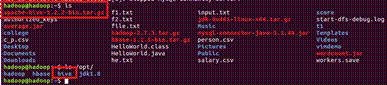
接着将hive配置到环境变量中去。
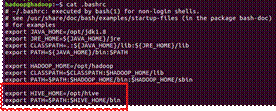
让配置⽂件⽣效命令:hadoop@hadoop:~$ source ~/.bashrc
下⾯对Hive进⾏配置: hadoop@hadoop:/opt/hive/conf$ vim hive-site.xml
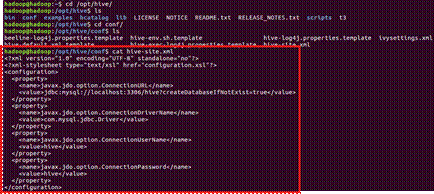
配置完成后,保存退出。
在MySQL数据库中创建hive⽤户及数码,还要创建⼀个名为hive的数据库。
mysql> create database hive;

mysql> show databases;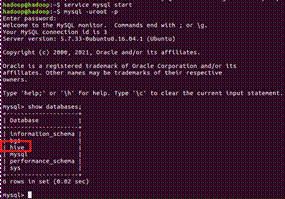
创建⽤户:
mysql> create user hive@localhost identified with mysql_native_password by 'hive';让⽤户可以执⾏任意操作
mysql> grant all on . to hive@localhost;
三、启动Hive
⾸先启动Hadoop:
hadoop@hadoop:~$ start-dfs.sh
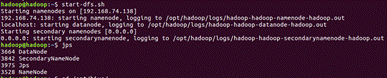
启动完成后使⽤命令jps来检查,是否存在线程 NameNode、DataNode、SecondaryNameNode 接着启动Hive
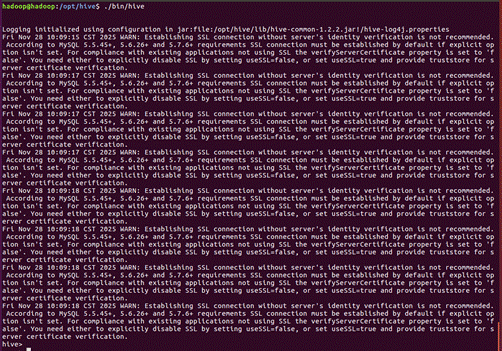
hadoop@hadoop:/opt/hive$ ./bin/hive
四、Hive常⽤命令
- 创建数据库命令:hive> Create database bg1;
- 使⽤数据库
hive> use bg1;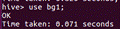
- 创建表
hive> create table table_a(country varchar(6),population int) row format delimited fields terminated by ',';

hive> create table table_b(name varchar(6),salary float) row format delimited fields terminated by ',';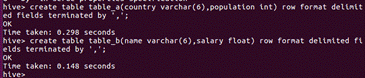
- 导⼊⽂件中的数据
hive> load data local inpath '/home/hadoop/c_p.csv' overwrite into table table_a;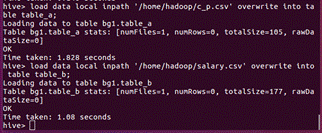
hive> load data local inpath '/home/hadoop/salary.csv' overwrite into table table_b;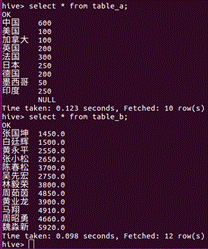
- 数据查询分组命令
hive> select sum(population),

    > case country

    > when '中国' then '亚洲'

    > when '印度' then '亚洲'

    > when '日本' then '亚洲'

    > when '美国' then '北美洲'

    > when '加拿大' then '北美洲'

    > when '墨西哥' then '北美洲'

    > else '其他' end

    > from table_a

    > group by case country

    > when '中国' then '亚洲'

    > when '印度' then '亚洲'

    > when '日本' then '亚洲'

    > when '美国' then '北美洲'

    > when '加拿大' then '北美洲'

    > when '墨西哥' then '北美洲'

    > else '其他' end;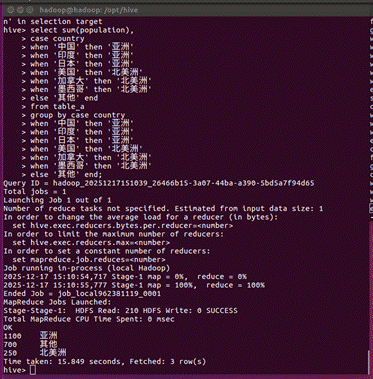
hive> select

    > case when salary <=2500 then '1档'

    > when salary >2500 and salary <=3600 then '2档'

    > when salary >3600 and salary <=4800 then '3档'

    > when salary >4800 and salary <=10000 then '4档'

    > else null end name,

    > count(*)

    > from table_b

    > group by

    > case when salary <=2500 then '1档'

    > when salary >2500 and salary <=3600 then '2档'

    > when salary >3600 and salary <=4800 then '3档'

    > when salary >4800 and salary <=10000 then '4档'

    > else null end;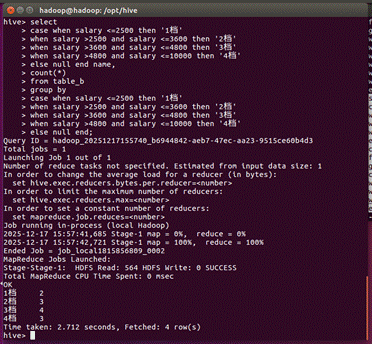
五、Hive数据分析案例
- 把person.csv文件上传至虚拟机上,进入hive客户端使用bg1,接着在bg1创建与person.csv文件具有相同数据结构的表person。
hive> create table person(

    > age double,

    > workclass string,

    > fnlwgt string,

    > edu string,

    > edu_num double,

    > marital_status string,

    > occupation string,

    > relationship string,

    > race string,

    > sex string,

    > gain string,

    > loss string,

    > hours double,

    > native string,

    > income string

    > ) row format delimited fields terminated by ',';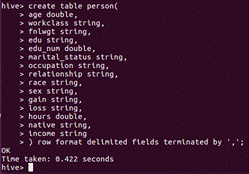
- 将person.csv文件中的数据导入person表,查看导入person表内的数据(只显示前10行记录)。
hive> load data local inpath '/home/hadoop/person.csv' overwrite into table person;

hive> select * from person limit 10;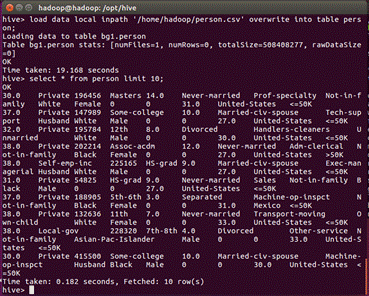
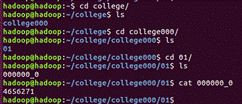
- 统计表数据,将统计结果写入目录/home/hadoop/college/college000/01中。
hive> insert overwrite local directory '/home/hadoop/college/college000/01/' row format delimited fields terminated by '\t' select count(*) from person;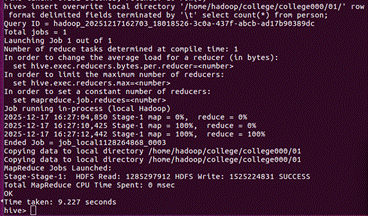
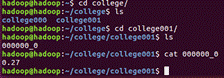
- 计算较高收入人群占整体数据的比例,将结果写入本地目录/home/hadoop/college/college001中
hive> insert overwrite local directory '/home/hadoop/college/college001/'

    > select round((t2.v / t4.s),2)

    > from (select count(*) as v from person t1 where t1.income = '>50K') t2

    > join (select count(*) as s from person t3) t4;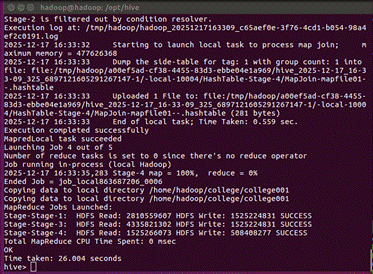
- 计算学位为学士的人员在整体数据中的占比
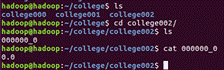
hive> insert overwrite local directory '/home/hadoop/college/college002/'

    > select round((t2.v / t4.s),2)

    > from (select count(*) as v from person t1 where t1.edu='bachelors') t2

    > join (select count(*) as s from person t3) t4;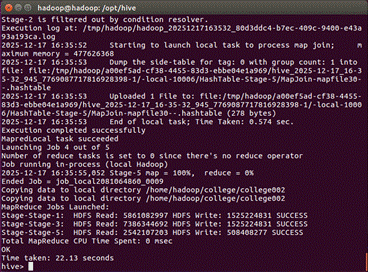
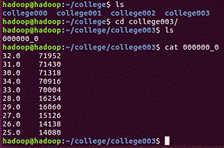
- 计算青年群体中较高收入年龄段层排行
hive> insert overwrite local directory '/home/hadoop/college/college003/'

    > row format delimited fields terminated by '\t'

    > select age,count(*) as sum from person

    > where age>=15 and age<=34 and income = '>50K'

    > group by age

    > order by sum desc,age asc limit 10;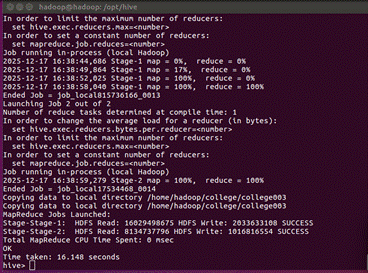
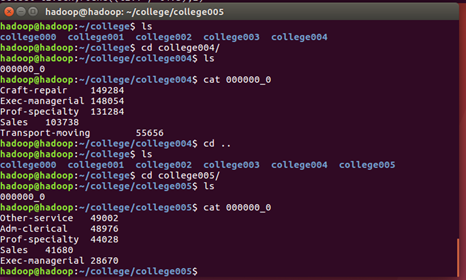
- 计算男性群体中高收入职业排行
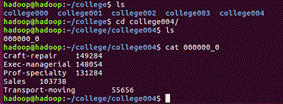
hive> insert overwrite local directory '/home/hadoop/college/college004/'

    > row format delimited fields terminated by '\t'

    > select occupation,count(*) as sum from person

    > where sex = 'Male' and income = '>50K'

    > group by occupation

    > order by sum desc,occupation asc limit 5;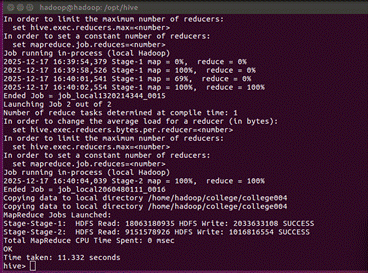
- 计算未婚人群中高收入职业排行
hive> insert overwrite local directory '/home/hadoop/college/college005/'

    > row format delimited fields terminated by '\t'

    > select occupation,count(*) as sum from person

    > where marital_status = 'Never-married' and income = '>50K'

    > group by occupation

    > order by sum desc,occupation asc limit 5;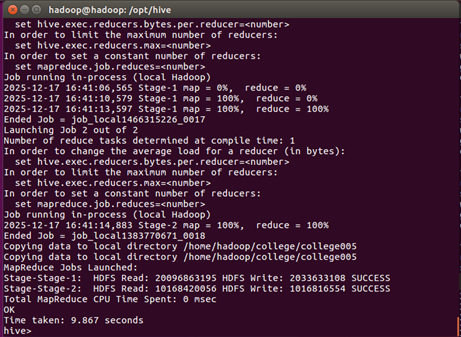
更多推荐
 9
9 0
0- 0


 已为社区贡献5条内容

所有评论(0)