
使用Docker安装Nextcloud网盘
·
1、安装Docker
详见:https://mp.weixin.qq.com/s/CrjQTLJM0YbJ9SC4GIfKsg2、安装Nextcloud
详见:https://github.com/nextcloud/docker创建目录:
mkdir nextcloud切换目录:
cd nextcloud2.1、方式1:使用apache镜像
运行容器:
docker run -d \
  --name nextcloud \
  -p 8080:80 \
  -v ./html:/var/www/html \
  nextcloud
查看容器列表:
docker ps停止容器:
docker stop nextcloud删除容器:
docker rm nextcloud删除目录:
rm -rf ./html删除镜像:
docker rmi nextcloud2.2、方式2:使用fpm镜像
下载nginx.conf文件:
详见:
https://docs.nextcloud.com/server/latest/admin_manual/installation/nginx.html
https://github.com/nextcloud/docker/tree/master/.examples
# 方式1:未使用代理下载
wget https://raw.githubusercontent.com/nextcloud/docker/master/.examples/docker-compose/insecure/mariadb/fpm/web/nginx.conf# 方式2:使用代理下载
# 详见:https://mp.weixin.qq.com/s/XTbT3wKp_W2fiK7pGpo7Qg
wget https://gh-proxy.com/https://raw.githubusercontent.com/nextcloud/docker/master/.examples/docker-compose/insecure/mariadb/fpm/web/nginx.conf查看nginx.conf文件:
详见:
https://github.com/nextcloud/docker/blob/master/.examples/docker-compose/insecure/mariadb/fpm/web/nginx.conf
https://github.com/nextcloud/docker/blob/master/.examples/docker-compose/insecure/postgres/fpm/web/nginx.conf
https://github.com/nextcloud/docker/blob/master/.examples/docker-compose/with-nginx-proxy/mariadb/fpm/web/nginx.conf
https://github.com/nextcloud/docker/blob/master/.examples/docker-compose/with-nginx-proxy/postgres/fpm/web/nginx.conf
worker_processes auto;
error_log /var/log/nginx/error.log warn;
pid /var/run/nginx.pid;
events {
worker_connections 1024;
}
http {
include mime.types;
default_type application/octet-stream;
types {
text/javascript mjs;
}
log_format main '$remote_addr - $remote_user [$time_local] "$request" '
'$status $body_bytes_sent "$http_referer" '
'"$http_user_agent" "$http_x_forwarded_for"';
access_log /var/log/nginx/access.log main;
sendfile on;
#tcp_nopush on;
# Prevent nginx HTTP Server Detection
server_tokens off;
keepalive_timeout 65;
# Set the `immutable` cache control options only for assets with a cache busting `v` argument
map $arg_v $asset_immutable {
"" "";
default ", immutable";
}
#gzip on;
resolver 127.0.0.11 valid=2s;
upstream php-handler {
zone backends 64k;
server app:9000 resolve;
}
server {
listen 80;
# HSTS settings
# WARNING: Only add the preload option once you read about
# the consequences in https://hstspreload.org/. This option
# will add the domain to a hardcoded list that is shipped
# in all major browsers and getting removed from this list
# could take several months.
#add_header Strict-Transport-Security "max-age=15768000; includeSubDomains; preload;" always;
# set max upload size and increase upload timeout:
client_max_body_size 512M;
client_body_timeout 300s;
fastcgi_buffers 64 4K;
# The settings allows you to optimize the HTTP2 bandwidth.
# See https://blog.cloudflare.com/delivering-http-2-upload-speed-improvements/
# for tuning hints
client_body_buffer_size 512k;
# Enable gzip but do not remove ETag headers
gzip on;
gzip_vary on;
gzip_comp_level 4;
gzip_min_length 256;
gzip_proxied expired no-cache no-store private no_last_modified no_etag auth;
gzip_types application/atom+xml text/javascript application/javascript application/json application/ld+json application/manifest+json application/rss+xml application/vnd.geo+json application/vnd.ms-fontobject application/wasm application/x-font-ttf application/x-web-app-manifest+json application/xhtml+xml application/xml font/opentype image/bmp image/svg+xml image/x-icon text/cache-manifest text/css text/plain text/vcard text/vnd.rim.location.xloc text/vtt text/x-component text/x-cross-domain-policy;
# Pagespeed is not supported by Nextcloud, so if your server is built
# with the `ngx_pagespeed` module, uncomment this line to disable it.
#pagespeed off;
# HTTP response headers borrowed from Nextcloud `.htaccess`
add_header Referrer-Policy "no-referrer" always;
add_header X-Content-Type-Options "nosniff" always;
add_header X-Frame-Options "SAMEORIGIN" always;
add_header X-Permitted-Cross-Domain-Policies "none" always;
add_header X-Robots-Tag "noindex, nofollow" always;
# Remove X-Powered-By, which is an information leak
fastcgi_hide_header X-Powered-By;
# Path to the root of your installation
root /var/www/html;
# Specify how to handle directories -- specifying `/index.php$request_uri`
# here as the fallback means that Nginx always exhibits the desired behaviour
# when a client requests a path that corresponds to a directory that exists
# on the server. In particular, if that directory contains an index.php file,
# that file is correctly served; if it doesn't, then the request is passed to
# the front-end controller. This consistent behaviour means that we don't need
# to specify custom rules for certain paths (e.g. images and other assets,
# `/updater`, `/ocm-provider`, `/ocs-provider`), and thus
# `try_files $uri $uri/ /index.php$request_uri`
# always provides the desired behaviour.
index index.php index.html /index.php$request_uri;
# Rule borrowed from `.htaccess` to handle Microsoft DAV clients
location = / {
if ( $http_user_agent ~ ^DavClnt ) {
return 302 /remote.php/webdav/$is_args$args;
}
}
location = /robots.txt {
allow all;
log_not_found off;
access_log off;
}
# Make a regex exception for `/.well-known` so that clients can still
# access it despite the existence of the regex rule
# `location ~ /(\.|autotest|...)` which would otherwise handle requests
# for `/.well-known`.
location ^~ /.well-known {
# The rules in this block are an adaptation of the rules
# in `.htaccess` that concern `/.well-known`.
location = /.well-known/carddav { return 301 /remote.php/dav/; }
location = /.well-known/caldav { return 301 /remote.php/dav/; }
location /.well-known/acme-challenge { try_files $uri $uri/ =404; }
location /.well-known/pki-validation { try_files $uri $uri/ =404; }
# Let Nextcloud's API for `/.well-known` URIs handle all other
# requests by passing them to the front-end controller.
return 301 /index.php$request_uri;
}
# Rules borrowed from `.htaccess` to hide certain paths from clients
location ~ ^/(?:build|tests|config|lib|3rdparty|templates|data)(?:$|/) { return 404; }
location ~ ^/(?:\.|autotest|occ|issue|indie|db_|console) { return 404; }
# Ensure this block, which passes PHP files to the PHP process, is above the blocks
# which handle static assets (as seen below). If this block is not declared first,
# then Nginx will encounter an infinite rewriting loop when it prepends `/index.php`
# to the URI, resulting in a HTTP 500 error response.
location ~ \.php(?:$|/) {
# Required for legacy support
rewrite ^/(?!index|remote|public|cron|core\/ajax\/update|status|ocs\/v[12]|updater\/.+|ocs-provider\/.+|.+\/richdocumentscode(_arm64)?\/proxy) /index.php$request_uri;
fastcgi_split_path_info ^(.+?\.php)(/.*)$;
set $path_info $fastcgi_path_info;
try_files $fastcgi_script_name =404;
include fastcgi_params;
fastcgi_param SCRIPT_FILENAME $document_root$fastcgi_script_name;
fastcgi_param PATH_INFO $path_info;
#fastcgi_param HTTPS on;
fastcgi_param modHeadersAvailable true; # Avoid sending the security headers twice
fastcgi_param front_controller_active true; # Enable pretty urls
fastcgi_pass php-handler;
fastcgi_intercept_errors on;
fastcgi_request_buffering on; # Required as PHP-FPM does not support chunked transfer encoding and requires a valid ContentLength header.
fastcgi_max_temp_file_size 0;
}
# Serve static files
location ~ \.(?:css|js|mjs|svg|gif|ico|jpg|png|webp|wasm|tflite|map|ogg|flac|mp4|webm)$ {
try_files $uri /index.php$request_uri;
add_header Cache-Control "public, max-age=15778463$asset_immutable";
add_header Referrer-Policy "no-referrer" always;
add_header X-Content-Type-Options "nosniff" always;
add_header X-Frame-Options "SAMEORIGIN" always;
add_header X-Permitted-Cross-Domain-Policies "none" always;
add_header X-Robots-Tag "noindex, nofollow" always;
access_log off; # Optional: Don't log access to assets
}
location ~ \.(otf|woff2?)$ {
try_files $uri /index.php$request_uri;
expires 7d; # Cache-Control policy borrowed from `.htaccess`
access_log off; # Optional: Don't log access to assets
}
# Rule borrowed from `.htaccess`
location /remote {
return 301 /remote.php$request_uri;
}
location / {
try_files $uri $uri/ /index.php$request_uri;
}
}
}修改nginx.conf文件:
# 将app替换成nextcloud(容器名称)
sed -i 's/server app:9000 resolve/server nextcloud:9000/g' nginx.conf
运行容器:
# nextcloud:
docker run -d \
  --name nextcloud \
  -v ./html:/var/www/html \
  nextcloud:fpm
# nginx:
docker run -d \
--name nginx \
-p 8080:80 \
-v ./nginx.conf:/etc/nginx/nginx.conf \
-v ./html:/var/www/html \
--link nextcloud \
nginx:alpine查看容器列表:
docker ps停止容器:
docker stop nextcloud nginx删除容器:
docker rm nextcloud nginx删除目录:
rm -rf ./html删除镜像:
docker rmi nextcloud:fpm nginx:alpine2.3、方式3:基于apache镜像
创建docker-compose.yaml文件:
services:
  # Note: MariaDB is external service. You can find more information about the configuration here:
  # https://hub.docker.com/_/mariadb
  db:
    # Note: Check the recommend version here: https://docs.nextcloud.com/server/latest/admin_manual/installation/system_requirements.html#server
    image: mariadb:lts
    restart: always
    command: --transaction-isolation=READ-COMMITTED
    volumes:
      - db:/var/lib/mysql
    environment:
      - MYSQL_ROOT_PASSWORD=
      - MYSQL_PASSWORD=
      - MYSQL_DATABASE=nextcloud
      - MYSQL_USER=nextcloud

  # Note: Redis is an external service. You can find more information about the configuration here:
  # https://hub.docker.com/_/redis
  redis:
    image: redis:alpine
    restart: always

  app:
    image: nextcloud
    restart: always
    ports:
      - 8080:80
    depends_on:
      - redis
      - db
    volumes:
      - nextcloud:/var/www/html
    environment:
      - MYSQL_PASSWORD=
      - MYSQL_DATABASE=nextcloud
      - MYSQL_USER=nextcloud
      - MYSQL_HOST=db

volumes:
  nextcloud:
  db:
修改docker-compose.yaml文件:
sed -i 's/MYSQL_ROOT_PASSWORD=/MYSQL_ROOT_PASSWORD=nextcloud/g' docker-compose.yaml
sed -i 's/MYSQL_PASSWORD=/MYSQL_PASSWORD=nextcloud/g' docker-compose.yaml
创建并启动容器:
docker-compose up -d查看容器列表:
docker ps查看数据卷列表:
docker volume ls停止并销毁容器:
docker-compose down删除数据卷:
docker volume rm nextcloud_nextcloud nextcloud_db删除镜像:
docker rmi mariadb:lts redis:alpine nextcloud2.4、方式4:基于fpm镜像
下载nginx.conf文件:
详见:
https://docs.nextcloud.com/server/latest/admin_manual/installation/nginx.html
https://github.com/nextcloud/docker/tree/master/.examples
# 方式1:未使用代理下载
wget https://raw.githubusercontent.com/nextcloud/docker/master/.examples/docker-compose/insecure/mariadb/fpm/web/nginx.conf# 方式2:使用代理下载
# 详见:https://mp.weixin.qq.com/s/XTbT3wKp_W2fiK7pGpo7Qg
wget https://gh-proxy.com/https://raw.githubusercontent.com/nextcloud/docker/master/.examples/docker-compose/insecure/mariadb/fpm/web/nginx.conf查看nginx.conf文件:
详见:
https://github.com/nextcloud/docker/blob/master/.examples/docker-compose/insecure/mariadb/fpm/web/nginx.conf
https://github.com/nextcloud/docker/blob/master/.examples/docker-compose/insecure/postgres/fpm/web/nginx.conf
https://github.com/nextcloud/docker/blob/master/.examples/docker-compose/with-nginx-proxy/mariadb/fpm/web/nginx.conf
https://github.com/nextcloud/docker/blob/master/.examples/docker-compose/with-nginx-proxy/postgres/fpm/web/nginx.conf
worker_processes auto;
error_log /var/log/nginx/error.log warn;
pid /var/run/nginx.pid;
events {
worker_connections 1024;
}
http {
include mime.types;
default_type application/octet-stream;
types {
text/javascript mjs;
}
log_format main '$remote_addr - $remote_user [$time_local] "$request" '
'$status $body_bytes_sent "$http_referer" '
'"$http_user_agent" "$http_x_forwarded_for"';
access_log /var/log/nginx/access.log main;
sendfile on;
#tcp_nopush on;
# Prevent nginx HTTP Server Detection
server_tokens off;
keepalive_timeout 65;
# Set the `immutable` cache control options only for assets with a cache busting `v` argument
map $arg_v $asset_immutable {
"" "";
default ", immutable";
}
#gzip on;
resolver 127.0.0.11 valid=2s;
upstream php-handler {
zone backends 64k;
server app:9000 resolve;
}
server {
listen 80;
# HSTS settings
# WARNING: Only add the preload option once you read about
# the consequences in https://hstspreload.org/. This option
# will add the domain to a hardcoded list that is shipped
# in all major browsers and getting removed from this list
# could take several months.
#add_header Strict-Transport-Security "max-age=15768000; includeSubDomains; preload;" always;
# set max upload size and increase upload timeout:
client_max_body_size 512M;
client_body_timeout 300s;
fastcgi_buffers 64 4K;
# The settings allows you to optimize the HTTP2 bandwidth.
# See https://blog.cloudflare.com/delivering-http-2-upload-speed-improvements/
# for tuning hints
client_body_buffer_size 512k;
# Enable gzip but do not remove ETag headers
gzip on;
gzip_vary on;
gzip_comp_level 4;
gzip_min_length 256;
gzip_proxied expired no-cache no-store private no_last_modified no_etag auth;
gzip_types application/atom+xml text/javascript application/javascript application/json application/ld+json application/manifest+json application/rss+xml application/vnd.geo+json application/vnd.ms-fontobject application/wasm application/x-font-ttf application/x-web-app-manifest+json application/xhtml+xml application/xml font/opentype image/bmp image/svg+xml image/x-icon text/cache-manifest text/css text/plain text/vcard text/vnd.rim.location.xloc text/vtt text/x-component text/x-cross-domain-policy;
# Pagespeed is not supported by Nextcloud, so if your server is built
# with the `ngx_pagespeed` module, uncomment this line to disable it.
#pagespeed off;
# HTTP response headers borrowed from Nextcloud `.htaccess`
add_header Referrer-Policy "no-referrer" always;
add_header X-Content-Type-Options "nosniff" always;
add_header X-Frame-Options "SAMEORIGIN" always;
add_header X-Permitted-Cross-Domain-Policies "none" always;
add_header X-Robots-Tag "noindex, nofollow" always;
# Remove X-Powered-By, which is an information leak
fastcgi_hide_header X-Powered-By;
# Path to the root of your installation
root /var/www/html;
# Specify how to handle directories -- specifying `/index.php$request_uri`
# here as the fallback means that Nginx always exhibits the desired behaviour
# when a client requests a path that corresponds to a directory that exists
# on the server. In particular, if that directory contains an index.php file,
# that file is correctly served; if it doesn't, then the request is passed to
# the front-end controller. This consistent behaviour means that we don't need
# to specify custom rules for certain paths (e.g. images and other assets,
# `/updater`, `/ocm-provider`, `/ocs-provider`), and thus
# `try_files $uri $uri/ /index.php$request_uri`
# always provides the desired behaviour.
index index.php index.html /index.php$request_uri;
# Rule borrowed from `.htaccess` to handle Microsoft DAV clients
location = / {
if ( $http_user_agent ~ ^DavClnt ) {
return 302 /remote.php/webdav/$is_args$args;
}
}
location = /robots.txt {
allow all;
log_not_found off;
access_log off;
}
# Make a regex exception for `/.well-known` so that clients can still
# access it despite the existence of the regex rule
# `location ~ /(\.|autotest|...)` which would otherwise handle requests
# for `/.well-known`.
location ^~ /.well-known {
# The rules in this block are an adaptation of the rules
# in `.htaccess` that concern `/.well-known`.
location = /.well-known/carddav { return 301 /remote.php/dav/; }
location = /.well-known/caldav { return 301 /remote.php/dav/; }
location /.well-known/acme-challenge { try_files $uri $uri/ =404; }
location /.well-known/pki-validation { try_files $uri $uri/ =404; }
# Let Nextcloud's API for `/.well-known` URIs handle all other
# requests by passing them to the front-end controller.
return 301 /index.php$request_uri;
}
# Rules borrowed from `.htaccess` to hide certain paths from clients
location ~ ^/(?:build|tests|config|lib|3rdparty|templates|data)(?:$|/) { return 404; }
location ~ ^/(?:\.|autotest|occ|issue|indie|db_|console) { return 404; }
# Ensure this block, which passes PHP files to the PHP process, is above the blocks
# which handle static assets (as seen below). If this block is not declared first,
# then Nginx will encounter an infinite rewriting loop when it prepends `/index.php`
# to the URI, resulting in a HTTP 500 error response.
location ~ \.php(?:$|/) {
# Required for legacy support
rewrite ^/(?!index|remote|public|cron|core\/ajax\/update|status|ocs\/v[12]|updater\/.+|ocs-provider\/.+|.+\/richdocumentscode(_arm64)?\/proxy) /index.php$request_uri;
fastcgi_split_path_info ^(.+?\.php)(/.*)$;
set $path_info $fastcgi_path_info;
try_files $fastcgi_script_name =404;
include fastcgi_params;
fastcgi_param SCRIPT_FILENAME $document_root$fastcgi_script_name;
fastcgi_param PATH_INFO $path_info;
#fastcgi_param HTTPS on;
fastcgi_param modHeadersAvailable true; # Avoid sending the security headers twice
fastcgi_param front_controller_active true; # Enable pretty urls
fastcgi_pass php-handler;
fastcgi_intercept_errors on;
fastcgi_request_buffering on; # Required as PHP-FPM does not support chunked transfer encoding and requires a valid ContentLength header.
fastcgi_max_temp_file_size 0;
}
# Serve static files
location ~ \.(?:css|js|mjs|svg|gif|ico|jpg|png|webp|wasm|tflite|map|ogg|flac|mp4|webm)$ {
try_files $uri /index.php$request_uri;
add_header Cache-Control "public, max-age=15778463$asset_immutable";
add_header Referrer-Policy "no-referrer" always;
add_header X-Content-Type-Options "nosniff" always;
add_header X-Frame-Options "SAMEORIGIN" always;
add_header X-Permitted-Cross-Domain-Policies "none" always;
add_header X-Robots-Tag "noindex, nofollow" always;
access_log off; # Optional: Don't log access to assets
}
location ~ \.(otf|woff2?)$ {
try_files $uri /index.php$request_uri;
expires 7d; # Cache-Control policy borrowed from `.htaccess`
access_log off; # Optional: Don't log access to assets
}
# Rule borrowed from `.htaccess`
location /remote {
return 301 /remote.php$request_uri;
}
location / {
try_files $uri $uri/ /index.php$request_uri;
}
}
}创建docker-compose.yaml文件:
services:
  # Note: MariaDB is an external service. You can find more information about the configuration here:
  # https://hub.docker.com/_/mariadb
  db:
    # Note: Check the recommend version here: https://docs.nextcloud.com/server/latest/admin_manual/installation/system_requirements.html#server
    image: mariadb:lts
    restart: always
    command: --transaction-isolation=READ-COMMITTED
    volumes:
      - db:/var/lib/mysql
    environment:
      - MYSQL_ROOT_PASSWORD=
      - MYSQL_PASSWORD=
      - MYSQL_DATABASE=nextcloud
      - MYSQL_USER=nextcloud

  # Note: Redis is an external service. You can find more information about the configuration here:
  # https://hub.docker.com/_/redis
  redis:
    image: redis:alpine
    restart: always

  app:
    image: nextcloud:fpm
    restart: always
    depends_on:
      - redis
      - db
    volumes:
      - nextcloud:/var/www/html
    environment:
      - MYSQL_PASSWORD=
      - MYSQL_DATABASE=nextcloud
      - MYSQL_USER=nextcloud
      - MYSQL_HOST=db

  # Note: Nginx is an external service. You can find more information about the configuration here:
  # https://hub.docker.com/_/nginx/
  web:
    image: nginx:alpine-slim
    restart: always
    ports:
      - 8080:80
    depends_on:
      - app
    volumes:
      # https://docs.nextcloud.com/server/latest/admin_manual/installation/nginx.html
      - ./nginx.conf:/etc/nginx/nginx.conf:ro
    volumes_from:
      - app

volumes:
  nextcloud:
  db:
修改docker-compose.yaml文件:
sed -i 's/MYSQL_ROOT_PASSWORD=/MYSQL_ROOT_PASSWORD=nextcloud/g' docker-compose.yaml
sed -i 's/MYSQL_PASSWORD=/MYSQL_PASSWORD=nextcloud/g' docker-compose.yaml
创建并启动容器:
docker-compose up -d查看容器列表:
docker ps查看数据卷列表:
docker volume ls停止并销毁容器:
docker-compose down删除数据卷:
docker volume rm nextcloud_nextcloud nextcloud_db删除镜像:
docker rmi mariadb:lts redis:alpine nextcloud:fpm nginx:alpine-slim3、浏览器访问
假设当前ip为192.168.186.128
浏览器访问:http://192.168.186.128:8080
创建管理员账号:

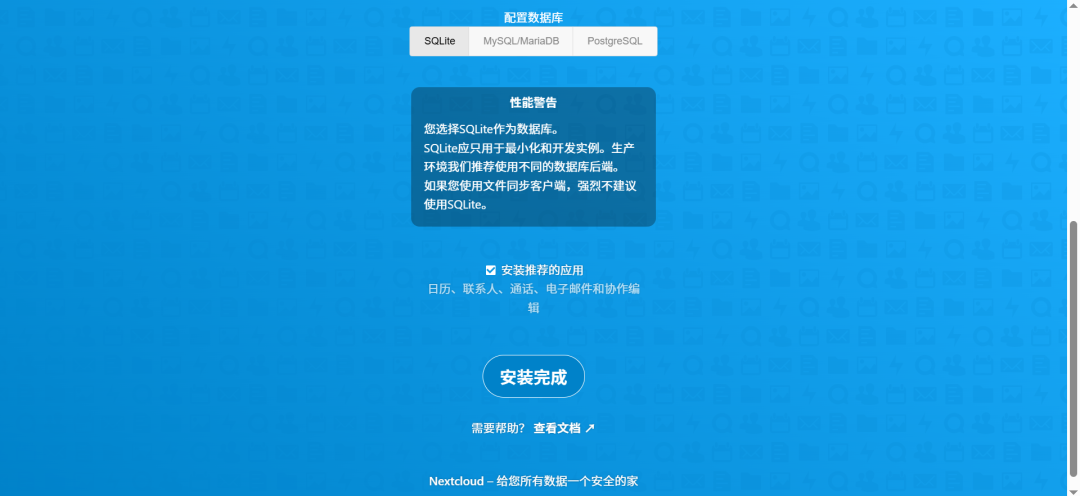
"或者"
登录:

管理后台:

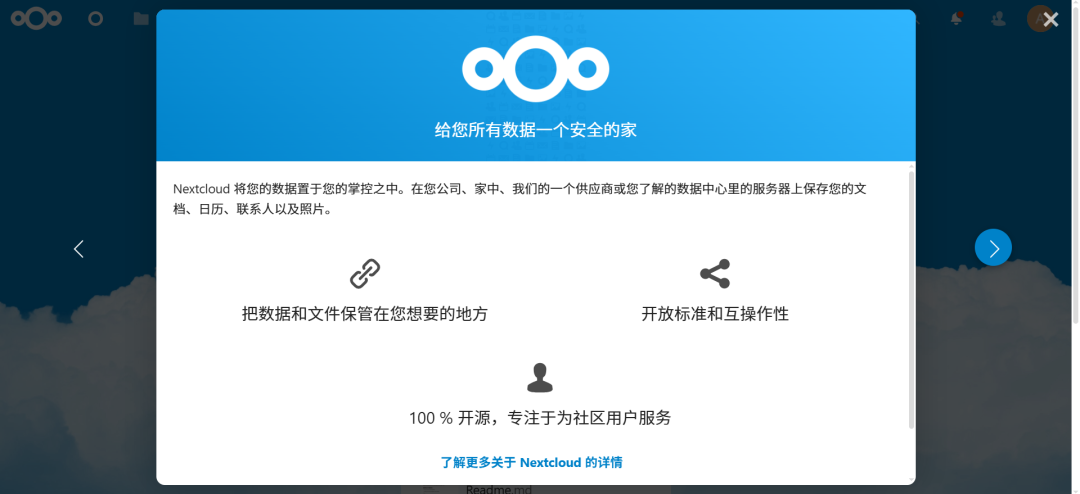
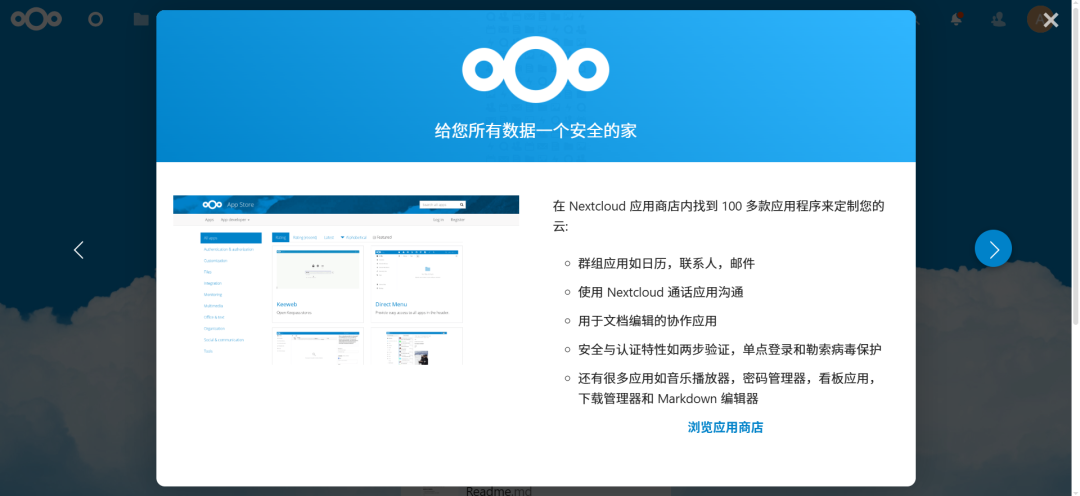
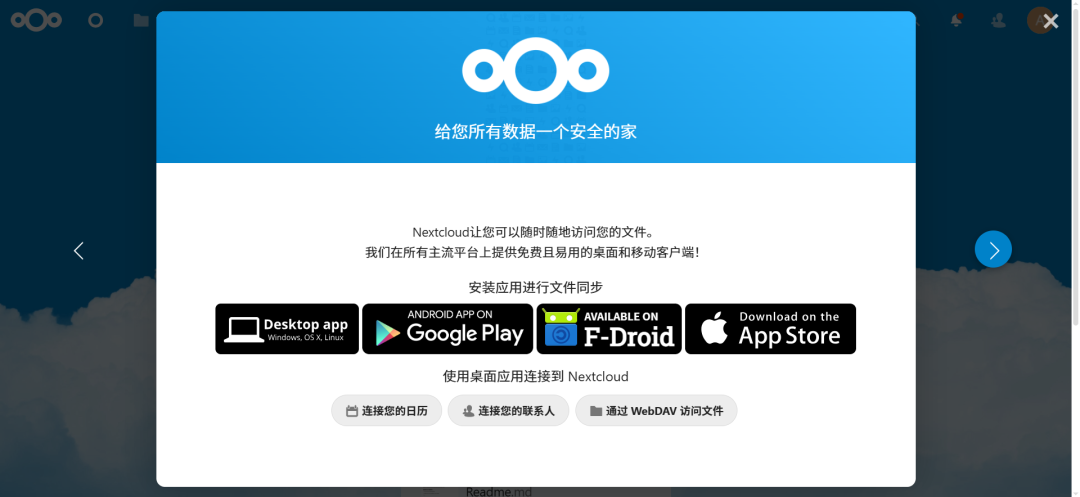
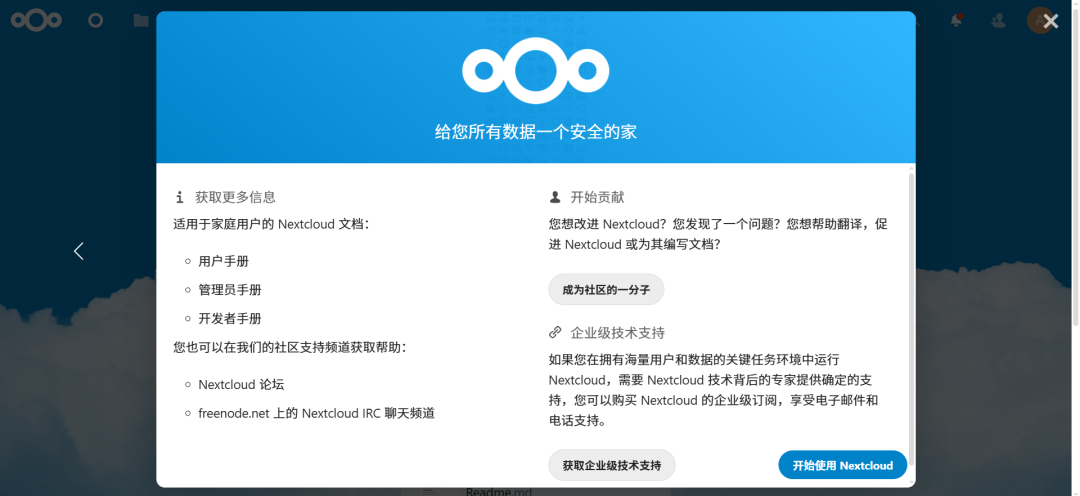
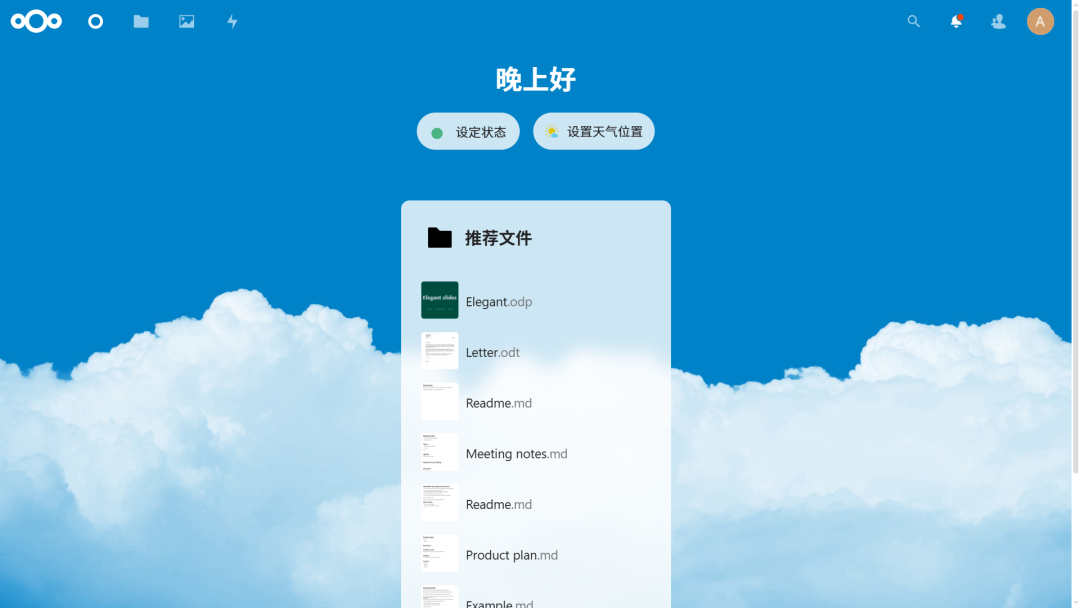
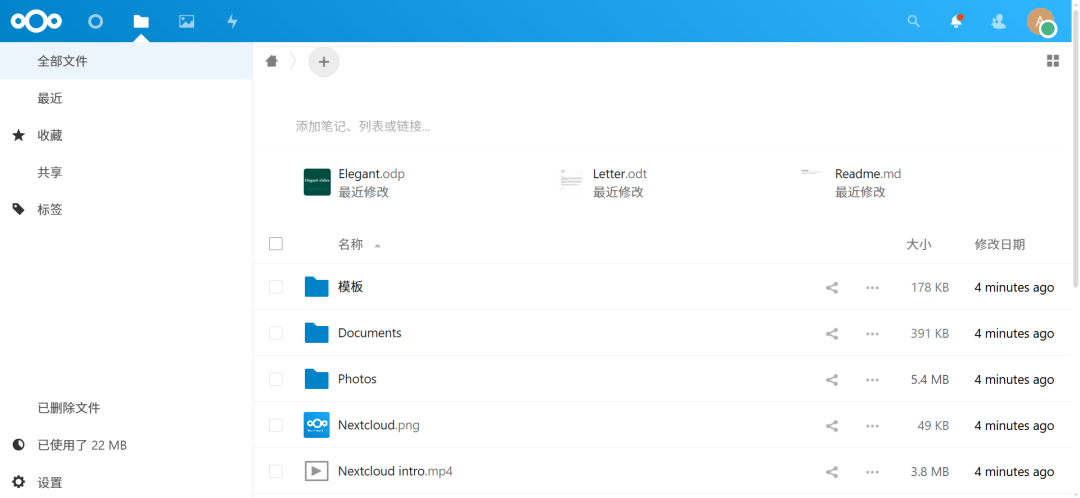
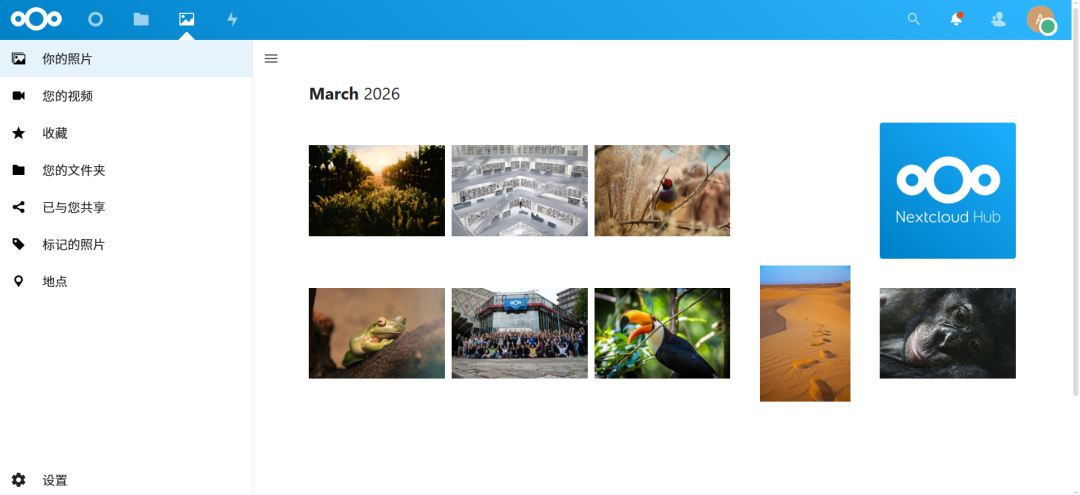
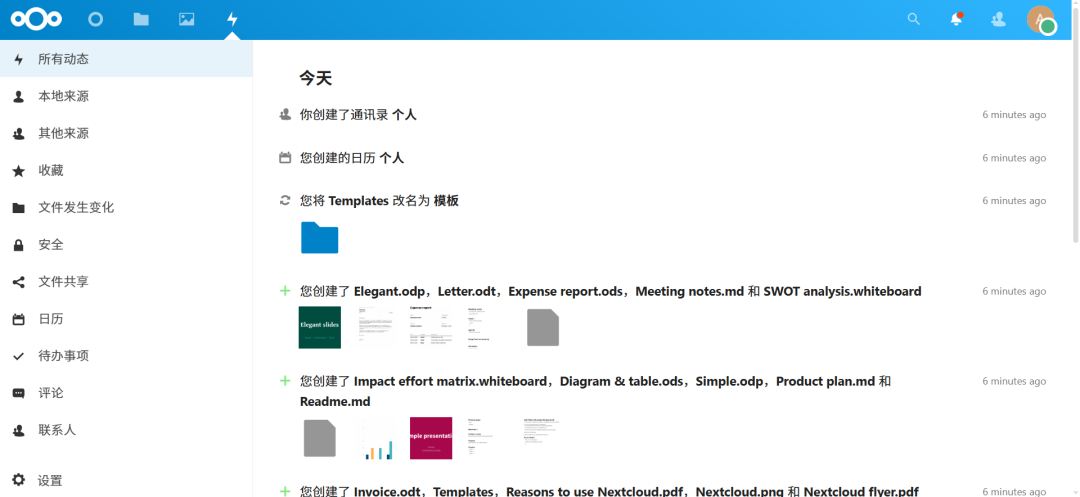
"仪表盘"、"文件"、"照片"、"动态"
仪表盘:
文件:
照片:
动态:
4、详见
https://nextcloud.com
https://nextcloud.com/install
https://docs.nextcloud.com
https://docs.nextcloud.com/server/latest/user_manual
https://docs.nextcloud.com/server/latest/admin_manual
https://docs.nextcloud.com/server/latest/developer_manual
https://github.com/nextcloud/docker
https://mp.weixin.qq.com/s/LD5U8QQED4VuH5ehC0WPpw更多推荐
 7
7 0
0- 0


 已为社区贡献12条内容

所有评论(0)