
解决docker拉取镜像报错failed to resolve reference “docker.io/xxx“...i/o timeout问题
·
解决docker拉取镜像报错failed to resolve reference “docker.io/xxx”…i/o timeout问题
一、报错:failed to resolve reference “docker.io/xxx”…i/o timeout
报错内容如下:
ERROR: failed to resolve reference "docker.io/clickhouse/clickhouse-server:25.12": failed to do request: Head "https://registry-1.docker.io/v2/clickhouse/clickhouse-server/manifests/25.12": dial tcp 199.59.150.44:443: i/o timeout
错误分析:docker拉取镜像时,会默认直接连接官方仓库 Docker Hub(地址为 registry-1.docker.io)进行拉取,官方仓库在国外,国内网络访问时会超时。
二、解决方法
方法一:配置docker使用国内镜像源(推荐)。
具体修改方法:在 /etc/docker/daemon.json文件中添加国内镜像源。
vim /etc/docker/daemon.json
daemon.json文件中添加以下内容:
{
  "registry-mirrors": [
    "https://your-aliyun-id.mirror.aliyuncs.com",
    "https://mirror.baidubce.com",
    "https://docker.m.daocloud.io"
  ]
}
其他可添加国内镜像源:
"https://docker.domys.cc",
"https://hub.domys.cc",
"https://docker.m.daocloud.io",
"https://docker.xuanyuan.me",
"https://docker.1ms.run"
上述添加内容中"your-aliyun-id"需要修改为自己的阿里云镜像地址。查询地址为:https://cr.console.aliyun.com/cn-beijing/instances/mirrors。
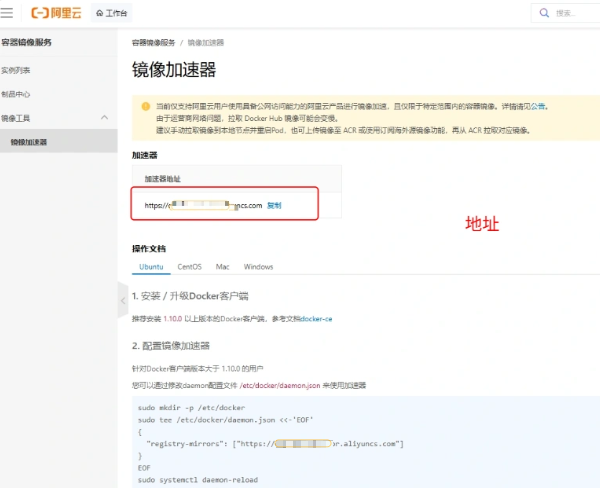
配置完成后,重启docker服务即可。
方法二:其他容器镜像网站下载替代镜像。
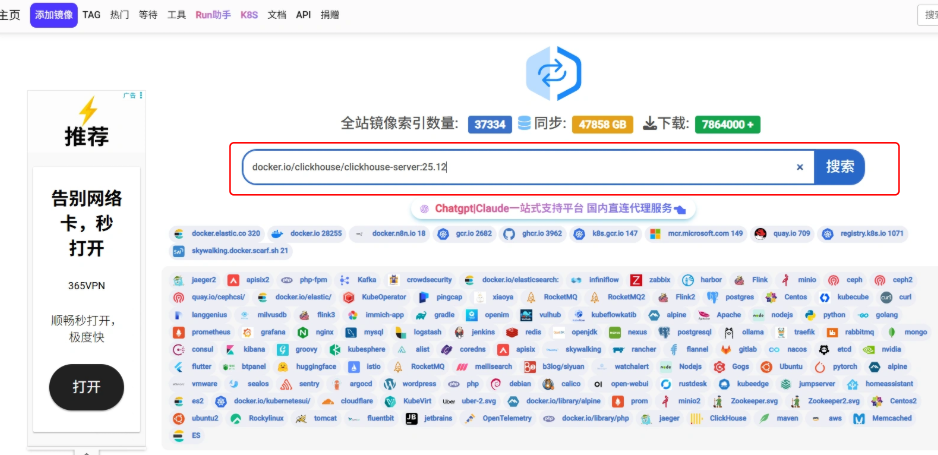
打开https://docker.aityp.com/,搜索框输入待下载容器,
得到国内替代镜像:
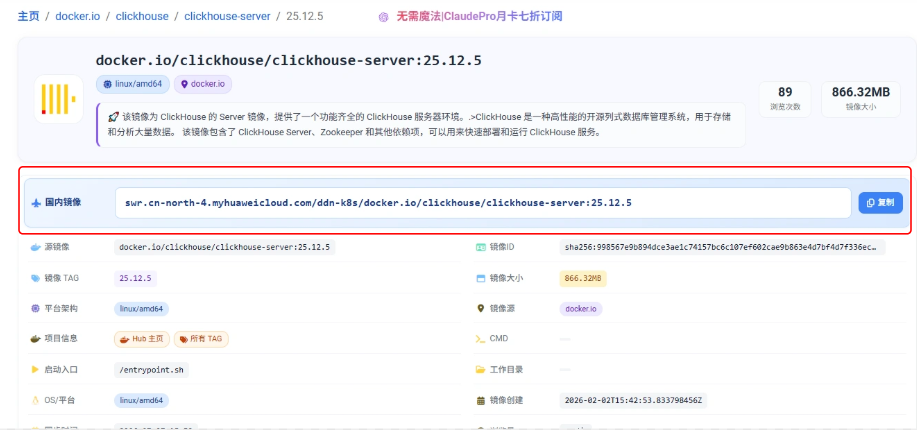
使用国内替代镜像下载即可。
参考资料
1.https://blog.csdn.net/2201_75692232/article/details/147193487
更多推荐
 6
6 0
0- 0


 已为社区贡献1条内容

所有评论(0)