
MiniMax H3 NF4 量化版本 本地部署实战:4090 显卡指南 autodl云服务器
MiniMax H3 NF4 量化版在 4090 上的部署与使用指南
目录
1. 引言
MiniMax H3 是 MiniMax 推出的新一代通用全模态生成模型,它突破了传统单一任务模型的边界,能够对文本、图像、视频、声音组成的多模态上下文进行统一理解与生成。与过去分别处理图片、视频和声音的专项模型不同,H3 实现了从"完成单项生成任务"到"通用多模态创作"的跨越,能够输出具备原生双声道的音视频内容,完成更加自然、连贯的生成与表达。
2. 环境准备
本教程使用的模型是 MiniMax-H3 视频生成模型的 NF4 量化版本,采用 bitsandbytes 4-bit 量化方案,配合 DiffSynth-Studio 使用,可以在显存和内存有限的设备上运行模型推理。运行以下代码,使用 DiffSynth-Studio 进行推理,显存管理将会自动启用,实际的显存占用量取决于 GPU 上的可用显存,最低 8G 显存即可运行。
2.1 硬件要求
- 租用autodl 平台4090
- 硬盘:建议在购买50g以上存储,此模型较大,切各种依赖库也较大
- 位置:存储购买的空间在/root/autodl-tmp,后续模型等存放位置
2.2 部署步骤
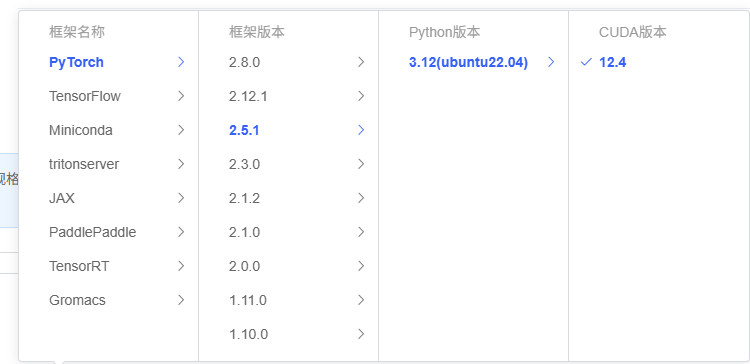
推荐使用 Python 3.10 及以上版本,并安装以下核心依赖:
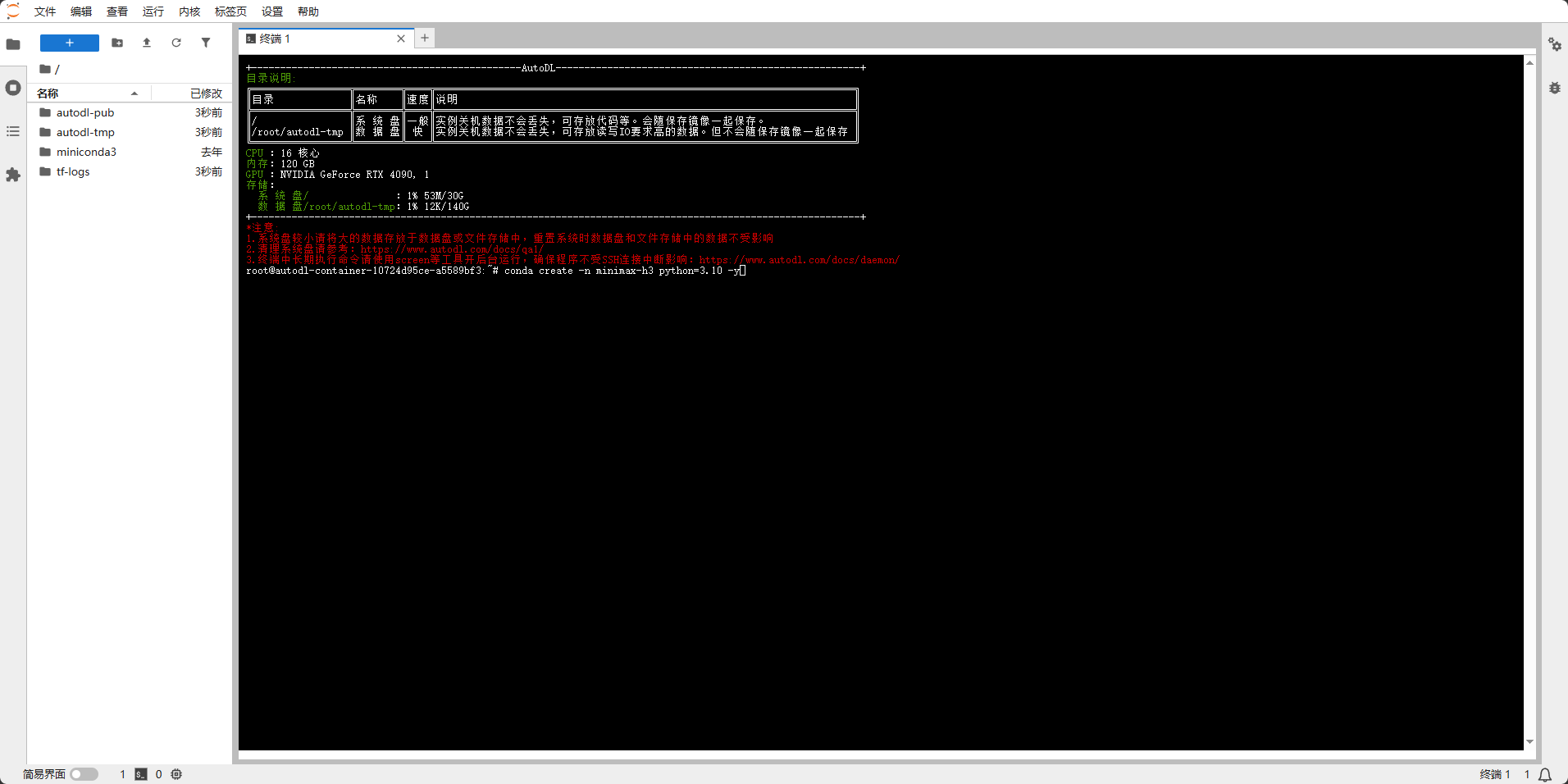
# 安装PyTorch和准备模型环境
# 创建虚拟环境
conda create -n minimax-h3 python=3.10 -y
#新环境首次应该会让你输入conda init初始化才可以,输入完直接新打开应该终端
conda activate minimax-h3

# 安装 PyTorch(CUDA 12.4 版本)(安装较慢,autodl有时候下载快,有时候极慢)
pip install torch==2.5.1 torchvision torchaudio --index-url https://download.pytorch.org/whl/cu124
# 2. 确认 PyTorch CUDA 可用
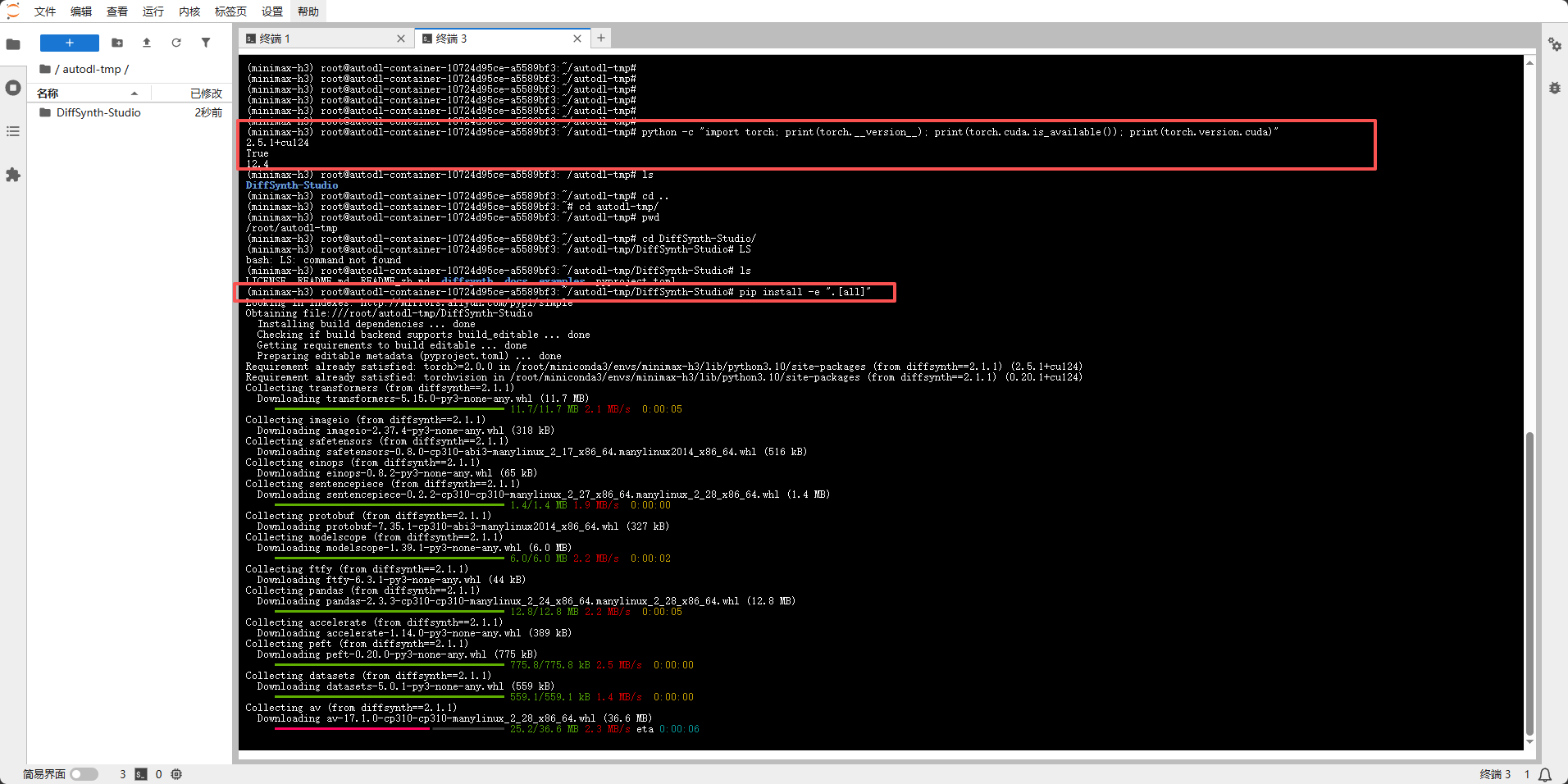
python -c "import torch; print(torch.__version__); print(torch.cuda.is_available()); print(torch.version.cuda)"

# 克隆 DiffSynth-Studio
/root/autodl-tmp
#安装 git-lfs
sudo apt-get update
sudo apt-get install git-lfs
命令初始化 Git LFS
git lfs install

#开启学术加速
source /etc/network_turbo
# 拉取
git clone https://github.com/modelscope/DiffSynth-Studio.git
#关闭学术加速
unset http_proxy && unset https_proxy
#进入目录
cd DiffSynth-Studio
# 4. 安装 DiffSynth-Studio (含所有依赖),这一步需要安装 PyTorch(CUDA 12.4 版本)之后
pip install -e ".[all]"
# 修复 torchao 版本冲突 ==========
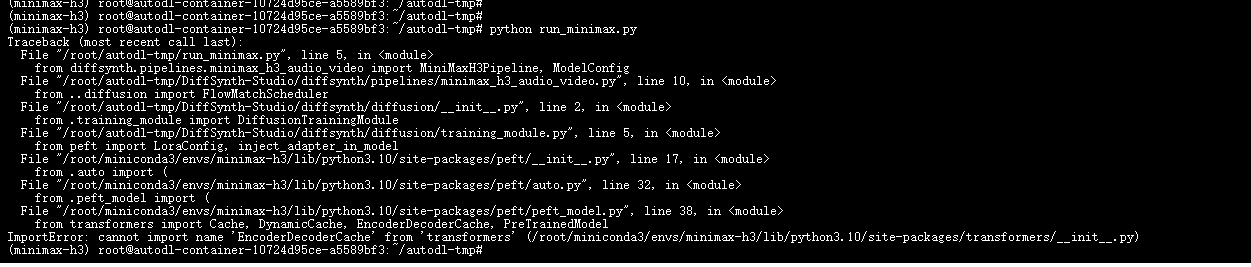
# transformers 最新版会自动导入 torchao,但 torchao 需要 PyTorch 2.6+
# 直接卸载即可,transformers 会跳过 torchao 相关功能
pip uninstall torchao -y

# ========== 7. 验证安装 ==========
python -c "import diffsynth; print('DiffSynth OK')"
会输出
(minimax-h3) root@autodl-container-10724d95ce-a5589bf3:~/autodl-tmp/DiffSynth-Studio# python -c "import diffsynth; print('DiffSynth OK')"
DiffSynth OK
(minimax-h3) root@autodl-container-10724d95ce-a5589bf3:~/autodl-tmp/DiffSynth-Studio#
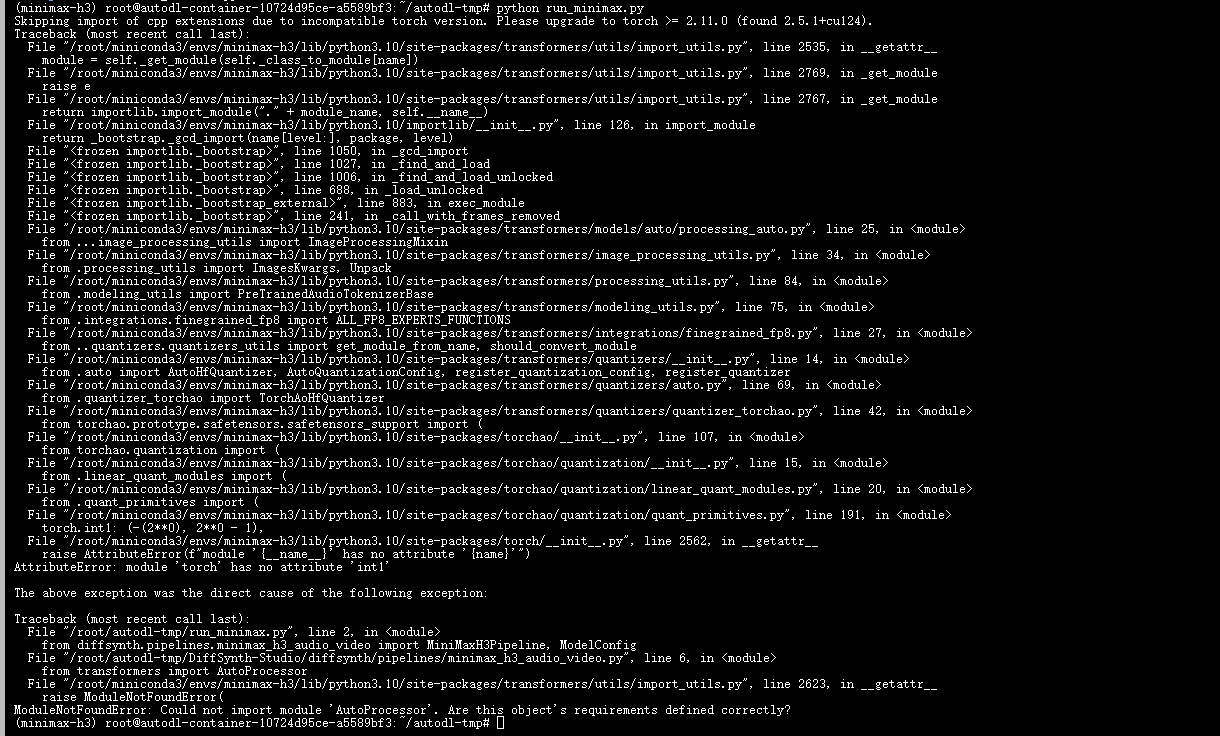
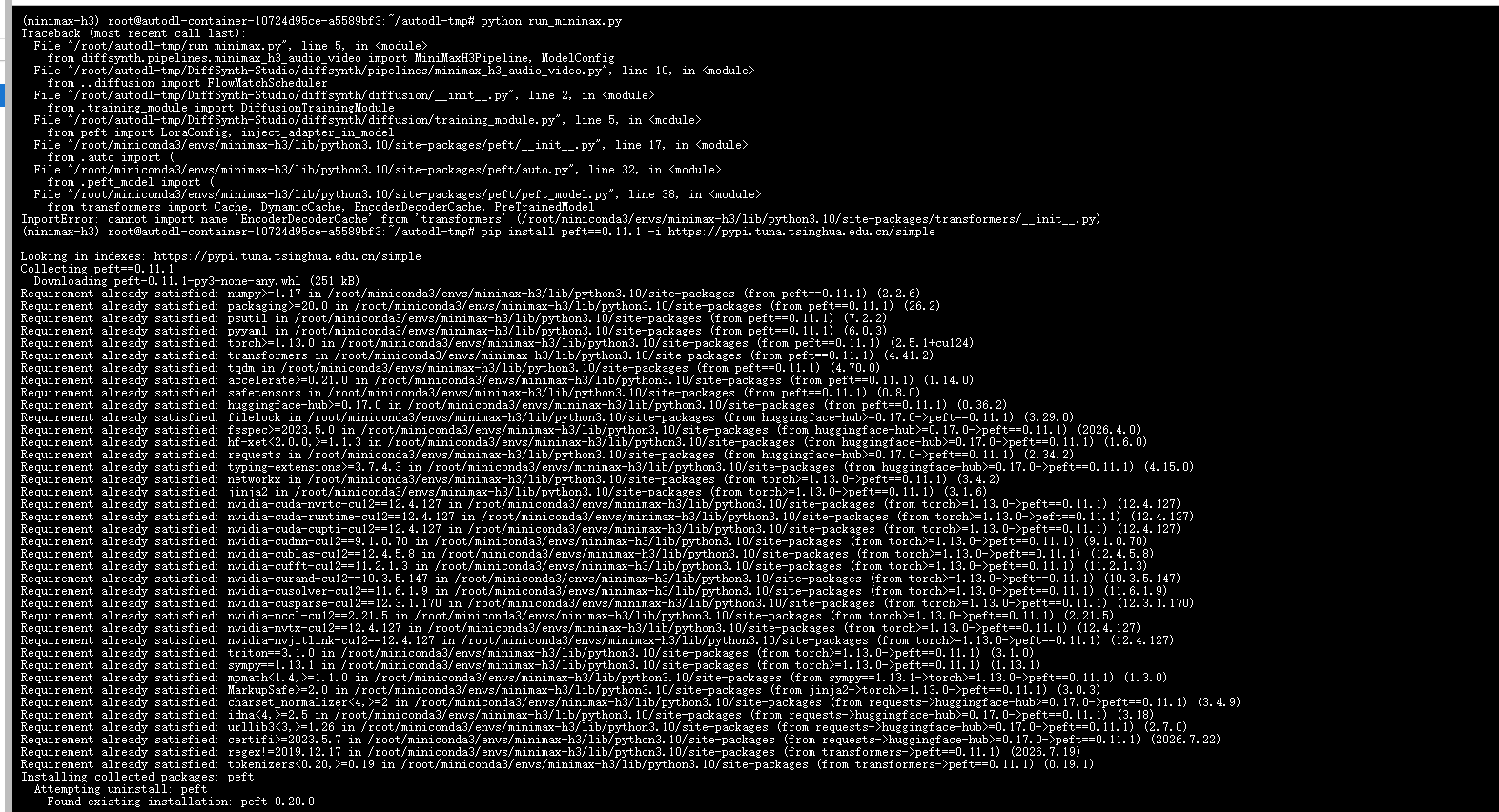
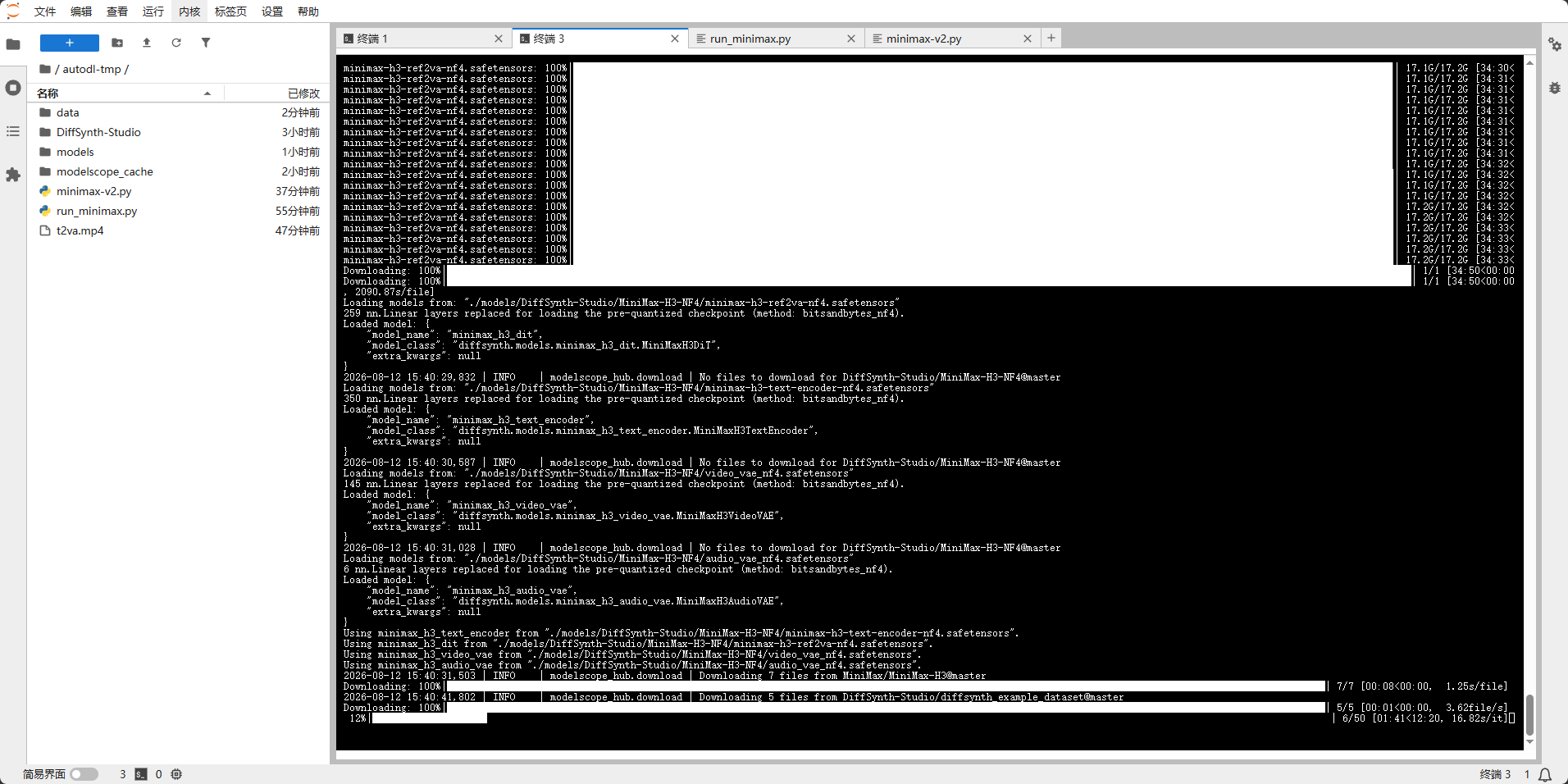
下面是一些图片,比如一些报错,因为做这个很容易遇到依赖地狱,所以按照上面的做就可以,看着图片不是非常清楚,所以主要以文字内容描述,图片简单看一下就可以
3 模型推理
3.1 FL2VA 与 Ref2VA 对比
为了方便读者理解 MiniMax H3 的两种主要推理模式,以下是 FL2VA 与 Ref2VA 的详细对比:
| 对比项 | FL2VA | Ref2VA |
|---|---|---|
| 全称含义 | Flow/Free Latent → Video + Audio | Reference → Video + Audio |
| 输入 | 纯文本(或音频) | 文本 + 参考图/视频/音频 |
| 用途 | 从无到有生成 | 基于参考素材编辑/风格迁移 |
| 主模型文件 | minimax-h3-fl2va-nf4.safetensors | minimax-h3-ref2va-nf4.safetensors |
| processor | FL2VA/processor/ | Ref2VA/processor/ |
| 典型场景 | “输入一段描述,AI 直接生成视频” | “给 AI 一张参考图/一段视频,让它照着风格/人物生成新视频” |
注!下面代码,首次运行需要下载模型,需要等待,第二次运行只需要修改提示词,模型已经下载好,会自动调用
3.2. FL2VA推理
3.2.1推理脚本
以下是完整的推理脚本,用于运行 MiniMax H3 NF4 量化模型:
root@autodl-container-10724d95ce-a5589bf3:~/autodl-tmp# pwd
/root/autodl-tmp
# 创建并编辑推理脚本
root@autodl-container-10724d95ce-a5589bf3:~/autodl-tmp#vim run_minimax.py
import os
# 模型下载位置
os.environ['MODELSCOPE_CACHE'] = '/root/autodl-tmp/modelscope_cache'

import torch
from diffsynth.pipelines.minimax_h3_audio_video import MiniMaxH3Pipeline, ModelConfig
from diffsynth.utils.data.audio_video import write_video_audio

vram_config = {
    "offload_dtype": "disk",
    "offload_device": "disk",
    "onload_dtype": torch.bfloat16,
    "onload_device": "cpu",
    "preparing_dtype": torch.bfloat16,
    "preparing_device": "cuda",
    "computation_dtype": torch.bfloat16,
    "computation_device": "cuda",
}
pipe = MiniMaxH3Pipeline.from_pretrained(
    torch_dtype=torch.bfloat16,
    device="cuda",
    model_configs=[
        ModelConfig(model_id="DiffSynth-Studio/MiniMax-H3-NF4", origin_file_pattern="minimax-h3-fl2va-nf4.safetensors", **vram_config),
        ModelConfig(model_id="DiffSynth-Studio/MiniMax-H3-NF4", origin_file_pattern="minimax-h3-text-encoder-nf4.safetensors", **vram_config),
        ModelConfig(model_id="DiffSynth-Studio/MiniMax-H3-NF4", origin_file_pattern="video_vae_nf4.safetensors", **vram_config),
        ModelConfig(model_id="DiffSynth-Studio/MiniMax-H3-NF4", origin_file_pattern="audio_vae_nf4.safetensors", **vram_config),
    ],
    processor_config=ModelConfig(model_id="MiniMax/MiniMax-H3", origin_file_pattern="FL2VA/processor/"),
    vram_limit=torch.cuda.mem_get_info("cuda")[1] / (1024 ** 3) - 4,
)

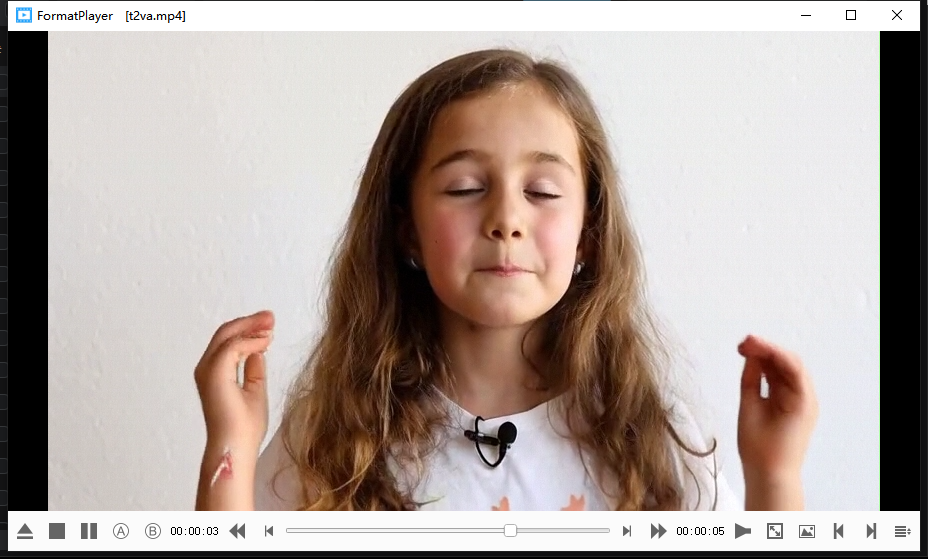
prompt = "A girl is very happy, she is speaking in english: 'I enjoy working with Diffsynth-Studio, it's a perfect framework.'"
video, audio = pipe(
    prompt=prompt,
    height=480, width=832, num_frames=124, num_inference_steps=50, seed=0,
)
write_video_audio(
    video=video, audio=audio,
    output_path="/root/autodl-tmp/t2va.mp4", fps=24, audio_sample_rate=32000,
)
print("Done! Output: /root/autodl-tmp/t2va.mp4")
3.2.2 日志及效果图
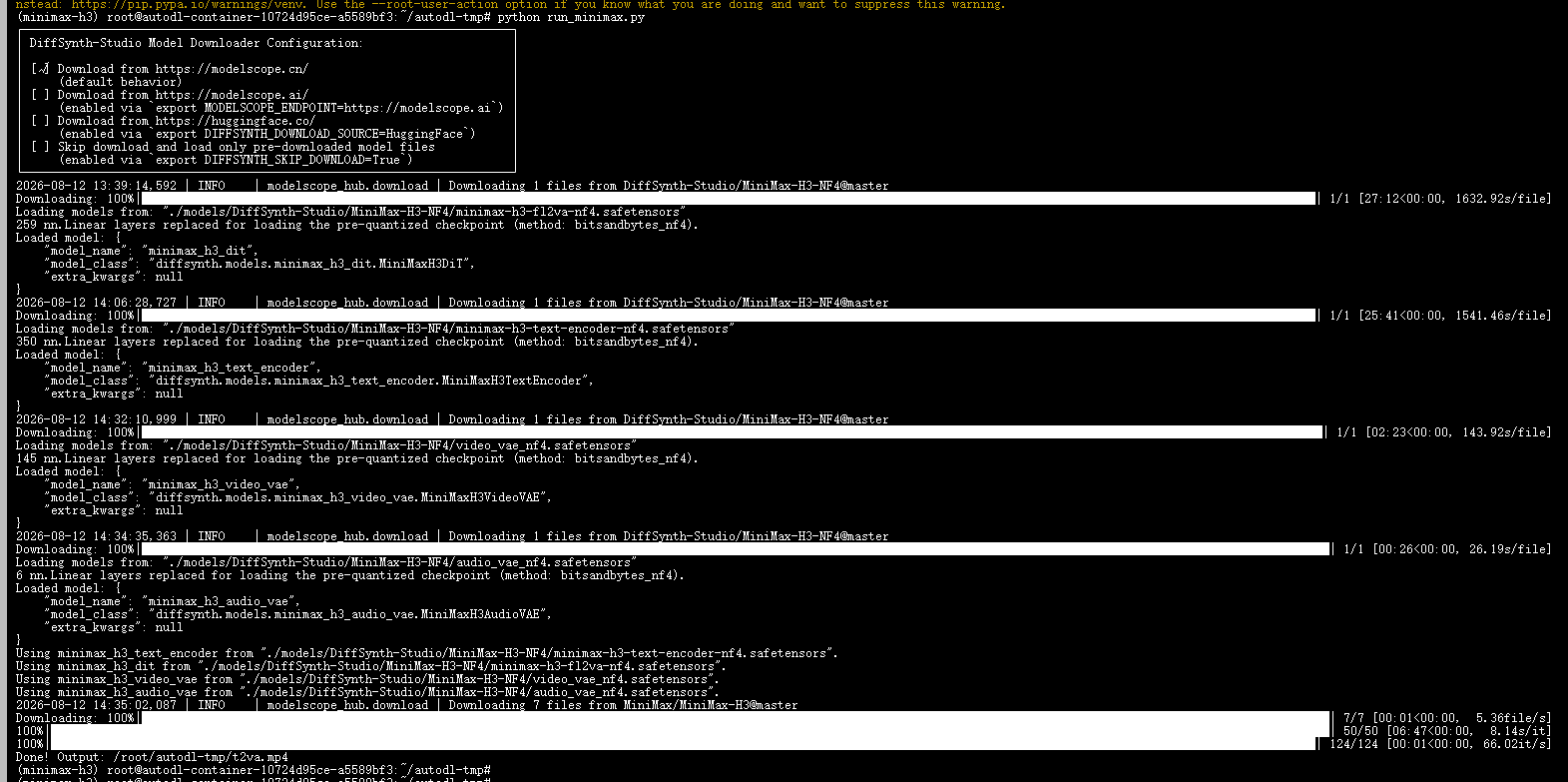
日志:
(minimax-h3) root@autodl-container-10724d95ce-a5589bf3:~/autodl-tmp# python run_minimax.py
┌──────────────────────────────────────────────────────────────────────┐
│ DiffSynth-Studio Model Downloader Configuration:                     │
│                                                                      │
│ [√] Download from https://modelscope.cn/                             │
│     (default behavior)                                               │
│ [ ] Download from https://modelscope.ai/                             │
│     (enabled via `export MODELSCOPE_ENDPOINT=https://modelscope.ai`) │
│ [ ] Download from https://huggingface.co/                            │
│     (enabled via `export DIFFSYNTH_DOWNLOAD_SOURCE=HuggingFace`)     │
│ [ ] Skip download and load only pre-downloaded model files           │
│     (enabled via `export DIFFSYNTH_SKIP_DOWNLOAD=True`)              │
└──────────────────────────────────────────────────────────────────────┘
2026-08-12 13:39:14,592 | INFO    | modelscope_hub.download | Downloading 1 files from DiffSynth-Studio/MiniMax-H3-NF4@master
Downloading: 100%|████████████████████████████████████████████████████████████████████████████████████████████████████████████████████████████████████████████████████████████████████████| 1/1 [27:12<00:00, 1632.92s/file]
Loading models from: "./models/DiffSynth-Studio/MiniMax-H3-NF4/minimax-h3-fl2va-nf4.safetensors"
259 nn.Linear layers replaced for loading the pre-quantized checkpoint (method: bitsandbytes_nf4).
Loaded model: {
    "model_name": "minimax_h3_dit",
    "model_class": "diffsynth.models.minimax_h3_dit.MiniMaxH3DiT",
    "extra_kwargs": null
}
2026-08-12 14:06:28,727 | INFO    | modelscope_hub.download | Downloading 1 files from DiffSynth-Studio/MiniMax-H3-NF4@master
Downloading: 100%|████████████████████████████████████████████████████████████████████████████████████████████████████████████████████████████████████████████████████████████████████████| 1/1 [25:41<00:00, 1541.46s/file]
Loading models from: "./models/DiffSynth-Studio/MiniMax-H3-NF4/minimax-h3-text-encoder-nf4.safetensors"
350 nn.Linear layers replaced for loading the pre-quantized checkpoint (method: bitsandbytes_nf4).
Loaded model: {
    "model_name": "minimax_h3_text_encoder",
    "model_class": "diffsynth.models.minimax_h3_text_encoder.MiniMaxH3TextEncoder",
    "extra_kwargs": null
}
2026-08-12 14:32:10,999 | INFO    | modelscope_hub.download | Downloading 1 files from DiffSynth-Studio/MiniMax-H3-NF4@master
Downloading: 100%|█████████████████████████████████████████████████████████████████████████████████████████████████████████████████████████████████████████████████████████████████████████| 1/1 [02:23<00:00, 143.92s/file]
Loading models from: "./models/DiffSynth-Studio/MiniMax-H3-NF4/video_vae_nf4.safetensors"
145 nn.Linear layers replaced for loading the pre-quantized checkpoint (method: bitsandbytes_nf4).
Loaded model: {
    "model_name": "minimax_h3_video_vae",
    "model_class": "diffsynth.models.minimax_h3_video_vae.MiniMaxH3VideoVAE",
    "extra_kwargs": null
}
2026-08-12 14:34:35,363 | INFO    | modelscope_hub.download | Downloading 1 files from DiffSynth-Studio/MiniMax-H3-NF4@master
Downloading: 100%|██████████████████████████████████████████████████████████████████████████████████████████████████████████████████████████████████████████████████████████████████████████| 1/1 [00:26<00:00, 26.19s/file]
Loading models from: "./models/DiffSynth-Studio/MiniMax-H3-NF4/audio_vae_nf4.safetensors"
6 nn.Linear layers replaced for loading the pre-quantized checkpoint (method: bitsandbytes_nf4).
Loaded model: {
    "model_name": "minimax_h3_audio_vae",
    "model_class": "diffsynth.models.minimax_h3_audio_vae.MiniMaxH3AudioVAE",
    "extra_kwargs": null
}
Using minimax_h3_text_encoder from "./models/DiffSynth-Studio/MiniMax-H3-NF4/minimax-h3-text-encoder-nf4.safetensors".
Using minimax_h3_dit from "./models/DiffSynth-Studio/MiniMax-H3-NF4/minimax-h3-fl2va-nf4.safetensors".
Using minimax_h3_video_vae from "./models/DiffSynth-Studio/MiniMax-H3-NF4/video_vae_nf4.safetensors".
Using minimax_h3_audio_vae from "./models/DiffSynth-Studio/MiniMax-H3-NF4/audio_vae_nf4.safetensors".
2026-08-12 14:35:02,087 | INFO    | modelscope_hub.download | Downloading 7 files from MiniMax/MiniMax-H3@master
Downloading: 100%|██████████████████████████████████████████████████████████████████████████████████████████████████████████████████████████████████████████████████████████████████████████| 7/7 [00:01<00:00,  5.36file/s]
100%|███████████████████████████████████████████████████████████████████████████████████████████████████████████████████████████████████████████████████████████████████████████████████████| 50/50 [06:47<00:00,  8.14s/it]
100%|█████████████████████████████████████████████████████████████████████████████████████████████████████████████████████████████████████████████████████████████████████████████████████| 124/124 [00:01<00:00, 66.02it/s]
Done! Output: /root/autodl-tmp/t2va.mp4
3.3Ref2VA推理
3.3.1推理脚本
# 创建并编辑推理脚本
root@autodl-container-10724d95ce-a5589bf3:~/autodl-tmp#vim minimax-v2.py
import os
os.environ['MODELSCOPE_CACHE'] = '/root/autodl-tmp/modelscope_cache'

import torch
from PIL import Image
from diffsynth.pipelines.minimax_h3_audio_video import MiniMaxH3Pipeline, ModelConfig
from diffsynth.utils.data.audio_video import write_video_audio
from diffsynth.utils.data.audio import read_audio
from diffsynth.utils.data import VideoData
from modelscope import dataset_snapshot_download


def align_frame_count(frame_count):
    current = max(int(frame_count), 1)
    while current % 17 != 5:
        current += 1
    return current


def read_video_with_fps(path, num_out_frames, height, width, fps=24):
    video = VideoData(path, height=height, width=width)
    frames = video.raw_data()
    src_fps = float(video.data.reader.get_meta_data()["fps"])
    out = []
    for k in range(num_out_frames):
        idx = int(round(k * src_fps / fps))
        if idx >= len(frames):
            break
        out.append(frames[idx])
    return out


vram_config = {
    "offload_dtype": "disk",
    "offload_device": "disk",
    "onload_dtype": torch.bfloat16,
    "onload_device": "cpu",
    "preparing_dtype": torch.bfloat16,
    "preparing_device": "cuda",
    "computation_dtype": torch.bfloat16,
    "computation_device": "cuda",
}
pipe = MiniMaxH3Pipeline.from_pretrained(
    torch_dtype=torch.bfloat16,
    device="cuda",
    model_configs=[
        ModelConfig(model_id="DiffSynth-Studio/MiniMax-H3-NF4", origin_file_pattern="minimax-h3-ref2va-nf4.safetensors", **vram_config),
        ModelConfig(model_id="DiffSynth-Studio/MiniMax-H3-NF4", origin_file_pattern="minimax-h3-text-encoder-nf4.safetensors", **vram_config),
        ModelConfig(model_id="DiffSynth-Studio/MiniMax-H3-NF4", origin_file_pattern="video_vae_nf4.safetensors", **vram_config),
        ModelConfig(model_id="DiffSynth-Studio/MiniMax-H3-NF4", origin_file_pattern="audio_vae_nf4.safetensors", **vram_config),
    ],
    processor_config=ModelConfig(model_id="MiniMax/MiniMax-H3", origin_file_pattern="Ref2VA/processor/"),
    vram_limit=torch.cuda.mem_get_info("cuda")[1] / (1024 ** 3) - 5,
)

# ========== 下载示例数据集(首次自动下载)==========
dataset_snapshot_download(
    dataset_id="DiffSynth-Studio/diffsynth_example_dataset",
    local_dir="data/diffsynth_example_dataset",
    allow_file_pattern="minimax_h3/MiniMax-H3-Ref2VA/*"
)

# ========== 示例 1:文本 + 参考图 -> 视频+音频 ==========
ref_image = Image.open("data/diffsynth_example_dataset/minimax_h3/MiniMax-H3-Ref2VA/0.png").convert("RGB")
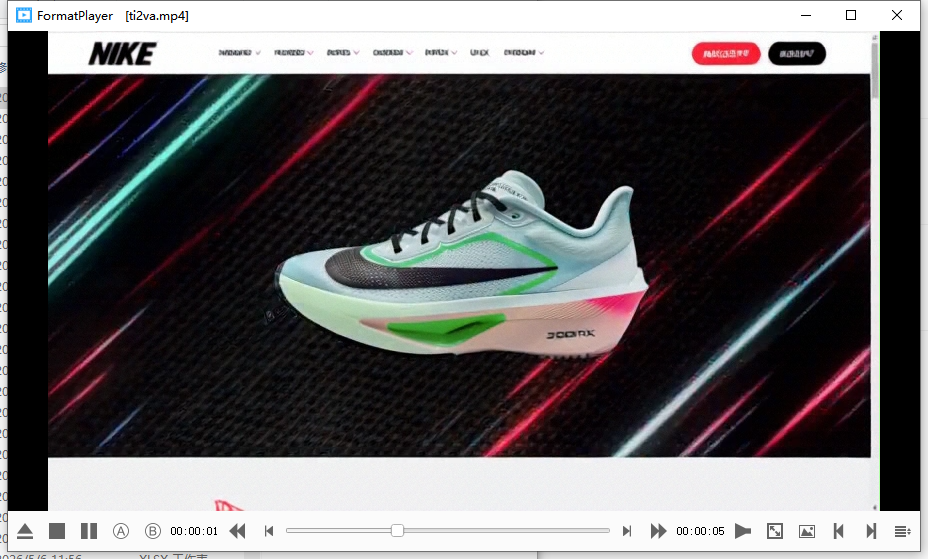
prompt = "一个网站页面,网站页面UI设计,网站动效,视频展示了流畅的网页向下滚动效果。一个极具爆发力与动感的产品官网风格产品落地页 UI/UX 演示视频,核心展示主体是该产品图片1。页面采用粗犷有力、倾斜的超大号无衬线字体进行张扬的排版。背景有极具速度感的动态光影、暗色碳纤维或运动透气网眼纹理在交织变换。视频展示了节奏紧凑、充满力量感的网页向下滚动效果,以及鼠标悬停时强烈的视觉放大与颜色反转等 UI 交互动作。"

video, audio = pipe(
    prompt=prompt,
    height=480, width=832, num_frames=124, num_inference_steps=50, seed=42,
    references=[{"type": "image", "image": ref_image}]
)
write_video_audio(
    video=video, audio=audio,
    output_path="/root/autodl-tmp/ti2va.mp4",  # 改到数据盘
    fps=24, audio_sample_rate=32000,
)
print("Done! /root/autodl-tmp/ti2va.mp4")

# ========== 示例 2:文本 + 参考视频 + 参考音频 -> 视频+音频 ==========
ref_video = read_video_with_fps("data/diffsynth_example_dataset/minimax_h3/MiniMax-H3-Ref2VA/video.mp4", 124, 480, 832)
ref_audio, sample_rate = read_audio(
    "data/diffsynth_example_dataset/minimax_h3/MiniMax-H3-Ref2VA/voice.mp3",
    duration=len(ref_video) / 24,
    resample=True,
    resample_rate=pipe.audio_vae.sample_rate
)

prompt = "subject_definitions:\n<Subject 1> is the young man with short wavy blonde hair, wearing a bright pink suit jacket, matching pink trousers, an unbuttoned white shirt, and silver rings, holding a small black lamb in his arms in <Video 1>.\n<Video 1> is the source video for the editing task.\n<Audio 1> is the synchronized audio track of <Video 1>, providing the background music.\n<Audio 2> is the voice timbre reference for <Subject 1>'s voice, containing a spoken male voiceover.\n\nsummary:\n[video editing + audio reference + audio reuse] The target video is an edited version of <Video 1>. <Subject 1>, wearing a bright pink suit and holding a black lamb, stands in a grassy field with other white lambs in the background. The edit animates <Subject 1>'s face to speak the user-provided dialogue. <Audio 1> is partially reused as the continuous background music, while the target references the calm male voice timbre of <Audio 2> for <Subject 1>'s spoken lines.\n\nretention_analysis:\n<Subject 1> (appears in [Shot 1]): fully_preserved - the man retains his identity, wavy blonde hair, pink suit, white shirt, accessories, and the black lamb he holds, with his mouth newly animated to speak.\n<Video 1> (source video editing): fully_preserved - the original camera framing, warm golden hour lighting, grassy hill setting, and background white lambs are maintained while the central character is edited.\n<Audio 1>: partially_copy - the atmospheric background music from <Audio 1> is reused in the target video, mixed beneath the newly added spoken dialogue.\n<Audio 2>: reference - the target audio references the male voice timbre from <Audio 2> to generate <Subject 1>'s spoken dialogue.\n\ndetailed_description:\nThe target video is in realistic photographic style.\n[Shot 1] The shot begins from the source <Video 1>, showing <Subject 1>, a young man with short wavy blonde hair, wearing a bright pink suit jacket, matching pink trousers, and a casually unbuttoned white shirt. He stands confidently in a sunlit green pasture, gently holding a small black lamb securely in his arms. The warm, golden hour lighting casts soft shadows across his face and the bright pink fabric of his suit. Behind him, several white lambs stand and graze on the rolling grassy hill against a clear, pale blue sky. The atmospheric background music from <Audio 1> plays continuously throughout the scene. <Subject 1> physically speaks, his mouth movements naturally syncing to the new dialogue, with his voice timbre referencing the calm male delivery from <Audio 2>. Looking thoughtfully forward, <Subject 1> (S1) speaks softly, <d>[English] Follow the wind, live free.</d> As he delivers the line, he subtly shifts his weight, cradling the resting black lamb while the camera slowly pushes in. <Subject 1> (S1) continues his thought, <d>[English] Leave worries behind, enjoy the moment.</d> Exactly as his voice stops, his lips meet in a relaxed, peaceful smile, and his jaw ceases speaking motion. He then turns his gaze slightly away toward the horizon, gently stroking the black lamb's fleece with his fingers as the camera holds on this tranquil, sunlit state through the end of the video.\n\noverall_soundscape:\nThe soundscape consists of the continuous, atmospheric background music from <Audio 1>, overlaid with the clear, calm male dialogue spoken by the main character, referencing the voice timbre of <Audio 2>.\n\nnon_diegetic_music:\nThe atmospheric, sustained background music from <Audio 1> is reused as the continuous score, playing quietly beneath the spoken dialogue."

video, audio = pipe(
    prompt=prompt,
    height=480, width=832, num_frames=124, num_inference_steps=50, seed=42,
    references=[
        {"type": "video", "video": ref_video},
        {"type": "audio", "audio": ref_audio, "sample_rate": sample_rate},
    ],
)
write_video_audio(
    video=video, audio=audio,
    output_path="/root/autodl-tmp/tav2va-v2.mp4",  # 改到数据盘
    fps=24, audio_sample_rate=32000,
)
print("Done! /root/autodl-tmp/tav2va-v2.mp4")
3.3.2 日志及效果图
在这里插入代码片
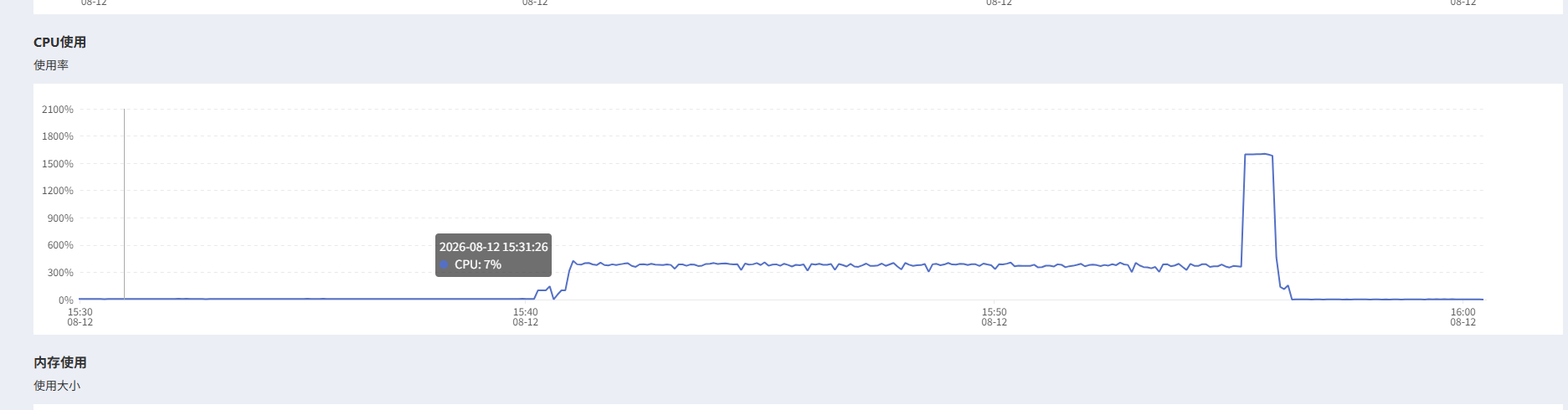
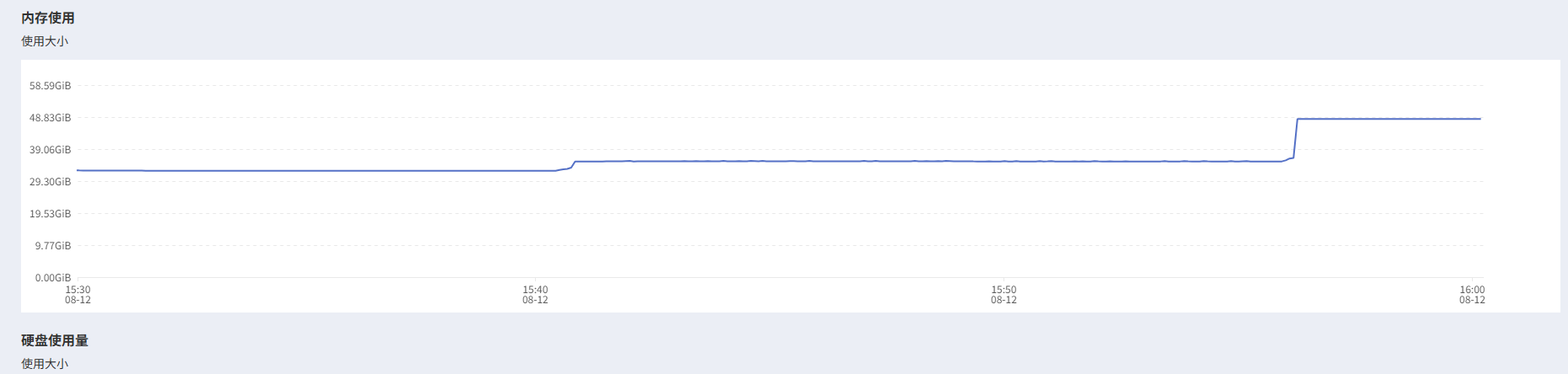
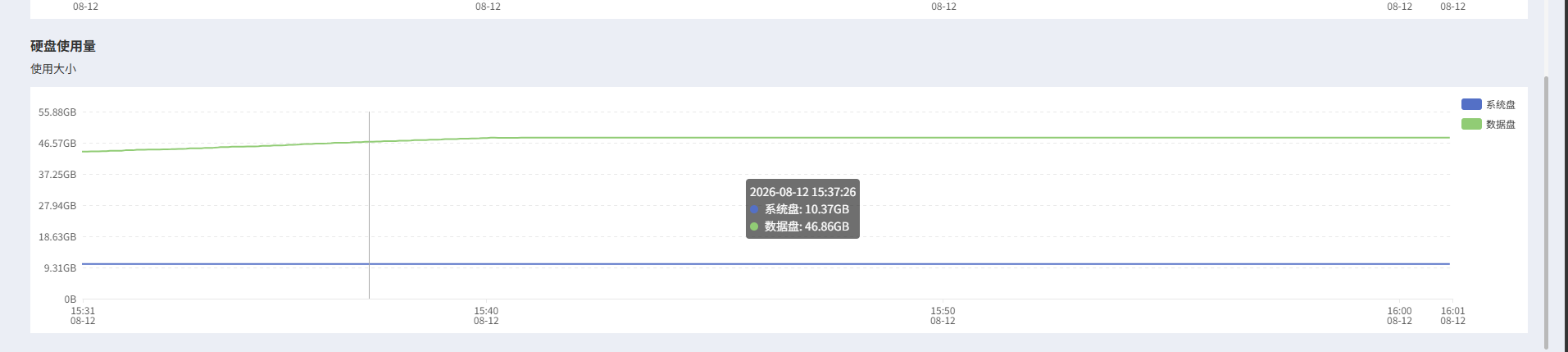
3.4 硬件使用状态
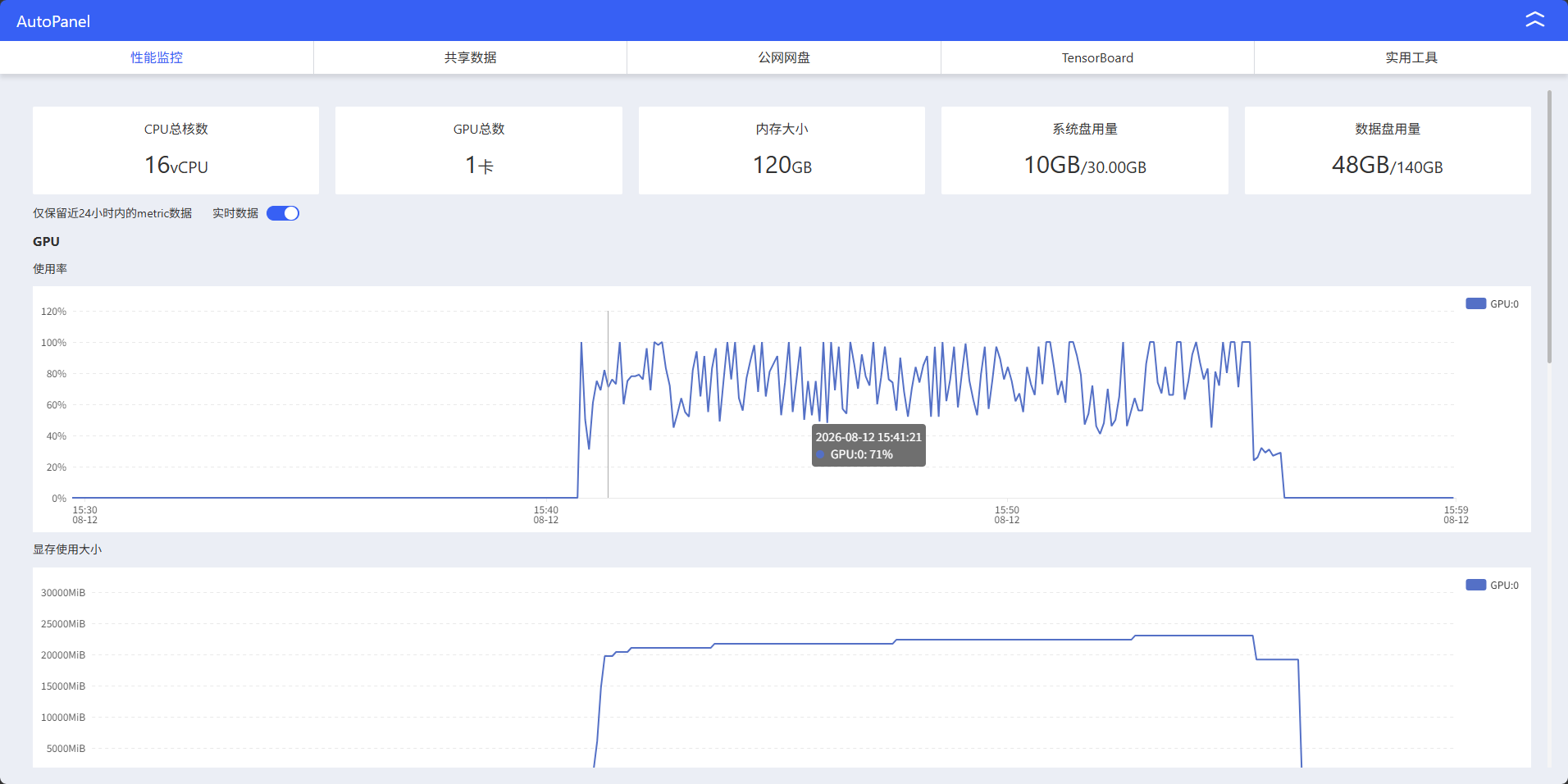
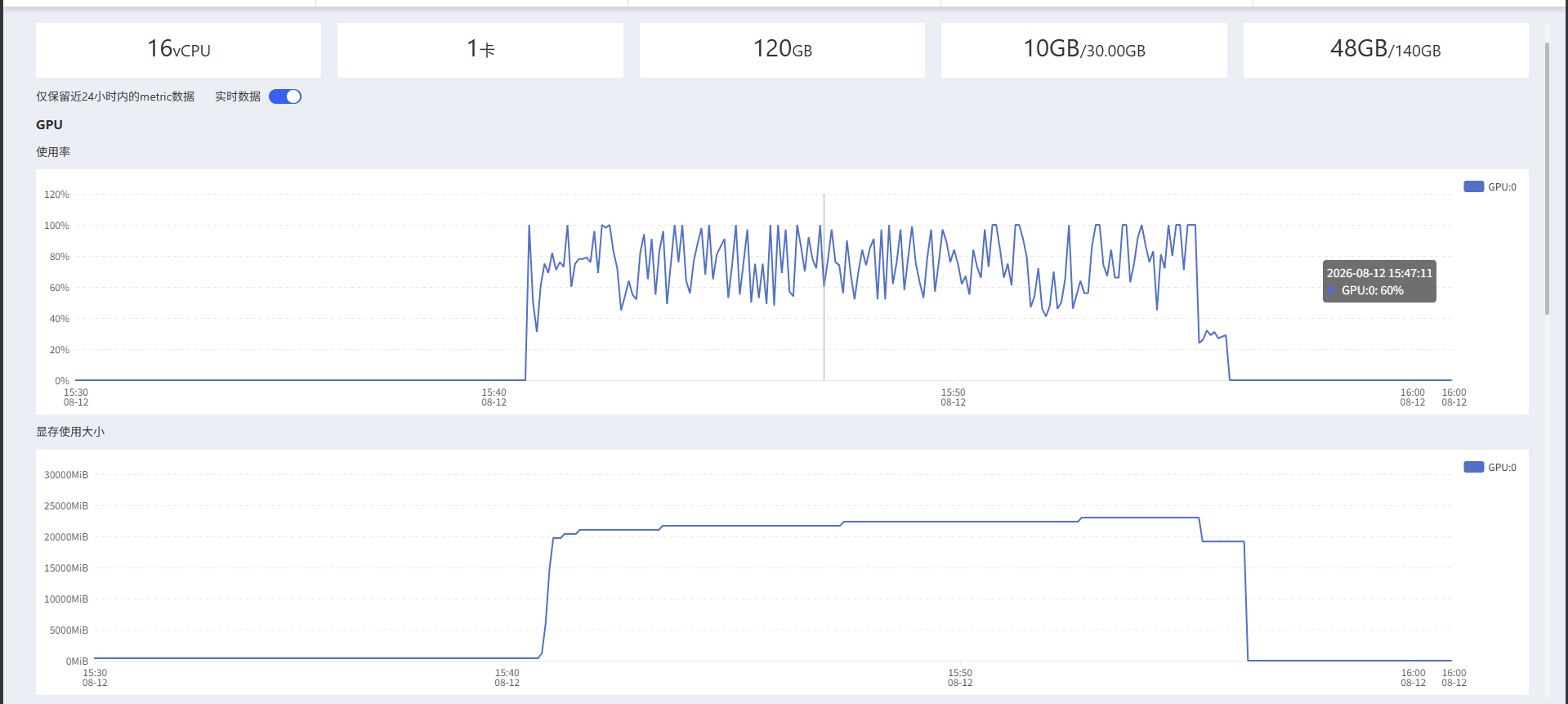
gpu
cpu
内存
硬盘
4. 总结与展望
通过本文的完整实践,我们成功在 NVIDIA RTX 4090 上部署并运行了 MiniMax H3 NF4 量化版本。整个过程涵盖了从环境准备到实际推理的全流程,主要收获如下:
4.1 核心成果
- 成功部署:在 AutoDL 平台上使用 RTX 4090 完成了 MiniMax H3 NF4 量化版的完整部署
- 显存优化:通过 4-bit 量化技术,将原本需要大量显存的模型压缩到最低 8GB 显存即可运行
- 完整流程:从环境配置、依赖安装到模型推理,提供了可复现的完整操作指南
- 实际验证:成功运行了文本到音视频的生成任务,验证了模型的实用性
4.2 技术要点总结
- 模型特性:MiniMax H3 作为通用全模态生成模型,实现了对文本、图像、视频、声音的统一理解与生成
- 量化优势:NF4 量化方案显著降低了显存需求,使得在消费级显卡上运行大型多模态模型成为可能
- 工具生态:DiffSynth-Studio 提供了完整的推理框架和显存管理机制,简化了部署流程
- 性能表现:在 RTX 4090 上,单次推理约需 7-8 分钟,生成 124 帧 480×832 分辨率的视频
4.3 应用前景
MiniMax H3 代表了多模态 AI 技术的前沿方向,其应用潜力包括:
- 内容创作:为视频博主、自媒体创作者提供高效的音视频生成工具
- 教育领域:快速生成教学视频和演示材料
- 娱乐产业:辅助游戏开发、影视制作中的内容生成
- 虚拟现实:为 VR/AR 应用提供动态内容生成能力
4.4 后续优化建议
- 性能调优:进一步优化推理参数,平衡生成质量与速度
- 批量处理:探索批量生成的可能性,提高生产效率
- 自定义训练:在预训练模型基础上进行微调,适应特定领域需求
- 部署优化:研究更高效的量化方案和推理优化技术
随着多模态技术的不断发展,MiniMax H3 这类模型将在更多领域发挥重要作用。本文提供的部署指南为开发者提供了一个可靠的起点,帮助更多人能够体验和利用这一前沿技术。
更多推荐
 7
7 0
0- 0


 已为社区贡献1条内容

所有评论(0)