
AgentTool 解密:Claude Code 如何像指挥官一样调度子任务
源码仓库: https://github.com/claude-code-best/claude-code
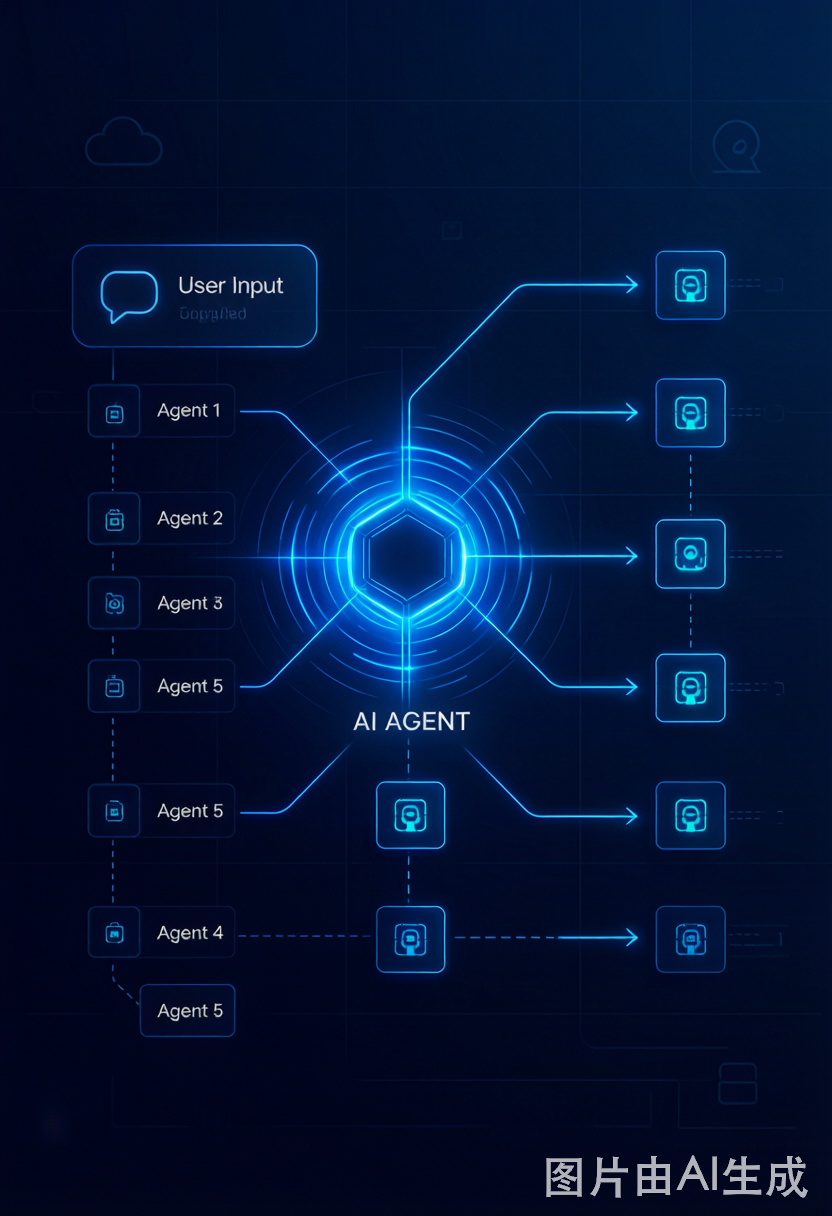
一个用户请求进来,Claude Code 把它拆成若干子任务分派给不同的 Agent 并行执行。谁来决定哪些任务交给哪个 Agent?同步还是异步?如果模型判断错了怎么办?这篇文章拆开 AgentTool 的源码,把决策链从头捋到尾。
一、决策流程:五步定生死
从用户按下回车到子 Agent 真正跑起来,中间经历了一条五级流水线。每一步都可能改变最终的执行方式:
用户输入
  ↓
Claude API(模型推理)
  ↓
模型决定:是否调用 AgentTool?是否设置 run_in_background?
  ↓
AgentTool.call() 内部 shouldRunAsync 逻辑(运行时覆盖)
  ↓
最终执行方式:同步(阻塞主线程)OR 异步(后台并行)
这条链上每一环都有兜底机制——模型可能犯错,但运行时不会让它真的阻塞住。下面我们逐层拆开。
二、模型层决策:所有智慧都在提示词里
AgentTool 的决策没有一行 if/else 硬编码规则。决策者是 Claude 模型本身——所有指导通过 getPrompt() 注入到 AgentTool 的 description 字段,作为 system prompt 的一部分发给模型。
核心文件:packages/builtin-tools/src/tools/AgentTool/prompt.ts
getPrompt()根据运行模式(Coordinator、Fork Subagent、Teammate 等)拼装不同的提示词片段,条件拼接后返回完整描述。模型读到的「使用说明」决定了它的行为。
2.1 核心描述(shared 片段)——所有模式的公共底座
Launch a new agent to handle complex, multi-step tasks autonomously.

The Agent tool launches specialized agents (subprocesses) that autonomously
handle complex tasks. Each agent type has specific capabilities and tools
available to it.

Available agent types and the tools they have access to:
- general-purpose: General purpose agent for researching complex questions,
  searching for code, and executing multi-step tasks. ... (Tools: All tools)
- Explore: Fast agent specialized for exploring codebases. ... (Tools: ...)
- Plan: Agent used whenever the task requires planning ... (Tools: ...)
- ...

When using the Agent tool, specify a subagent_type parameter to select which
agent type to use. If omitted, the general-purpose agent is used.
注:开启 Agent List Attachment 后,agent 列表通过
<system-reminder>消息注入而非内嵌在 tool description 中——这样做是为了避免 MCP/plugin 变化导致 prompt cache 全局失效。一个细节但很关键的性能优化。
2.2 同步/异步的取舍逻辑
这是整篇文章最核心的一段提示词。模型从这里学会「什么时候前台等,什么时候后台放」:
- You can optionally run agents in the background using the run_in_background
  parameter. When an agent runs in the background, you will be automatically
  notified when it completes — do NOT sleep, poll, or proactively check on its
  progress. Continue with other work or respond to the user instead.
- **Foreground vs background**: Use foreground (default) when you need the
  agent's results before you can proceed — e.g., research agents whose findings
  inform your next steps. Use background when you have genuinely independent
  work to do in parallel.
三个设计要点:
run_in_background默认省略 → 缺省即同步。模型只在明确判断「独立工作」时才走异步。- 后台任务完成靠
<task-notification>推送,模型被明确禁止轮询或 sleep 等待——避免浪费 token 和算力。 - 决策本质上是 依赖性判断:子 Agent 的结果是不是主流程下一步的必要输入?是 → 同步;不是 → 异步。
什么情况下模型根本看不到这些指导? 两个硬条件:
- 环境变量
CLAUDE_CODE_DISABLE_BACKGROUND_TASKS=1(全局关闭后台能力) - 当前运行在 In-Process Teammate 上下文中(teammate 不具备后台派生能力)
2.3 并行执行:Pro 用户的能力分层
不同订阅级别看到的并行指导不一样,这是一层 subscription gate:
-
Pro 用户始终看到:
- Launch multiple agents concurrently whenever possible, to maximize performance; to do that, use a single message with multiple tool uses -
非 Pro 用户:仅在 Agent List 通过 attachment 注入时才看到并行指令。
-
用户显式要求并行时,追加一条强制指令:
- If the user specifies that they want you to run agents "in parallel",
  you MUST send a single message with multiple Agent tool use content blocks.
  For example, if you need to launch both a build-validator agent and a
  test-runner agent in parallel, send a single message with both tool calls.
这里有个值得注意的点:「多条 Agent tool use 放在同一条消息里」是实现并行的关键。分开两条消息发,就是串行。
2.4 反模式:什么时候不该用 AgentTool
给模型的「减法」指导同样重要——过度使用 Agent 反而降低效率:
When NOT to use the Agent tool:
- If you want to read a specific file path, use the FileRead tool or Glob
  tool instead of the Agent tool, to find the match more quickly
- If you are searching for a specific class definition like "class Foo",
  use the Glob tool instead, to find the match more quickly
- If you are searching for code within a specific file or set of 2-3 files,
  use the FileRead tool instead of the Agent tool, to find the match more quickly
- Other tasks that are not related to the agent descriptions above
核心原则:单文件 / 简单搜索不需要 Agent——Agent 启动有开销,直接读文件更快。这段提示词在 Fork Subagent 启用时不注入,因为 fork 模式下模型自行判断。
2.5 Prompt 写作法则:别把理解推给子 Agent
这段是我个人认为整个提示词里最精彩的——它教的不是工具用法,而是编写子任务的艺术:
## Writing the prompt

Brief the agent like a smart colleague who just walked into the room — it
hasn't seen this conversation, doesn't know what you've tried, doesn't
understand why this task matters.

- Explain what you're trying to accomplish and why, what you've already
  learned or ruled out, and enough context for the agent to make judgment calls.
- If you need a short response, say so ("report in under 200 words").
- Lookups: hand over the exact command. Investigations: hand over the question
  — prescribed steps become dead weight when the premise is wrong.

Terse command-style prompts produce shallow, generic work.

**Never delegate understanding.** Don't write "based on your findings, fix the
bug" or "based on the research, implement it." Write prompts that prove you
understood: include file paths, line numbers, what specifically to change.
Fork 模式下有额外前缀:"When spawning an agent without
fork: true, it starts with zero context."——提醒模型 fork 和非 fork Agent 的根本区别。
2.6 Fork 模式:继承上下文的子进程
Fork Subagent 是唯一继承完整对话上下文的 Agent 类型,因此它的指导单独处理:
## When to fork

When you need to delegate work that benefits from full conversation context
(e.g., continuing a multi-file refactor where the child needs the same system
prompt and history), use `fork: true`. For most tasks, prefer specialized
agent types (Explore, Plan, general-purpose).

**Don't peek.** The tool result includes an `output_file` path — do not Read
or tail it unless the user explicitly asks for a progress check. You get a
completion notification; trust it.

**Don't race.** After launching, you know nothing about what the fork found.
Never fabricate or predict fork results. If the user asks a follow-up before
the notification lands, tell them the fork is still running.

**Writing a fork prompt.** Since the fork inherits your context, the prompt
is a *directive* — what to do, not what the situation is. Be specific about
scope. Don't re-explain background.
三条 "Don't" 规则串起了一个关键设计:fork 的结果对调用者完全不可见,直到通知到达。这避免了竞态和幻觉问题。
2.7 其他使用约定
Usage notes:
- Always include a short description (3-5 words) summarizing what the agent
  will do
- When the agent is done, it will return a single message back to you. The
  result returned by the agent is not visible to the user. To show the user
  the result, you should send a text message back to the user with a concise
  summary of the result.
- To continue a previously spawned agent, use SendMessage with the agent's ID
  or name as the `to` field. The agent resumes with its full context preserved.
- The agent's outputs should generally be trusted
- Clearly tell the agent whether you expect it to write code or just to do
  research (search, file reads, web fetches, etc.)
- If the agent description mentions that it should be used proactively, then
  you should try your best to use it without the user having to ask for it first.
- You can optionally set `isolation: "worktree"` to run the agent in a
  temporary git worktree, giving it an isolated copy of the repository.
Teammate 模式的参数限制(在 Team / Swarm 上下文中生效):
- In-Process Teammate:
run_in_background、name、team_name、mode均不可用。只能同步派生,防止嵌套 teammate 失控。 - 普通 Teammate:
name、team_name、mode禁用——teammates 不能再派生子 teammate。
2.8 Coordinator Mode:极简提示词
当 isCoordinator === true 时,getPrompt() 只返回 shared 片段,其余全部剪掉。原因很简单:Coordinator 的系统提示词已经包含了使用说明、示例和反例,AgentTool 只需要描述工具自身即可,不需要重复指导。
三、三种典型调度场景
理论说完,看三个真实场景下的执行流。
场景 1:模型自主并行分派
模型在 同一条消息 中调用多个 AgentTool,各自独立设置 run_in_background。这是最理想的并行形态——模型自己判断哪些任务独立,哪些有依赖,然后一次性发出:
<!-- 模型生成的并行调用 -->
<invoke name="Agent">
  <parameter name="description">Explore authentication module</parameter>
  <parameter name="prompt">Find all auth-related files...</parameter>
  <parameter name="run_in_background">true</parameter>
</invoke>

<invoke name="Agent">
  <parameter name="description">Explore database schema</parameter>
  <parameter name="prompt">Analyze the database models...</parameter>
  <parameter name="run_in_background">true</parameter>
</invoke>
两个 Agent 同时启动,各自探索不同模块,互不依赖 → 全部异步。
场景 2:Plan Mode → 批量执行
Plan Mode 激活 → 模型生成执行计划 → 退出 Plan Mode → 按计划逐项执行
进入执行阶段后,模型通常两种武器配合使用:
TaskCreateTool创建任务清单并跟踪状态AgentTool将每个任务派发给对应类型的子 Agent
这种模式下,同步/异步取决于任务间的依赖关系——Plan Mode 本身不强制任何执行方式。
场景 3:Coordinator Mode(全线异步)
Coordinator Mode 激活
  ↓
所有 Agent(worker) 调用 → 运行时强制转为异步
  ↓
Worker 完成后通过 <task-notification> 通知 Coordinator
Coordinator 模式下不存在「前台等」的概念——所有 Worker 一律后台运行,Coordininator 靠通知驱动。这是集中编排模式的设计前提。
四、运行时覆盖:模型说了不算的时候
前文一直强调「模型是决策者」,但这里有一个重要的补充:模型的决定不是最终裁决。AgentTool 内部有一段强制覆盖逻辑,在某些模式下无论模型怎么设,最终都会走异步。
核心代码(AgentTool.tsx 第 709-716 行):
const shouldRunAsync =
  (run_in_background === true ||
    selectedAgent.background === true ||
    isCoordinator ||
    forceAsync ||
    assistantForceAsync ||
    (proactiveModule?.isProactiveActive() ?? false)) &&
  !isBackgroundTasksDisabled;
六种强制异步触发条件
| 条件 | 触发场景 | 设计意图 |
|---|---|---|
run_in_background === true | 模型主动设为后台 | 模型自己的判断,直接尊重 |
selectedAgent.background === true | Agent 定义 background: true | 某些 Agent 类型天生只适合后台跑 |
isCoordinator | Coordinator 模式激活 | 集中编排必须异步,否则 coordinator 被阻塞 |
forceAsync | Fork Subagent 启用 | 统一 <task-notification> 交互模型 |
assistantForceAsync | KAIROS/Assistant 模式 | 避免同步子 Agent 撑爆 daemon 的 inputQueue |
proactiveModule?.isProactiveActive() | Proactive 模式激活 | 主动模式不允许阻塞主循环 |
唯一的全局开关
isBackgroundTasksDisabled = 环境变量 CLAUDE_CODE_DISABLE_BACKGROUND_TASKS=1。它是 shouldRunAsync 的「总闸」——即使六个条件全满足,这个开关一拉,全部回退同步。
各条件的具体实现
Proactive Module(第 107-112 行)——按 feature flag 按需加载模块,不启用就不引入依赖:
const proactiveModule =
  feature('PROACTIVE') || feature('KAIROS')
    ? (require('src/proactive/index.js') as typeof import('src/proactive/index.js'))
    : null;
Coordinator Mode 检测(第 694 行)——feature flag + 环境变量双重检查:
const isCoordinator = feature('COORDINATOR_MODE')
  ? isEnvTruthy(process.env.CLAUDE_CODE_COORDINATOR_MODE)
  : false;
Fork 强制异步(第 696-698 行):
// Fork subagent experiment: force ALL spawns async for a unified
// <task-notification> interaction model
const forceAsync = isForkSubagentEnabled();
KAIROS/Assistant 强制异步(第 700-707 行)——注释本身就是最好的解释:
// Assistant mode: force all agents async. Synchronous subagents hold the
// main loop's turn open until they complete — the daemon's inputQueue
// backs up, and the first overdue cron catch-up on spawn becomes N
// serial subagent turns blocking all user input.
const assistantForceAsync = feature('KAIROS') ? appState.kairosEnabled : false;
这段注释揭示了 KAIROS 模式下的关键问题:如果子 Agent 跑同步,主循环的 turn 会被一直占用,daemon 的
inputQueue开始积压。积压的队列一旦触发 cron 补偿,就会变成 N 个串行的子 Agent turn,彻底阻塞所有用户输入。这个 bug 的直接修复手段就是:KAIROS 模式下,全部走异步。
五、同步路径与自动后台化
文件:AgentTool.tsx 第 913-1049 行。
即使模型选择了同步执行,运行时也不会让它无限期阻塞主线程。这里有一个精巧的「自动后台化」保护机制。
触发条件
- 超时触发:同步 Agent 运行超过
autoBackgroundMs(默认 120 秒),自动转为后台。 - 手动触发:用户通过 UI 将前台任务拖到后台。
竞态执行
// Race between next message and background signal
const raceResult = backgroundPromise
  ? await Promise.race([
      nextMessagePromise.then(r => ({ type: 'message' as const, result: r })),
      backgroundPromise,
    ])
这段 Promise.race 的设计很巧妙——同步 Agent 执行期间,同时监听两个信号:
nextMessagePromise:Agent 的下一条消息(正常执行路径)backgroundPromise:后台化信号(超时或用户手动触发)
谁先到就按谁的路径走。一旦 backgroundPromise 先 resolve,立即切到异步模式,释放主线程。
六、异步执行路径
文件:AgentTool.tsx 第 870-912 行。
异步路径相对简单——直接委托给 runAsyncAgentLifecycle() 启动后台 agent 生命周期,调用者立即拿到:
{ isAsync: true, status: 'async_launched', agentId, ... }
调用者不需要等待结果,后续通过 <task-notification> 获取完成通知。
工具函数层(agentToolUtils.ts):
runAsyncAgentLifecycle()(第 520 行起):驱动后台 agent 的完整生命周期——启动 → 执行 → 完成通知。包括错误处理、超时、重试等边界情况。filterToolsForAgent()(第 70 行起):根据isAsync标识过滤工具池,确保后台 Agent 拿不到不该用的工具。
七、决策全景总结
| 决策层 | 决策者 | 机制 | 能否被覆盖 |
|---|---|---|---|
| 模型层(主导) | Claude 模型 | 根据 system prompt 指导,判断是否设 run_in_background: true | 可被运行时覆盖 |
| 运行时覆盖 | AgentTool 内部 | Coordinator、Fork、KAIROS、Proactive 六种条件强制异步 | — |
| 执行时保护 | 自动后台化 | 同步任务超时 120s 自动转后台 | — |
| 全局开关 | 环境变量 | CLAUDE_CODE_DISABLE_BACKGROUND_TASKS=1 | 最高优先级 |
核心设计理念
用一句话概括:「默认同步,独立工作时异步」——但系统不相信任何单一决策者。
模型被训练出合理的初始判断(有依赖 → 同步,独立 → 异步),但这条判断要经过三层检查才能落地:运行时覆盖确保特殊模式不阻塞,自动后台化防止长任务卡死主线程,全局开关给运维留了最后的保险丝。
这不是一个「AI 取代规则」的设计,而是一个「AI 做初始判断 + 规则兜底」的混合架构。这大概也是当前 AI agent 工程最务实的姿态。
八、相关文件索引
| 文件 | 核心职责 |
|---|---|
packages/builtin-tools/src/tools/AgentTool/AgentTool.tsx | AgentTool 主实现:决策逻辑、同步/异步执行路径、自动后台化 |
packages/builtin-tools/src/tools/AgentTool/prompt.ts | 模型提示词工厂:按模式拼装同步/异步/并行/Fork 指导 |
packages/builtin-tools/src/tools/AgentTool/agentToolUtils.ts | 工具函数:runAsyncAgentLifecycle、filterToolsForAgent |
更多推荐

 3
3 0
0- 0


 已为社区贡献11条内容

所有评论(0)