
腾讯QClaw配置
QClaw 是腾讯电脑管家官方出品的桌面级 AI 智能体助手,基于开源框架 OpenClaw 产品化封装而成,3 月 20 日已全面开放。
它的核心定位是:把微信变成电脑的 “AI 遥控器”,让你随时随地通过微信发消息,就能让 AI 直接操作电脑完成任务,而不只是 “聊天回答问题”。
QClaw地址:https://qclaw.qq.com/marketing.html
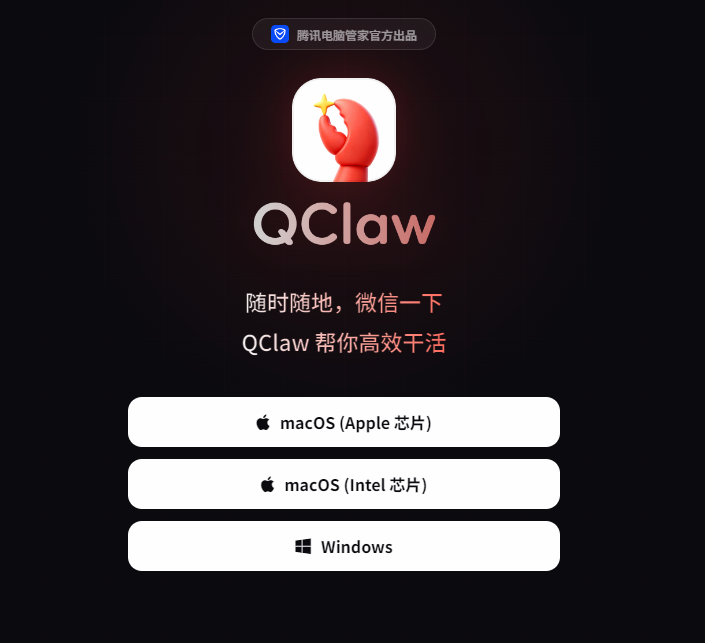
1.安装QClaw
点击对应的电脑版本根据需求来安装
2.下载好安装包后,继续安装
直至屏幕出现
3.配置skills
首先我们来了解什么是skills?
Skill 就是给 AI Agent 装上的「专项能力」,不同的 Skill 让 Agent 能做不同的事情。就好比一个人本来只会说话,装了不同的 Skill 之后: ☁️ 装了「天气 Skill」→ 能实时查天气
📁 装了「文件 Skill」→ 能读写各种文档
💻 装了「代码 Skill」→ 能写程序、跑代码 👇Skills的类型有很多,让我为你举个例子: 📁 文件读写类
文件阅读:把 PDF、Word、Excel、TXT 丢给它,它帮你读懂里面写了什么
看图理解:把图片发给它,它能看懂图里的内容,比如识别表格截图、分析图表 ✨
刚下载好,QClaw是没有配置任何skills的,所以我们需要进行配置,这里有两种方法:
1)使用交互式安装
直接跟QClaw说,如何安装skills?
他会回复:怎么安装?说句话就行,啥都不用管! 你不需要手动去找、去装任何 Skill。只要把你想做的事用大白话说清楚,QClaw 就会自动识别当前任务需要哪些 Skill,并在后台悄悄完成安装,全程无感,立刻开干。
但是QClaw给的命令是给 Linux/Mac 写的,Windows 直接运行会报:
-
curl 路径错误 -
tar 不是命令 -
bash 不是内部命令
原因:windows没有自带bash环境,运行命令会报错。
此时我们就应该使用手动安装
2)手动安装
以安装SkillHub商店(GitHub技能)为例,配置好一台虚拟机(以centos10为例)
ip add ---获取当前虚拟机的地址,告诉QClaw,让他通过ssh连接上虚拟机
此时就会出现连接不上的问题,需要我们下载一个软件---gh
sudo dnf install -y https://github.com/cli/cli/releases/download/v2.88.1/gh_2.88.1_linux_amd64.rpm速度有点慢,稍微等待一下
下载好之后就可以登录github了
[root@localhost ~]# gh auth login
? Where do you use GitHub? GitHub.com
? What is your preferred protocol for Git operations on this host? HTTPS
? Authenticate Git with your GitHub credentials? Yes
? How would you like to authenticate GitHub CLI?  [Use arrows to move, type to filter]
> Login with a web browser
  Paste an authentication token

[root@localhost ~]# gh auth login
? Where do you use GitHub? GitHub.com
? What is your preferred protocol for Git operations on this host? \  [Use arrows to move, type to filter]

[root@localhost ~]# gh auth login
? Where do you use GitHub? GitHub.com
? What is your preferred protocol for Git operations on this host? HTTPS
? Authenticate Git with your GitHub credentials? No
? How would you like to authenticate GitHub CLI? Paste an authentication token
Tip: you can generate a Personal Access Token here https://github.com/settings/tokens
The minimum required scopes are 'repo', 'read:org'.
? Paste your authentication token: ****************************************
- gh config set -h github.com git_protocol https
✓ Configured git protocol
! Authentication credentials saved in plain text
✓ Logged in as zzzzzz271

小龙虾开发者社区是 CSDN 旗下专注 OpenClaw 生态的官方阵地,聚焦技能开发、插件实践与部署教程,为开发者提供可直接落地的方案、工具与交流平台,助力高效构建与落地 AI 应用
更多推荐

 5
5 0
0- 0


 已为社区贡献2条内容

所有评论(0)